

How to pay for PS Plus with wallet funds
PS Plus is paid for in PlayStation Store, and the simplest way is with funds in your account’s wallet. You top the wallet up with a gift card of the account’s country. Here is which tier to pick, how to pay with a gift card and what to know about the account’s country.
In short
- PS Plus has three tiers: Essential, Extra and Premium. Some countries have Deluxe instead of Premium.
- You can pay with PS Store wallet funds, topped up with a gift card of your account’s country.
- An account’s country cannot be changed, and Sony asks for your country of residence and true details.
- We sell cards for US accounts and several European countries; the list is on the PlayStation page.
- Auto-renew takes wallet funds first, then your saved payment method.
PS Plus tiers
| Tier | What it includes | US price a month |
|---|---|---|
| Essential | Online play, monthly games, discounts, cloud saves, Share Play | $10.99 |
| Extra | Everything in Essential plus the Game Catalog and Ubisoft+ Classics | $16.99 |
| Premium | Everything in Extra plus Classics, game trials, PS5 cloud streaming and the Sony Pictures catalog | $19.99 |
Memberships run for 1, 3 or 12 months; a year costs less per month. Some countries sell Deluxe instead of Premium: Extra plus Classics and game trials. Your store shows the tiers available in your country.
The key condition: your account’s country
A PlayStation account belongs to the country chosen at sign-up and cannot be changed. The country sets the store, the currency and which gift cards work: the wallet accepts only cards of the account’s country. The PlayStation page lists the countries we have cards for in its “PlayStation account country” field, usually the US and European countries such as Germany, France, Austria, Belgium and Poland.
Sony’s terms say you select your country of residence at sign-up and that all details must be true. Sony may suspend an account created with false information.
Paying for PS Plus with a gift card
Choose the country and amount
Open PlayStation, choose your account’s country and a card amount at least as large as the membership’s price in your store. The price and the fee are shown before you pay.
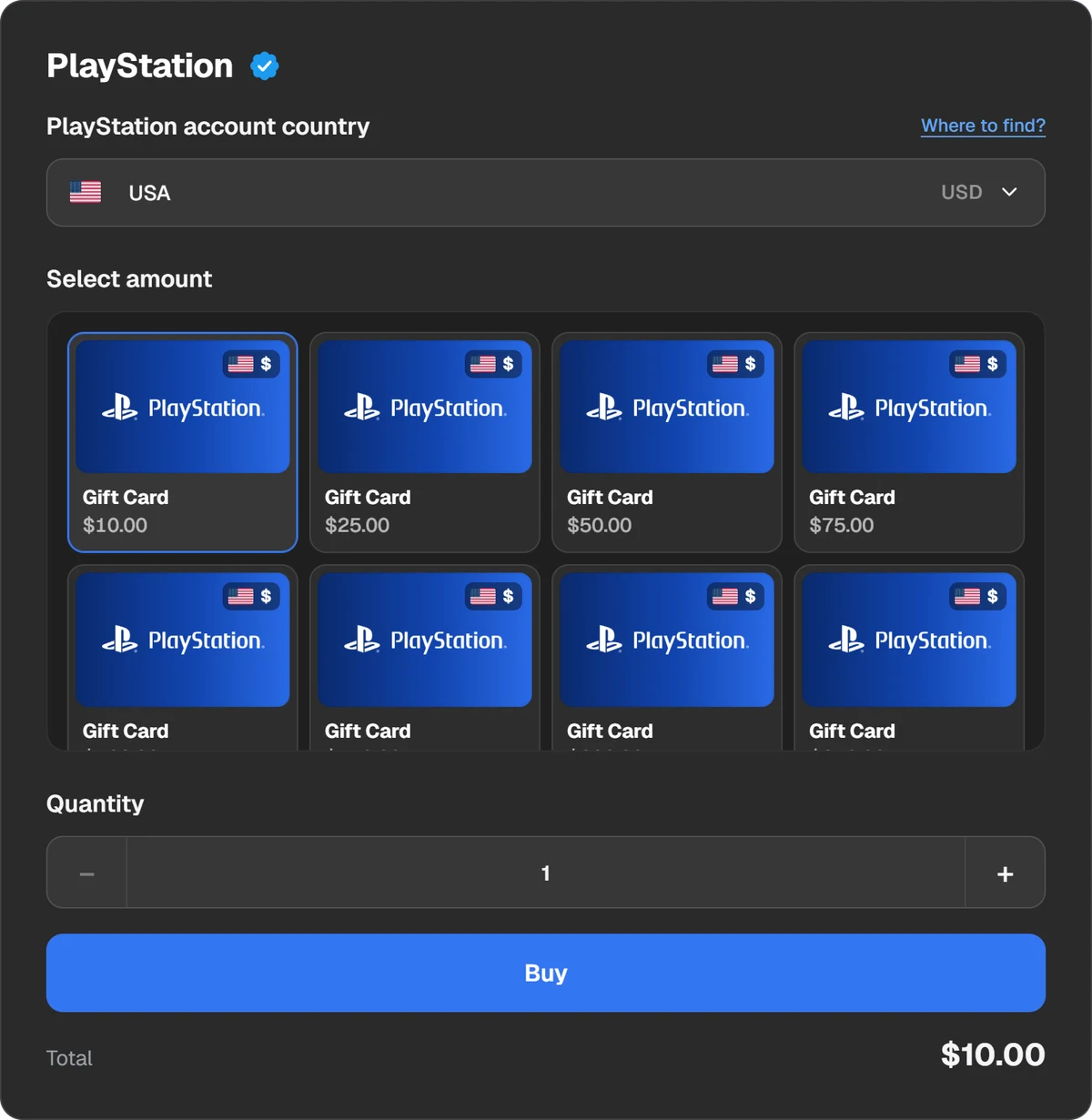
Account country and card amounts.
Pay
Press “Buy” and choose how to pay: USDT, TON, BTC and other coins, Binance, Walt or TON Connect.
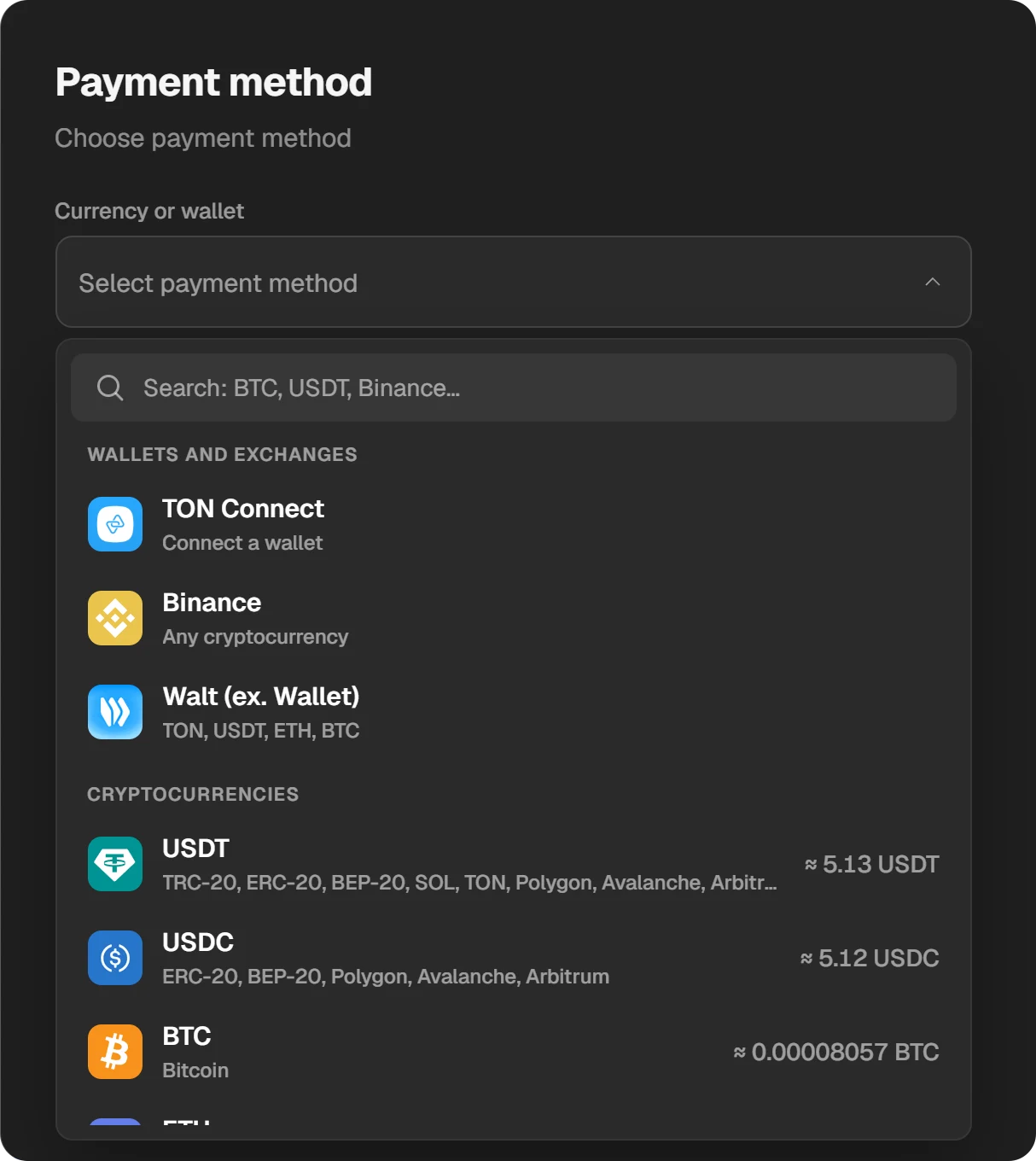
Payment methods.
Copy the code
When the order is done, the 12-digit code appears in the order window. It is also kept in “History” at the top of the site.
Redeem the code
On PS5, in PlayStation Store press triangle, then “…” and Redeem Code. In a browser, select your profile at the top of store.playstation.com, then Redeem Code. The funds go to your wallet. All devices are in How to redeem a PS Store code.
Buy PS Plus
Open PlayStation Plus in the store and choose the tier and length. It is paid from your wallet.
Sony says a payment method may be required to buy a subscription even when your wallet has enough funds.
Auto-renew
Memberships renew automatically. Under Sony’s terms, renewal takes wallet funds first and charges any shortfall to your saved payment method. To stop it:
- PS5: Settings, Users and Accounts, Account, Payment and Subscriptions, Subscriptions; select PS Plus and cancel.
- PS4: Settings, Account Management, Account Information, Subscriptions.
- Browser: Account Management on the PlayStation website, Subscription.
After you cancel, the membership runs until the end of the paid period.
If you already have another tier
- The same tier. The new time is added to your membership.
- A higher tier. The account moves up and the remaining days are converted by PS Store prices.
- A lower tier. The time converts into days of your current tier: in the US, one month of Essential gives an Extra member 21 days and a Premium member 17 days.
Questions and answers
Can I change my PlayStation account’s country?
No. Sony does not change an account’s country. Another country needs a new account.
Extra or Premium?
Premium adds Classics, game trials, PS5 cloud streaming and Sony Pictures films to Extra’s game catalog.
What is PS Plus Deluxe?
The tier some countries sell instead of Premium: Extra plus Classics and game trials.
Can wallet funds pay for PS Plus?
Yes, both the purchase and renewals. Sony may still ask you to add a payment method.
Which countries do you have cards for?
The PlayStation page lists them in the “PlayStation account country” field. Buy a card only for your account’s country.

