Which Nintendo eShop region to choose: prices and sales
Nintendo eShop has no “choose a region” button. It opens the store of the country set in your Nintendo Account and shows prices in that country’s currency. Here is why prices and sales differ, where to check them on Nintendo’s own sites, and what to know before you buy an eShop card.
In short
- The eShop region is your Nintendo Account’s country. You cannot hop to another one for a single purchase: the balance does not carry over.
- Every country has its own prices and sales. Nintendo lists them on its site for your country and in the eShop itself.
- An eShop card works only in its own country, and in Europe in any country with the same currency.
- On Play Wallet, as of 22 November 2026, there are US eShop cards in dollars, euro cards and Polish cards in zloty.
- Nintendo asks for the country you live in. We do not advise a VPN or a false address. An account set to Russia cannot buy games.
Why eShop prices differ
Nintendo says the eShop on Switch and Switch 2 always matches the country of your Nintendo Account. Each country has its own store: its own currency, prices and sales. The same game is priced in dollars in the US, in euro in Germany and in zloty in Poland, and the amounts do not match once converted.
Sales run per country too. A sale in the US eShop does not mean the game is cheaper in the European one, and the other way round. So “which region is cheapest” has no single answer: it depends on the game, the week and the exchange rate.
Where to check prices and sales officially
- The game’s page on nintendo.com. The site shows the eShop price for the selected country. You switch the country with the site’s region selector; no sign-in is needed.
- Sales & Deals on Nintendo’s US site. It gathers discounts on digital games and DLC.
- The sale page on Nintendo’s site for your European country. As of 22 November 2026, Nintendo UK is running the Black Friday sale on Nintendo eShop: until 29 November, up to 75% off.
- The eShop on your console. It shows the prices and discounts of your account’s country, which is exactly what you will pay.
- The Wish List. On the site a game has an “Add to Wish List” button. On the console: eShop, your icon at the top right, Wish List.
There are third-party sites that compare eShop prices across countries. They are not Nintendo services, and their prices can lag. The lowest price is often in a country whose eShop you cannot use: without an account of that country and its card you cannot buy there.
Why you cannot just pick a cheaper region
- The balance does not carry over. Nintendo says eShop funds do not move when the country changes: you have to spend them first.
- Three things block the change: an unspent balance, an active auto-renewal and a pre-order of a game that is not out yet.
- The bank card must be from the same country. A card issued in one country does not work in another country’s eShop.
- eShop cards are tied to a country. Nintendo does not exchange or refund a card bought for another region.
- Under 18, you cannot change it yourself: the country follows the family group’s admin.
The profile field is called “Country/region of residence”. Nintendo expects the country you live in and offers the change for people who move. That is why we do not advise setting a foreign country for a discount, or using a VPN or a false address. The change itself and what blocks it are covered in Nintendo eShop USA.
Regions and eShop cards
| Account country | eShop currency | Cards on Play Wallet, 22 November 2026 |
|---|---|---|
| United States | US dollars | Yes: $10, $20, $35 and $50 |
| Germany, France, Italy, Spain and other euro countries | Euro | Yes: €15, €25, €50, €75 and €100. A euro card works in any euro country |
| Poland | Zloty | Yes: 70, 120, 250, 370 and 500 zloty |
| United Kingdom, Switzerland and other countries with their own currency | Their own | No |
| Russia | Purchases closed since 31 May 2023 | A card will not help |
Countries and card values change. Today’s list is on the Nintendo eShop page, in the Nintendo account region field. What happened to the Russian eShop is in How to add funds to Nintendo eShop.
About the Polish eShop
People often look at the Polish eShop for its zloty prices. The rules are the same: it opens for an account set to Poland and is funded with a zloty card. A euro card will not work there, because the currency differs. If your account is already Polish, we have cards for it. We do not advise creating a Polish account while living elsewhere, for the reason given above.
What the region changes for games
- Game cards. Nintendo says Switch and Switch 2 game cards are not region locked. The exception on the first Switch is consoles and cards made for China.
- DLC. On Switch, DLC works only with a game released for the same region. If your game card is American, buy its DLC in the US eShop. On Switch 2 it depends on the game.
- Support. Nintendo does not guarantee full service for software from another region and recommends software made for yours.
- Membership. Nintendo Switch Online codes are tied to the account’s region too. What the membership includes: Nintendo Switch Online and the Expansion Pack.
How to add funds to your country’s eShop
Check your account’s country
Open the eShop on the console: prices are in the currency of the account’s country. The country itself is in your profile on accounts.nintendo.com, in “Country/region of residence”.
Choose the region and the value
Open Nintendo eShop cards, the gift card tab. Pick your account’s country in the Nintendo account region field, then the card value. The amount to pay is shown before you buy.
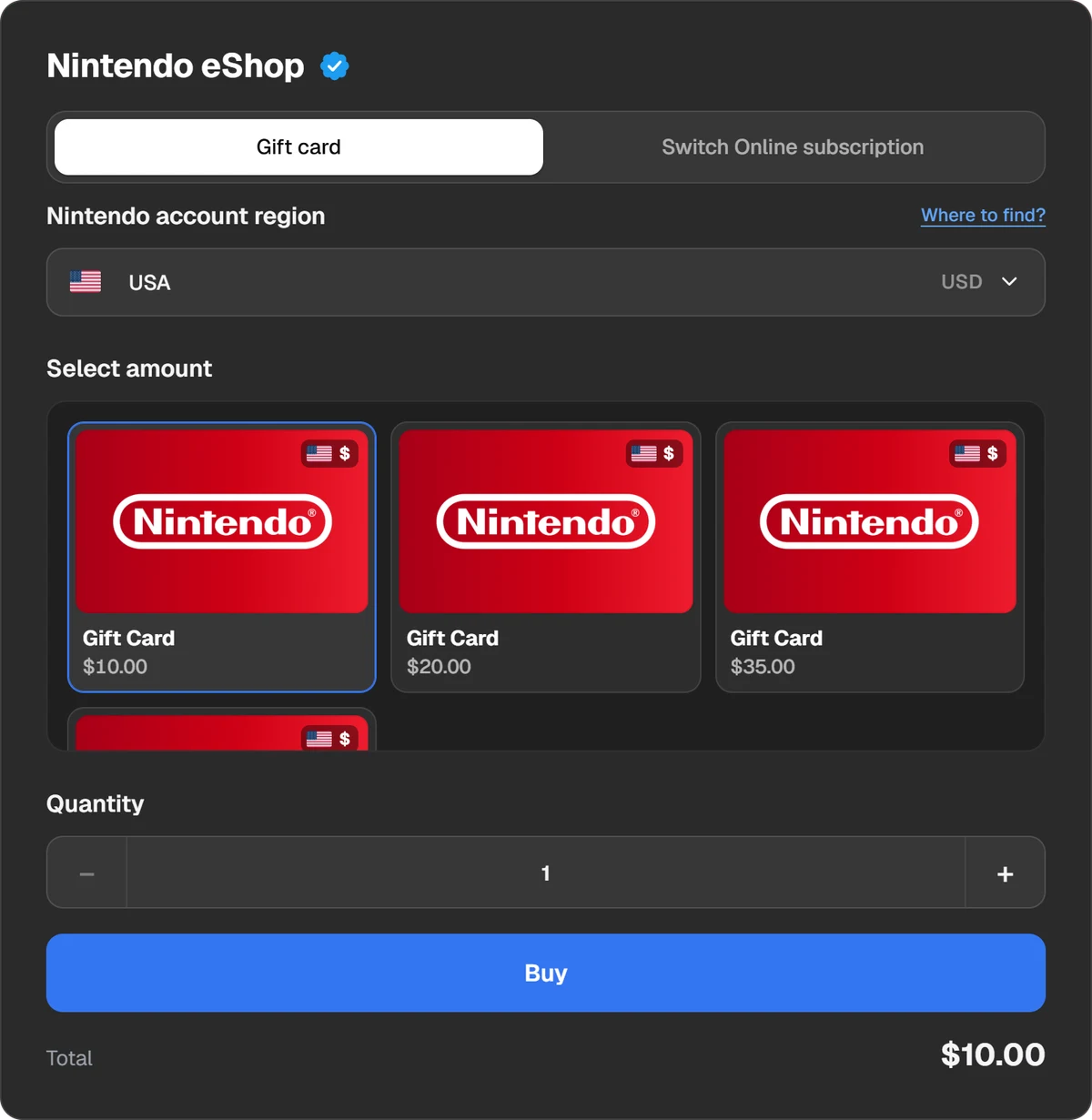
The account region and the eShop card value.
Pay
Press “Buy” and choose how to pay: USDT, TON, BTC and other coins, Binance, Walt or TON Connect. You need neither a bank card nor your Nintendo password.
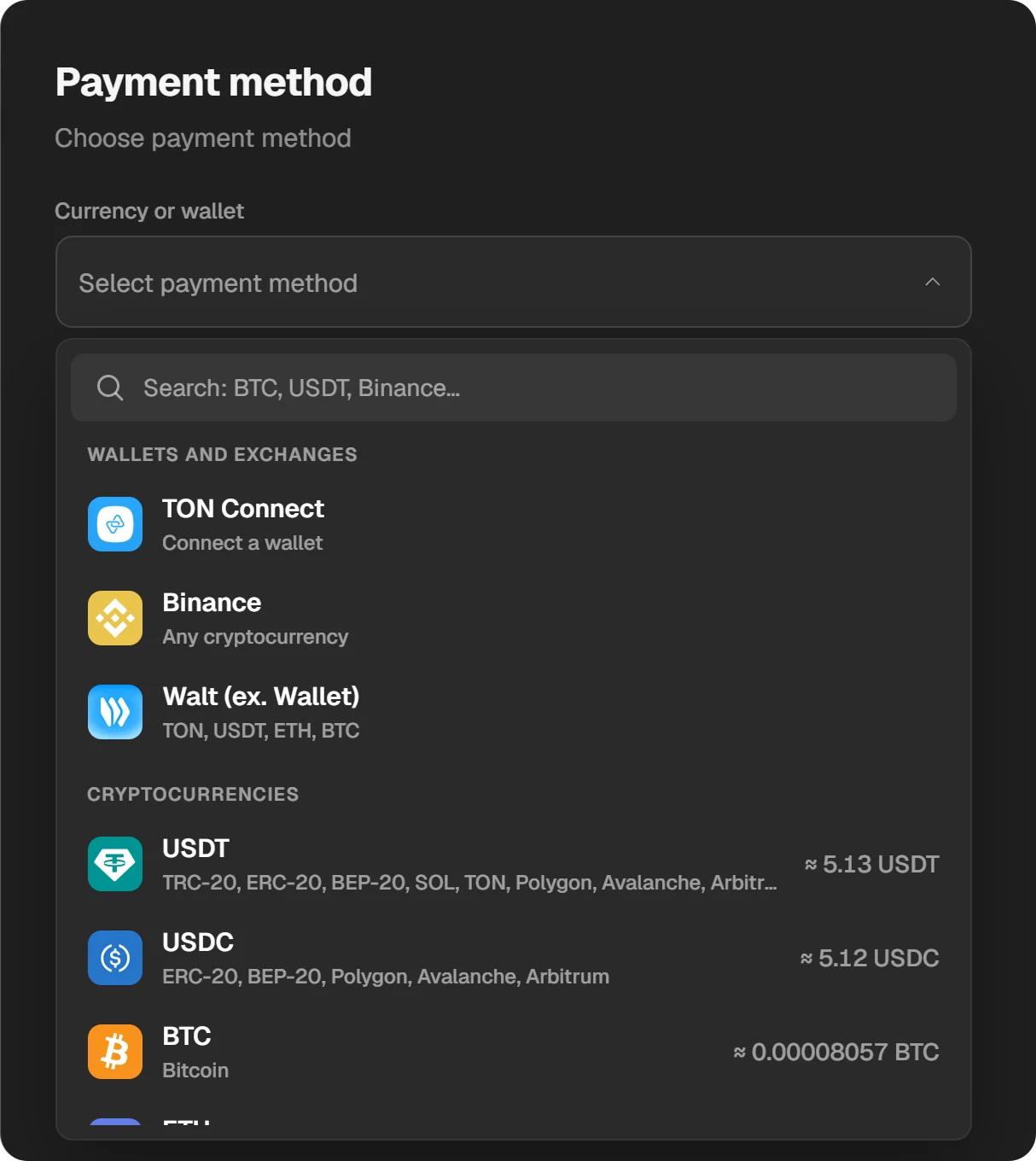
Payment methods in the order window.
Enter the code
The 16-character code appears in the order window and stays in “History”. On the console: eShop, your user, “Enter Code” on the left. Every step, including Nintendo’s website, is in the eShop funding guide.
How not to overpay in your own region
- Add the game to your Wish List and check the list before the big sales.
- Check the price on the game’s page on Nintendo’s site for your country: it shows both the regular and the sale price.
- Add funds for a specific purchase. eShop card money is not refunded, and the balance does not move when the country changes.
- If the game is on other platforms too, compare. For PlayStation regions see Which PS Store region to choose.
Questions and answers
Which Nintendo eShop region is the cheapest?
There is no single answer: each country has its own prices and sales, and they change. The eShop also follows your account’s country, and Nintendo asks for the country you live in.
Where can I see eShop sales?
On Nintendo’s site for your country, in its deals section, and in the eShop on the console. For the US it is Sales & Deals on nintendo.com.
What happens to my balance if I change region?
It does not carry over. Nintendo will not let you change the country while there is a balance, an active auto-renewal or a pre-order.
Does a euro card work with a Polish account?
No. An eShop card works only in a country with the same currency. A Polish account needs a zloty card.
Will a game from another region work?
Switch and Switch 2 game cards are not region locked, except Chinese ones for the first Switch. But on Switch, DLC must be from the same region as the game.
Can I pay in the eShop with a bank card from another country?
No. Nintendo accepts bank cards issued in the same country as the eShop. Otherwise the balance is funded with an eShop card of that country.
Do you have eShop cards for the UK or Japan?
As of 22 November 2026 we have the US, euro countries and Poland only. A card of another country will not fit those accounts.