How to add funds to Nintendo eShop with a gift card
An eShop card adds money to your Nintendo Account, and it has to match the account’s country. Here is how to pick the right card, buy it without a local bank card and redeem it on a Switch or in a browser.
In short
- An eShop card is a 16-character code that adds money to your Nintendo Account balance.
- The card must suit the account’s country: a US card for the US, a euro card for a euro country.
- Redeem it on a Switch in eShop (Enter Code) or online at ec.nintendo.com/redeem.
- On Play Wallet the code appears in the order window right after you pay.
Which card fits your account
Nintendo eShop on a Switch always follows the country set in your Nintendo Account, and its currency. It will not take another region’s card, and Nintendo does not exchange cards of one country for another’s.
| Nintendo Account country | Card that fits |
|---|---|
| United States | A US eShop card in dollars |
| Germany, France, Italy and other euro countries | A euro eShop card: in Europe it works in any country with the same currency |
| Poland, the UK, Switzerland | Only a card of that country and currency |
The easiest check is eShop on the console: prices are shown in the currency of the account’s country. The country is also in your profile at accounts.nintendo.com.
You can change a Nintendo Account’s country, but the balance does not carry over: Nintendo asks you to spend it first. Change it only if you have really moved; do not use a VPN or someone else’s address.
Check before buying
Your Nintendo Account’s country
Look at the currency of eShop prices on the Switch, or the country in your profile at accounts.nintendo.com. The card must be of the same country, or in Europe the same currency.
That the account has opened eShop
To redeem online, the account must have opened eShop on a console at least once.
Whether you need funds or only the subscription
If all you need is Nintendo Switch Online, a separate code on the Switch Online subscription tab is simpler than adding funds.
How to buy an eShop card on Play Wallet
Choose the account’s region
Open Nintendo top-up, the Gift card tab. In the Nintendo account region field, choose your account’s country. The “Where to find?” link shows where to look.
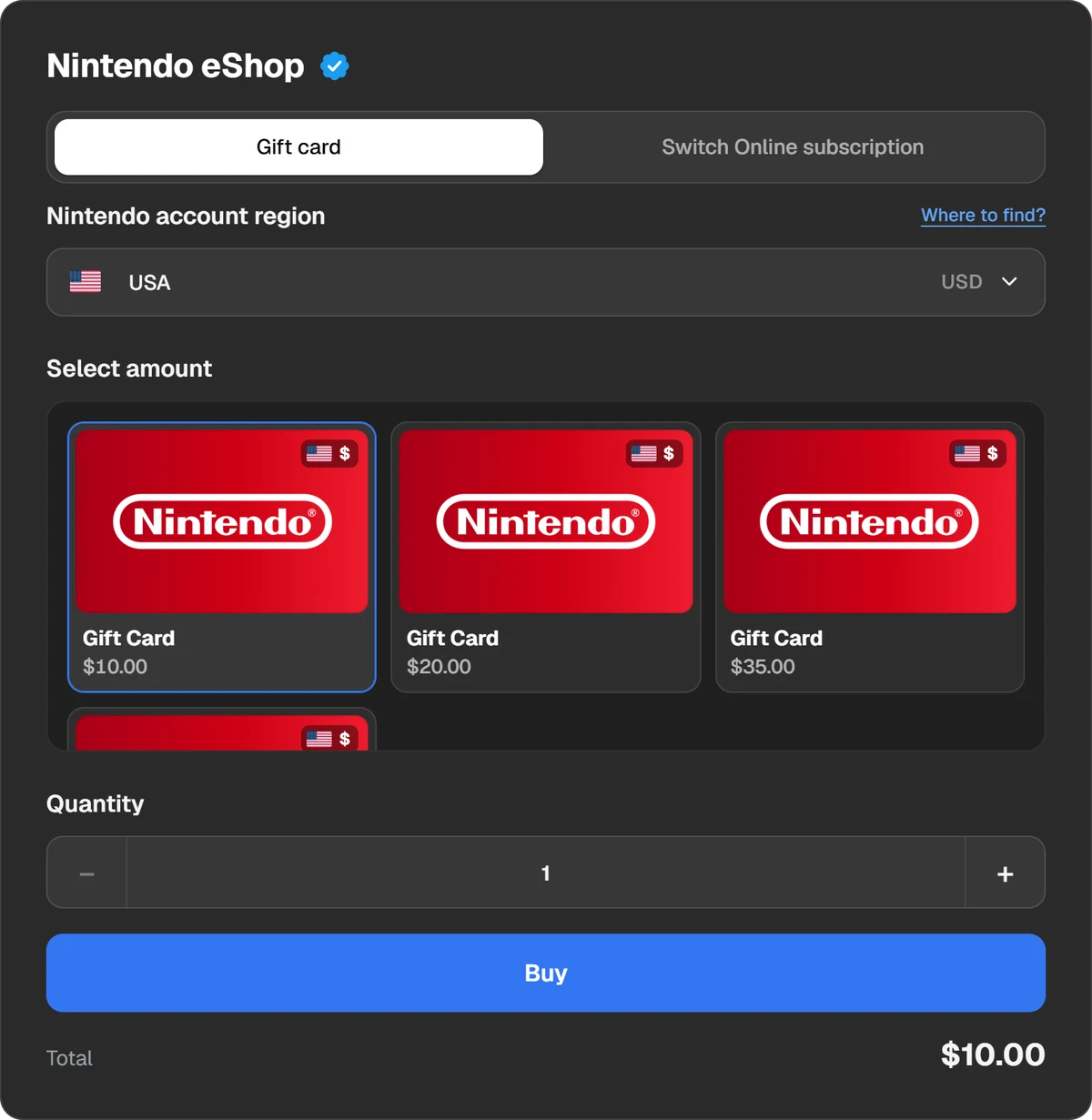
The account’s region, the card value and the quantity.
Choose the value and pay
The cards for that region appear below. Press Buy and the payment window opens. You can pay in USDT, USDC, BTC, TON and other coins, or through Binance, Walt and TON Connect. The total and the fee are shown before you pay.
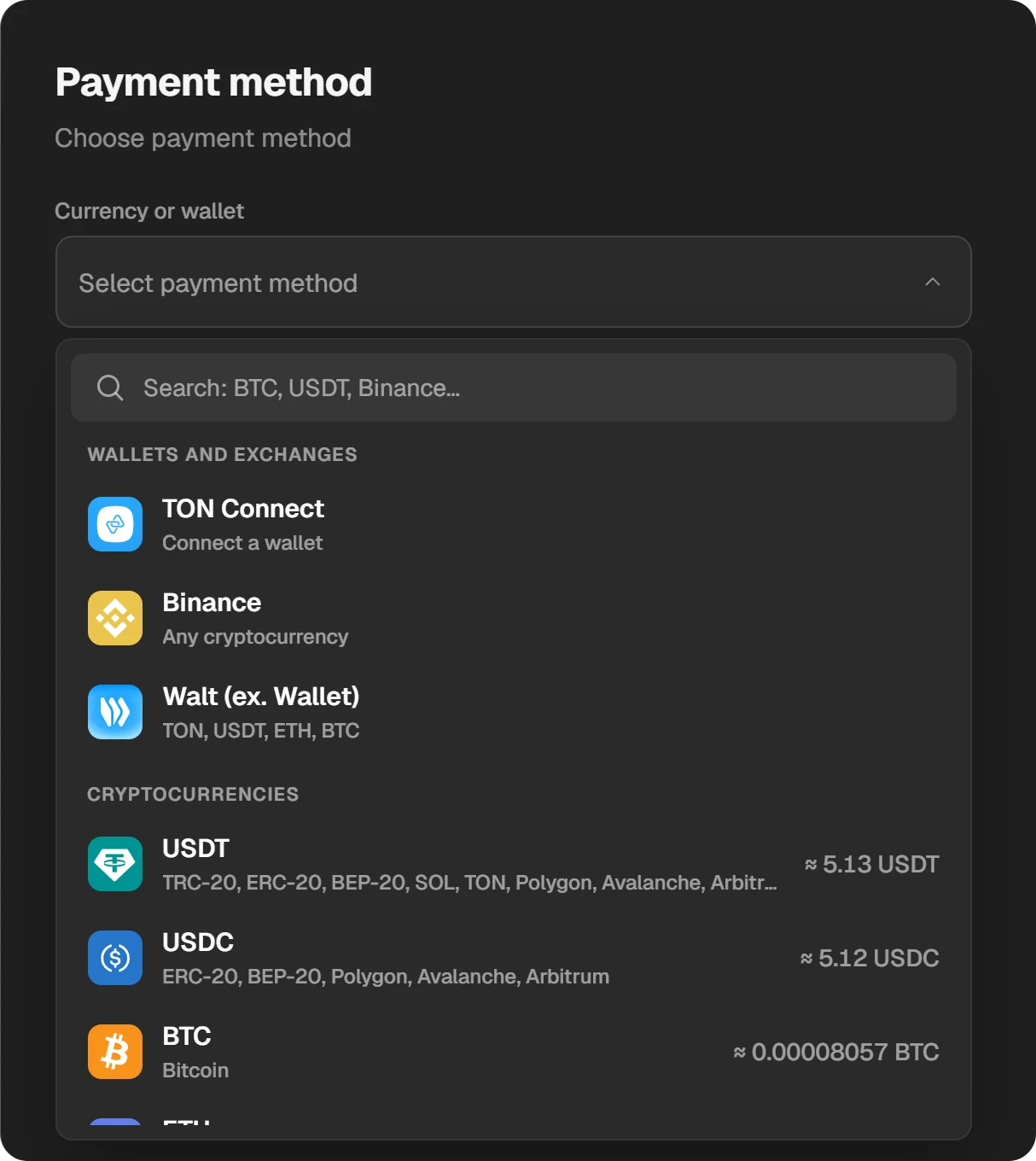
Choosing a coin or a wallet in the payment window.
Copy the code
When the order is done, the window shows the activation code with a Copy code button. It also stays in History at the top of the site.
How to redeem the code on a Switch
Open Nintendo eShop
Connect the console to the internet and select Nintendo eShop on the HOME Menu.
Choose the user
Pick the user linked to the right Nintendo Account. Enter the password or PIN if asked.
Select Enter Code
It is on the left side of the screen.
Enter the 16 characters
The code has no hyphens. Select OK and the money is on your eShop balance.
How to redeem the code online
- Open ec.nintendo.com/redeem and sign in to your Nintendo Account.
- Enter the 16-character code and your password again.
- Select Redeem. Nintendo sends a confirmation email.
Online redemption works only if the account has opened eShop on a Switch at least once. Open a new account in eShop on the console first.
What the eShop balance pays for
The card’s money goes to your Nintendo Account balance. It pays in Nintendo eShop on a Switch for games, add-ons and Nintendo Switch Online, with prices in your account country’s currency.
Topping up other consoles too? See the articles on the PS Store and on Xbox gift cards.
Common mistakes
- The wrong region. A US card will not go onto a European account and vice versa. Check the account’s country before buying.
- The wrong user on the console. The money goes to the Nintendo Account of the user you chose in eShop.
- A typo. Codes have no O, I or Z, and the console will not let you type them. Copy the code with the button in the order window.
If the code is rejected and the region matches, write to support with the order number. The ID button in the order window copies it.
Questions and answers
Which eShop card do I need for a US account?
A US eShop card in dollars. On the site, choose the United States in the Nintendo account region field.
Will a German card work on a French account?
Yes. In Europe an eShop card works in any country with the same currency, and both use the euro.
Where do I enter an eShop code?
On a Switch: eShop → Enter Code on the left. Or online at ec.nintendo.com/redeem, once the account has opened eShop on a console.
What happens to my balance if I change the account’s country?
It does not carry over. Nintendo asks you to spend it before changing the country.
Do you sell Nintendo Switch Online?
Yes, on the Switch Online subscription tab. It is a code too, redeemed the same way with Enter Code.