How to check whether a payment has arrived
Look at the status in the order window
At the top of the order window there is the “Order status” line and four steps: “Created”, “Paid”, “Topping up” (for gift cards — “Issuing”) and “Done”. The window updates by itself; there is no need to reload the page.
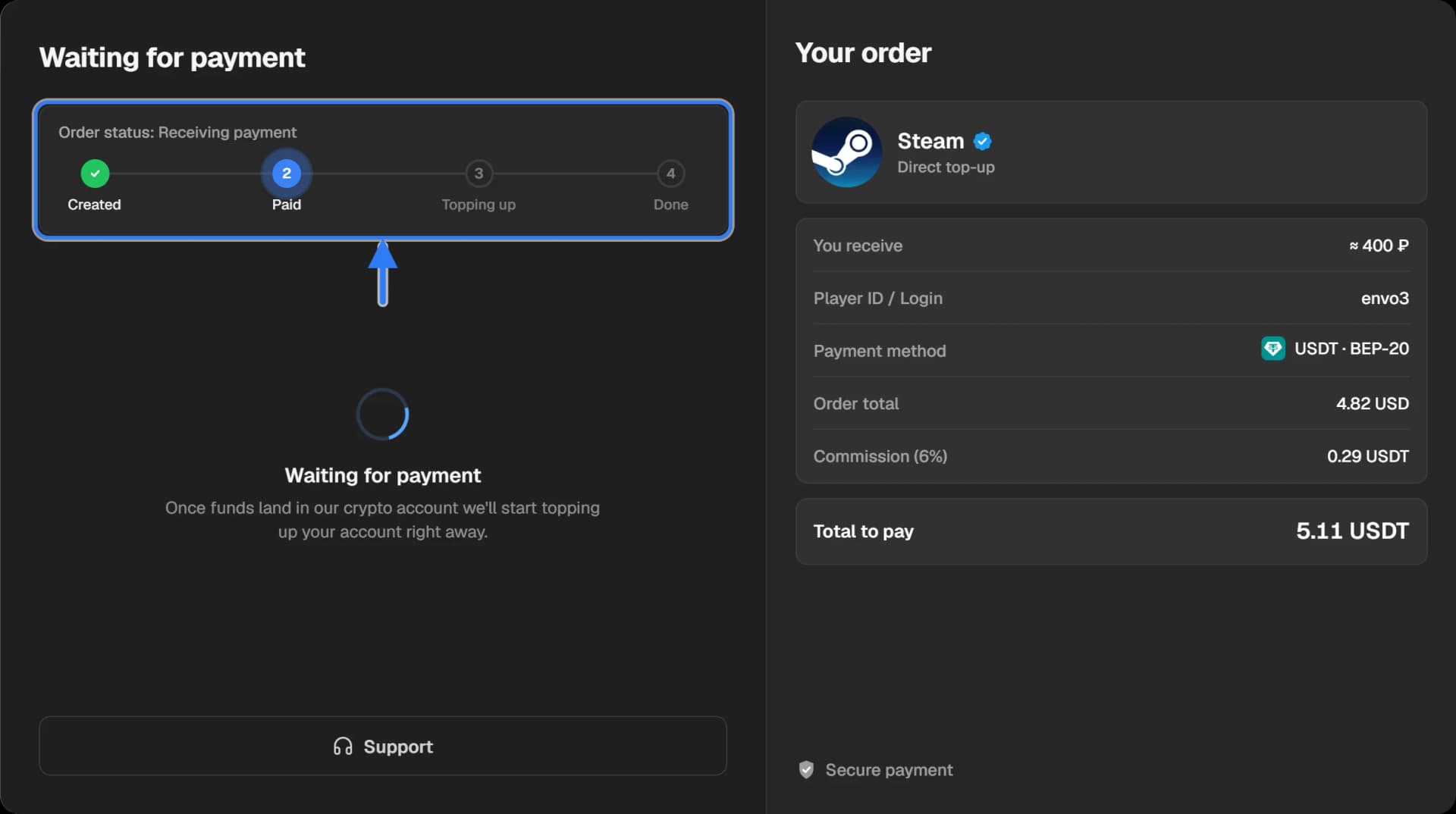
- “Waiting for payment” — the transfer has not been received or confirmed by the network yet.
- “Receiving payment” — the transfer is seen and is being confirmed.
- “Topping up” or “Issuing card” — the payment is received and the order is being fulfilled.
- “Done” — the top-up is credited or the code is issued.
You can close the window: the order stays in “History” in the site header and updates by itself.
If the status does not change for long, check the transfer on the blockchain
Find the hash of the transfer and open it in the explorer of your network — the article How to find a transaction hash shows how. On the transfer’s page look at the status line.
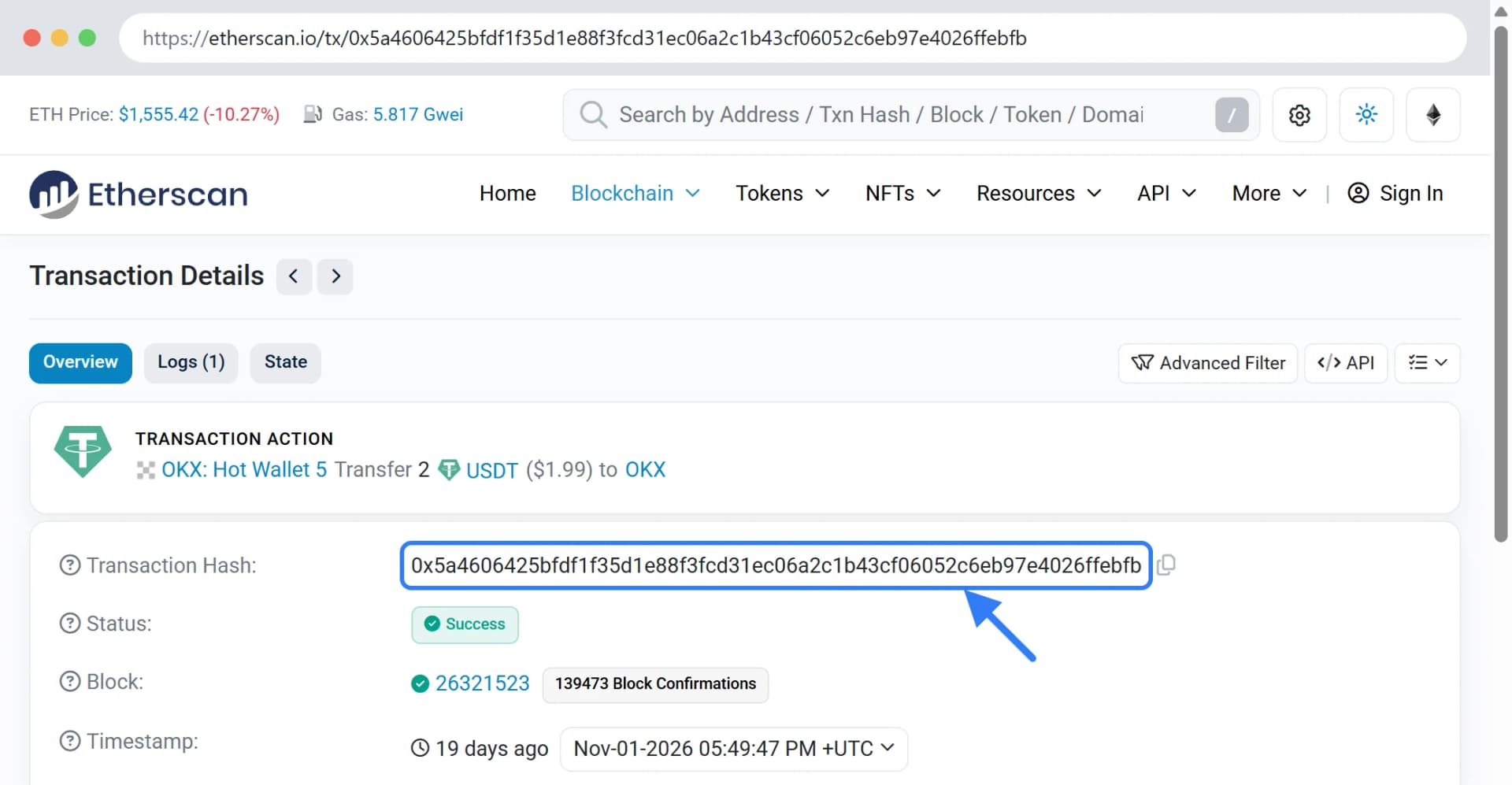
- Pending, Unconfirmed — the transfer is waiting to be confirmed. You need to wait: how long depends on the network and how busy it is.
- Success, Confirmed — the transfer reached the recipient address.
- Failed, Reverted — the transfer did not go through. The coins stayed with you; the network may have taken only its fee.
- No transfer at all — the exchange or the wallet has not sent it yet. Check the withdrawal status where you paid from.
Compare the address, the network and the amount
If the transfer is confirmed and the order still waits for payment, compare three things with what the payment page showed: the recipient address, the network and the amount. If they all match, write to support and send the order ID and the hash of the transfer.
The order is completed
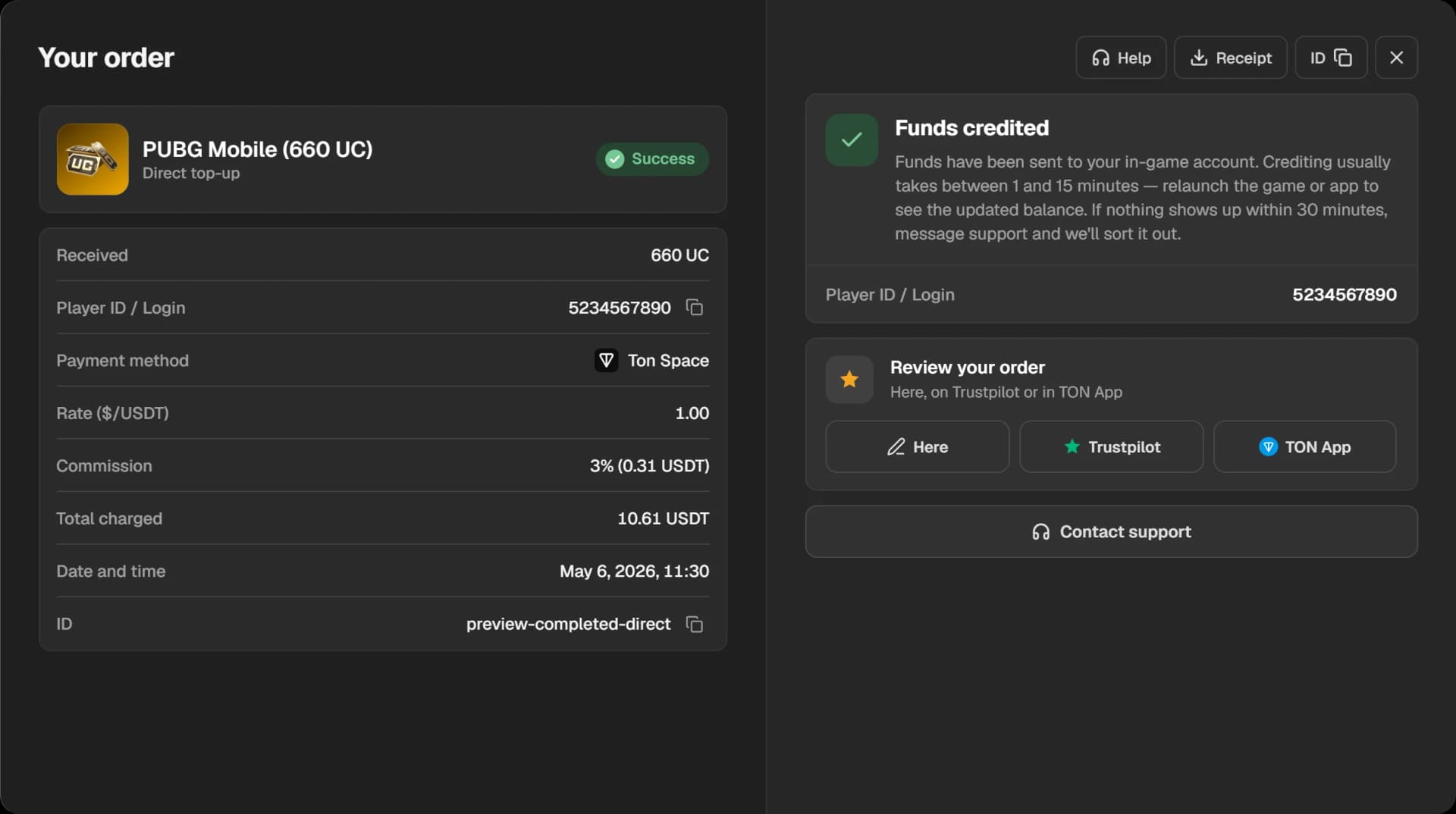
A completed order has the status “Success”. The window shows what was credited and to which account; the “Help”, “Receipt” and “ID” buttons are next to it.
The time to pay ran out
An order has a limited time to be paid. If the payment does not arrive in time, the order is cancelled and the window shows “Payment timed out”. Funds that were charged anyway are returned automatically; you can create a new order and pay for it.
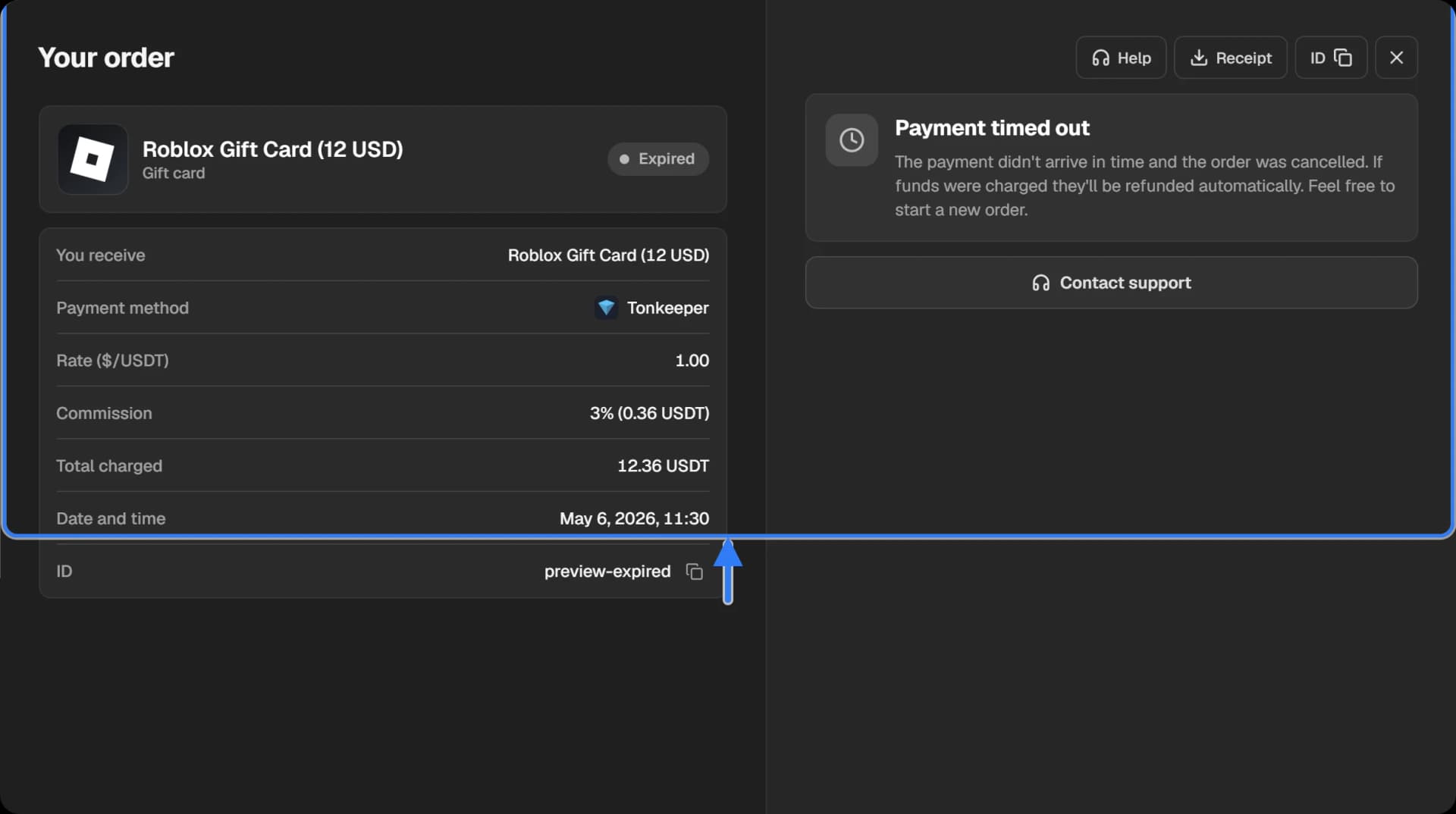
Do not pay for a cancelled order a second time. If the transfer left and the money did not come back, press “Contact support” and send the order ID and the hash of the transfer.