How to find and copy the order ID
Every order on Play Wallet has a unique number — its ID. With it support finds the order at once: what was bought, for which account and what its status is. You can copy the ID in three steps.
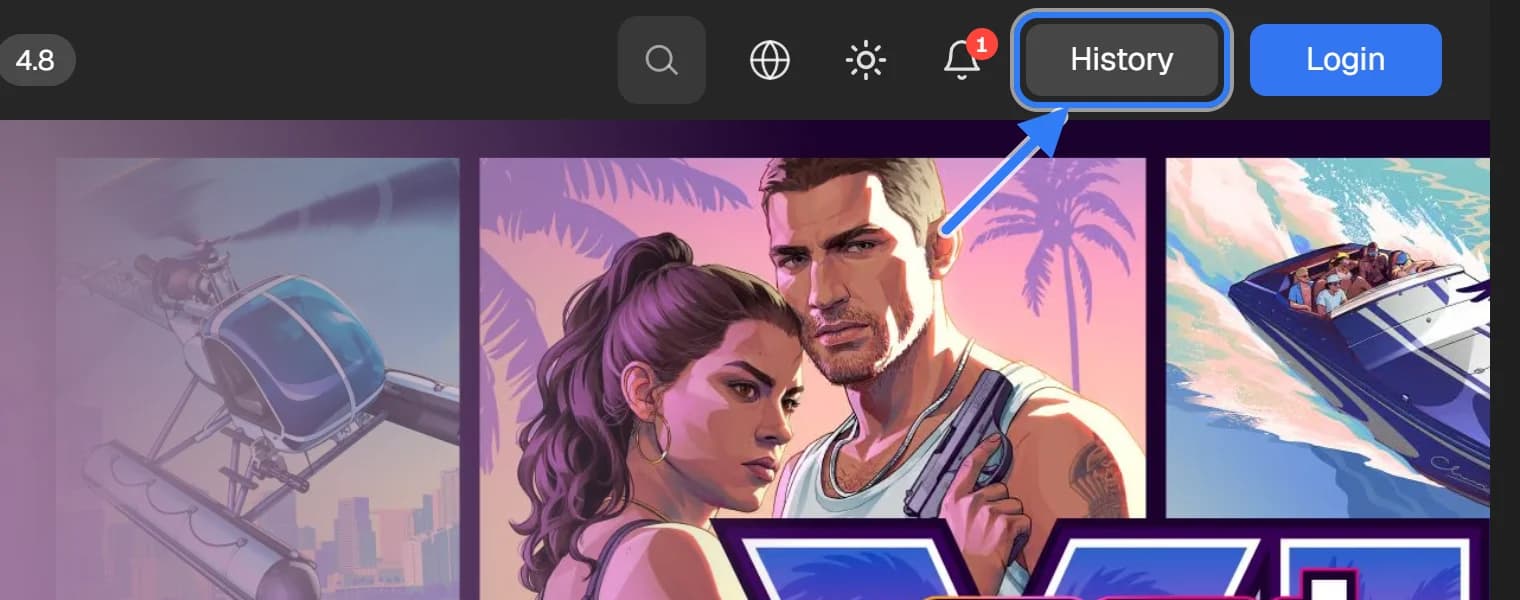
Open the order history
Press “History” in the site header. The list of all your orders opens.
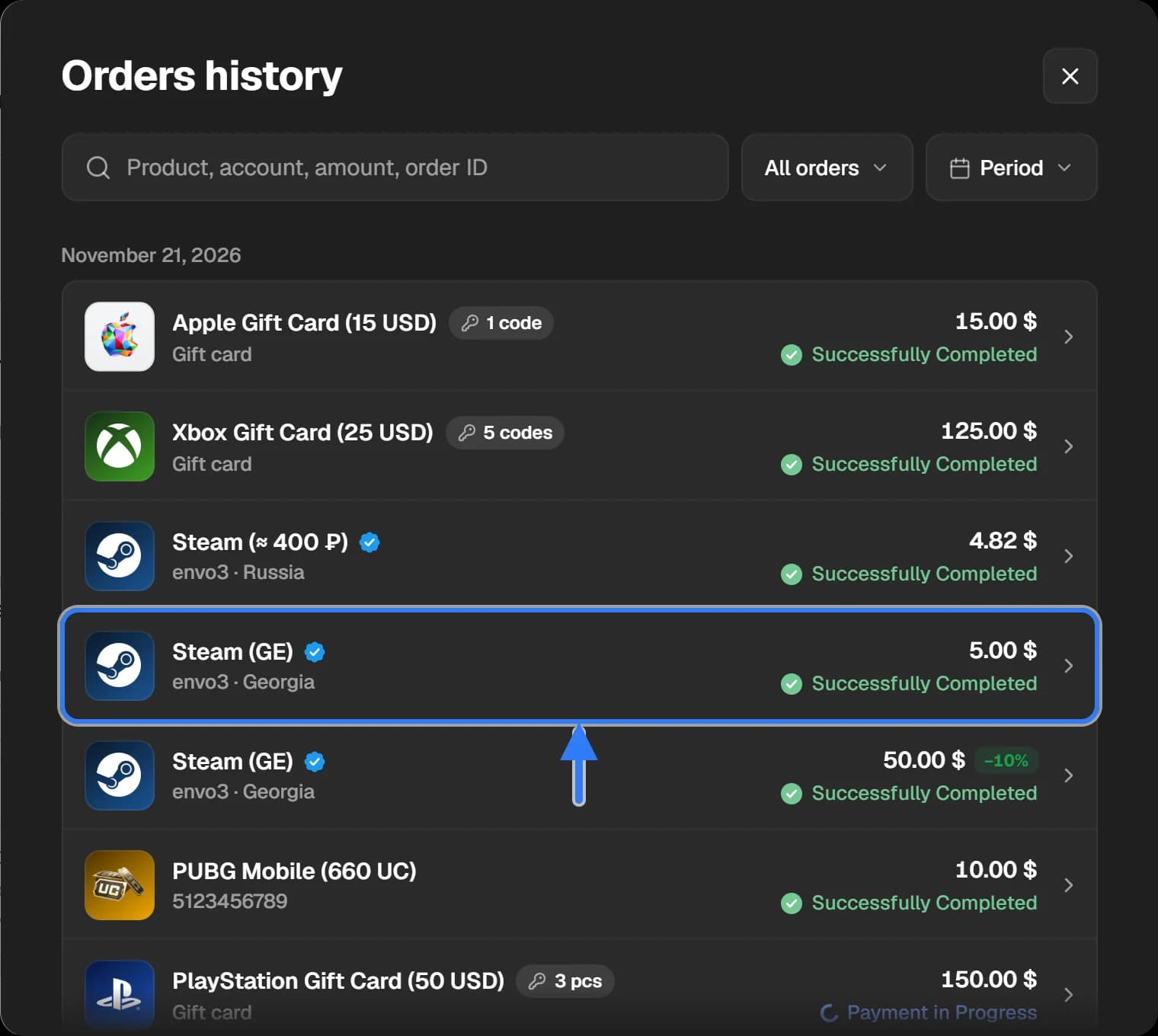
Choose the order
Find the order and click it. If there are many orders, there is a search at the top — by product, account or amount — and filters by status and period.
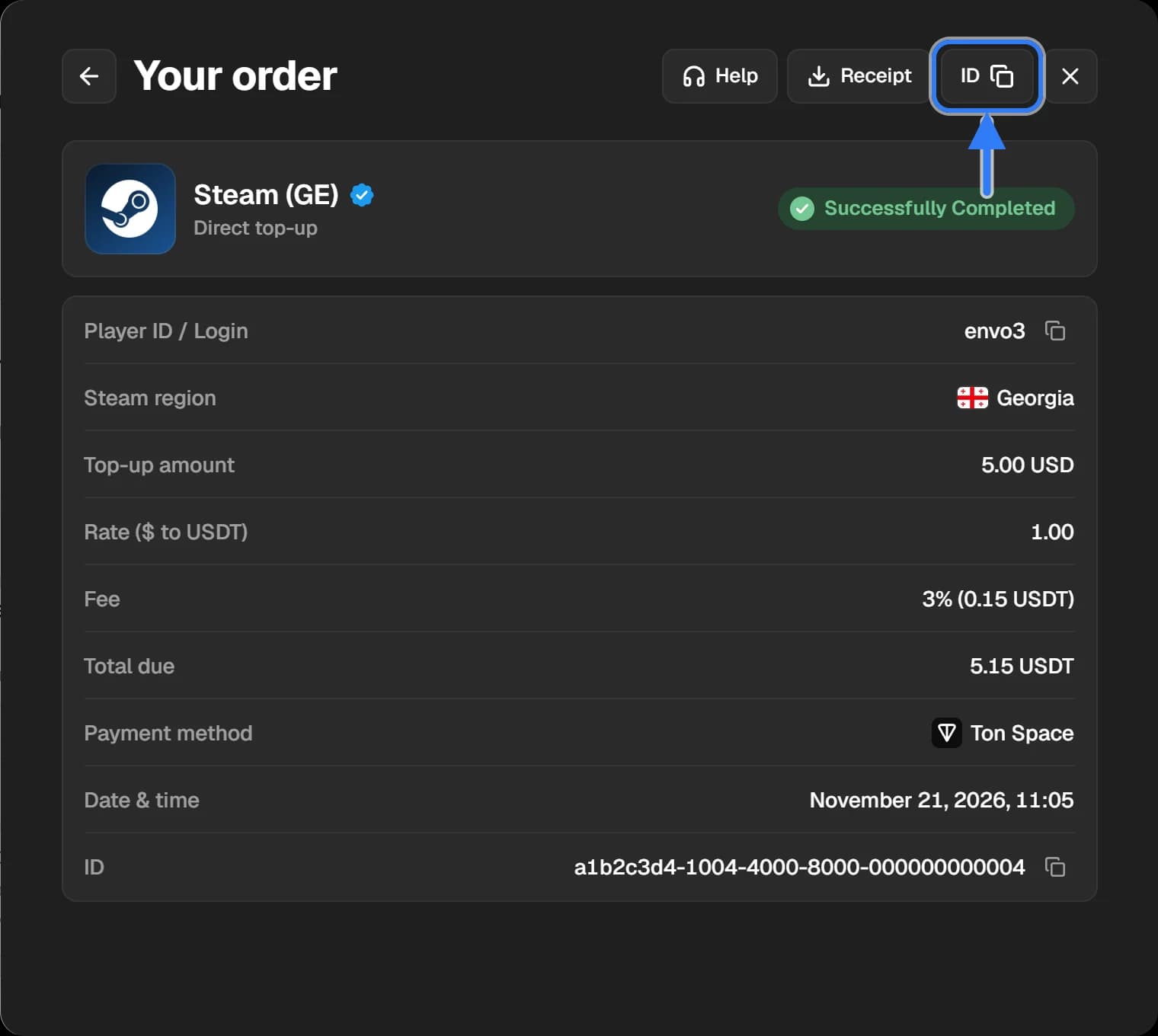
Copy the ID
In the top-right corner of the order window press the “ID” button — the number is copied and the button shows “Copied” for a moment. The same number is written at the bottom, in the “ID” line. The “Receipt” and “Help” buttons are next to it.
If the order is not in “History”
Orders made without logging in are kept on the same device and in the same browser. Open the site where you bought. After you log in, such orders move to the account and are visible from any device.
The order ID and the transaction hash are different things
- The order ID is given by our site. Every order has one, even an unpaid one.
- The transaction hash (TxID) is given by the blockchain. It appears only once you have sent crypto, and you see it in your wallet or on the exchange.
If a payment has not arrived, support needs both. How to find the hash: see How to find a transaction hash.