How to top up Steam from Russia in 2026
You can top up Steam from Russia, though not always the way you are used to. Below are all the working options, from paying in Steam itself to a top-up by login through a service, and the exact steps on Play Wallet.
In short
- First check which payment methods Steam offers in your account when you add funds.
- If none works for you, the options are wallet codes, a top-up by login through a service, or a gift from a friend.
- Play Wallet tops up Steam by login and takes crypto: Binance, Walt, TON Connect, USDT and other coins. It does not take bank cards.
- No password needed. The amount in roubles and the fee are shown before you pay.
- Top up a brand-new account with a small amount first: Steam may set its region itself.
Ways to top up Steam from Russia
| Way | How it works | Keep in mind |
|---|---|---|
| Paying in Steam | “Account details” → “Add funds to your Steam Wallet”. Steam lists the payment methods available in your region. | If none of them works for you, this route is closed. |
| A Steam Wallet code | Buy a code and redeem it on the “Redeem a Steam Gift Card or Wallet Code” page. | Steam itself suggests codes when you cannot pay in your store country. Physical gift cards leave retail by the end of 2026; digital codes stay. |
| A top-up by login through a service | The service adds money straight to your wallet by your login. | Each service has its own payment methods and fee. Check the site against this checklist. |
| A gift from a friend abroad | A friend sends you a game or a Steam digital gift card. | Gifts between regions are sometimes blocked by price differences. |
Ignore advice to “turn on a VPN and change region”. The Steam Subscriber Agreement forbids disguising where you live, and Valve may close access to the account.
How to redeem a Steam Wallet code
- Sign in to Steam.
- Open the “Redeem a Steam Gift Card or Wallet Code” page: store.steampowered.com/account/redeemwalletcode.
- Enter the code in the “Steam Wallet Code” field and click “Continue”. The amount goes to your balance.
- If Steam shows an error, check look-alike characters: zero and the letters O, Q, D; 1 and I; 8 and B; 6 and G.
If you doubt that a code is genuine, Steam says to ask the seller. Buy codes only where you get a receipt and support.
Topping up Steam with Play Wallet
Play Wallet tops up the Steam Wallet directly by login. You pay with crypto: from Binance, from the Walt wallet in Telegram, through TON Connect, or by sending coins such as USDT, TON or BTC. If you have no crypto and want to pay by card, this way is not for you.
Find your Steam login
The login is what you sign in with, not the nickname. In the client it is shown next to “Account details” in the menu under your name. Details: How to find your Steam login.
Choose Russia, enter the login and the amount
Open Steam top-up, choose Russia as the account’s country and type the login. The site checks it and shows “Login found on Steam”. Then set the amount: below it you see the roubles that reach Steam, the fee and what you pay.
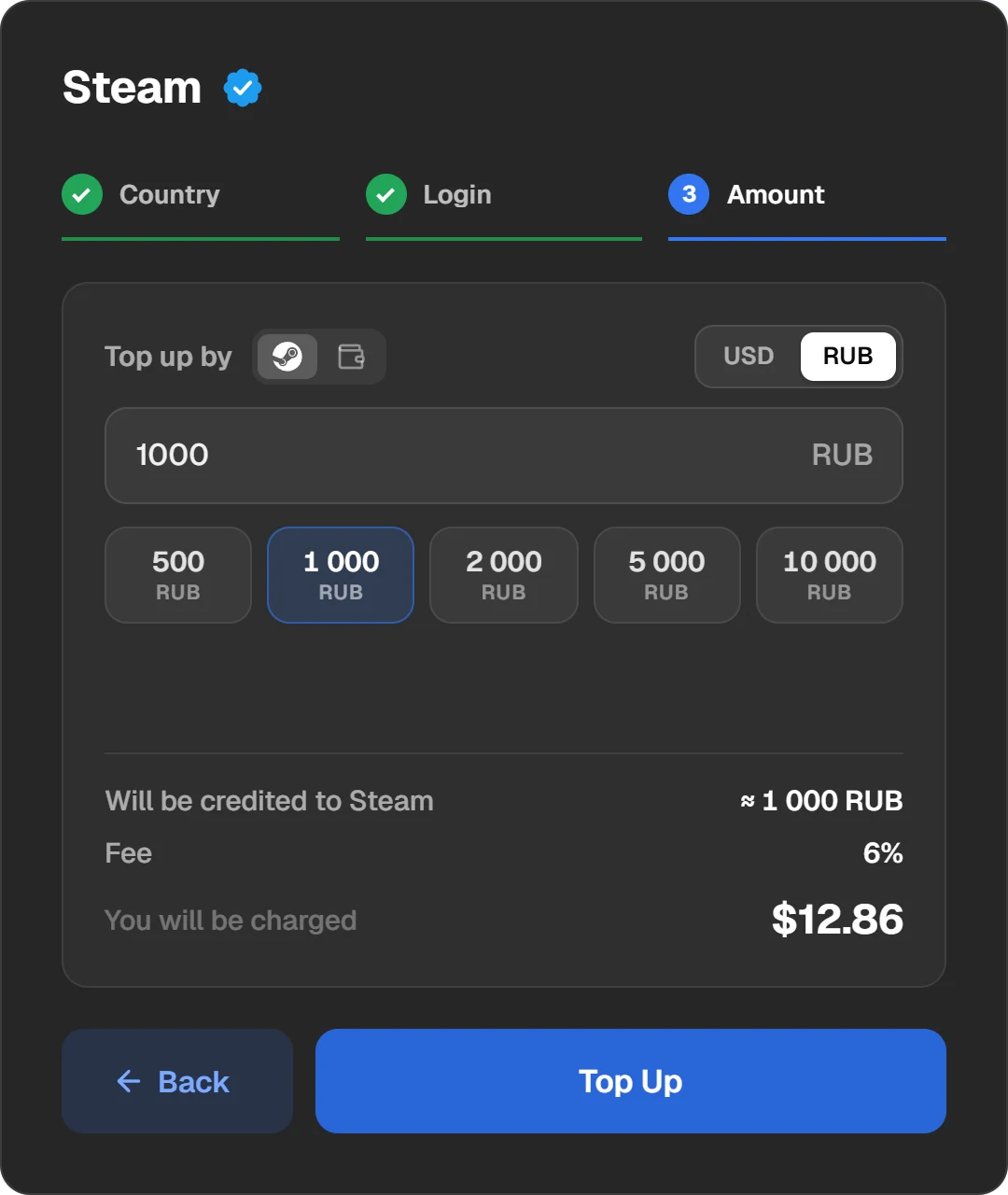
Country, login and amount. What you pay and what arrives, before paying.
Choose how to pay
Press “Top Up” and the payment window opens. The “Currency or wallet” field has “Wallets and exchanges” (Binance, Walt, TON Connect) and “Cryptocurrencies” with the coins. For a coin, pick the network it is on.
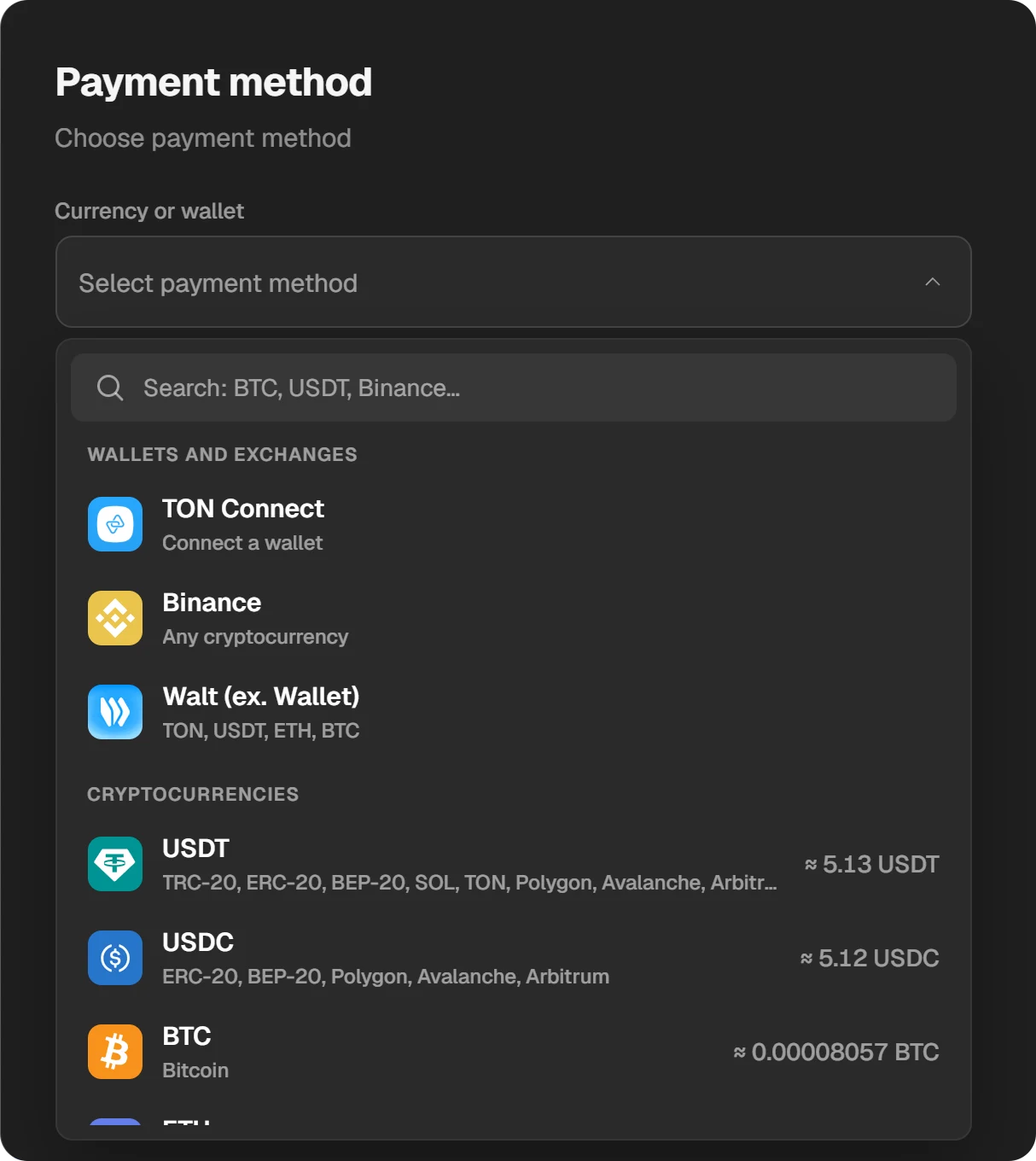
Payment methods: wallets, exchanges and coins.
Pay and wait for the money
Send exactly the amount, on exactly the network, shown in the payment window. The window shows by itself when the payment arrives. The order goes Created, Paid, Topping up, Done and stays in “History” at the top of the site.
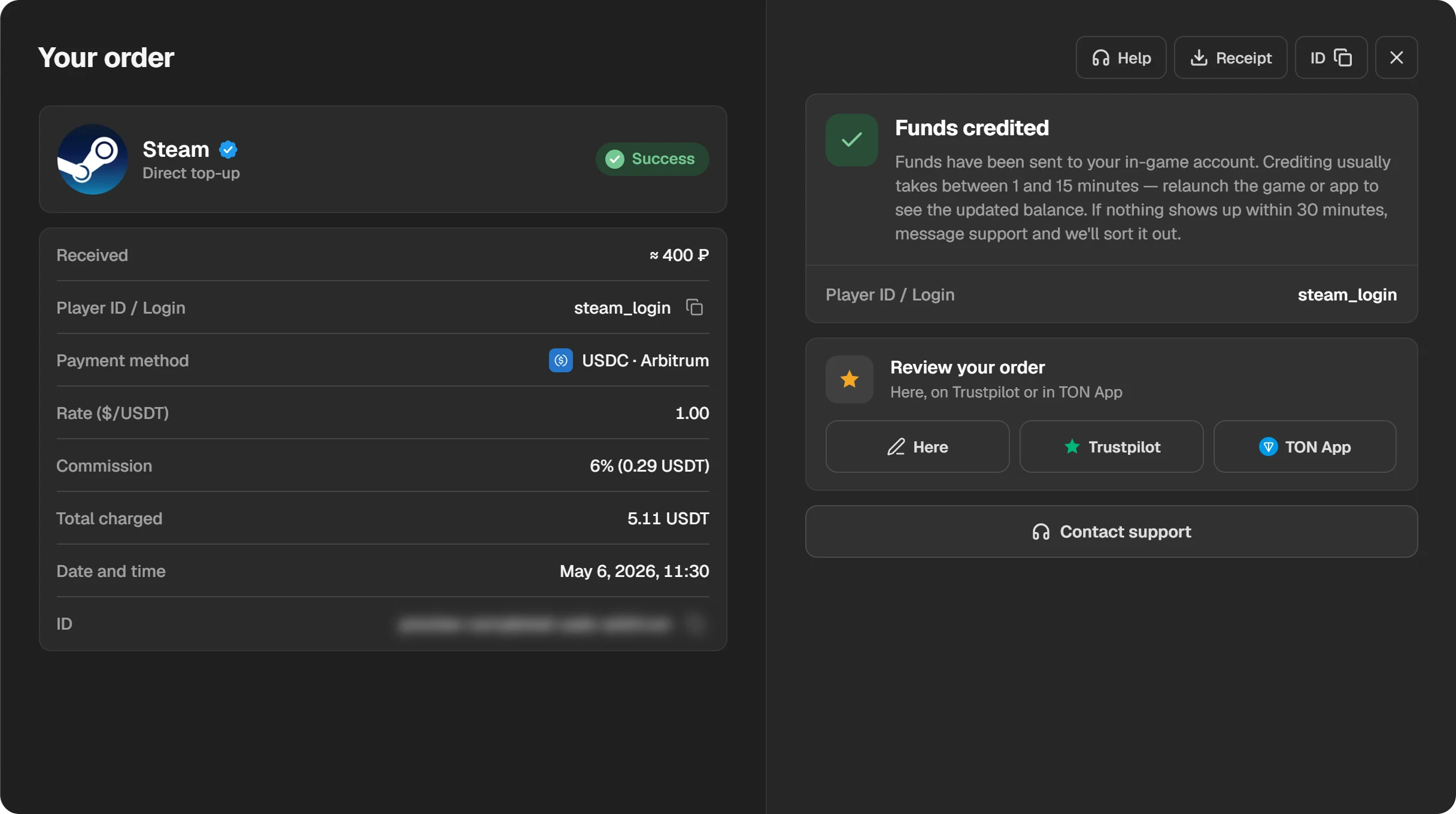
A finished order: amount, login, receipt and order number.
When the order is Done, the money is in the wallet. The Steam balance is at the top right, next to your profile name. If it does not show, restart Steam.
Which way to choose
- You have crypto on an exchange or in a wallet: a top-up by login with Play Wallet, straight to the balance.
- No crypto: a top-up service or a code seller with a payment method you can use. Check it against the seven signs of a reliable site first.
- A friend abroad: they can send you a Steam digital gift card, converted to your currency automatically.
If the account is new
An account with no purchases yet has no fixed wallet currency. On the first top-up Steam determines it itself, and the region may turn out to be Kazakhstan, Uzbekistan or another, with tenge or dollars. So top up a small amount first and check which currency arrived. More in How to change the currency in Steam.
Amount limits
- Play Wallet: from 0.5 to 400 dollars in one operation, in roubles at the rate. You can make several in a row, up to Steam’s own limit.
- Steam: in any 24 hours, the amount stored in the wallet plus the amount spent from it may not exceed 2,000 dollars or the local equivalent. That is in the Steam Subscriber Agreement.
If the money has not arrived
- Open the order in “History”. If it is waiting for payment, the network has not confirmed the transfer yet.
- If the order is Done, restart Steam and check the balance.
- If the money still does not show, write to support with the order ID.
Questions and answers
Can I top up Steam from Russia in 2026?
Yes. If Steam’s own checkout has no method that works for you, use a wallet code or a top-up by login through a service, such as Play Wallet with crypto.
Can I pay Play Wallet with a Russian bank card?
No. Play Wallet takes crypto: Binance, Walt, TON Connect and coins. Bank cards are not accepted.
Which currency does the money arrive in?
In your Steam account’s currency; for a Russian account, roubles. The site shows the amount before you pay.
Do you need my Steam password?
No, only the login. Never enter your password or a Steam Guard code on other sites.
Can I get a refund for funds added through a site?
Not through Steam: Valve does not refund wallet funds bought outside Steam. If a Play Wallet order was not completed, write to support with the order ID.
How do I top up a friend’s Steam?
Enter their login instead of yours. The money arrives in their wallet, in their account’s currency.