How to buy Nintendo Switch 2 games from Russia
The Russian eShop has barely worked since 2023, so Switch 2 games from Russia are bought differently: in the eShop of an account of another country, or on cartridges. Here is how the formats differ, which eShop card fits, and what Nintendo’s rules allow.
In short
- The Russian eShop offers a limited service: past purchases can be redownloaded, and no new accounts with Russia can be created.
- Digital Switch 2 games are bought in the eShop of a Nintendo Account of another country, topped up with that country’s eShop card.
- We have eShop cards for US, euro-zone and Polish accounts. The 16-character code is entered on the Switch 2 or at ec.nintendo.com/redeem.
- There are three formats: a game card with the full game, a game-key card (a key; the game downloads) and a digital game.
- Most original Switch games run on the Switch 2 too.
What happened to the eShop in Russia
From 31 May 2023 Nintendo moved the Russian eShop to a limited service. Owners of Russian accounts can redownload what they bought before. New Nintendo Accounts with Russia as the country cannot be created, and payment details on Russian accounts were deleted.
So there are two ways to buy new games: a Nintendo Account of another country with a balance in its currency, or games on cartridges.
Three game formats on Switch 2
| Format | What it is | What you need |
|---|---|---|
| Game card | The full game on a card | Insert the card. No eShop or internet |
| Game-key card | A card that holds only the key, not the game | Internet at the first launch, free space, and the card inserted every time you play |
| Digital game | A game from the eShop, tied to a Nintendo Account | A Nintendo Account and a balance in its country’s eShop |
Game cards and game-key cards
A game card is the simplest option if you have no account of another country: buy it in a shop, insert it, play.
A game-key card is different. Nintendo explains that it holds no game data, only the key. At the first launch the console downloads the game; after that it starts without the internet. The card must stay inserted, like a regular game card. No Nintendo Account is needed for the download. You need system version 20.1.1 or later and free space; the amount is printed on the box.
Before buying a game-key card, make sure the console has internet access and enough storage. If space is short, you will need a microSD Express card.
Digital games in the eShop
The eShop on Switch 2 always opens in the country of your Nintendo Account and shows prices in its currency. You can top up the balance with an eShop card, but only one of the account’s country. In Europe a card works in any country with the same currency, so a euro card fits a German or a French account alike.
| Nintendo Account country | Which card fits |
|---|---|
| United States | A US eShop card in dollars |
| Germany, France, Italy and other euro-zone countries | A euro eShop card |
| Poland | A Polish card in złoty |
| Russia | None: new purchases are not available on Russian accounts |
Nintendo asks for accurate account details. You can change the account’s country in your profile at accounts.nintendo.com, but the eShop balance does not move, and a remaining balance or an active auto-renewal blocks the change. Change it only if you really moved. We do not recommend someone else’s address or a VPN.
Buying an eShop card and a game
Choose the account’s region and the amount
Open Nintendo, the gift card tab. In the Nintendo Account region field choose your account’s country and an amount. The price and the fee are shown before you pay. No Nintendo password is needed: you are buying a code.
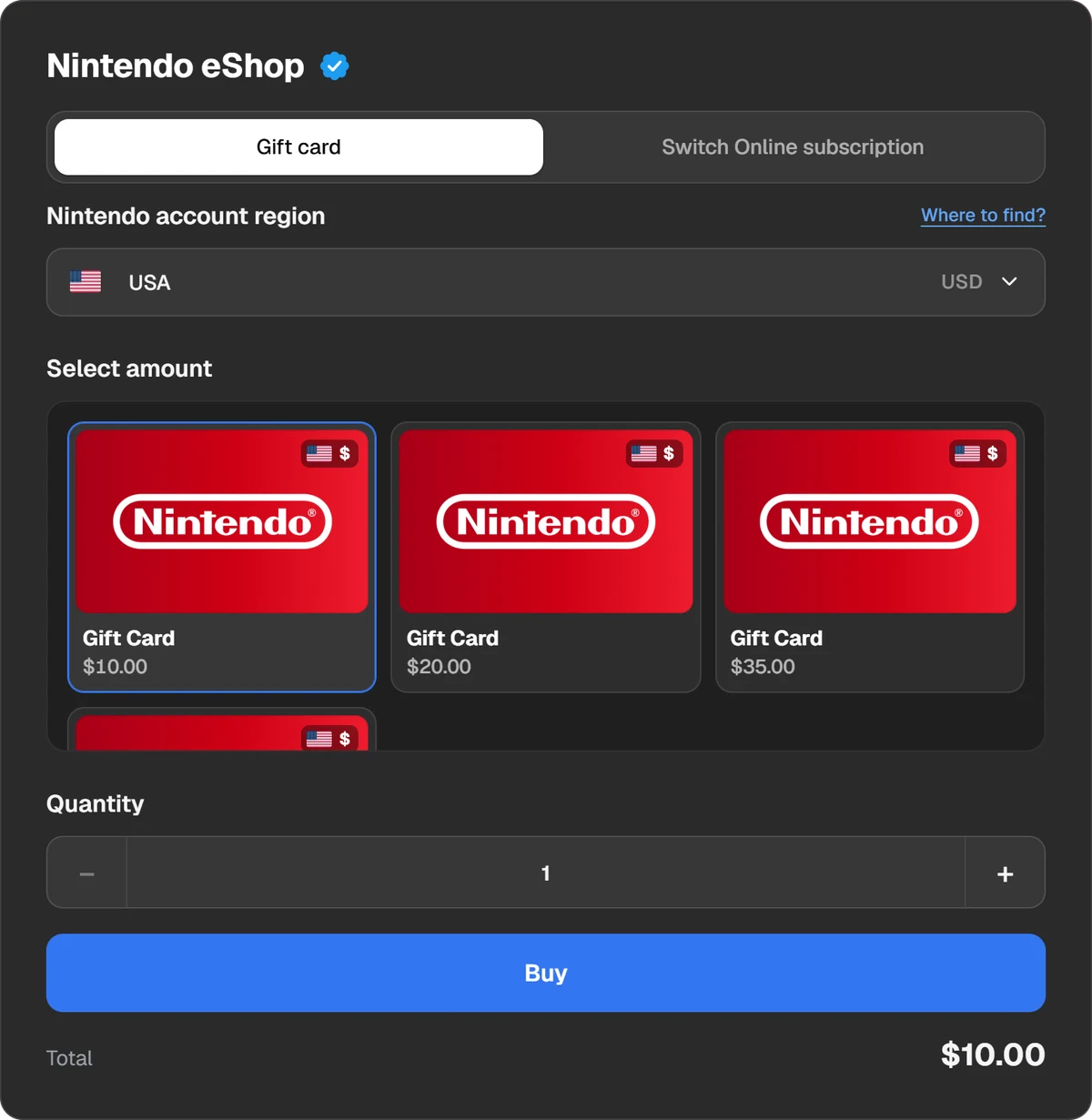
The Nintendo Account region and the eShop card amounts.
Pay
Choose how to pay: USDT, TON, BTC and other coins, Binance, Walt or TON Connect. If you pay with a coin, pick the network you send from.
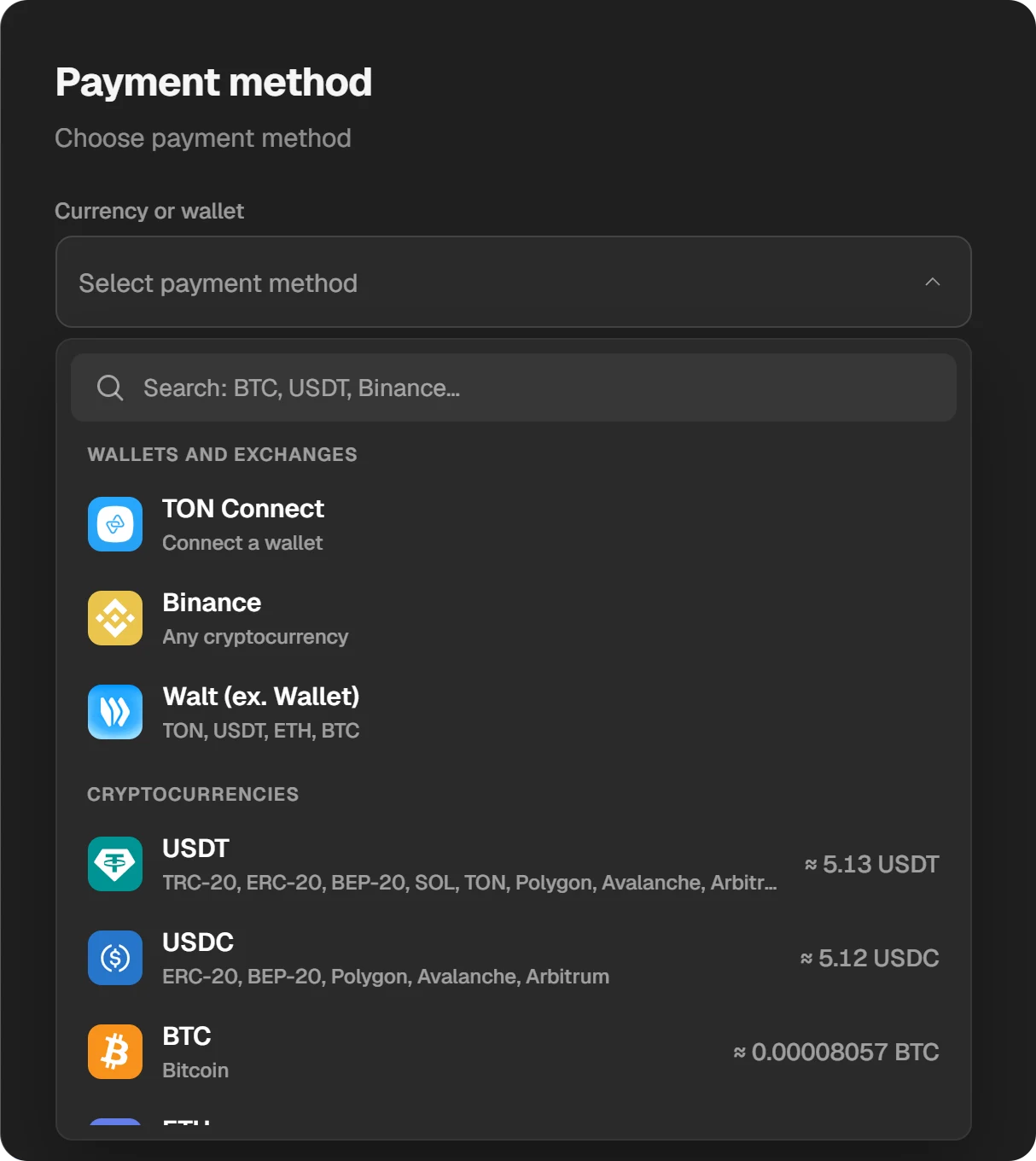
The amount needed in each coin is in the list.
Copy the code
The 16-character code appears in the order window. If you closed it, the code stays in “History” at the top of the site.
Redeem it on the Switch 2
Open Nintendo eShop, select your user, then Enter Code on the left. Type the 16 characters and select OK. You can also use ec.nintendo.com/redeem if the account has opened the eShop on a console at least once.
Buy the game
Find the game in the eShop and pay from the balance. It downloads to the console.
More on US accounts, including the $800 balance cap: Nintendo eShop USA. On topping up in general: How to add money to Nintendo eShop from Russia.
Original Switch games on Switch 2
Nintendo says the Switch 2 runs original Switch games, on cards and digital. The hardware differs, though, so some games may not be supported or fully compatible. If you are moving from a Switch, your digital games can be downloaded on the Switch 2 once you sign in with the same Nintendo Account. Before buying an older game, check Nintendo’s compatibility list.
Online play
Online play in most Switch 2 games needs a Nintendo Switch Online membership; free-to-play games such as Fortnite work online without it. The membership can be paid from the eShop balance or with a membership code. See Nintendo Switch Online.
Questions and answers
Can I buy Switch 2 games on a Russian account?
No. Since 31 May 2023 the Russian eShop offers a limited service: you can only redownload what you bought before.
Which eShop card does a Switch 2 need?
The same as an original Switch: a card of the Nintendo Account’s country. US for the US, euro for euro-zone countries, złoty for Poland.
What is a game-key card?
A card holding only the key to a game. The game downloads at the first launch, and the card must be inserted while you play.
Does a game-key card need the internet?
Only at the first launch, to download the game. After that it starts offline as long as the card is inserted.
Do original Switch games work on Switch 2?
Most do, on cards and digital. Some may not be supported; Nintendo’s compatibility list shows which.
Where do I enter an eShop code on Switch 2?
In Nintendo eShop: select your user, then Enter Code, type the 16 characters and select OK. Or at ec.nintendo.com/redeem.