Nintendo Switch Online: what it gives and how to pay
Nintendo Switch Online is Nintendo’s membership for online play and more; most Nintendo games will not go online without it. Here is what it includes, how the Expansion Pack differs and how to pay for it with a code.
In short
- The membership gives online play in compatible games, cloud saves and a library of NES, Super NES and Game Boy classics.
- The Expansion Pack adds N64, Game Boy Advance and SEGA Genesis games, GameCube on Switch 2, and some game DLC.
- Free-to-play games like Fortnite play online without it; the eShop and friend list work too.
- When the membership ends, cloud saves come back if you renew within 180 days.
- We sell Individual 3- and 12-month codes for US and European accounts. You enter the 16-character code in the eShop.
What Nintendo Switch Online gives
- Online play in compatible games, such as Mario Kart World, Splatoon 3 and Nintendo Switch Sports.
- GameChat on Switch 2: voice chat with friends on the C button.
- Save Data Cloud in supported games.
- Nintendo Classics: a library of NES, Super NES and Game Boy games.
- Nintendo Music and special offers for members.
Standard membership and Expansion Pack
| Nintendo Switch Online | + Expansion Pack | |
|---|---|---|
| Online play, cloud saves, GameChat | Yes | Yes |
| NES, Super NES, Game Boy games | Yes | Yes |
| N64, Game Boy Advance, SEGA Genesis, Virtual Boy games | No | Yes |
| GameCube games (Switch 2 only) | No | Yes |
| Game DLC | No | Mario Kart 8 Deluxe Booster Course Pass, Happy Home Paradise, Octo Expansion and more |
| Terms | 1, 3 or 12 months | 12 months only |
| US price per year | $19.99 | $49.99 |
Both come as Individual (one Nintendo Account) or Family (up to 8 accounts). Family costs $34.99 a year in the US, $79.99 with the Expansion Pack. Only an adult, 18 or over, can buy or extend a Family membership.
What works without a membership
- Free-to-play games: Fortnite, Pokémon UNITE, Apex Legends, Fall Guys.
- The eShop, friends, screenshots and parental controls.
- Local wireless play with nearby consoles.
- Single-player games: the membership is only for online features.
Whether a game needs the membership is shown in the eShop and on the game’s page on Nintendo’s website.
The free week
Nintendo offers a free 7-day trial; it does not cover the Expansion Pack. A membership bought in the eShop renews by itself at the then-current price after its first term unless you cancel it.
How to pay with a code
Play Wallet sells Individual Nintendo Switch Online codes for 3 and 12 months, for the US and European countries. A code works only on an account of its region, so first check your Nintendo Account’s country on accounts.nintendo.com.
Choose the region and term
Open Nintendo Switch Online, choose your account’s country in the region field, then the term. The price shows before you pay; no Nintendo password is needed.
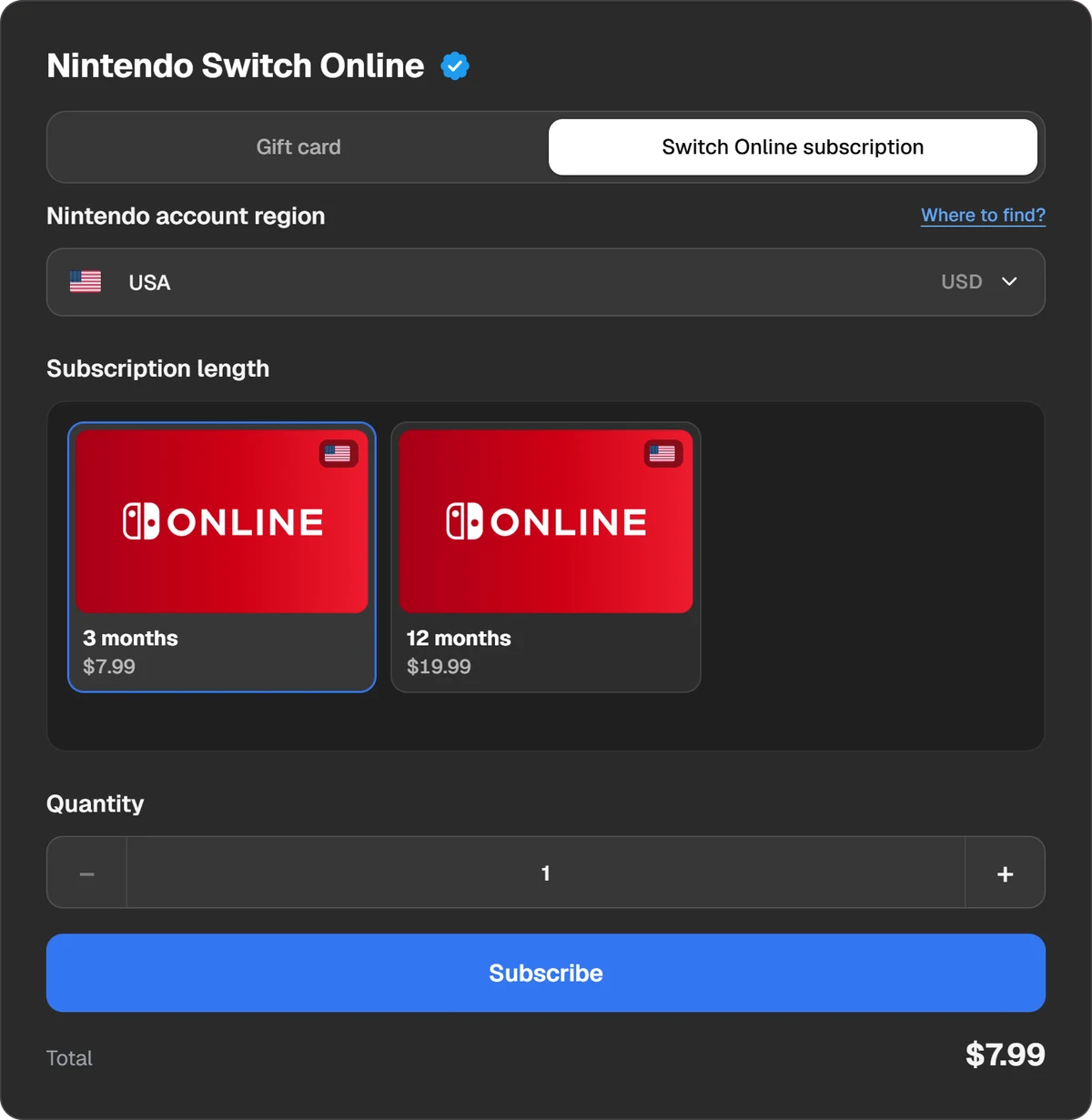
The account’s region and the term.
Pay
Press “Subscribe” and choose how to pay: USDT, TON, BTC and other coins, Binance, Walt or TON Connect. The fee is shown in the payment window.
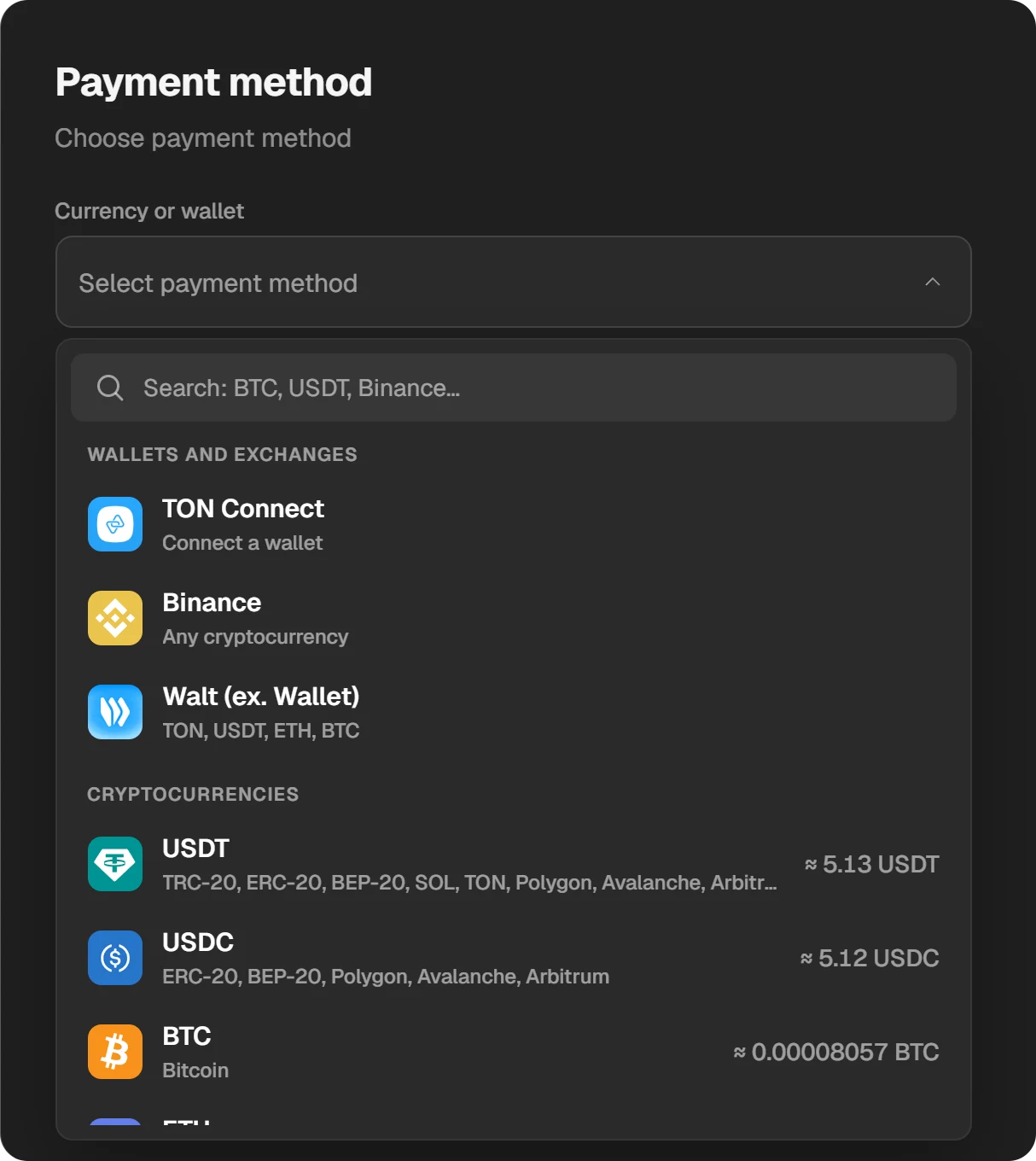
Payment methods.
Copy the code
When the order is done, the code appears in the order window. It is also kept in “History” at the top of the site.
Enter the code on Switch
Open Nintendo eShop, choose your user, select “Enter Code” on the left and type the 16 characters. The membership is added at once.
If you already have a membership
- A code of the same type extends it, up to three years in total.
- Individual and Family do not add up. Their time does not combine: they run side by side or you keep the longer one, and redeeming may fail.
- Switching to Family or Expansion Pack with a discount for the days left works only for purchases in the eShop, not for codes.
When the membership ends
Online play, the classics and cloud saves become unavailable. Bought games and saves on the console stay. Cloud backups come back if you subscribe again within 180 days.
Questions and answers
Do I need Nintendo Switch Online to play online?
For most games with online play, yes. Free-to-play games like Fortnite and Apex Legends work online without it.
How is the Expansion Pack different?
It adds N64, Game Boy Advance, SEGA Genesis and Virtual Boy games, GameCube on Switch 2, and some game DLC. It is sold for 12 months only.
Does the membership work on Switch 2?
Yes. On Switch 2 it adds GameChat, and with the Expansion Pack, GameCube games.
Which regions are your codes for?
US accounts and accounts of European countries. Choose your account’s country on the page; a code for another region will not redeem.
Where do I enter a Nintendo Switch Online code?
In Nintendo eShop on the console: choose your user and “Enter Code” on the left. The code has 16 characters.
Will I lose my saves if I do not renew?
Saves on the console stay. Cloud backups become unavailable but come back if you renew within 180 days.