

How to buy licensed PC games from a Steam balance
A licensed PC game can be bought on Steam from the wallet balance. Top up the wallet on Play Wallet by login, pay in crypto, and buy the game on Steam itself. Here is whom it suits, how the purchase goes and the signs of a copy that cannot be called licensed.
In short
- Play Wallet tops up Steam by login for Russia, Ukraine, Kazakhstan and the CIS: 0.5 to 400 dollars per operation. Some other countries get wallet codes.
- You buy the game on Steam yourself from that balance. We sell no games and no keys.
- Steam sells in Russia with rouble prices, though not every game: the publisher decides.
- Play Wallet takes crypto only.
- A shared account, an “offline activation” and a cracked copy are not your licence.
What to buy for your account
| Steam account country | What to buy on Play Wallet |
|---|---|
| Russia | Top-up by login, in roubles |
| Kazakhstan | Top-up by login, in tenge |
| Ukraine | Top-up by login, in hryvnias |
| Armenia, Azerbaijan, Belarus, Georgia, Kyrgyzstan, Moldova, Tajikistan, Turkmenistan, Uzbekistan | Top-up by login, in dollars |
| Countries the form offers codes for, such as Poland and Turkey | A wallet code for that country |
| Countries marked “Unavailable” | We have no top-up |
The country is shown in Account details on Steam. A code works only on a wallet of the same currency. Neither a code nor a top-up changes the store country.
How to buy a Steam game from the balance
Check the game in your store
Sign in and open the game’s page. You need a price and an Add to Cart button. A top-up will not open a game that is not sold there. See unavailable in your region.

A price and a buy button mean the game is sold in your country.
Top up the wallet
On Play Wallet choose the account’s country. Then enter the login and the amount, or pick a code value. The fee and the sum are shown before payment.
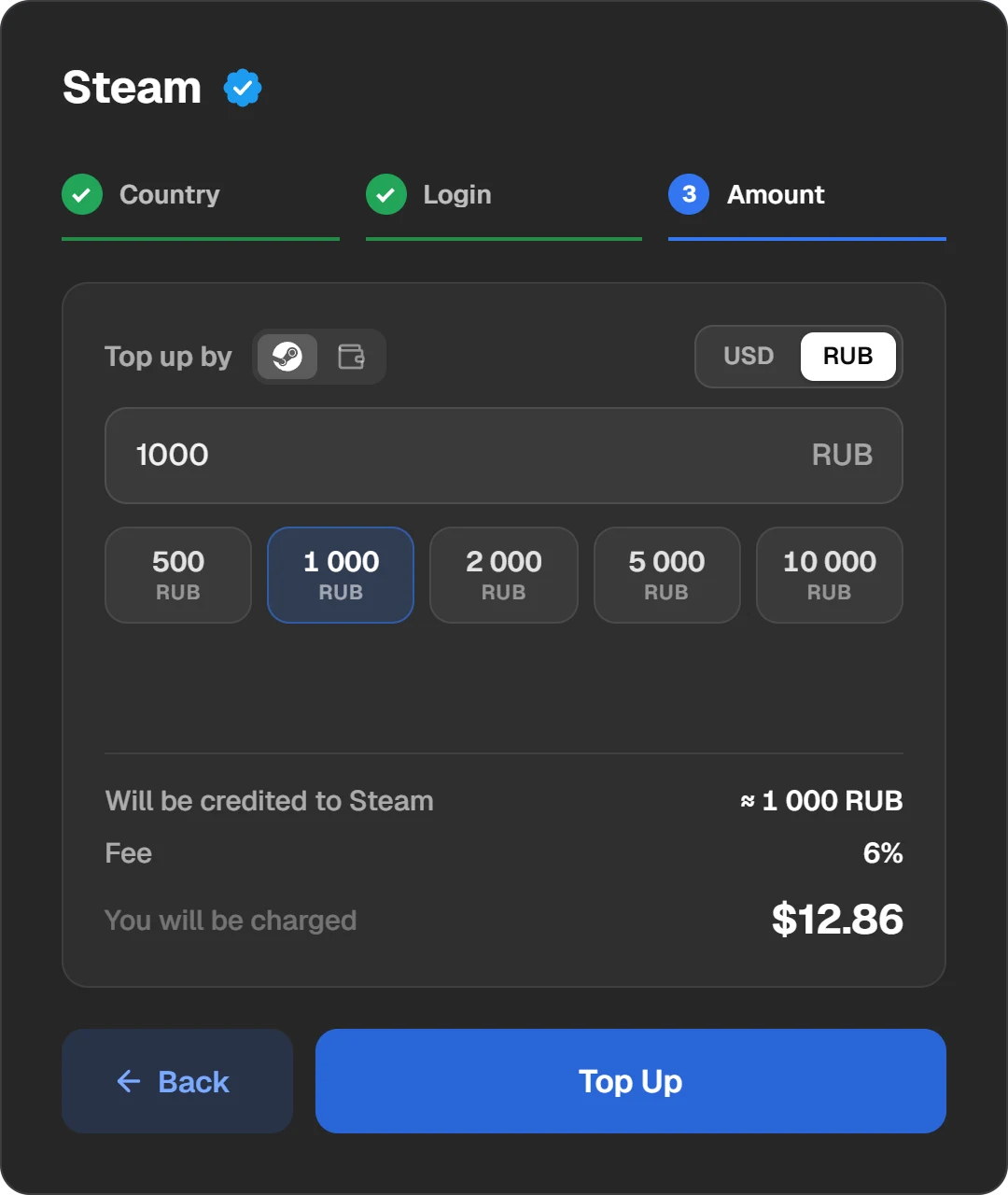
A Steam top-up on Play Wallet: country, login and amount.
Pay for the order
We take crypto only. When the order is done, check the Steam balance. A code is first redeemed on Steam’s wallet code page.
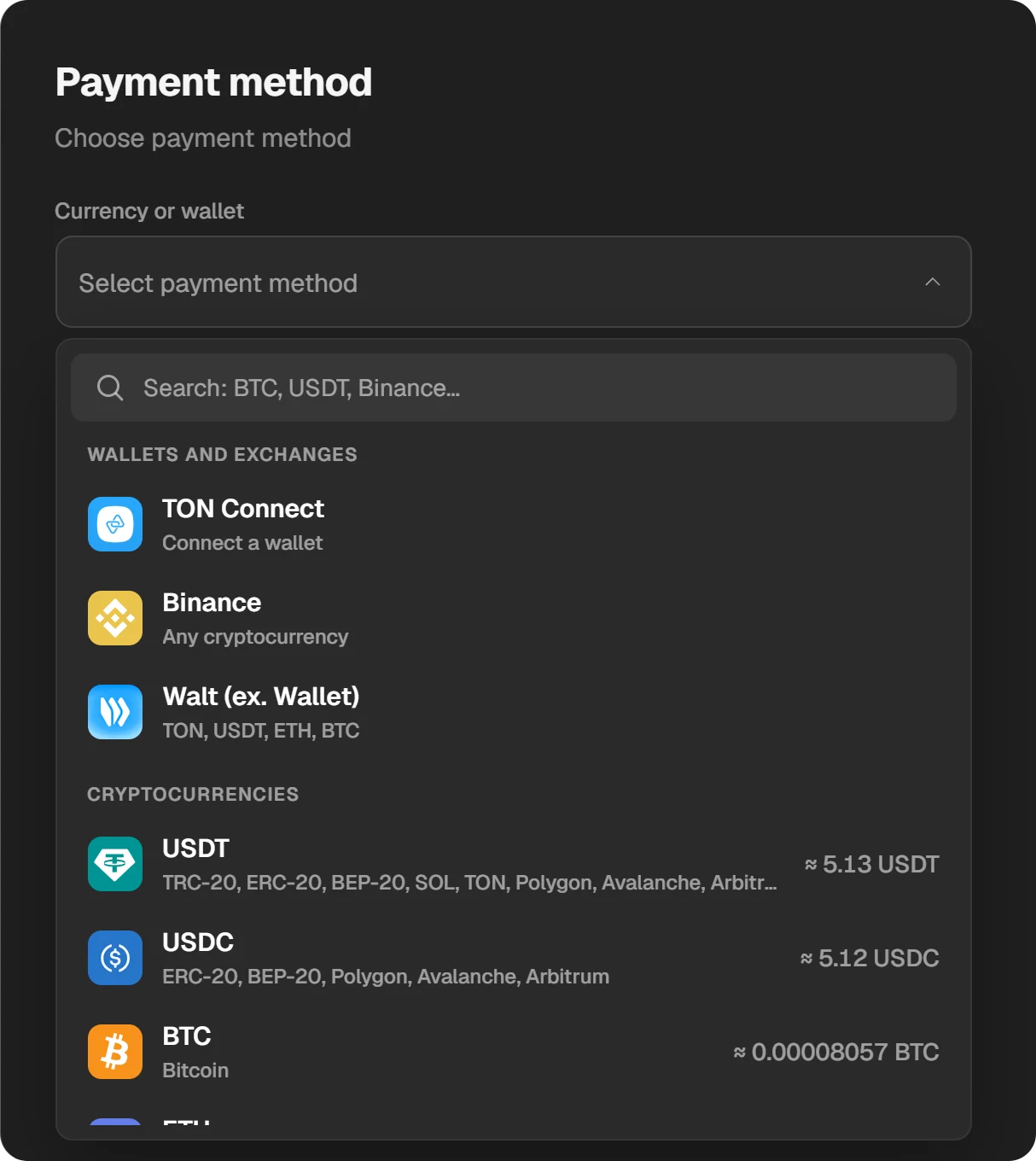
The payment method in the order window.
Buy from the balance
Steam spends wallet funds first. The steps are in how to buy a Steam game from Russia.
Steam’s refund rule for a game is clear: 14 days and under two hours of play. Valve does not refund funds added outside Steam, so add what you plan to spend.
If your country’s store does not sell the game
The publisher picks the countries. EA games, for one, are hard to find on Russian Steam: EA stopped sales in Russia in 2022 and asked platforms to withdraw its titles. See the example of FC 26.
Do not top up for a game your store does not have. We do not advise changing the account country without moving, giving a false address or using a VPN to buy. Steam forbids it and may close access to the account with every game on it.
What a licensed game means
A licence is a right to play recorded on your account. The Steam agreement says so: games are licensed, not owned, and cannot be passed on. So ignore the word “licence” in an ad and look at where the game will be after you pay.
| What is offered | Is it your licence | What follows |
|---|---|---|
| A purchase on Steam from your wallet | Yes | The game is in your library, with Steam’s refunds. |
| A game key | Yes, once you activate it | It may not fit the region or may be revoked. Steam will not refund it. |
| A gift from an unknown seller | It may vanish | Steam does not support selling gifts and removes them after payment disputes. |
| A ready account with the game | No | Steam locks accounts that changed hands. |
| A shared account or “offline activation” | No | The game is on someone else’s account and access ends when they decide. |
| A cracked copy or repack | No | No updates or support. Steam warns of malware posing as pirated software. |
The common cases have their own guides: a gift from a seller, a bought account and the risks of keys.
Found your game with a price and a buy button? Work out what is missing and fund the Steam Wallet on Play Wallet.
Questions and answers
Where can I buy PC games in Russia?
On Steam from the balance, if the game is sold for Russia. A Russian account can be topped up by login on Play Wallet.
Can I pay with a bank card?
Not on Play Wallet: we take crypto only.
Is every Steam game sold in Russia?
No. The publisher picks the countries. If a game has no price for your account, a top-up will not open it.
Are cheap “offline activation” games licensed?
Not for you. The game belongs to another account, and Steam forbids selling access to accounts.
Does Play Wallet sell PC games?
No Steam games or keys. We top up the Steam Wallet by login or sell a code, and you buy the game on Steam.
