

Steam gift cards: how to buy and redeem a code
A Steam gift card is a code that adds money to your Steam Wallet. The key rule: a code redeems only in your wallet’s currency. Here is which card to choose, where to get one, how to enter the code, and when you do not need a card at all.
In short
- A Steam code redeems only if its currency matches your wallet’s currency. A dollar code will not go onto a euro wallet.
- If your country has a direct top-up, you do not need a card: the money arrives by login.
- Redeem codes at store.steampowered.com/account/redeemwalletcode, from a computer or a phone.
- Physical Steam cards are leaving shops: Steam expects retailers to run out by the end of 2026. Digital codes stay.
- If someone asks you to pay them in Steam cards, it is a scam.
Which card fits your account
Steam limits code redemption to your wallet’s currency to fight scams. So first check your balance currency: it is at the top right in Steam, next to your profile name, and your account’s country is on Account Details. How to find it: How to check your Steam account region.
| Your wallet | What to choose |
|---|---|
| A currency with a direct top-up on our site | The direct top-up by login. No card needed. |
| US dollars | A dollar code for your account’s country. |
| Euros | A euro code. |
| Another currency | A code in that same currency. If there is none, a card will not fit. |
Redeeming a code does not change your store country. If the code’s currency differs from the wallet’s, Steam refuses it, and changing the region is not a way around that.
How to check your Steam account region
Open “Account details”
Click your profile name at the top right of Steam and choose “Account details”. On a phone, open store.steampowered.com/account in a browser and sign in.
Find the “Country” line
It is in the “Store & Purchase History” block. That is your account’s region: prices and the wallet currency depend on it.

The “Country” line, shown on an example account.
A card or a top-up by login
| Gift card | Top-up by login | |
|---|---|---|
| What you get | A code you enter yourself | Money straight in the wallet |
| What you need to know | The wallet currency | The login and the account’s country |
| Amount | Fixed denominations only | Any amount within the limit |
| Easy to give | Yes: you can forward the code | Yes, if you know your friend’s login |
| What can go wrong | A code in another currency will not redeem | A wrong login sends the money elsewhere |
Where to buy a Steam gift card
- On Steam itself. The Steam Digital Gift Cards page lets you buy a card for a friend: they get an email and a notification in Steam. You pay with the methods Steam accepts in your country.
- In shops. Physical Steam cards are no longer being restocked. Cards you already have still work.
- On sites that sell digital codes. The code arrives right after payment. Pick a site that shows the code’s country and currency before you buy.
How to buy a card on Play Wallet
On the Steam top-up page the site first checks whether the chosen country has a direct top-up. If it does, you only need your login. If not, a Gift card step appears with the denominations for that country.
Choose your account’s country
Pick the country shown on your Account Details. It decides the denominations and the code’s currency.
Choose the denomination
The site shows the cards available for that country right now. A card that is out of stock is marked; pick another. The total is shown before you pay.
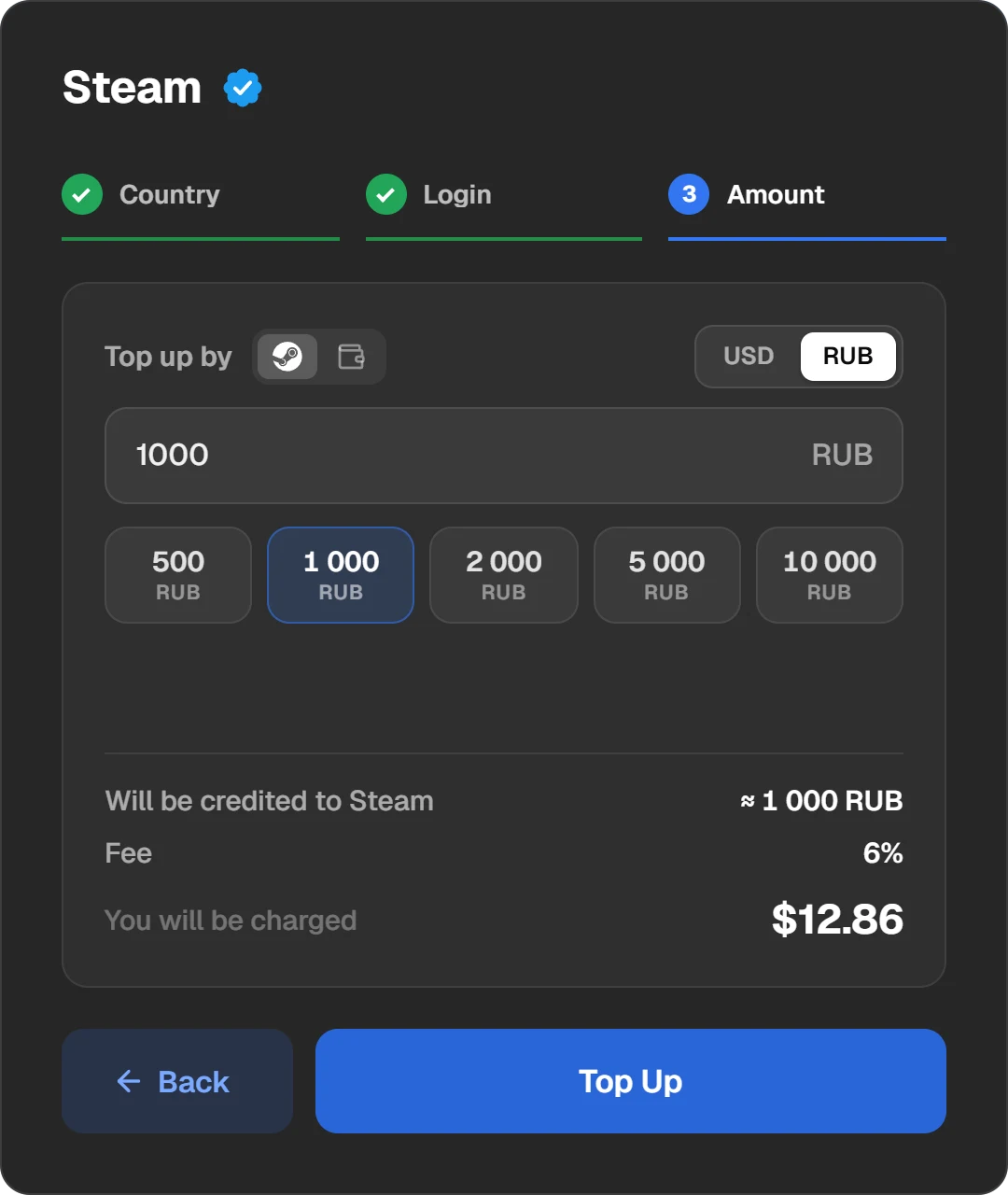
The gift card step: denominations for the chosen country.
Pay for the order
You pay with crypto: USDT, Gram (formerly TON), BTC and other coins, or through Binance. Each coin shows how much of it you need.
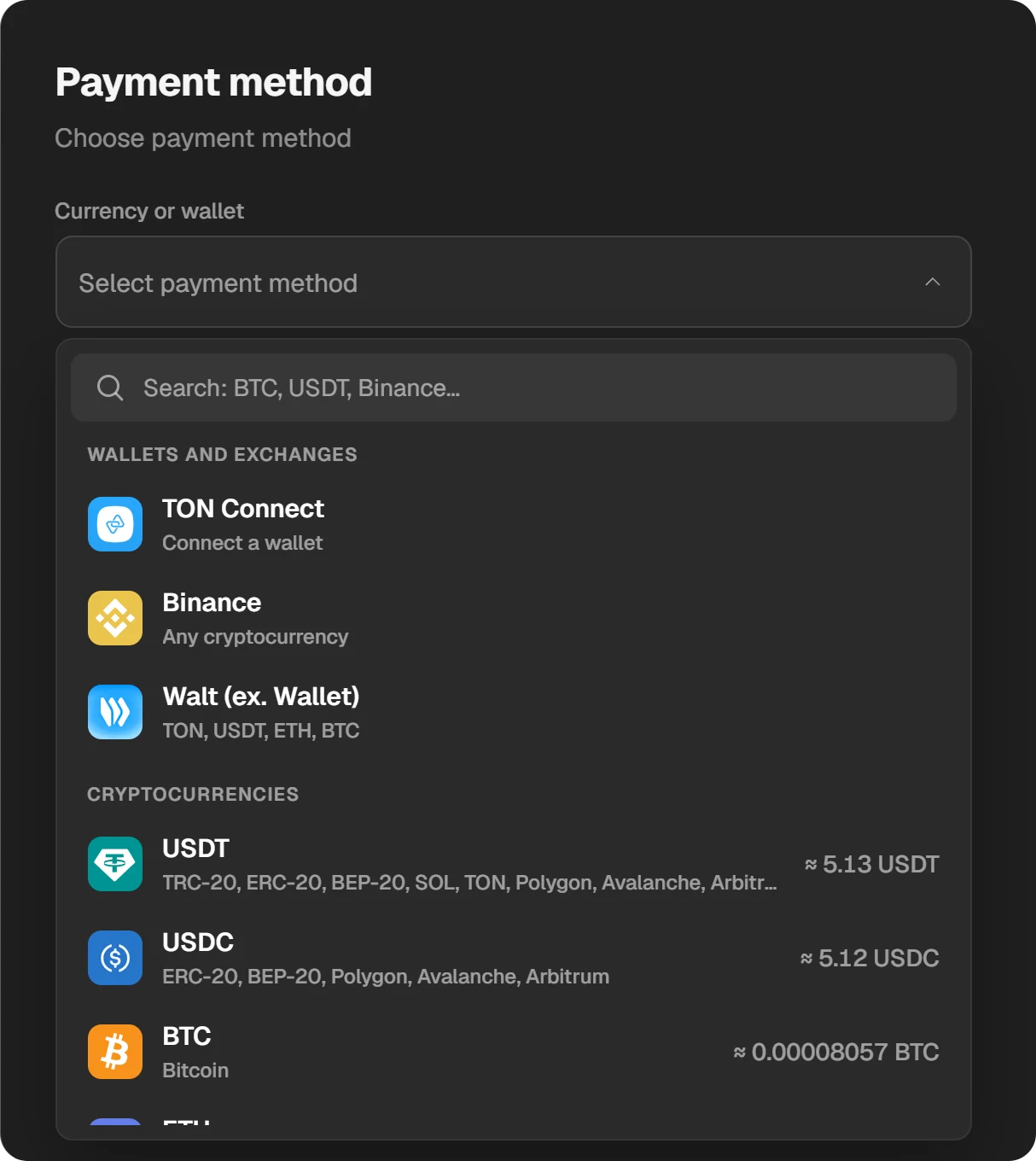
Payment methods. The amount in each coin is shown at once.
Get the code
When the order is done, the code appears in the order window. It is hidden: click it to reveal and copy it with the button next to it. If you closed the window, the code stays in History at the top of the site.
How to redeem a Steam card
Open the redeem page
Sign in to Steam and open store.steampowered.com/account/redeemwalletcode, the “Redeem a Steam Gift Card or Wallet Code” page. On a phone, open it in a browser.

The “Steam Gift Cards and Wallet Codes” page.
Enter the code
Paste the code into the “Steam Wallet Code” field and click “Continue”.

The code is entered; press “Continue”. The code in the picture is an example.
Check the balance
The money shows in the balance at the top right, next to your profile name. If it has not updated, restart Steam.
If the code will not redeem
- Check look-alike characters. Steam suggests trying the letters Q, O or D instead of the number 0; the letter I instead of 1; the number 8 instead of B; the number 6 instead of G.
- Compare the code’s currency with your wallet’s. Steam refuses a code in another currency.
- If you bought the code on Play Wallet, write to support with the order ID. The “ID” button in the order window copies it.
Steam warns that scammers call or write pretending to be an agency and ask people to pay a tax, a debt or a prize fee in Steam cards. Steam cards can only be spent on Steam. Never give a code to a stranger.
Questions and answers
Can I redeem a Steam card from another country?
Only if its currency matches your wallet’s. A euro code fits a euro wallet, but not a dollar one.
How do I give a Steam card to a friend?
Buy a code in your friend’s wallet currency and send it to them; they redeem it themselves. Or top up their Steam directly by login.
Can I get a refund for a code?
Steam refunds wallet funds within 14 days only if they were bought on Steam itself and not spent. If something is wrong with a code from Play Wallet, write to support with the order ID.
Where is the code after payment?
In the order window: click the hidden code to reveal it. If the window is closed, open History at the top of the site.
Can I move my Steam balance to another account?
No. Steam says plainly that wallet funds cannot be moved or gifted to another account.
