Minecraft account or licence: what is the difference
Minecraft listings say “licence”, “key” or “account”. These are three different things. A licence or a key makes the game yours. A bought account gives you someone else’s sign-in, and the seller can take it back at any time. Here is what is what.
In short
- A Minecraft licence is the game tied to your own Microsoft account. It stays with you.
- A key is a code you enter yourself at minecraft.net/redeem. Once entered, it becomes the same licence on your account.
- A bought account is someone else’s Microsoft account. Microsoft’s terms forbid handing sign-in details to others, and the seller can recover it.
- Minecraft itself is not sold on Steam. Steam has only Minecraft Dungeons and Minecraft Legends.
- A Minecraft code is redeemed in the country where it was bought.
Three words, three different things
| What is sold | What you get | Whose game |
|---|---|---|
| Licence | The right to play, recorded on your Microsoft account | Yours |
| Key (code) | A 25-character code that becomes a licence once redeemed | Yours, once redeemed |
| Account | The email and password of someone else’s Microsoft account that has the game | Still the seller’s |
| “Shared” account | The same, with several buyers signing in at once | Nobody’s, and easy to lose |
Buying Minecraft for PC always goes through a Microsoft account. The Minecraft EULA says the game is bought on the Minecraft site, in the Microsoft Store or on Xbox with a Microsoft account; old Mojang accounts had to be moved to Microsoft accounts.
Why a bought account is a bad idea
- The seller is still the owner. They have the account’s email and can reset the password, taking the game, your Realms worlds and skins with it.
- It breaks Microsoft’s rules. The Microsoft Services Agreement says you cannot transfer your Microsoft account credentials to another person, and software licences are not transferable either.
- You cannot recover it. The Microsoft account is tied to the seller’s email and phone. If they change the password, you have no way to prove the account is yours.
- A “shared” account is worse. Several people sign in, and any of them can change the password first.
Never give anyone the email and password of your Microsoft account, even if they promise to “add a licence”. Redeeming a key does not need your password: you enter the code yourself.
What a Minecraft key is
A key is a code for the game, usually 25 characters like XXXXX-XXXXX-XXXXX-XXXXX-XXXXX. It is the same as a Minecraft gift card. You enter it at minecraft.net/redeem or redeem.microsoft.com, sign in to your Microsoft account, and the game stays on that account.
The PC code gives Minecraft: Java & Bedrock Edition, both PC editions. It does not unlock the game on a phone or a console. More in How to buy a Minecraft licence.
Is there a Minecraft Steam key?
No. Minecraft: Java & Bedrock Edition is not sold on Steam. A Steam search for “Minecraft” finds only Minecraft Dungeons, Minecraft Dungeons II and Minecraft Legends, which are separate games. A “Minecraft Steam key” is one of those or a scam.
What an official purchase looks like
- For a PC: on minecraft.net, in the Microsoft Store, or with a Minecraft gift code you redeem yourself.
- For a phone: in the App Store or Google Play.
- For a console: in the Xbox, PlayStation or Nintendo store.
The test is simple: the game shows up on your account, and only you know its password.
A Minecraft code on Play Wallet
The Minecraft: Java & Bedrock page sells a code for the full PC game. It is a key, not an account: you redeem it yourself on your own Microsoft account.
Check your country
Tell support which country you live in and will redeem the code in, so you know before paying whether it suits you.
Buy the code
Open Minecraft: Java & Bedrock and press Buy. No login or password is needed.
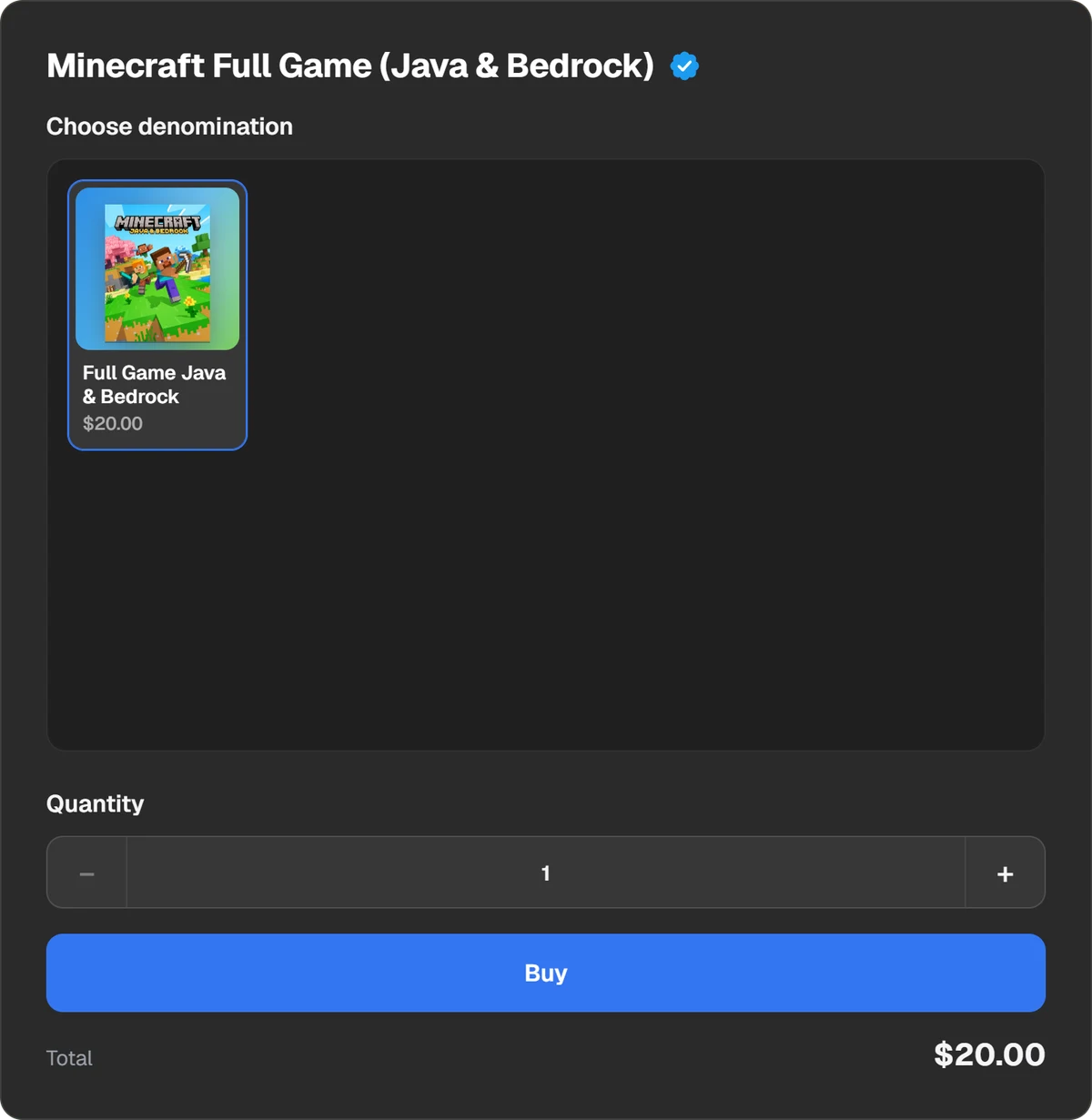
A code for Minecraft: Java & Bedrock Edition for PC.
Pay
You can pay in USDT, USDC, BTC, Gram (formerly TON) and other coins, or through Binance, Walt and TON Connect. The total and the fee are shown before you pay.
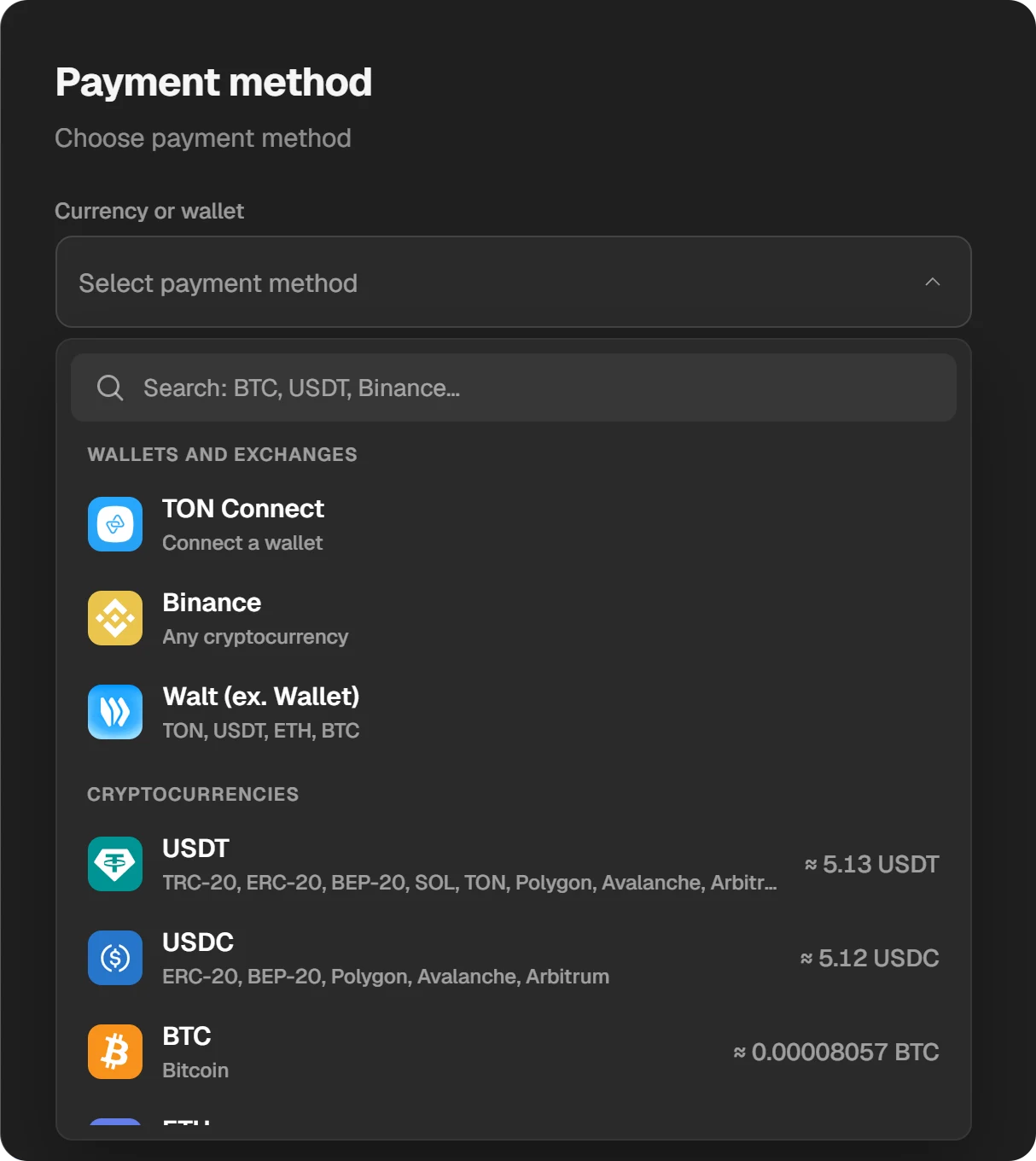
Choosing a coin or a wallet in the payment window.
Redeem it on your account
The code appears in the order window and stays in History at the top of the site. Open minecraft.net/redeem, enter it and sign in to your Microsoft account. Then download Minecraft Launcher and sign in with the same account.
You can also give the code as a gift: send it to a friend and they redeem it on their own account. The country rule applies to them too.
Questions and answers
How is a Minecraft licence different from an account?
A licence is recorded on your Microsoft account and stays with you. A bought account belongs to the seller, who can recover it by resetting the password.
Is a Minecraft key a licence?
Yes. A key is a code; once redeemed at minecraft.net/redeem, the game stays on your Microsoft account.
Can I buy Minecraft on Steam?
No. Steam sells only Minecraft Dungeons and Minecraft Legends. Minecraft itself is sold on minecraft.net, in the Microsoft Store and in phone and console stores.
Is a shared Minecraft account safe?
No. Several people sign in and any of them can change the password. Microsoft’s terms also forbid handing your sign-in to others.
Can I move Minecraft to another account?
Microsoft’s terms do not allow licences to be transferred. Redeem the code on the account you will play with.