

Greeting and away messages in Telegram
Greeting messages and auto-replies in Telegram are part of Telegram Business, free for everyone with Premium. Here is how to turn on a greeting, a sticker in an empty chat and an away message, and what you honestly can do without the subscription.
In short
- Greetings and auto-replies live in Settings → Telegram Business. You need Telegram Premium.
- A greeting goes to people who write to you for the first time, and again after a period of silence you choose.
- The away message works always, outside opening hours or on chosen dates.
- A sticker greeting goes on the start page: people see it in an empty chat with you.
- Without Premium you can connect a bot in Settings → Chat Automation. There is no built-in greeting without the subscription.
What Telegram Business gives you
| Feature | What it does |
|---|---|
| Greeting messages | Answers people who write for the first time or after a break |
| Away messages | Replies while you are away: at night, at weekends, on holiday |
| Quick replies | Ready messages sent with “/” in a private chat |
| Opening hours | A schedule on your profile showing whether you are open |
| Location | An address on your profile |
| Start page | A title, text and sticker people see in an empty chat with you |
| Chatbots | A bot that answers in your chats on your behalf |
Telegram says all Telegram Business features are free for Premium subscribers. There is no separate charge for a business account.
How to set up a greeting with Premium
Open Telegram Business
In the phone app open Settings → Telegram Business. If it is missing, check that Premium is on and update Telegram.
Open greeting messages and turn them on
Open the greeting section and switch it on.
Write the greeting
A chat-like window opens. Send what people should get: text, a sticker, a photo, even several messages.
Choose who gets it
Everyone, or only new chats, contacts or non-contacts, with chosen chats excluded so family and colleagues are left alone.
Set the silence period
Choose after how many days without messages the greeting goes to the same person again, and save.
Greetings work in private chats. Test yours from a second account or ask a friend who is not excluded to write to you.
How to make a sticker greeting
There are two places for a sticker. One is the greeting itself: send a sticker into it like into any chat. The other is the start page: what people see when they open an empty chat with you before writing anything, a title, a short text and a sticker.
- Open Settings → Telegram Business.
- Choose the start page section.
- Set the title and text, then pick a sticker from your packs.
- Save. New contacts see the sticker before they even write.
How to set up an away message
Open away messages
In Settings → Telegram Business choose the away message and switch it on.
Write the message
Like the greeting: send text such as “I’ll reply tomorrow from 10:00”, and a sticker if you like.
Choose when it replies
Always, outside opening hours, or on chosen dates such as a holiday. You can also make it reply only while you are offline.
Choose recipients
As with the greeting: everyone, new chats, contacts or non-contacts, with exclusions.
For “outside opening hours” to work, fill in the opening hours in the same section first. A week can hold up to 28 intervals, so a lunch break can be its own gap.
Quick replies
Templates for frequent questions: prices, address, payment details. Create them under Quick Replies and give each a short name. In a private chat type “/” in the message bar to see the list. Quick replies do not work in groups.
Auto-replies without Premium
The built-in greeting and away message need Premium. Avoid apps and mods promising “business features for free”: they need access to your account. Here is what honestly works.
- A bot through Chat Automation. Since May 2026 Telegram lets every user connect a bot to their profile in Settings → Chat Automation. The bot answers on your behalf in the chats you choose, for example everyone except contacts, or only new conversations. Telegram’s description of the feature does not mention Premium.
- Your own bot for clients. Create one with @BotFather and give clients its link. It answers at once, but clients write to the bot, not to you.
- Welcome messages in a group or channel. Since August 2026 groups and channels can greet new members: group profile → Edit → Welcome Message. This does not cover private chats.
A bot allowed to answer for you reads the messages in the chosen chats. Connect only bots you trust, and keep it away from chats with family and friends.
Getting Premium for business features
If paying for Premium in the App Store or Google Play fails, you can get it as a gift to your own @username. The business features appear as soon as Premium is on.
Enter your @username and the term
Open Telegram Premium, paste your @username into the Recipient Telegram field and check the name and photo. Choose 3, 6 or 12 months.
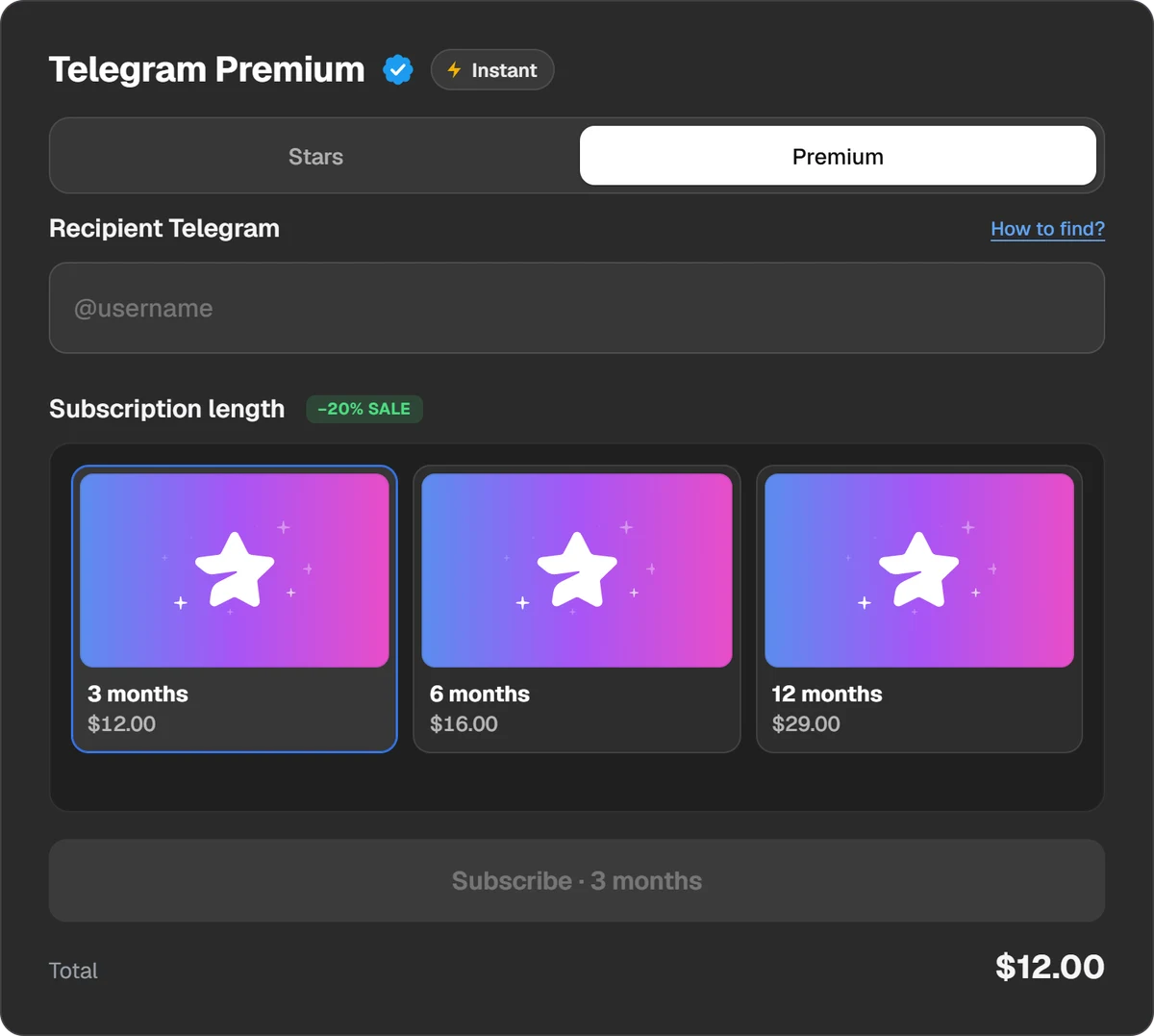
The recipient and the term. The price shows before you pay.
Pay and set it up
Press Subscribe and choose a coin or a wallet. Once Premium is on, the greeting and away message become available in Settings → Telegram Business.
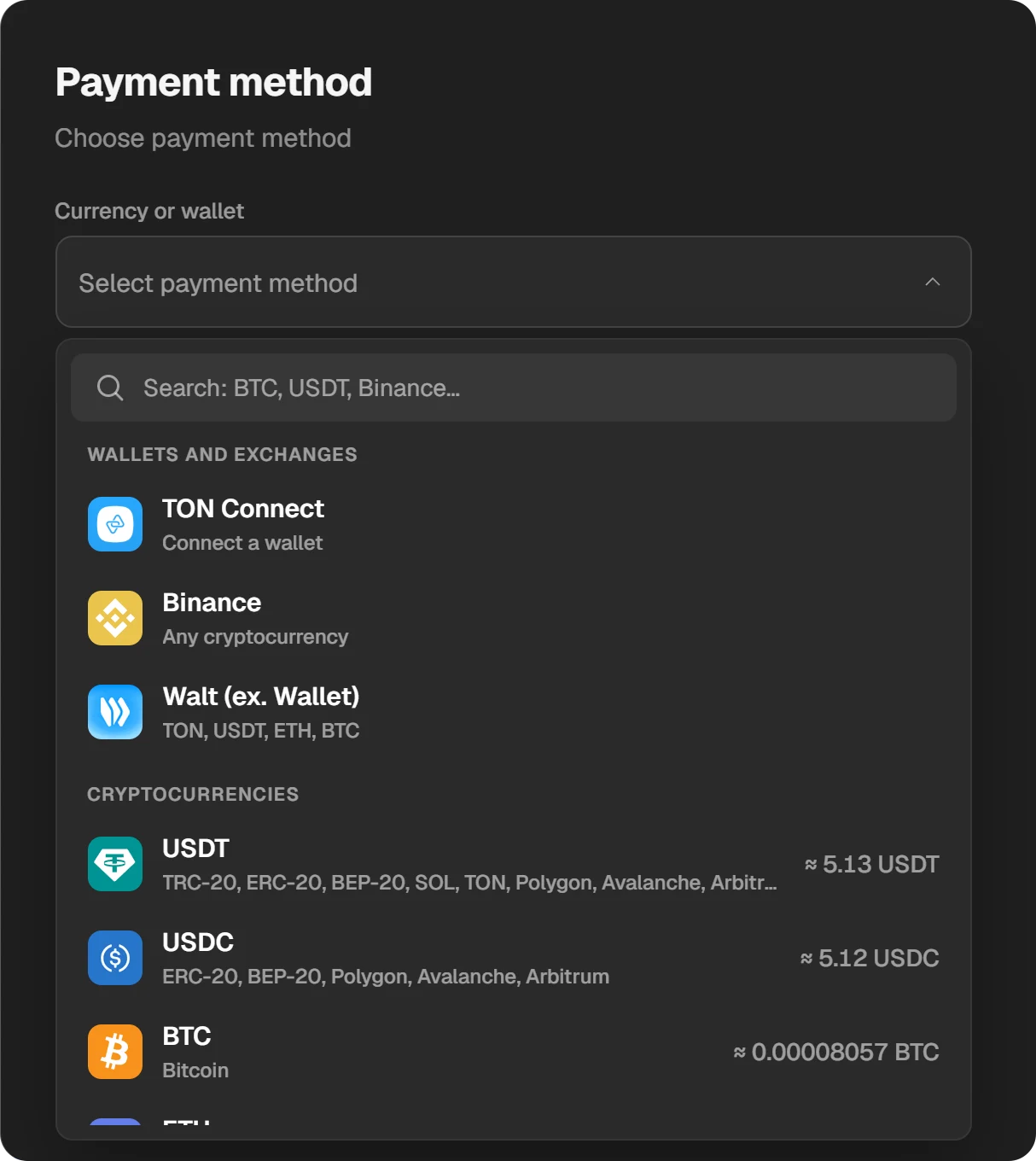
The amount needed in each coin is right in the list.
Questions and answers
How do I set up a greeting in Telegram Premium?
Open Settings → Telegram Business, turn on greeting messages, send the text or sticker, choose recipients and the silence period.
How do I make a sticker greeting?
Send a sticker into the greeting itself, or put one on the start page in Telegram Business. The start page sticker shows in an empty chat with you.
Can I have an auto-reply without Premium?
Not the built-in one. You can connect a bot in Settings → Chat Automation that answers on your behalf in chosen chats.
Does the greeting work in groups?
No, the business greeting works in private chats. Groups and channels have their own welcome messages for new members.
Do I pay extra for Telegram Business?
No. Telegram says all Telegram Business features are free for Premium subscribers.

