

PS Store on PS5: find a game and pay with a gift card
PlayStation Store is built into the PS5. You choose the game on the console and pay with wallet funds or another method the store of your account’s country accepts. Here is the way from search to download, with the checks to make before paying.
In short
- To buy a PS5 game without a bank card, get a PS Store card of your account’s country on Play Wallet. It funds the wallet.
- We have cards for the US, Germany, France, Austria, Belgium, Poland, the UAE, India and Turkey. They do not fit accounts of other countries. You pay us in crypto.
- On the PS5 open PlayStation Store, find the game, select the price and edition, and confirm.
- Redeem the code beforehand or at checkout. Wallet funds are used first.
- Check the version before downloading. A downloaded game is not refunded for a change of mind.
How to find a game in PS Store on PS5
- Select PlayStation Store on the home screen. You need to be signed in to a PlayStation account.
- Search for the game or scroll the store’s collections.
- Open its page. Add-ons and season passes are lower down, under Add-Ons.
The store shows the prices and items of your account’s country, wherever the console is and whatever language its menus use. Which card fits which account is explained in PSN cards.
What to check on the game’s page
| Look at | Why |
|---|---|
| Title and publisher | Well-known games have similar names and separate add-ons |
| Edition | Standard and larger editions cost differently. Each lists what it includes |
| Platforms | PS5, PS4 or both. “PS4 only” means it will not run on a PS5 |
| Players | Players on one console and online players are separate lines |
| Online play | The page says whether it needs PS Plus |
| Age rating | A child account can only buy games suitable for its age |
| A PS Plus label by the price | The game may come with a membership. That is access, not a purchase |
Do not mistake an add-on or an edition upgrade for the game. They sit on the same page, cost less and are usually useless without the base game. Read the description of the item whose price you select.
The PS5 or the PS4 version
- A game for both consoles. It shows PS4 and PS5. The edition’s description says what the purchase includes.
- PS4 only. The overwhelming majority of PS4 games also run on PS5. The store marks exceptions “Playable on: PS4 only”.
- An upgrade to PS5. It can be free, paid or limited in time, depending on the game. The offer is in the game hub.
- A PS4 game claimed with PS Plus. It does not qualify for an upgrade unless the offer says otherwise.
If you own both versions, switch in Game Library: highlight the game, press X, select “…” and the version you want. The PS4 version has a label next to the title at the top.
How to work out the card’s value
- Look up the edition’s price in your own account’s store.
- Check the balance: in PlayStation Store press triangle and select “… (More)”. It shows to the right of your profile icon.
- Take the balance off the price. In the US store add room for sales tax, which the price leaves out.
- Get a card for that amount or the next value up. You can redeem several, up to the wallet’s limit.
If the wallet holds less than the price, Sony uses it first and offers another payment method for the rest. With no other method, fund the whole amount.
How to buy a PS5 game with a PS Store card
Buy a card of the account’s country
On the PlayStation page choose your account’s country and a value. We do not ask for your PlayStation password. The total and the fee show before you pay.
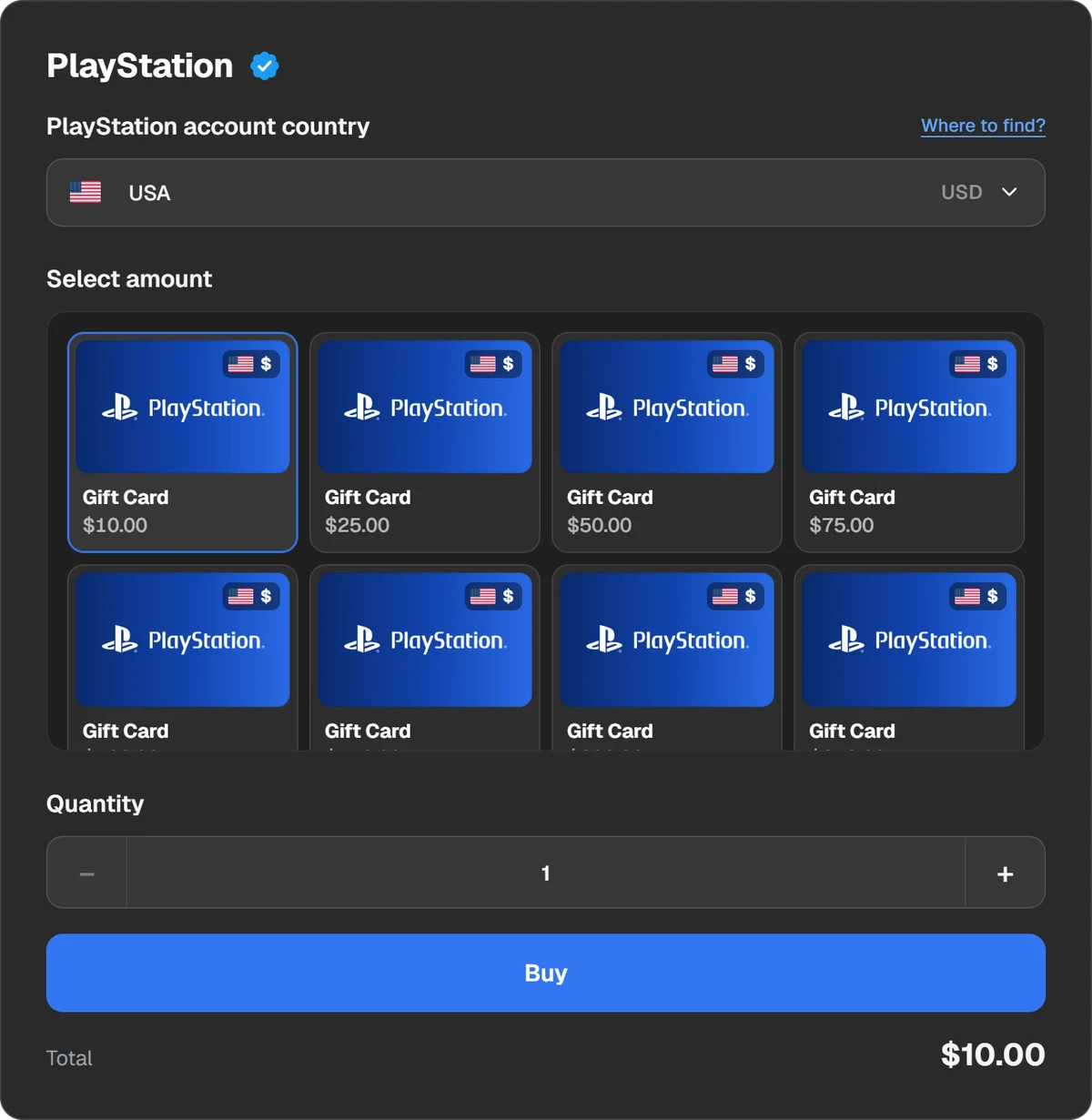
The card’s country must match the account’s.
Pay for the order
Press “Buy” and choose a coin or a wallet: USDT, TON, BTC, Binance, Walt and others.
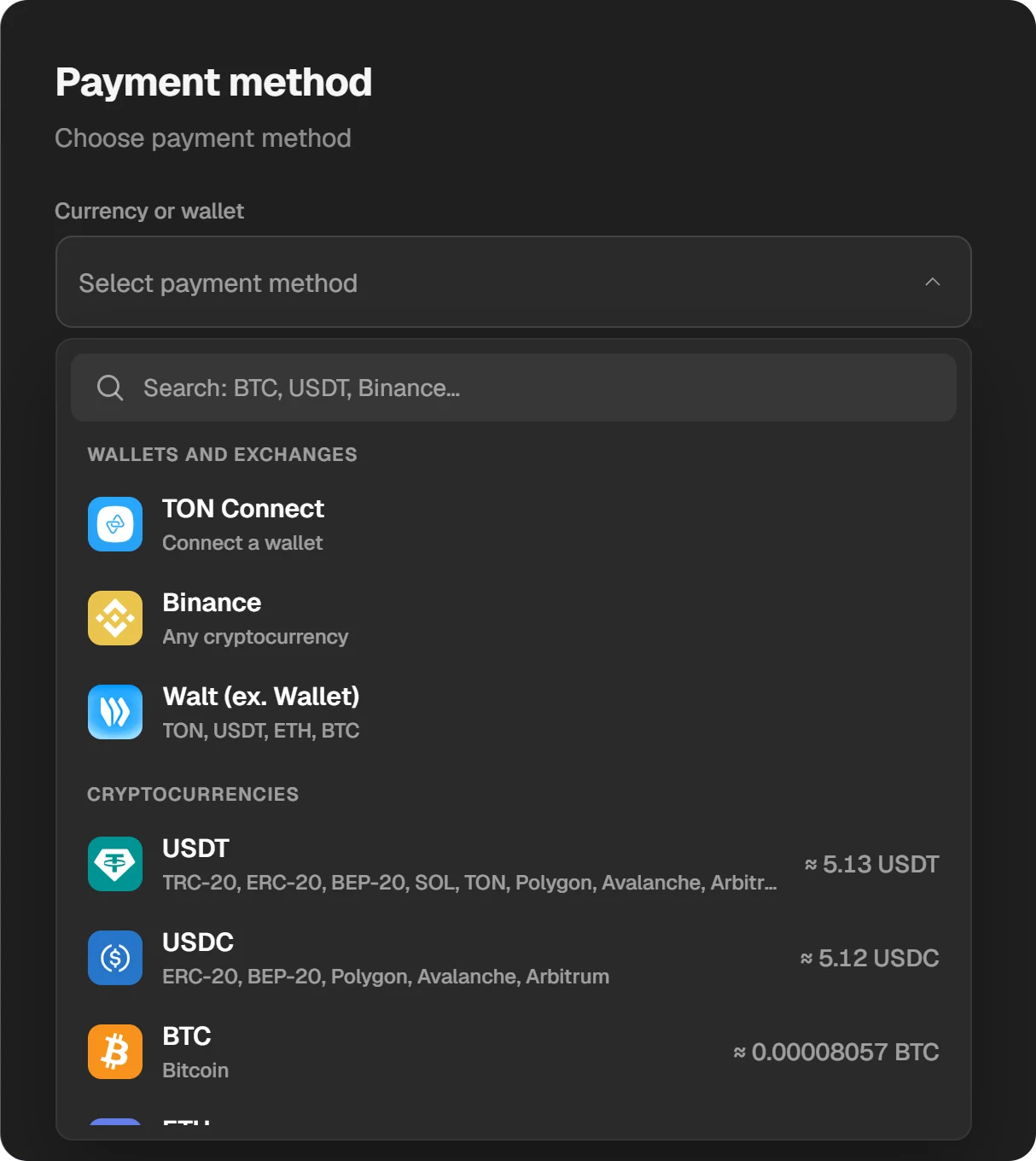
The list shows how much you need in each coin.
Redeem the code
The code shows in the order window and stays in “History”. On PS5 open PlayStation Store, press triangle, select “… (More)” and Redeem Code. Enter the 12 characters and select Redeem.
Select the price and the edition
Open the game, select the price, choose the edition and follow the steps on screen.
Confirm
Check that the wallet is paying. If you have not redeemed yet, the payment method menu has Redeem Codes and Gift Cards.
Is there a cart on PS5?
Sony’s guide describes a PS5 purchase through the price and the edition. It names Add to Cart for a browser, the PlayStation App and PS4. A cart is also where a 10-digit discount code goes, once items are in it. Such a code does not work on subscriptions or pre-orders. A wallet card has 12 characters and works differently: it adds money.
Where to download the game you bought
- From the Games home open Game Library, then Your Collection.
- Select the game and Download. It installs by itself.
- For an add-on, open the game there, scroll to Add-Ons and download it.
You can also buy on a phone and send the download to the console, if the PS5 is signed in to the same account.
How to put a password on purchases
Go to Settings, Users and Accounts, Account, Payment and Subscriptions, Purchase Settings. Turn on Require Password at Checkout. It applies to all your devices. It does not stop a card being redeemed and does not restrict child accounts, which use spending limits.
If the purchase does not go through
| What you see | What to check |
|---|---|
| The code is refused | The card’s country, the account’s country, and whether it was used |
| Not enough funds | The edition’s price, US sales tax and this account’s balance |
| The game is not in search | Whether it is sold in that country and out on PS5 or PS4 |
| A child cannot buy | The age rating and the family manager’s spending limit |
| The store will not open | PSN status and the console’s connection |
For the last case see PS Store is not working. If you change your mind, do not start the download: Sony takes such a request for 14 days and only while the game is not downloaded.
Found the game, chose the edition, and your country is on the list? Buy a PS Store card on Play Wallet, redeem it and pay from the wallet.
Questions and answers
Where is PS Store on PS5?
On the console’s home screen. Nothing needs installing, but you need to be signed in to a PlayStation account.
Can I buy a PS5 game without a bank card?
Yes, if the wallet covers the whole price. A PS Store card of the account’s own country funds it.
Can I enter a code during the purchase?
Yes. Choose Redeem Codes and Gift Cards in the payment method menu.
Can I buy a PS4 game on a PS5?
Yes, and most will run. Avoid games marked “Playable on: PS4 only”.
Can I use a card of another country?
No. The wallet takes cards of the account’s own country only, and that country cannot be changed.
Do you sell PS5 games?
No. We sell wallet cards. You choose and buy the game in PlayStation Store.
