Nintendo Switch Online + Expansion Pack: what you get
The Expansion Pack is the higher plan of Nintendo Switch Online. On top of online play and cloud saves it adds several more libraries of classic games and paid DLC for three Nintendo games. Here is what exactly is included, what it costs, how to upgrade mid-term and who should pay the difference.
In short
- The Expansion Pack adds Nintendo 64, Game Boy Advance, SEGA and Virtual Boy games, plus GameCube on Switch 2.
- It includes DLC for Mario Kart 8 Deluxe, Animal Crossing: New Horizons and Splatoon 2, and the Switch 2 upgrade packs for two Zelda games. You need your own copy of the game.
- It is sold for 12 months only. In the US it costs $49.99 for one account and $79.99 for a family of up to 8 (as of 22 November 2026).
- You can upgrade from the base plan at any time: Nintendo takes the remaining days off the price.
- We have no Expansion Pack code. You pay for it from your eShop balance, and you fund the balance with an eShop card.
What the Expansion Pack adds
Everything in the base membership stays: online play, cloud saves, and NES, Super NES and Game Boy games. That part has its own article: Nintendo Switch Online: what it gives and how to pay. The Expansion Pack puts three things on top.
| What | Details | What you need |
|---|---|---|
| Nintendo 64 | A library of N64 games, some with online play. Games rated 17+ are in a separate app | Switch or Switch 2 |
| Game Boy Advance | A library of GBA games | Switch or Switch 2 |
| SEGA Genesis | A library of SEGA games. In Europe the console and the app are called Mega Drive | Switch or Switch 2 |
| GameCube | Nintendo names The Legend of Zelda: The Wind Waker and SOULCALIBUR II among the games | Switch 2 only |
| Virtual Boy | Nintendo’s US site says the library is available only in the US and Canada | The Virtual Boy accessory for Switch |
| DLC | Booster Course Pass for Mario Kart 8 Deluxe, Happy Home Paradise for Animal Crossing: New Horizons, Octo Expansion for Splatoon 2 | The game itself |
| Switch 2 upgrade packs | The Legend of Zelda: Breath of the Wild and Tears of the Kingdom, Nintendo Switch 2 Edition | The game itself and a Switch 2 |
Nintendo counts more than 150 classic games across the libraries of both memberships. Supported titles have suspend points, rewind and online play. The full list for each system is on Nintendo’s site under Nintendo Classics; it keeps growing, so check it there.
The DLC and the upgrade packs are part of the membership, not a purchase you keep. Nintendo says the upgrade packs need an active membership. If the membership ends and you still want the DLC, you have to buy it separately.
What it costs
The Expansion Pack is sold for 12 months only. Prices from Nintendo’s sites as of 22 November 2026:
| 12-month plan | United States | United Kingdom |
|---|---|---|
| Base, one account | $19.99 | See the eShop |
| Base, family | $34.99 | See the eShop |
| Expansion Pack, one account | $49.99 | £34.99 |
| Expansion Pack, family | $79.99 | £59.99 |
Other countries have their own price in the account’s currency. The exact amount is in the eShop on the console: Nintendo Switch Online, then the plan choice. The 7-day free trial does not apply to the Expansion Pack.
Individual or family
- Individual works on one Nintendo Account.
- Family is shared by a family group of up to 8 Nintendo Accounts. Nintendo’s own maths: with eight people it comes to about $10 a year each.
- Only an adult of 18 or older can buy a family plan. They add the others to the family group in the Nintendo Account settings.
- There is no automated way back from family to individual. You wait until the term ends.
A family plan pays off with two people already: in the US two individual Expansion Packs cost $99.98, and the family one $79.99.
How to upgrade from the base plan mid-term
You do not have to wait for the term to end. Nintendo lets you change the plan at any time and gives a discount for the days left: the number of remaining days times a daily rate. In the US the rate is $0.05 a day for an individual membership and $0.09 for a family one.
A US example: an individual membership has 200 days left. The discount is 200 × 0.05 = $10, so the individual Expansion Pack costs $39.99 instead of $49.99. The eShop shows your discounted price before you pay.
Open the eShop
On the console choose Nintendo eShop and the user whose account already has the membership.
Go to the membership section
Open Nintendo Switch Online, then View/Change Membership.
Choose the Expansion Pack
Individual or family. The screen shows the regular price and the price with your discount.
Pay
After the payment the time left on the old plan is removed and a new 12 months of the Expansion Pack start at once.
Nintendo applies the discount when you buy the new plan in the eShop or on its website. There is no automated way back: you return from the Expansion Pack to the base plan only after the term ends.
How to pay from your eShop balance
Nintendo accepts eShop funds for a membership. A bank card has to be issued in the same country as the eShop, so if yours is not, fund the balance with an eShop card. Play Wallet has codes for the base membership for 3 and 12 months, but no Expansion Pack code. The way round:
Check the account’s country and the price
In the eShop on the console look at the Expansion Pack price for your account. Its currency is the currency of the account’s country: the card must match it.
Buy an eShop card
Open Nintendo eShop cards, choose the account’s country and a value. For the US, as of 22 November 2026, there are $10, $20, $35 and $50 cards: a $50 card covers the individual Expansion Pack, the family one takes two cards, $50 and $35. You can redeem several codes.
Pay for the order
Choose a coin, an exchange or a wallet: USDT, TON, BTC and other coins, Binance, Walt or TON Connect. The amount and the fee are shown before you pay.
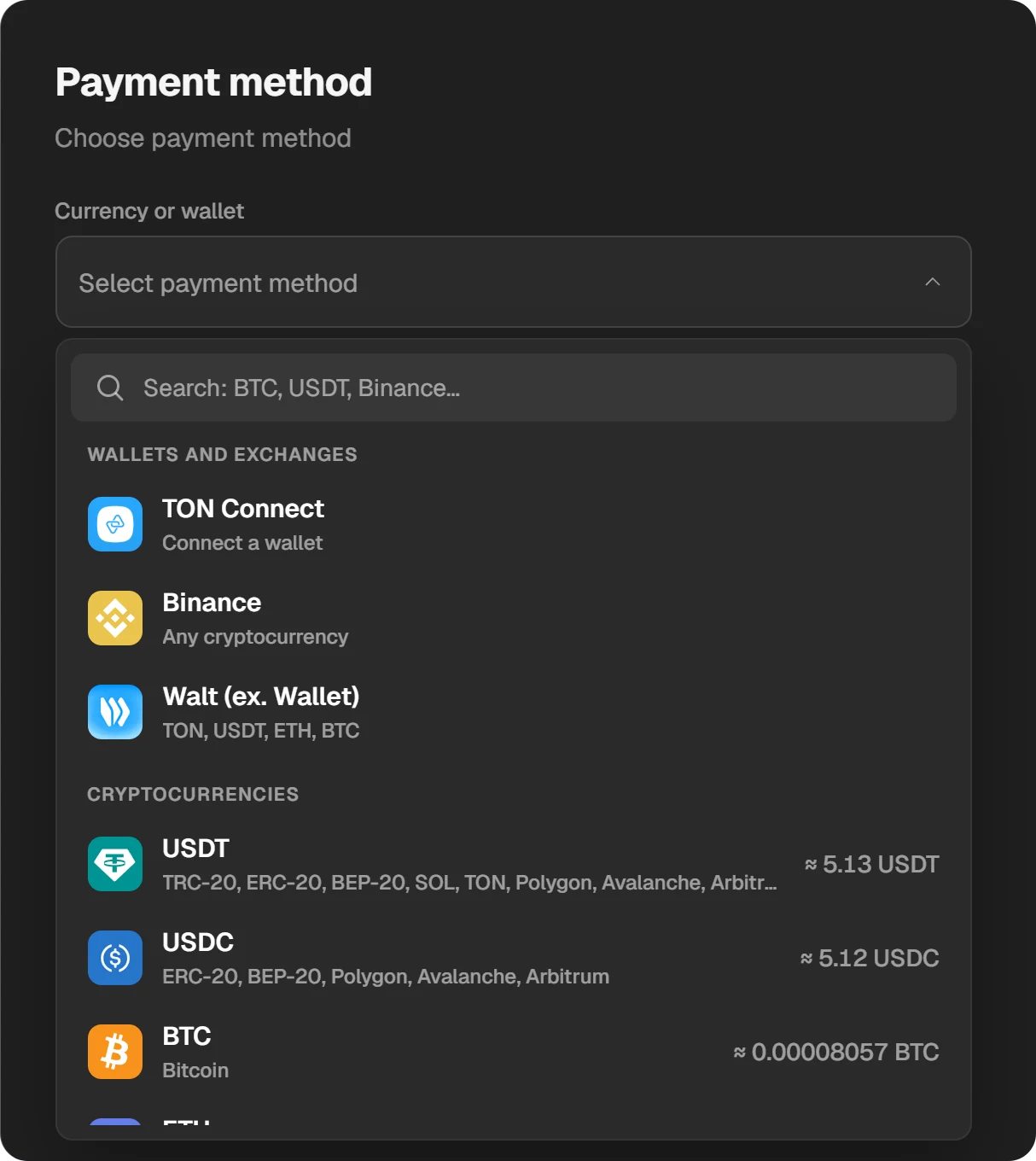
Payment methods in the order window.
Redeem the code and buy the membership
The 16-character code appears in the order window. On the console: eShop, “Enter Code” on the left. Once the funds are on the balance, open Nintendo Switch Online and pay for the Expansion Pack from it.
An account set to Russia cannot buy a membership: the Russian eShop has been in limited service since 31 May 2023. Which cards fit which countries, and why changing the region for a price is a bad idea, is in Which Nintendo eShop region to choose.
A membership bought in the eShop renews by itself at the price of the renewal day while auto-renewal is on. On renewal Nintendo takes eShop funds first. If you do not want to pay for another year, turn auto-renewal off in the membership section.
Is it worth the extra money
Yes, if you want N64, GBA or GameCube games
They are the main thing the plan gives. GameCube runs only on Switch 2: the first Switch does not get those games.
Yes, if you own the games with DLC on the list
Mario Kart 8 Deluxe, Animal Crossing: New Horizons, Splatoon 2, and on Switch 2 also Breath of the Wild and Tears of the Kingdom. The DLC opens with no separate purchase while the membership runs.
Yes, if a family shares it
A family Expansion Pack is cheaper than two separate ones already. The more people in the group, the less each pays.
No, if you only need online play
Online play, cloud saves and NES, Super NES and Game Boy games are in the base membership. You can pay for it with a 3- or 12-month code.
No, if you want one DLC for good
DLC from the membership works while it is active. DLC you buy separately stays yours.
To compare with other consoles’ memberships, see PS Plus tiers and Game Pass Ultimate.
Questions and answers
What is included in Nintendo Switch Online + Expansion Pack?
Everything in the base membership plus Nintendo 64, Game Boy Advance, SEGA and Virtual Boy games, GameCube on Switch 2, DLC for three games and the Switch 2 upgrade packs for two Zelda games.
Can I buy the Expansion Pack for a month?
No. Nintendo sells it for 12 months only, individual or family.
How many people share a family membership?
Up to 8 Nintendo Accounts in one family group. Only an adult of 18 or older can buy it.
What happens to the time left on my base membership when I upgrade?
It is removed, and Nintendo takes its value off the Expansion Pack price. A new 12 months start right after the payment.
Do I keep the DLC when the membership ends?
No. The DLC and the upgrade packs from the Expansion Pack work while the membership is active. To keep DLC, you buy it separately.
Do GameCube games work on the first Switch?
No. Nintendo says the GameCube library is available on Nintendo Switch 2 only.
Can I buy the Expansion Pack as a code?
Nintendo issues such codes, but we do not have them. We have base membership codes and eShop cards: with eShop funds you pay for the Expansion Pack on the console.