

How to buy Telegram Stars on an iPhone
If the App Store will not take your payment, you can buy Stars on an iPhone on Play Wallet right in Safari, by @username with crypto. In Russia Apple stopped billing for digital purchases on 1 April 2026, so an in-app purchase there usually ends in an error. Here are the steps and the rules.
In short
- On an iPhone you can buy Telegram Stars on Play Wallet in Safari, by @username with crypto.
- In Russia Apple stopped billing for digital purchases on 1 April 2026. Our Apple cards do not fit a Russian account.
- We do not take bank cards. One order is 67 to 2,000 Stars.
- Stars belong to the account, not the phone. Bought on the website, they show on the iPhone too.
- Only your @username is needed. Never a login code or password.
How to buy Stars on an iPhone with Play Wallet
Copy your @username
In Telegram open Settings and find Username. Tap it and copy the name. If you have none, set any free one: without it Stars cannot be bought by name.
Open the Stars page in Safari
Go to Telegram Stars and paste the @username into the Recipient Telegram field. The form shows the account’s name and photo: check them. Enter 67 to 2,000 Stars or pick a pack.
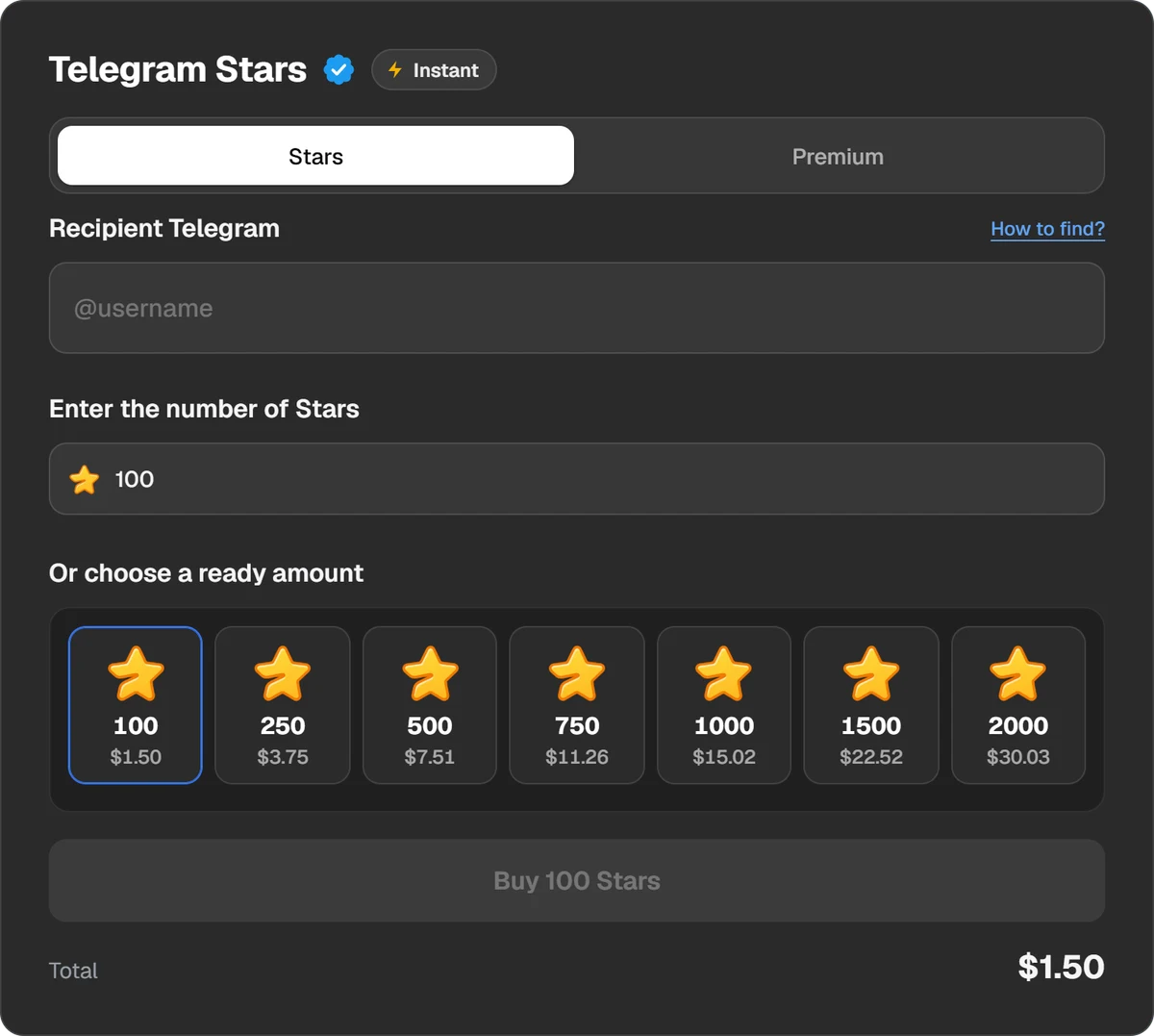
Recipient, number of Stars and the amount to pay, before you pay.
Pay from the phone
Press Buy and choose a coin or a wallet. On an iPhone it is easiest to pay from an exchange or wallet app: copy the address and the amount. If your coins are in Tonkeeper or another TON wallet, choose TON Connect and confirm in the wallet.
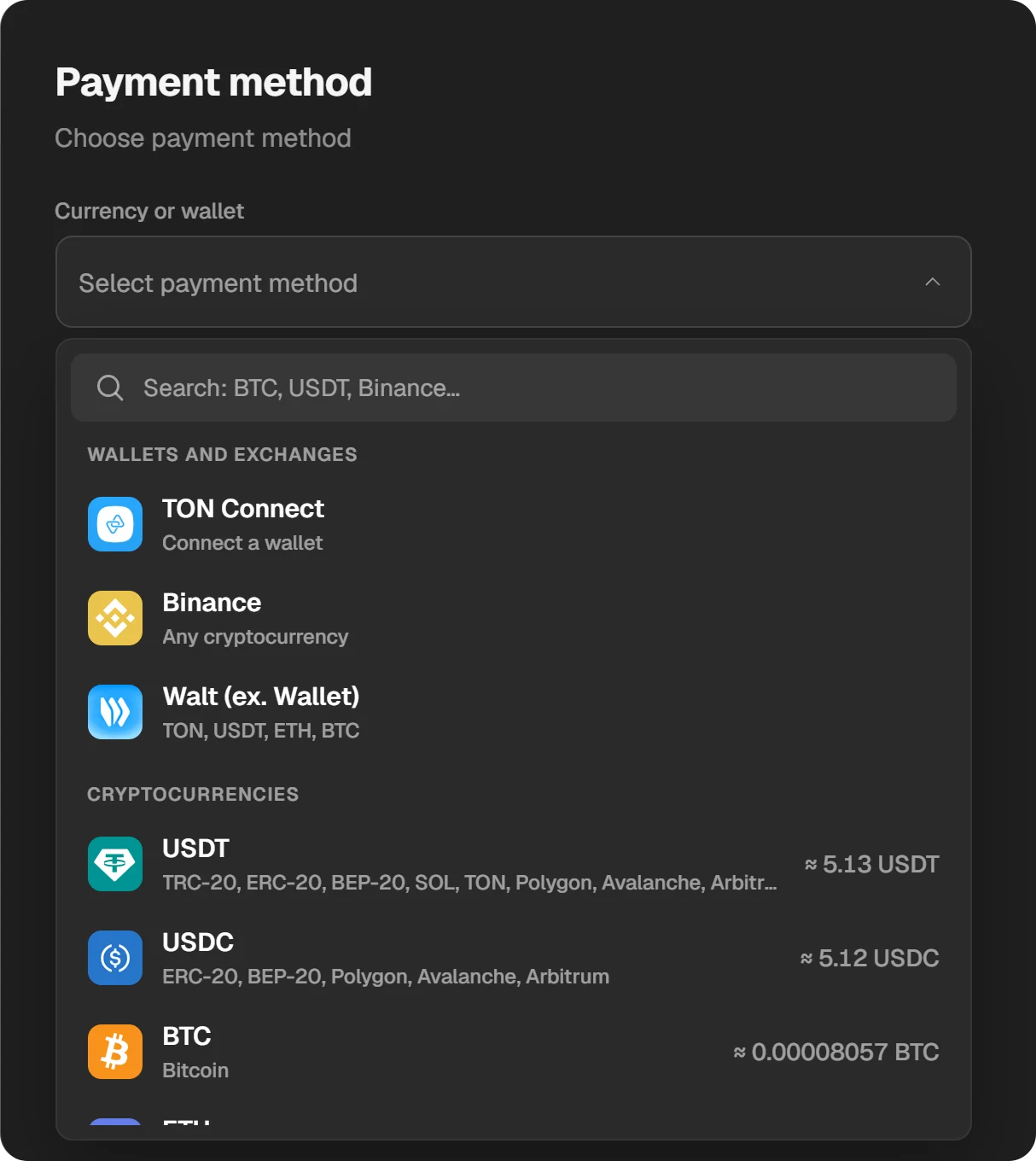
The amount needed in each coin is right in the list.
Check the balance
The window shows by itself when the payment arrives. Open Telegram on the iPhone: the Stars are in Settings → My Stars. The order stays in “History” at the top of the site.
Send exactly the amount, on exactly the network, chosen in the payment window. A transfer on another network is not credited automatically.
Stars from Play Wallet land on your Telegram account’s balance and work in the iPhone app exactly like App Store ones.
Why the payment fails from Russia
- Apple stopped billing in Russia. Since 1 April 2026 digital purchases and the usual carrier billing are unavailable there, Apple’s support page says.
- An old balance still works. Money left on the Apple Account can pay for Stars until it runs out.
- Our Apple cards will not do. They are for accounts of other countries.
We do not advise changing your Apple Account country or using someone else’s address to pay. Apple has its own rules for a country change, and the remaining balance is lost when you switch.
Gifting Stars from an iPhone
Stars are gifted from Settings → My Stars; Telegram has said that on iOS the option appears once you have bought Stars for yourself. That gift is paid through the App Store too, so if your purchase fails, the gift will as well. It is simpler to buy Stars straight to your friend’s @username on Play Wallet.
If the Stars did not arrive
- Open the order in “History” on the site. If it still waits for payment, the network has not confirmed the transfer yet.
- Check the @username in the order: the Stars went to that account.
- Close Telegram on the iPhone completely, reopen it and look at My Stars.
- If the order is Done and there are no Stars, write to support with the order ID.
Safety
- Never send anyone your login code. A purchase needs only the @username. A seller asking for a Telegram code wants your account.
- Never hand over your Apple ID. “We’ll buy Stars on our Apple ID, just let us sign in” is how people lose their phone and purchases.
- “Half-price” Stars from strangers often turn out to be a scam or bought with someone else’s card.
Open Telegram Stars in Safari and paste your @username: this purchase needs no App Store.
Questions and answers
How do I buy Telegram Stars on an iPhone?
Open Play Wallet in Safari, enter the @username and the number of Stars and pay with crypto.
Will Stars bought outside the App Store work on my iPhone?
Yes. Stars sit on your Telegram account and show on every device you are signed in on.
How do I top up Stars on an iPhone without the App Store?
Buy them by your @username on Play Wallet in Safari. The Stars arrive in Settings → My Stars.
Can I top up my Apple Account to buy Stars from Russia?
Our Apple cards do not fit a Russian account, and the usual carrier billing ended on 1 April 2026. Buying Stars by @username needs no money on the Apple Account.

