

Paid photos and videos for Stars in Telegram
A paid photo or video in Telegram is a post hidden until the reader pays in Stars. Such posts are published in channels, and bots can send them too. Here is how to make one, what price you can set and what to do with the Stars afterwards. If you want to open someone’s post, we show how to buy Stars on Play Wallet.
In short
- Paid photos and videos are posted in a channel. The owner sets a price in Stars; a reader pays and sees the post.
- To open a paid post, you can buy Stars on Play Wallet by @username with crypto.
- Only photos and videos can be paid, several in one post.
- The Stars land on the channel’s balance and can be withdrawn through Fragment after 21 days.
- Telegram describes no ordinary “paid photo” button for private chats. Bots can send paid content in chats.
- Nobody can view someone’s paid photo for free. Bots that promise it steal accounts.
Where you can send a paid photo
| Where | Possible? | Who sends |
|---|---|---|
| Your channel | Yes | The owner, and admins if the channel allows it |
| A bot | Yes | A bot, incl. a bot admin of a channel and a Business account’s bot |
| A private chat | Not described by Telegram | No ordinary button in Telegram’s help |
Telegram calls these paid posts. Under the creator terms, the owner of an eligible channel can make a single post paid: it stays hidden until a reader pays in Stars. People who want to sell photos one to one usually set up a channel or a bot for it.
How to make a paid post in a channel
Open your channel
The owner, or an admin allowed to post, publishes the paid post. No channel yet? Create one from the new-message button in the chat list.
Pick photos or videos
Tap the paperclip and pick one or more photos and videos. Several files go out as one post, with one price for the whole post.
Make the post paid
In the sending window, before publishing, find the paid-content option with the star icon and enter the price in Stars. A caption is visible to everyone, paid or not.
Publish
Subscribers see a blurred preview and the price. Those who pay see the photo or video in full.
No star option? Update Telegram. If you are an admin rather than the owner, check whether the channel allows paid content: Telegram’s documentation treats it as a separate channel permission.
What price to set
You set the price in Stars. Telegram sets the upper limit; its documentation currently gives 25,000 Stars per post. Many readers buy Stars in small packs, so a post for a few dozen Stars sells more easily than one for thousands.
Where the Stars go and how to withdraw
- To the channel’s balance. Telegram says owners receive 100% of the Stars. The balance shows in the channel’s statistics.
- Withdrawal after 21 days. Earned Stars can be withdrawn through Fragment no sooner than 21 days after you get them, at about 0.013 USD per Star, paid in crypto.
- Or ads. Stars can be spent on Telegram ads.
- Valid 3 years. Stars earned from content are valid for 3 years from the day you got them.
Withdrawal step by step: Can you withdraw Telegram Stars.
What a creator should remember
- A bought post stays with the buyer. Even if you delete it, those who paid keep access.
- You answer for the content. Telegram says your channel and everything in it must comply with the law and Telegram’s rules.
- No refund button. Star purchases are final; an unhappy reader is yours to deal with.
If you want to view a paid photo
Tap the paid post: Telegram shows the price and asks you to confirm paying with Stars. If you are short, buy Stars on Play Wallet by @username with crypto: the steps are below. No app store is needed.
There is no legitimate way to view a paid photo for free. “View paid photos for free” bots usually ask for your phone number and a Telegram code. Never share a login code: it hands over your account.
Enter your @username and the amount
Open Telegram Stars, paste your @username into the Recipient Telegram field and choose 67 to 2,000 Stars. Check the name and photo the form shows.
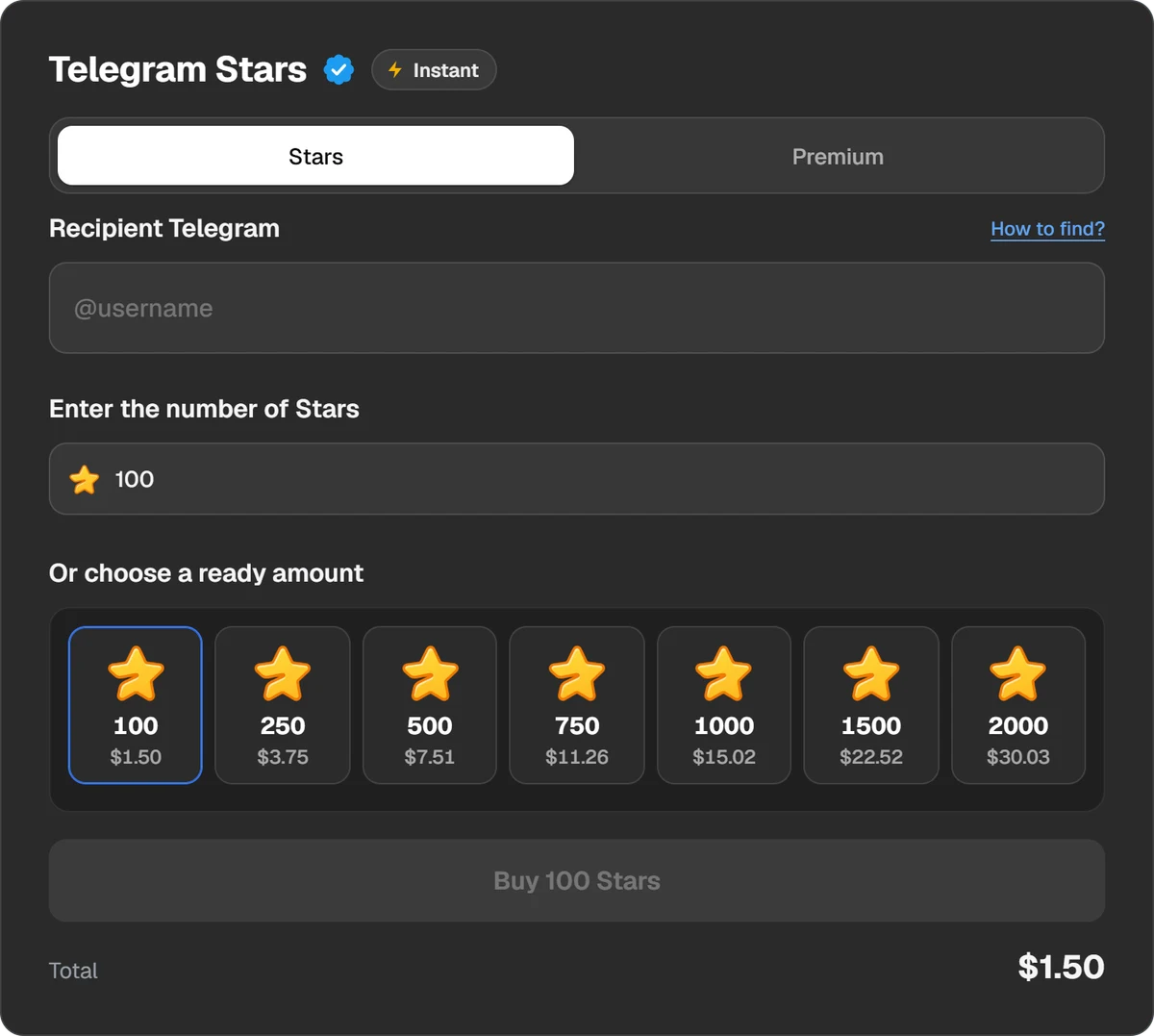
Recipient, number of Stars and the amount to pay.
Pay and go back to the post
Press Buy and choose a coin or a wallet. When the Stars reach Settings → My Stars, open the post and pay for it.
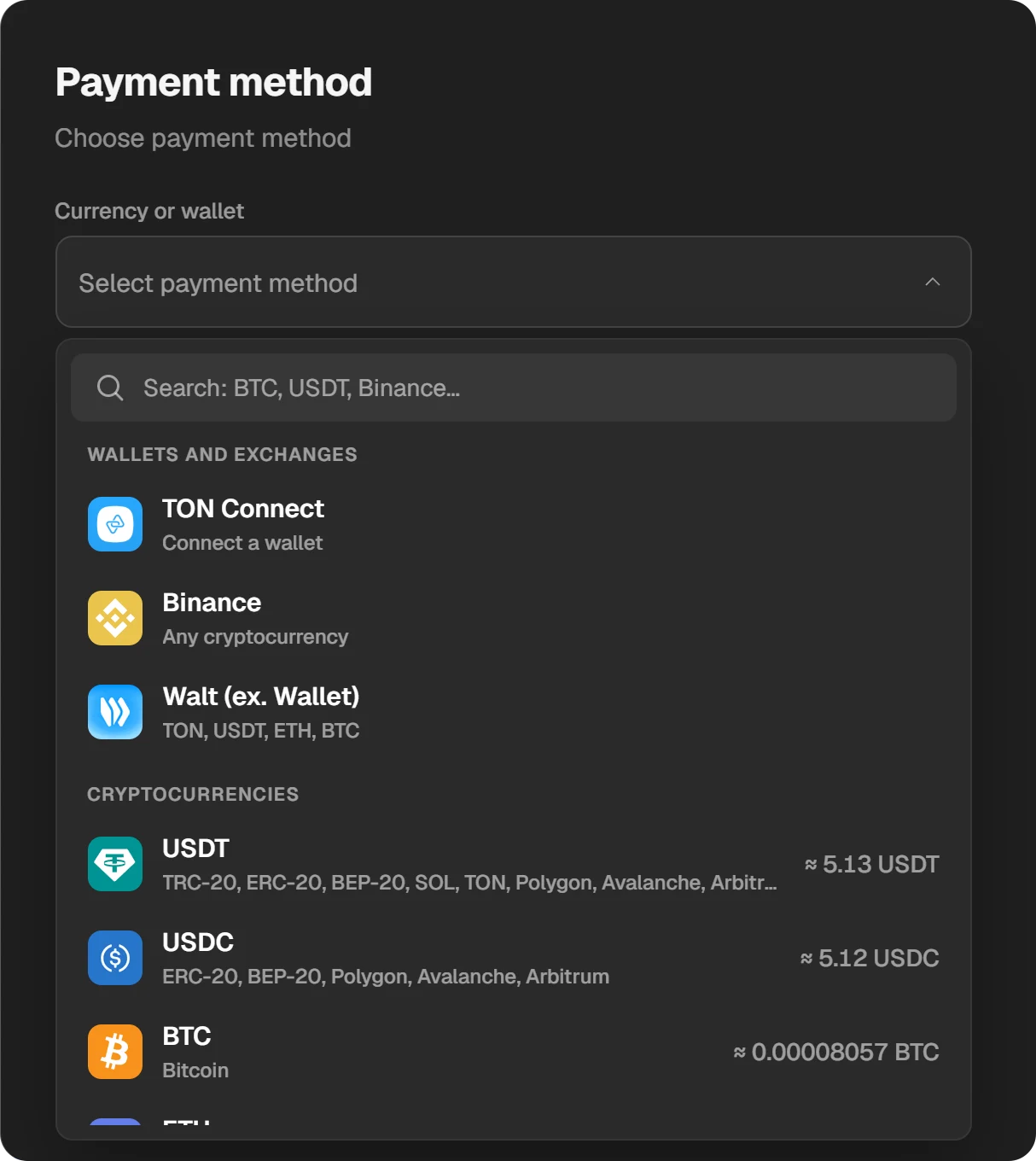
The amount needed in each coin is right in the list.
Know the price of the post? Get Stars on Play Wallet for your @username: 67 to 2,000 per order.
Questions and answers
How do I send a photo for Stars in Telegram?
Post it in your channel: pick the photo, turn on paid content with the star icon in the sending window and set the price. Subscribers see a blurred preview and the price.
Can I send a paid photo in a private chat?
Telegram’s help describes no ordinary button for private chats. Paid photos and videos are posted in channels, and bots can send them in chats.
How many Stars can I charge for a photo?
You choose. Telegram’s documentation currently gives 25,000 Stars per post as the upper limit.
Where do the Stars for a paid post go?
To the channel’s balance. The owner gets all of them and after 21 days can withdraw them through Fragment or spend them on ads.
Can I view a paid photo for free?
No. The post opens only after payment. Bots promising otherwise are after your account.

