How to redeem a Fortnite V-Bucks card
A V-Bucks card is redeemed on the Fortnite website, fortnite.com/vbuckscard, not in the game. It takes a couple of minutes. What matters is signing in to the right Epic Games account and linking your console first if you play on one. Here are all the steps and what to do when a code is refused.
In short
- Open fortnite.com/vbuckscard, sign in to your Epic Games account and press Get Started.
- Enter the PIN without dashes, choose the platform and press Confirm.
- For PlayStation and Xbox a second code appears; you enter it on Sony’s or Microsoft’s site.
- Only platforms linked to your Epic account are listed. No console in the list? Link it first.
- A card works only in its own region, and Epic does not let you change your account’s country for it.
What to check first
The right Epic account
Open your account settings on epicgames.com and compare the display name with your Fortnite name. V-Bucks cannot be moved to another account afterwards.
A linked console
If you play on PlayStation, Xbox or Switch, that console’s account must be linked to your Epic account, or it will not be listed.
The card’s region
Epic says V-Bucks cards are region-locked. If your Epic account’s country differs from the card’s region, the code is refused.
Redeeming on PC, phone and Switch
Open the card page
Go to fortnite.com/vbuckscard on a computer or phone and sign in to the Epic Games account you play with. Press Get Started.
Enter the PIN
Paste the PIN without dashes and press Next. Copying it with the button in the order window is safer than typing.
Choose the platform
Pick the device where you will spend the V-Bucks and press Next. Only platforms linked to the account are listed.
Confirm
Check the account, the platform and the new balance and press Confirm. On PC, phones and Switch the V-Bucks are in the game right away.
You cannot redeem the card on the Switch itself, only on the website. Switch is listed once your Nintendo Account is linked to Epic. V-Bucks redeemed for Switch can be spent only on Switch; PC, phones, PlayStation and Xbox share one balance.
Redeeming for PlayStation and Xbox
Sony and Microsoft consoles have an extra step. After Confirm the site shows a new code: 12 characters for PlayStation or 25 for Xbox. Epic also emails it to you.
- Go through the steps above and pick PlayStation or Xbox.
- Copy the second code shown after Confirm.
- On Sony’s or Microsoft’s site, sign in to the PSN or Xbox account linked to Epic.
- Enter the second code. The V-Bucks are added to the account.
If you have several PlayStation or Xbox accounts, Epic suggests an incognito window, so the browser does not sign you in to the wrong one.
If the code is refused
| What happened | What to do |
|---|---|
| Your platform is not listed | You are in the wrong Epic account or the console is not linked. Link it in your Epic account settings and start again. |
| A region error | The card’s region differs from your Epic account’s country. Changing the country is not possible. |
| “Invalid code” | Remove dashes and spaces. Copy the code with the button in the order window. |
| No V-Bucks on PS or Xbox | Most likely the second code was not entered. Find it in Epic’s email and enter it on Sony’s or Microsoft’s site. |
| V-Bucks went to another account | They cannot be moved. Always check which account you are signed in to. |
If nothing helps, write to support with the order number; the ID button in the order window copies it. Epic advises keeping the receipt until the card is redeemed: on our site the Receipt button in the order window downloads it.
V-Bucks card or Fortnite Gift Card
Two kinds of cards exist. A V-Bucks card gives a fixed number of V-Bucks and is redeemed at fortnite.com/vbuckscard. A Fortnite Gift Card adds money to your Epic account balance and is redeemed differently, at epicgames.com/redeem. The steps above do not apply to it.
Where to get a V-Bucks card
The Fortnite V-Bucks page sells cards for 1,000, 2,800, 5,000 and 13,500 V-Bucks. No Epic login or password is needed: after paying, the code appears in the order window. It is hidden; click it to reveal it, and use the copy button next to it. The code also stays in History at the top of the site.
Choose a card
Open Fortnite V-Bucks and pick an amount. If unsure about the region, ask support whether the card suits your Epic account’s country.
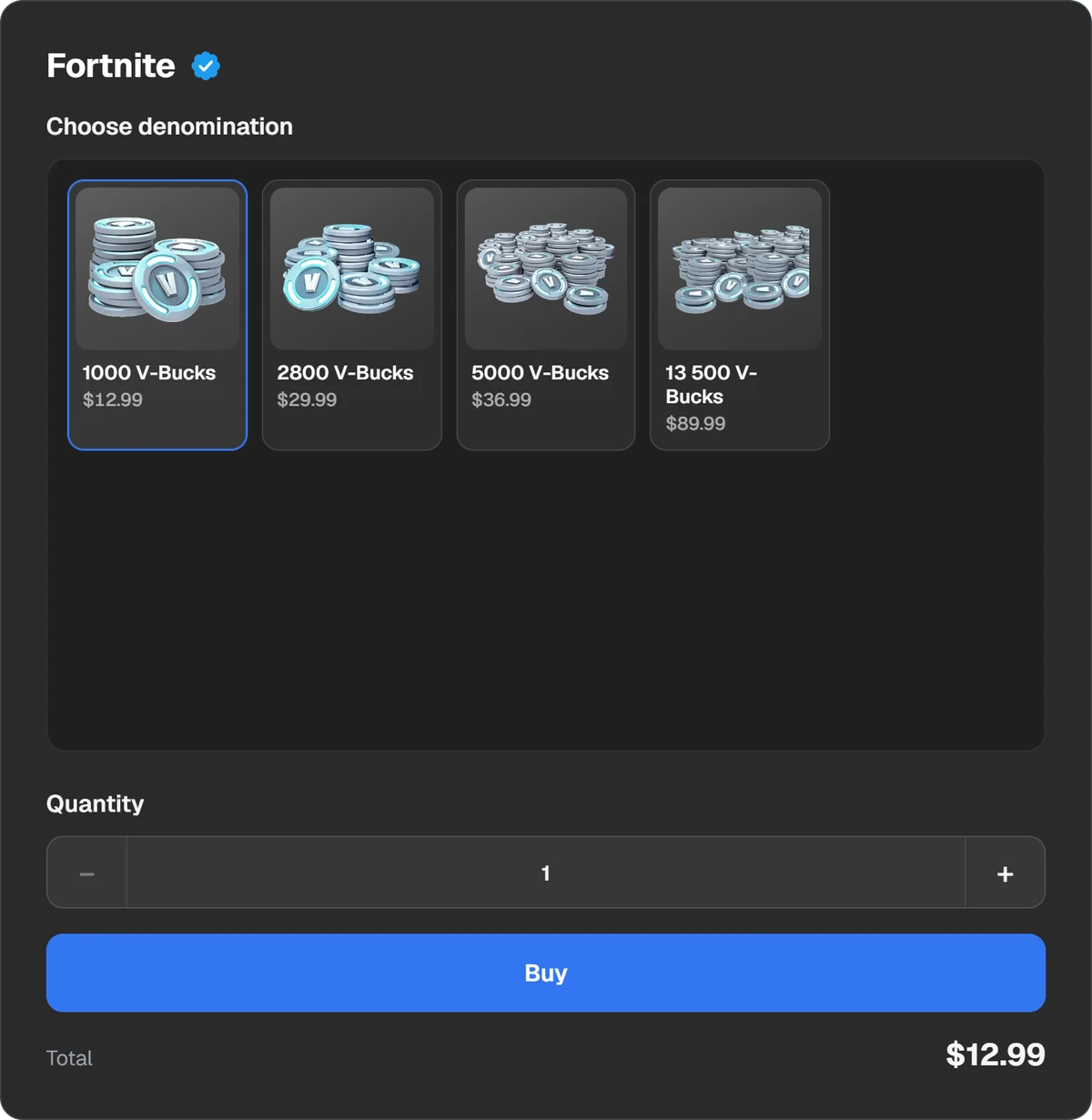
V-Bucks cards of different amounts.
Pay
Press Buy and the payment window opens. You can pay in USDT, USDC, BTC, TON and other coins, or through Binance, Walt and TON Connect.
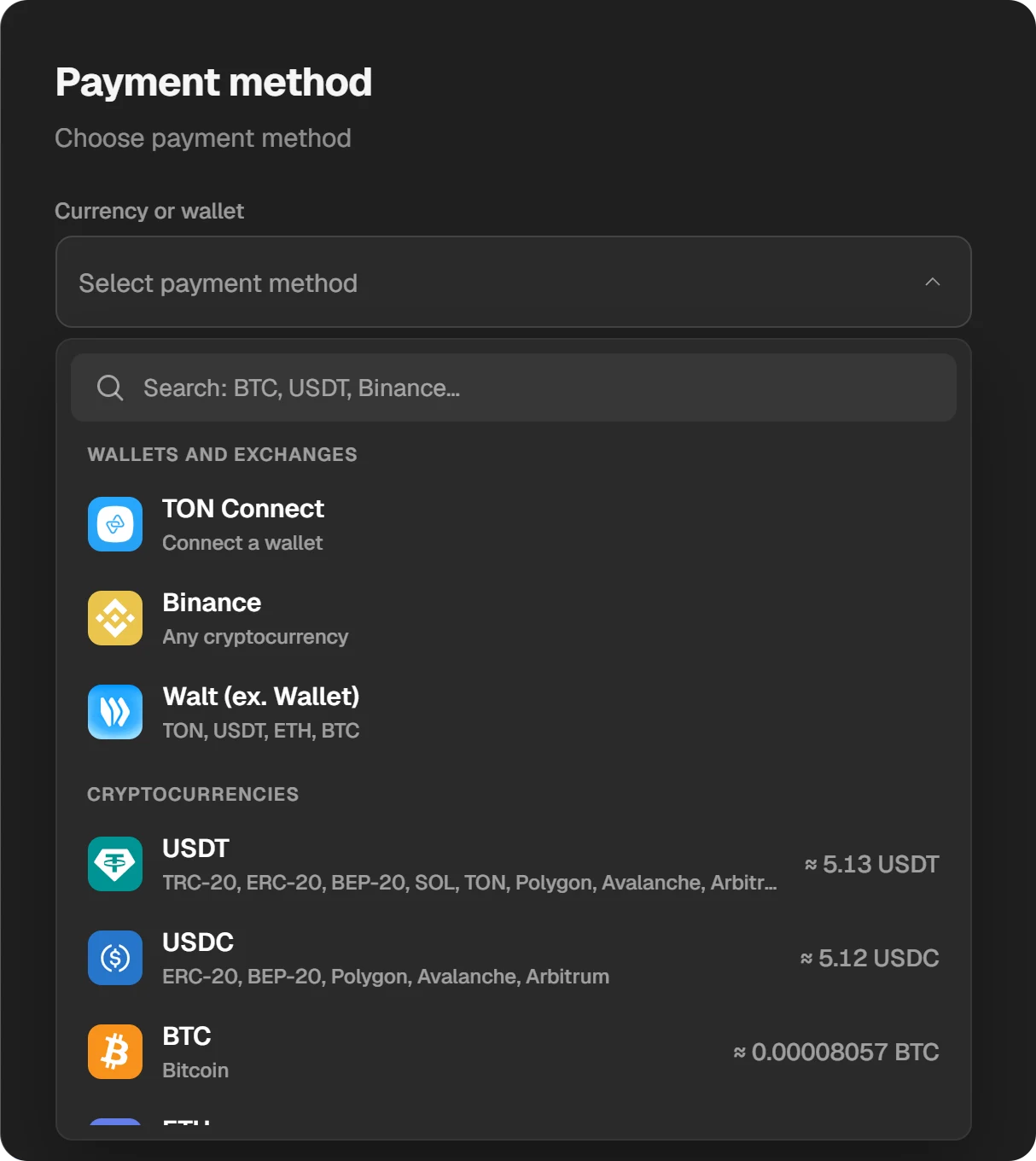
Choosing a coin or a wallet in the payment window.
Sites with “free V-Bucks” and “code generators” steal Epic accounts. A real code comes only with a paid card.
Questions and answers
Where do I enter a V-Bucks card code?
At fortnite.com/vbuckscard. A V-Bucks card is not entered in the game or on a console.
Do I type the dashes in the PIN?
No. Epic asks for the PIN without dashes.
Why is my console not in the list?
Its account is not linked to your Epic account, or you are signed in to another Epic account. Link the console and start again.
What is the second code for PlayStation and Xbox?
After Confirm the site gives a 12- or 25-character code. You enter it on Sony’s or Microsoft’s site in the account linked to Epic. Without it the V-Bucks do not reach the console.
Will Switch V-Bucks show up on PC?
No. V-Bucks redeemed for Switch work only on Switch. PC, phones, PlayStation and Xbox share one balance.