

An Indian PS Store account: what to know
Before you set up an Indian PlayStation account or buy a card for one, three things matter: what Sony requires, which card will work, and what you can buy with it. Here they are in order.
In short
- Sony’s rules ask you to register in your country of residence with true details. An account made with false information can be suspended.
- A PlayStation account’s country cannot be changed: an Indian account stays Indian.
- An Indian account’s wallet takes Indian cards only. We sell Indian PS Store gift cards in rupees.
- India sells PS Plus Essential, Extra and Deluxe; there is no Premium.
- The 12-digit code appears in the order window and stays in “History”.
What Sony requires
- Country of residence. At sign-up you choose the country where you live.
- True details. The account’s information must be accurate. Sony may suspend or restrict an account created with false information.
- A permanent country. Once created, the account’s country cannot be changed.
- Card check. Sony may verify the country of residence by your card number.
- Cards of the same country. The wallet takes prepaid cards of the account’s country only.
If you do not live in India, an Indian account goes against the residence rule. We do not advise giving an address that is not yours: a suspension takes the bought games with it. Indian cards are for people who already have such an account.
Indian or Turkish account: the difference for a card buyer
| India | Turkey | |
|---|---|---|
| Wallet and card currency | Rupees (INR) | Lira (TRY) |
| PS Plus tiers | Essential, Extra, Deluxe | Essential, Extra, Deluxe |
| Cards on Play Wallet | Yes, in rupees | Yes, in lira |
| Can the country be changed | No | No |
| Will another country’s card work | No | No |
Store prices differ and change, so compare a specific game in each account’s PS Store. Turkey in detail: A Turkish PS Store account.
How to top up an Indian PS Store
Choose India and a value
Open PlayStation and pick India in the “PlayStation account country” field; the cards are in rupees. No PlayStation password is needed: you buy a code. The price and fee are shown before you pay.
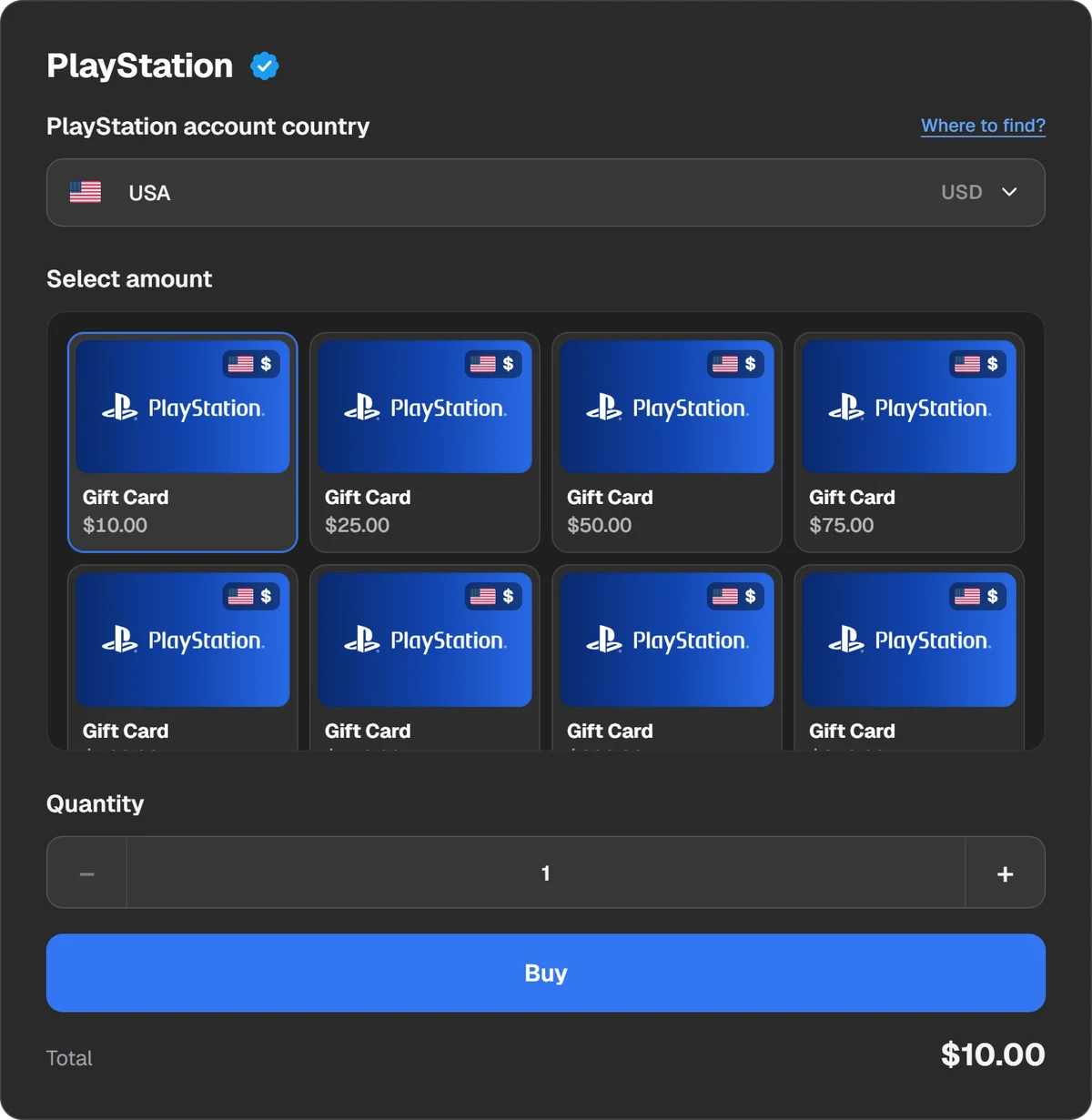
India in the country list and the values in rupees.
Pay
Press “Buy” and choose how to pay: USDT, TON, BTC and other coins, Binance, Walt or TON Connect.
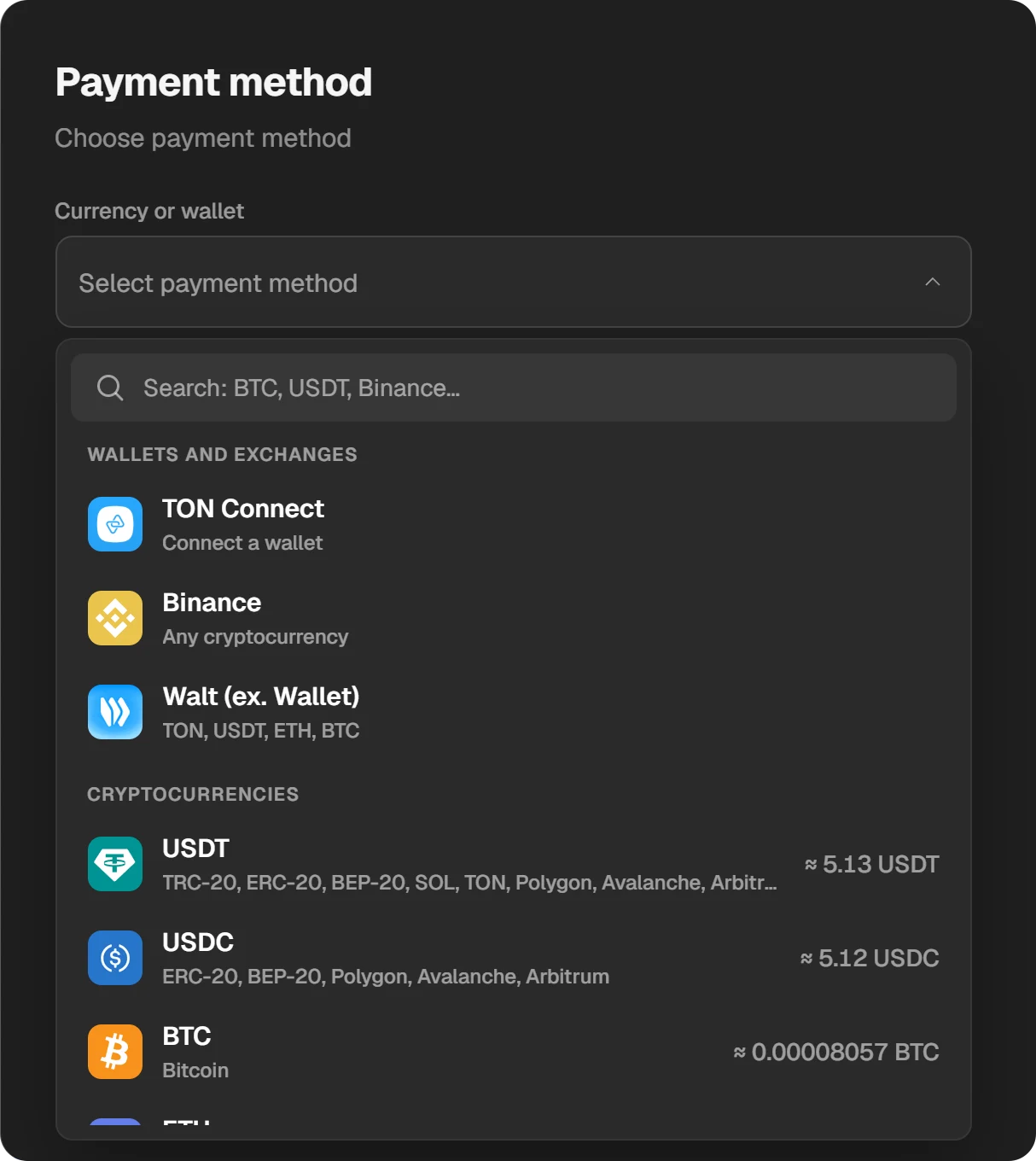
Payment methods.
Copy the code
When the order is done, the 12-digit code appears in the order window, hidden until you tap it. It stays in “History” at the top of the site.
Redeem the code
On PS5 open PlayStation Store, press the triangle button, choose “…” and “Redeem Codes”. In a browser: your profile on store.playstation.com and “Redeem Codes”. Enter the 12 digits.
PS Plus on an Indian account
India has three tiers: Essential, Extra and Deluxe. Sony describes Deluxe as Extra plus classics and game trials, with no cloud streaming or films as in Premium. All tiers compared: PS Plus Essential, Extra and Deluxe.
- Check the tier’s price in your account’s PS Store.
- Top up the wallet with Indian cards for that amount or more; several cards add up.
- Subscribe in the store; the money comes out of the wallet.
What to spend the wallet on
An Indian account’s wallet pays for anything its PS Store sells: games, add-ons, in-game currency and PS Plus. Pick the wallet at checkout. If it is short, the store asks for the rest by another method, so it is easier to top up the full amount first. Match the card value to the purchase; the rest stays in the wallet.
Common mistakes
- A card of another country. A UAE or US card will not redeem on an Indian account.
- A discount code instead of a top-up. Top-up codes have 12 digits; 10-digit codes are discounts.
- The money is not showing. Restart the console, or sign out and back in.
- Code already used. A code works once. If you did not enter it, write to support with the order number.
Questions and answers
Can I use an Indian account from another country?
Sony’s rules ask for your country of residence and true details, and Sony may suspend an account created with false information.
Do you sell Indian PS Store cards?
Yes. Choose India in the “PlayStation account country” field on the PlayStation page. The cards are in rupees; values and prices are shown there.
Will a Turkish card work on an Indian account?
No. The wallet takes cards of the account’s country only, so an Indian account needs an Indian card.
Which PS Plus tiers does India have?
Essential, Extra and Deluxe. Premium is not sold in India.
Can I add up several cards?
Yes, each card adds to the wallet. The wallet has a maximum, though: a card over it is refused until you spend some.
How do I pay for PS Plus on an Indian account?
Top up the wallet with an Indian card and subscribe in the PlayStation Plus section; the money comes out of the wallet.
