Nintendo eShop USA: account and top-up
The US eShop opens for a Nintendo Account whose profile says United States. You add funds with US eShop cards or a US-issued payment card. Below are Nintendo’s rules on the account country and a step-by-step top-up with a code.
In short
- The eShop always shows the store of the country set in your Nintendo Account.
- US eShop cards work only with US accounts. A euro card will not redeem on a US account.
- You cannot change the country while you have funds, an active auto-renewal or a pre-order.
- Nintendo asks for accurate details. Change the country only if you have really moved.
- A US eShop balance can hold at most $800. The code’s balance does not expire.
How the US eShop works
Nintendo eShop follows your Nintendo Account’s country. A US account sees US prices in dollars, US sales and games released for the US. A dollar balance can be spent only there.
| Ways to add funds to a US eShop | Works? |
|---|---|
| US eShop card (dollars) | Yes |
| Credit card issued in the US | Yes |
| PayPal | Yes, for account owners aged 18+ |
| eShop card in euros or of another country | No |
| Credit card from another country | No, the card must be issued in the eShop’s country |
How to check your account’s country
- Sign in at accounts.nintendo.com.
- Open User Information, then Profile.
- Look at “Country/region of residence”. If it says United States, US cards are the ones for you.
Can you change the country to the US
On the same page select Edit, pick the country under “Country/region of residence”, save and accept the new country’s agreement. Nintendo blocks the change if:
- any funds remain on the eShop balance;
- Nintendo Switch Online or another subscription renews automatically;
- you pre-ordered a digital game that is not out yet.
The old balance does not carry over, so spend it first. Users under 18 cannot change the country themselves: it follows the family group admin.
The US Nintendo Account User Agreement says you must give accurate information and update it if it changes. The field is literally “Country/region of residence”. We do not advise setting a country you do not live in.
Adding funds with a code
Choose a US card and the amount
Open Nintendo eShop cards, choose United States and an amount in dollars. Euro cards for euro-country accounts are there too.
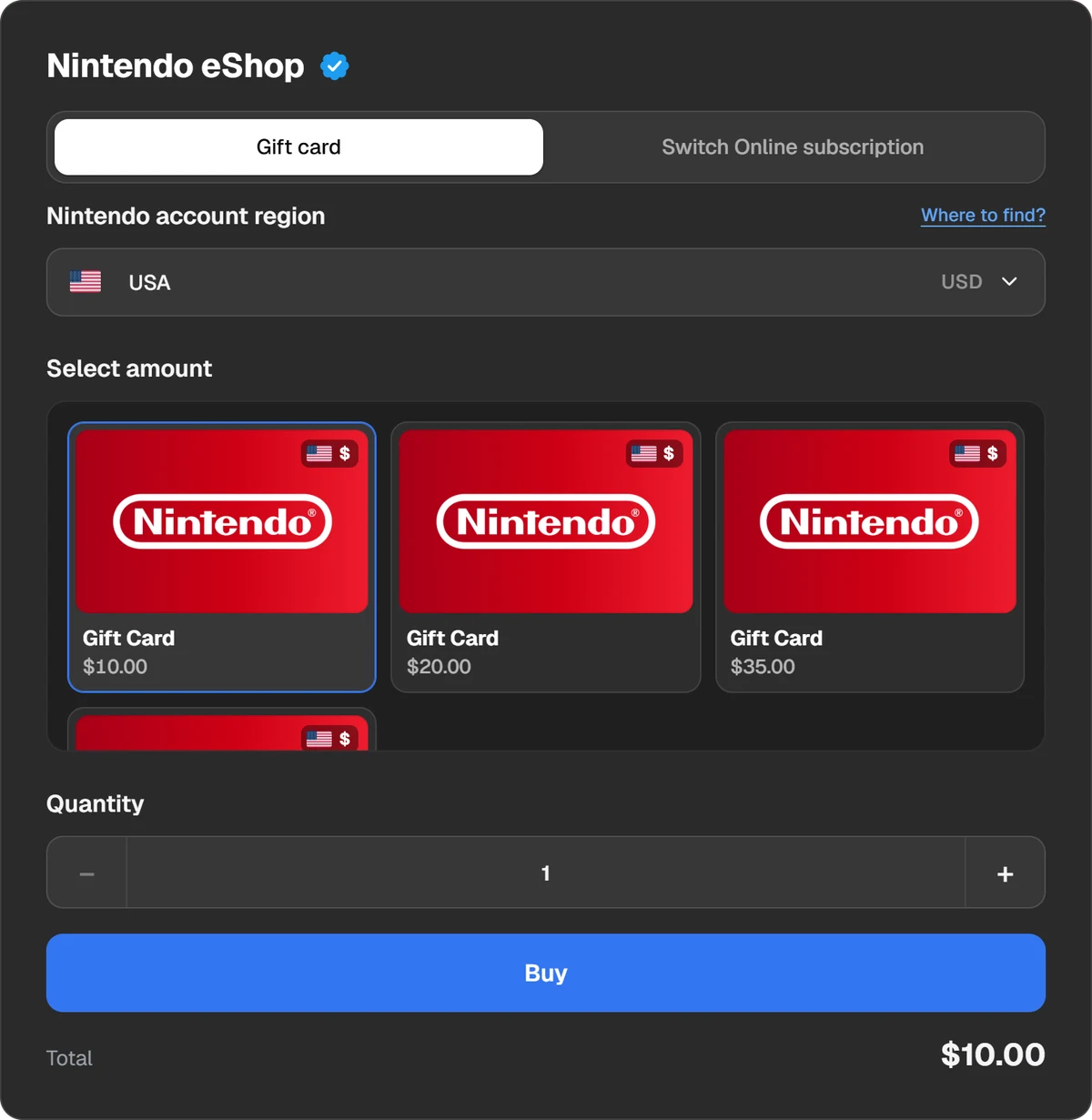
The card’s country and amount.
Pay for the order
Pick a coin, an exchange or a wallet. The amount and the fee are shown before you pay.
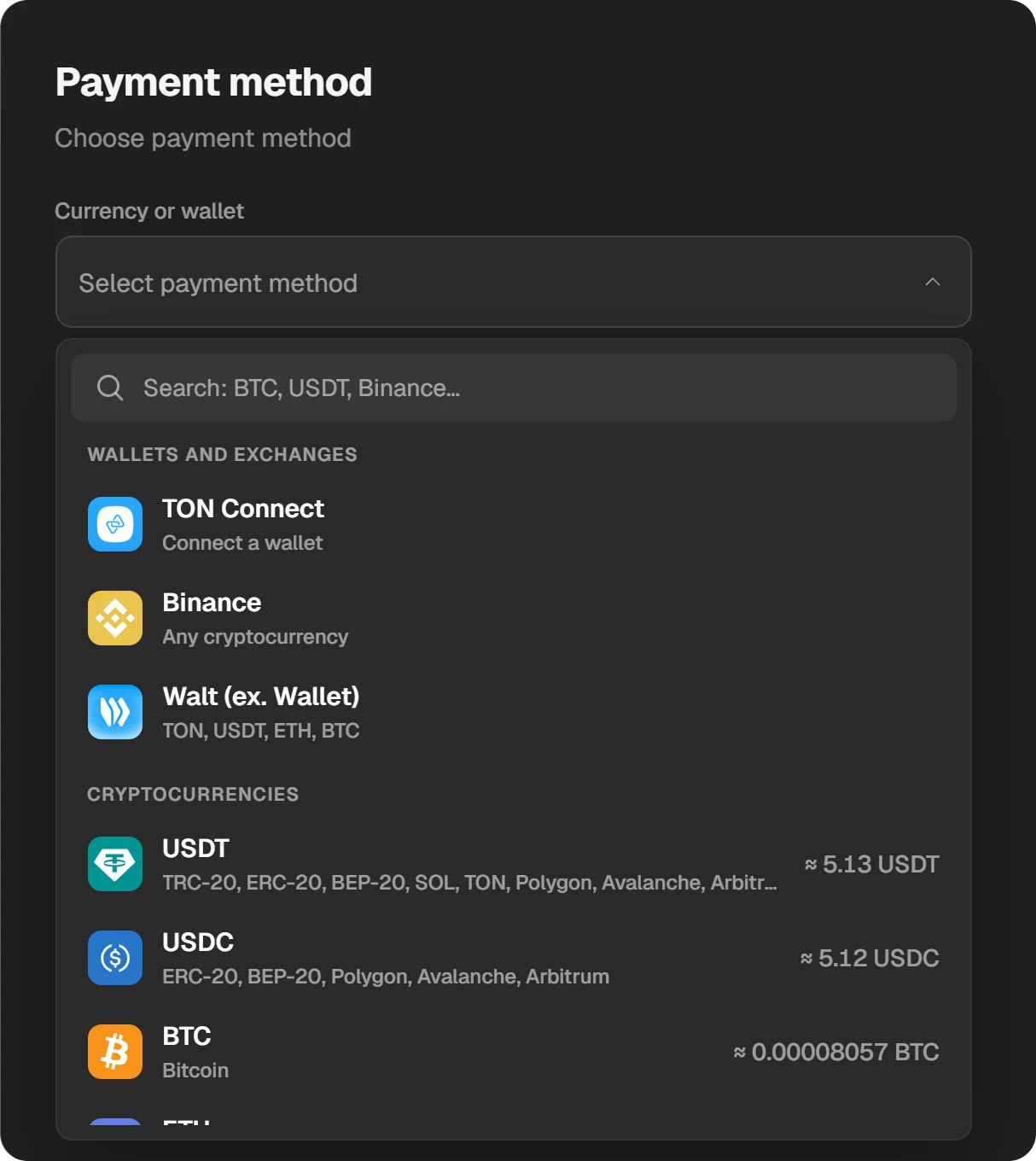
Choosing how to pay.
Copy the code
The code appears in the order window once the order is done. It is hidden: tap it to show it and copy it. If you closed the window, the code is in “History” at the top of the site.
Redeem it on Switch
Open Nintendo eShop, select your user, then Enter Code on the left. Type the 16 characters and select OK. Codes never contain O, I or Z, so the keyboard leaves them out.
You can also redeem at ec.nintendo.com/redeem: sign in, enter the code, select Next, re-enter your password and confirm. It works once the account has opened the eShop on a console at least once.
Balance cap and expiry
- Cap. A US eShop balance can hold at most $800, and there is a separate limit on what you add in 24 hours. A code over the limit is refused with an error.
- Expiry. Nintendo’s US card terms say the code balance does not expire and carries no fees.
- Refunds. Card funds are non-refundable unless the law requires it, and Nintendo does not replace a lost code. Keep it safe until you redeem it.
Questions and answers
How much can a US eShop balance hold?
At most $800 in total. There is also a 24-hour limit on adding funds; Nintendo does not state its size.
Will a US card work on a European Nintendo Account?
No. eShop cards redeem only on accounts of the country they were made for. A euro-country account needs a euro card.
Why can’t I change my account’s country?
Usually because of funds left on the eShop balance, an active auto-renewal or a pre-order. Spend the balance, turn off auto-renewal and wait for the pre-ordered game.
Does a US eShop card expire?
No. Nintendo’s US card terms say the code balance does not expire.
Where can I redeem without a console at hand?
At ec.nintendo.com/redeem, as long as the account has opened the eShop on a console before.
Which number do I enter?
The 16-character download code. Not the control number that starts with S and has hyphens.