Discord Nitro: how to buy, redeem and gift it
You can buy Discord Nitro for yourself or as a gift: the recipient redeems it with a gift link or a 19-character code. Here is what Nitro gives, how to redeem and gift it, and what happens to a gift if you already subscribe.
In short
- Nitro gives uploads up to 1 GB, your own emoji and stickers anywhere, HD streaming and 2 server boosts.
- Redeem a gift with its link in a browser, or with a code in User Settings, Gift Inventory.
- If you already have Nitro, the gift becomes account credit and starts when your current subscription ends.
- To gift Nitro, send the link or the code to your friend in a direct message.
- Discord has suspended purchases and gift redemption for users in Russia.
What Discord Nitro gives
| Free | Nitro Basic | Nitro | |
|---|---|---|---|
| File uploads | up to 20 MB | up to 50 MB | up to 1 GB |
| Your own emoji and stickers on any server | no | yes | yes |
| HD streaming | no | no | yes |
| Server boosts | no | no | 2 boosts and 30% off more |
| Profile | standard | Nitro badge | animated avatar, banner, theme, a profile per server |
In the US Nitro is $9.99 a month and Nitro Basic $2.99. Discord gives yearly prices of $99.99 and $29.99. Other countries have their own prices, shown in Discord’s settings under Nitro.
Buying Nitro on Play Wallet
Choose the length
Open Discord Nitro and choose an option; the page shows the lengths on sale, such as a month or a year. You buy a gift, so no Discord account details are needed. The price is shown before you pay.
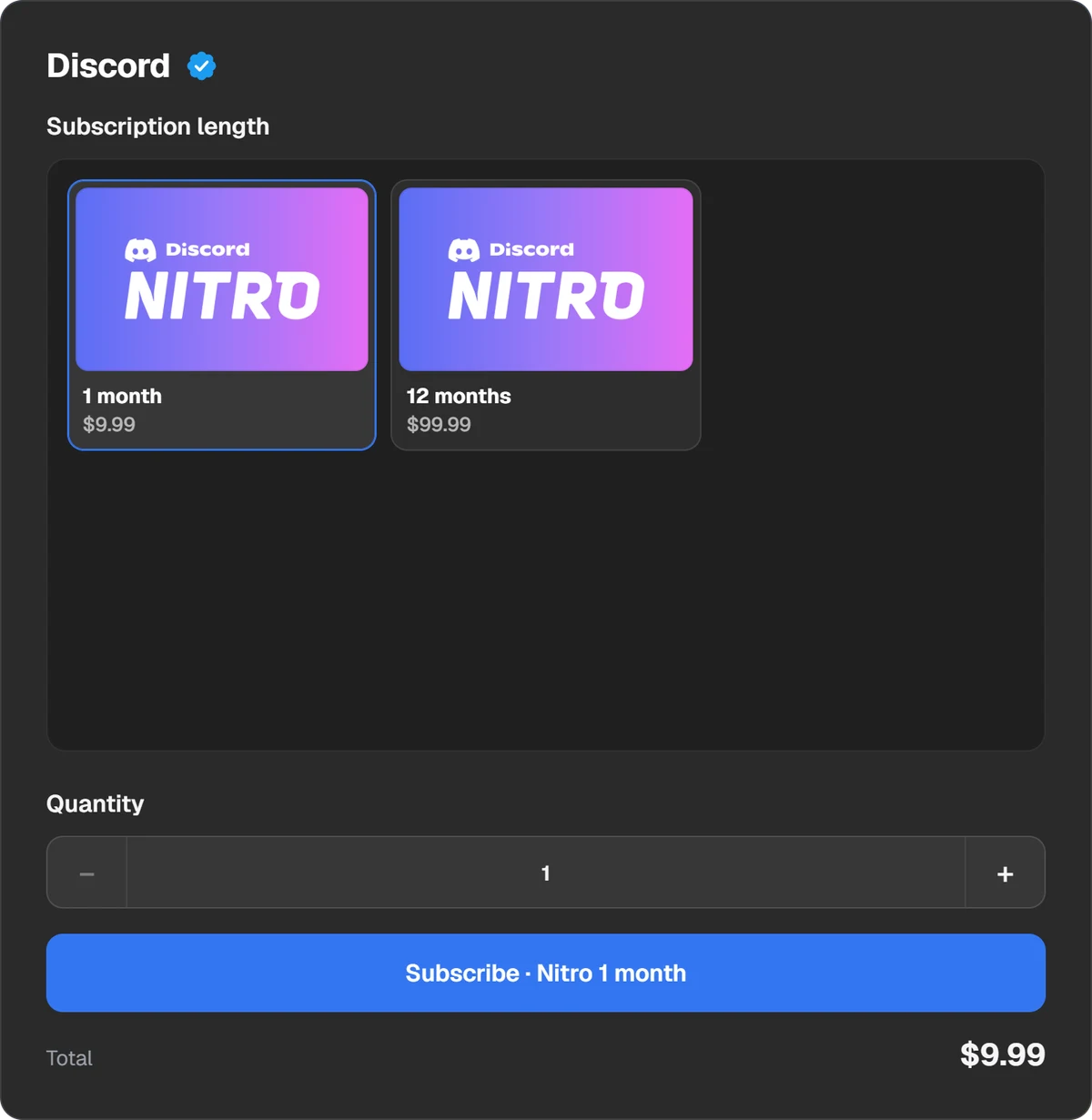
Nitro lengths and the total.
Pay
Press “Subscribe” and choose how to pay: USDT, TON, BTC and other coins, Binance, Walt or TON Connect.
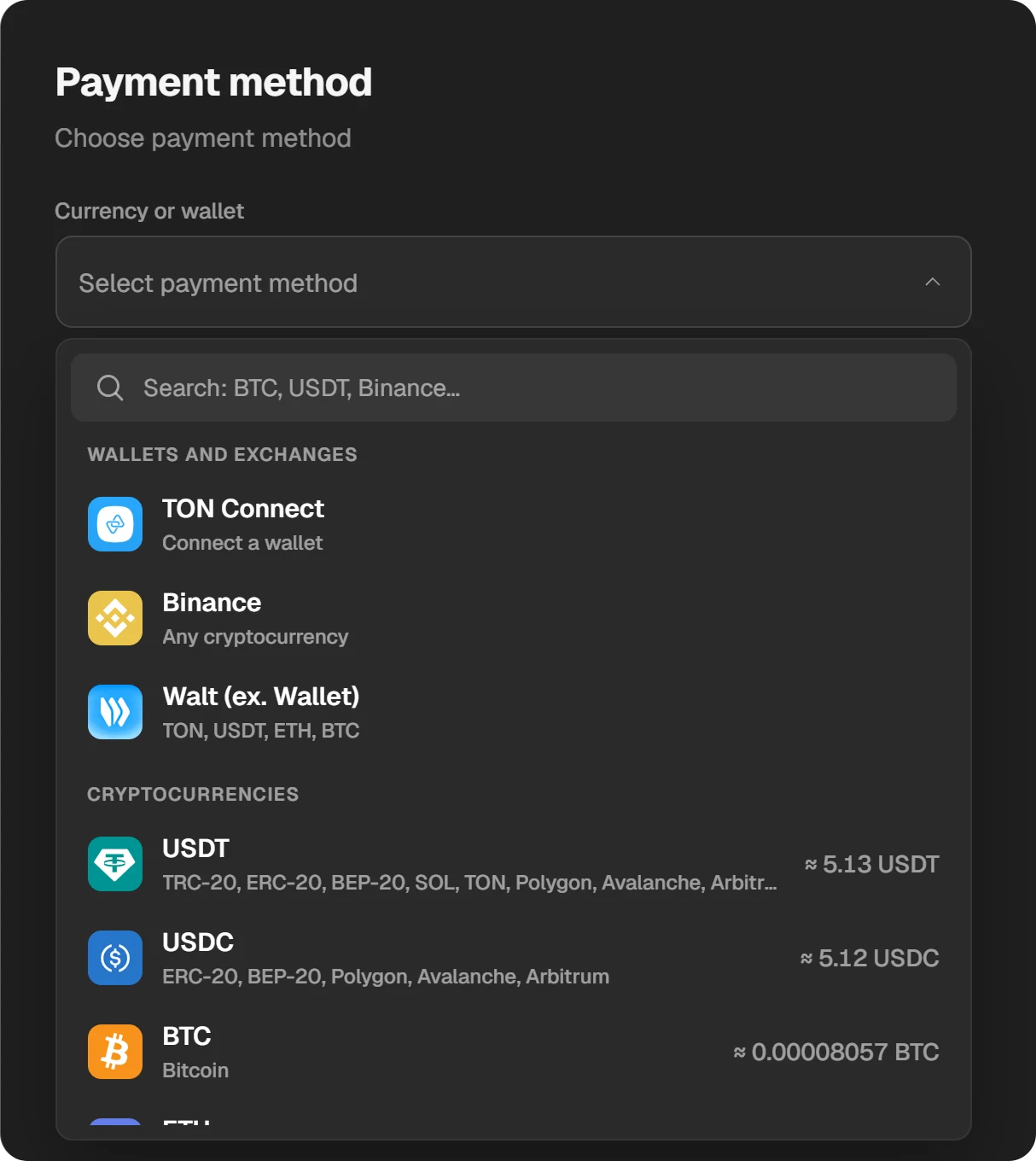
Crypto payment methods.
Get the gift
When the order is done, the gift link or code appears in the order window. Click to reveal it and copy it. If you closed the window, the order is in “History” at the top of the site.
Redeeming Nitro with a gift link
A gift link looks like discord.gift/ followed by characters. Discord advises claiming it on desktop or in a browser.
- First sign in to Discord in your browser with the account that should get Nitro.
- Open the link or paste it into the address bar.
- Check that the right account is shown and accept the gift.
- Discord opens Subscriptions in your settings, with Nitro and its end date.
A gift claimed on the wrong account cannot be moved or replaced. Check the account first.
Redeeming Nitro with a code
- Open Discord on a computer or at discord.com in a browser.
- Click the cog at the bottom left to open User Settings.
- Select Gift Inventory.
- Enter the 19-character code in the field under Redeem Codes and confirm.
If the code is refused, check that you copied all of it, with no spaces at the start or end.
If you already have Nitro
The gift does not extend your subscription at once. Discord keeps it as account credit and applies it once your current subscription ends or is removed, and only when you start a matching subscription: the same type and length.
Credit works only for subscriptions started on desktop or in a browser. If you pay for Nitro through Google Play or the App Store, cancel it there first and wait for the period to end.
Gifting Nitro to a friend
- Send the link or code in a direct message. Anyone with the link can claim it, so do not post it in a public channel.
- Gift from Discord itself. On desktop there is a gift icon next to the message box; in the mobile app it is to the left of it. In a direct message the gift goes straight to that person.
- If your friend has not claimed it, the link keeps working until someone does. Unclaimed gifts are listed in Gift Inventory.
Common mistakes
- The wrong account claimed it. Whoever is signed in gets the Nitro, and it cannot be moved. Check before opening the link.
- The link was posted in a public chat. Anyone could claim it. Send gifts only in direct messages.
- Nitro is billed through a phone store. The credit does not apply to Google Play or App Store subscriptions; cancel there first.
- The length does not match. Credit applies only to a matching subscription: a one-month gift does not start a yearly plan.
Nitro and Russia
In March 2022 Discord suspended purchases and renewals of its paid services in Russia. Its help centre says buying and redeeming gifts is unavailable to users in Russia and to anyone paying with a Russian card. Free Discord still works.
Questions and answers
Where do I enter a Discord Nitro code?
In User Settings, Gift Inventory. The code is 19 characters long.
Nitro or Nitro Basic?
Basic is enough if you only want your own emoji and stickers and 50 MB uploads. Nitro adds 1 GB uploads, HD streaming, 2 server boosts and profile styling.
I accepted the gift but Nitro did not start. Why?
You probably already subscribe. The gift became credit and starts when your current subscription ends and you begin a matching one on desktop or in a browser.
Does a gift link expire?
Discord’s help says the link works until the gift is claimed. Anyone with the link can claim it, so send it only to the recipient.
Can I move Nitro to another account?
No. A gift claimed on one account cannot be moved or replaced.