How to buy Robux on a phone or iPhone
On a phone you can get Robux in two ways: right in the Roblox app, or with a Roblox gift card whose code you enter in the browser. Here are both, and what to do when the in-app payment fails.
In short
- In the Roblox app, Robux are paid through the App Store on iPhone and through Google Play on Android.
- Roblox says you get up to 25% more Robux when you buy on the web, on a computer or with gift cards.
- A Roblox gift card works on an account from any country. You enter the code at roblox.com/redeem in the phone’s browser.
- In some countries the app stores take no payments at all. Russia is one: Google Play since March 2022, the App Store since April 2026.
- Nobody selling Robux needs your password. Whoever asks for it wants the account.
Way 1. Buy in the Roblox app
This is the shortest way if your phone has a working payment method in its app store. Roblox sells Robux in its mobile apps, and the App Store or Google Play takes the payment.
- Open the Roblox app and sign in.
- Tap the Robux icon at the top of the screen. It shows your balance and the Robux packages.
- Choose a package and confirm. On iPhone you pay through your Apple Account, on Android through Google Play.
- The Robux arrive on your balance, which you can check under the same icon.
The downside: you get fewer Robux for the same money. According to Roblox, buying on the web, on a computer or with gift cards gives up to 25% more Robux.
When the app store payment fails
A declined payment usually means the card or the app store account cannot pay in your country. In Russia, Google Play paused its billing on 10 March 2022, and Apple stopped taking payments on 1 April 2026; only an existing Apple Account balance can still be spent. In that case a gift card is the remaining way.
Way 2. A Roblox gift card
A Roblox gift card is a code. You buy it in a shop and redeem it on the Roblox website. A code from any country works on an account from any country; Roblox converts the value to the account’s currency.
- A Robux card (say, 800 Robux) adds exactly that many Robux.
- A card for an amount in dollars or euros adds Roblox Credit. You turn it into Robux with “Get Robux” or spend it on Roblox Plus. Credit works only in a browser; the app does not show it.
Choose a card
Open the Roblox page. At the top of the form pick the card type: Robux, USD or EUR. Tap the amount, set the quantity if you want more than one and press “Buy”. No Roblox login or password is needed: you redeem the code yourself.
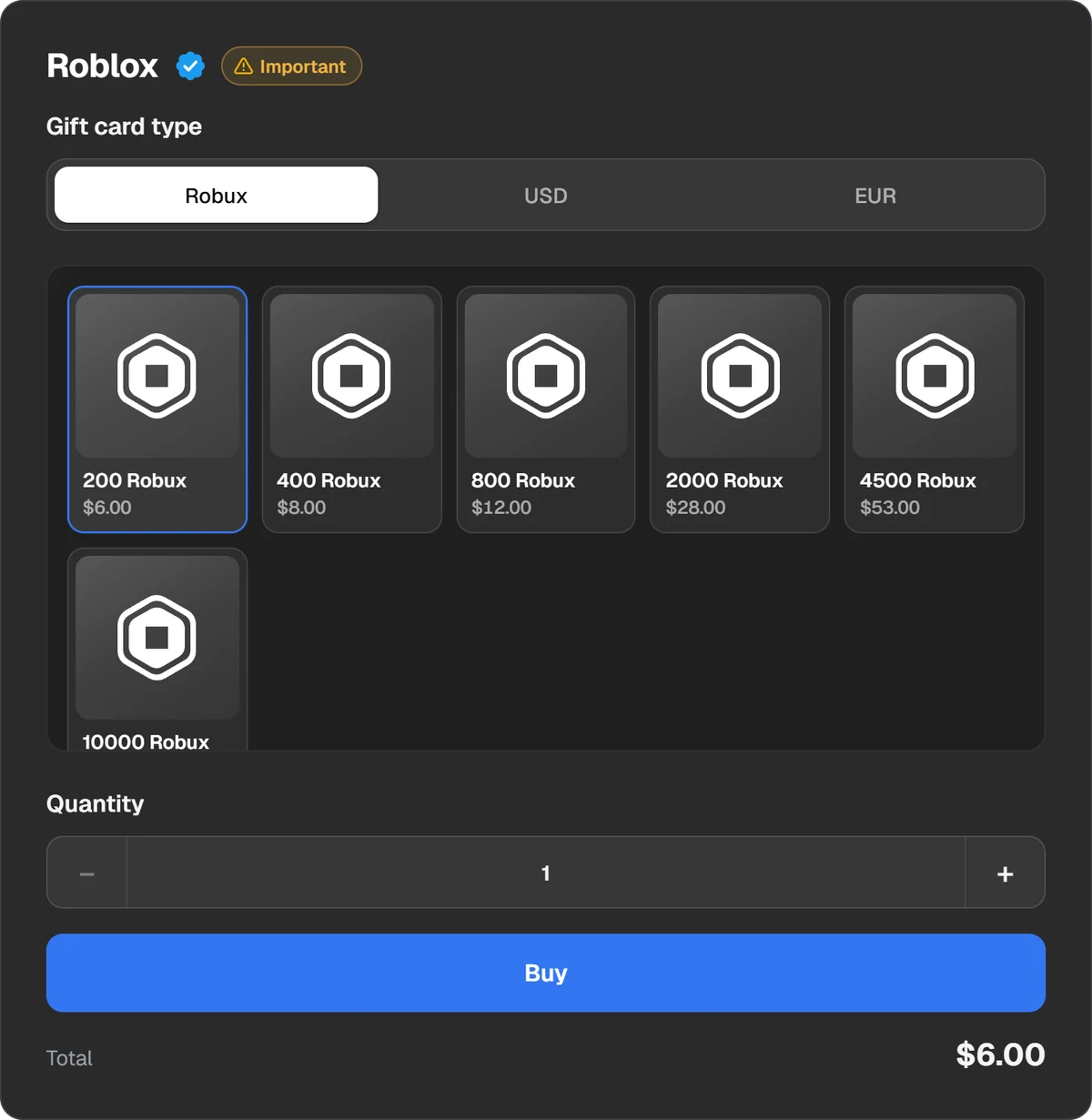
Robux cards and cards for an amount. Each price is shown before you pay.
Pay for the order
In the payment window choose a coin (USDT, TON, BTC and others) or a wallet or exchange such as Binance or Walt. The total with the service fee is shown before you pay. If you are under 18, ask an adult to help with the payment.
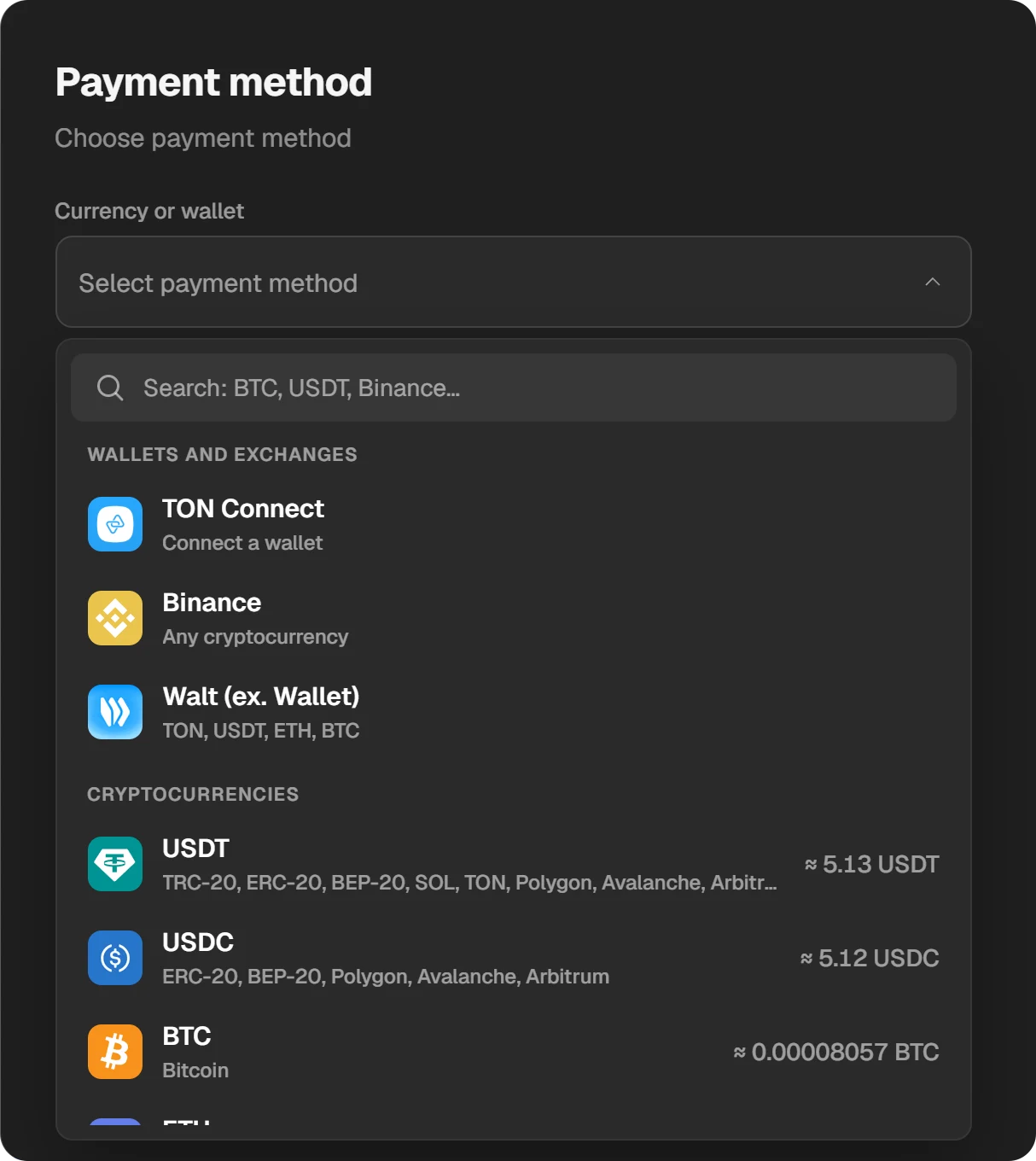
Payment methods: wallets, exchanges and coins.
Copy the code
When the order is done, the window shows “Your code”. Tap it to reveal it and copy it. The code also stays in “History” at the top of the site. Each code works once, so keep it to yourself.
Open roblox.com/redeem in the phone’s browser
Open Safari, Chrome or another browser and go to roblox.com/redeem. Sign in to the account that should get the Robux. Most Roblox apps have no code field, so you need the browser.
Enter the code and press “Redeem”
Paste the code and press “Redeem”. Roblox confirms that it was added. A Robux card tops up the balance at once.
For a card for an amount: press “Get Robux”
Your available credit appears under the “Redeem” button. Press “Get Robux”, then “Buy”. Roblox preselects the largest package your credit can buy.
The Robux then show in the phone app too, under the Robux icon. More on entering codes and fixing errors: Where to enter a Robux code.
Which way to choose
| Way | How you pay | What to know |
|---|---|---|
| The iPhone app | Through your Apple Account | Fewer Robux than on the web. Needs a payment method Apple accepts in your country. |
| The Android app | Through Google Play | Fewer Robux than on the web. Needs a payment method Google Play accepts in your country. |
| A Robux card | Buy a code, redeem it in a browser | Exactly the stated Robux. Works on an account from any country. |
| A card for an amount (USD, EUR) | The code adds Roblox Credit | Credit is spent only in a browser: on Robux or on Roblox Plus. |
Keep the account and the money safe
- Enter codes only at roblox.com/redeem. Never send a code to a “seller” in a chat who offers to redeem it for you.
- Never share your password or codes from Roblox emails. Buying Robux does not need them.
- Free Robux generators do not exist. Roblox itself calls them a scam.
- Roblox never asks you to send Robux to anyone to “verify your account”.
- Robux offered far below Roblox’s own price are most likely a scam or stolen.
If you are under 18, buy Robux together with a parent. It is easier and safer: an adult can see that the code is real and goes into the Roblox website.
Questions and answers
Can I enter a Robux code in the phone app?
In most apps, no. Roblox says the in-app Redeem option exists on Samsung Galaxy phones and, in the U.S. only, on iPhone. It is simpler to open roblox.com/redeem in the phone’s browser.
I redeemed a code but see no Robux. Why?
It was most likely a card for an amount in dollars or euros. It adds Roblox Credit, not Robux. Open roblox.com/redeem in a browser and press “Get Robux”, then “Buy”.
Why do I get fewer Robux in the app?
That is how Roblox prices work. On the web, on a computer and with gift cards Roblox gives up to 25% more Robux than in the apps.
Will a card from another country work?
Yes. Roblox codes work worldwide, and the value is converted to the account’s currency.
Where do I see my Robux balance on a phone?
In the Roblox app, tap the Robux icon at the top of the screen. The balance is shown at the top.
Can I buy Robux for a friend from my phone?
Yes. Buy a card and give your friend the code. They redeem it at roblox.com/redeem on their own account.