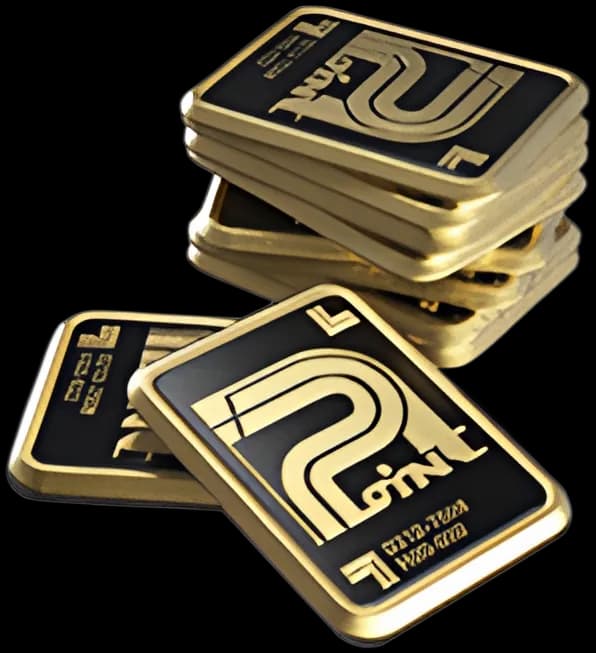
How to download Arena Breakout and top up Bonds
Two games share the name Arena Breakout: the phone game and Infinite on PC. The phone game also has several editions. Pick yours before downloading, because it decides which Bonds fit.
In short
- Play Wallet sells Bonds for the phone game by Player ID: install it, sign in and copy the number from your profile. They do not work for Infinite.
- Android: Google Play, or the HD and Lite buttons on arenabreakout.com. Android 6.0 or newer.
- iPhone: the App Store, about 3.9 GB, iOS 15 or newer. Not every country’s store has it.
- PC: a separate game, Arena Breakout: Infinite, from Steam, Epic or arenabreakoutinfinite.com. It needs 70 GB and 12 GB of RAM.
- Both games are free. There is nobody to pay for a download.
Where to download on each device
| Device | What to download | Where | What it needs |
|---|---|---|---|
| Android | Arena Breakout | Google Play or arenabreakout.com | Android 6.0 or newer |
| iPhone and iPad | Arena Breakout | App Store | iOS 15 or newer, from 3.9 GB |
| Windows | Arena Breakout: Infinite | Steam, Epic or arenabreakoutinfinite.com | 70 GB, 12 GB of RAM |
| Mac and Linux | No version | Nothing to download | Steam lists Windows only |
The figures come from the store pages on 22 November 2026. The game downloads more after installing, so leave spare room.
Android: Google Play, HD or Lite
Start with Google Play
The international game is Arena Breakout: Realistic FPS by Level Infinite. Check the publisher before installing: several names look alike.
Or open the official site
arenabreakout.com has Download HD and Download Lite buttons. Take the file by those buttons only. Do not install copies from other sites or “modded” builds.
Choose HD or Lite
According to the site’s FAQ from the 2023 beta, Lite is smaller, with simpler graphics, and plays together with the standard version. There was no Lite for iPhone then.
Let it fetch its data
The first start downloads resources and maps. Do it on Wi-Fi and with free storage left.
iPhone: check your App Store
On 22 November 2026 Apple lists the game for the US, Kazakhstan and Belarus, for example, and not for Russia. Open the App Store of your own account. If the game is missing there, we know of no honest way to install it on that iPhone, and we do not advise setting a country you do not live in.
Check the edition before you pay
The phone game has an international edition, plus editions for Taiwan and Vietnam with other publishers. With the site’s language set to Russian or Traditional Chinese, its store buttons open the Taiwanese one, called Arena Breakout: Hardcore FPS on Google Play.
| Edition | How to tell | Bonds from Play Wallet |
|---|---|---|
| International | Realistic FPS by Level Infinite | Buy by Player ID |
| Taiwanese | Hardcore FPS, another publisher | Ask support before paying |
| Vietnamese | Arena Breakout VNG by VNGGames | Ask support before paying |
| Infinite | The PC game | Do not work |
We have not tested whether the Taiwanese and Vietnamese editions accept our top-up. If you play one, write to support first and name the publisher shown in the store.
PC: Arena Breakout: Infinite
| Minimum | Recommended | |
|---|---|---|
| System | Windows 10, 64-bit | Windows 10, 64-bit |
| Processor | Core i5-7500 or Ryzen 5 1400 | Core i7-9700 or Ryzen 5 3600X |
| Memory | 12 GB | 16 GB |
| Graphics | GTX 960 2 GB, RX 5500 or Arc A380 | RTX 2060 or RX 6600 |
| DirectX | 12 | 12 |
| Storage | 70 GB | 70 GB |
- Steam. Open Arena Breakout: Infinite and press the free game’s button.
- Epic Games Store. The game’s official site links to it.
- The game’s site. The PC button gets a launcher, which installs the game.
Signing in takes a Level Infinite Pass account. Keep room for updates too: the developers put the Season 7 update at about 30 GB. How purchases differ on PC is in the Infinite guide.
We do not advise running the phone game on a computer through an emulator: its agreement names emulation among the things forbidden. The PC has Infinite.
The first start and your Player ID
Sign in with your own account
Remember how you signed in: purchases stay on that account. For a minor, a parent accepts the game’s agreement.
Create the character
With no character there is nobody to top up. Get as far as the main screen.
Copy the Player ID
Open your profile and copy the number. It is digits only. A nickname, an email or a clan name will not do.
Compare the number
Check it again once pasted. Bonds sent to a wrong number cannot be taken back.
How to buy Bonds on Play Wallet
Open the product page
The Arena Breakout page opens on the top-up by Player ID. Paste the number. No password is needed.
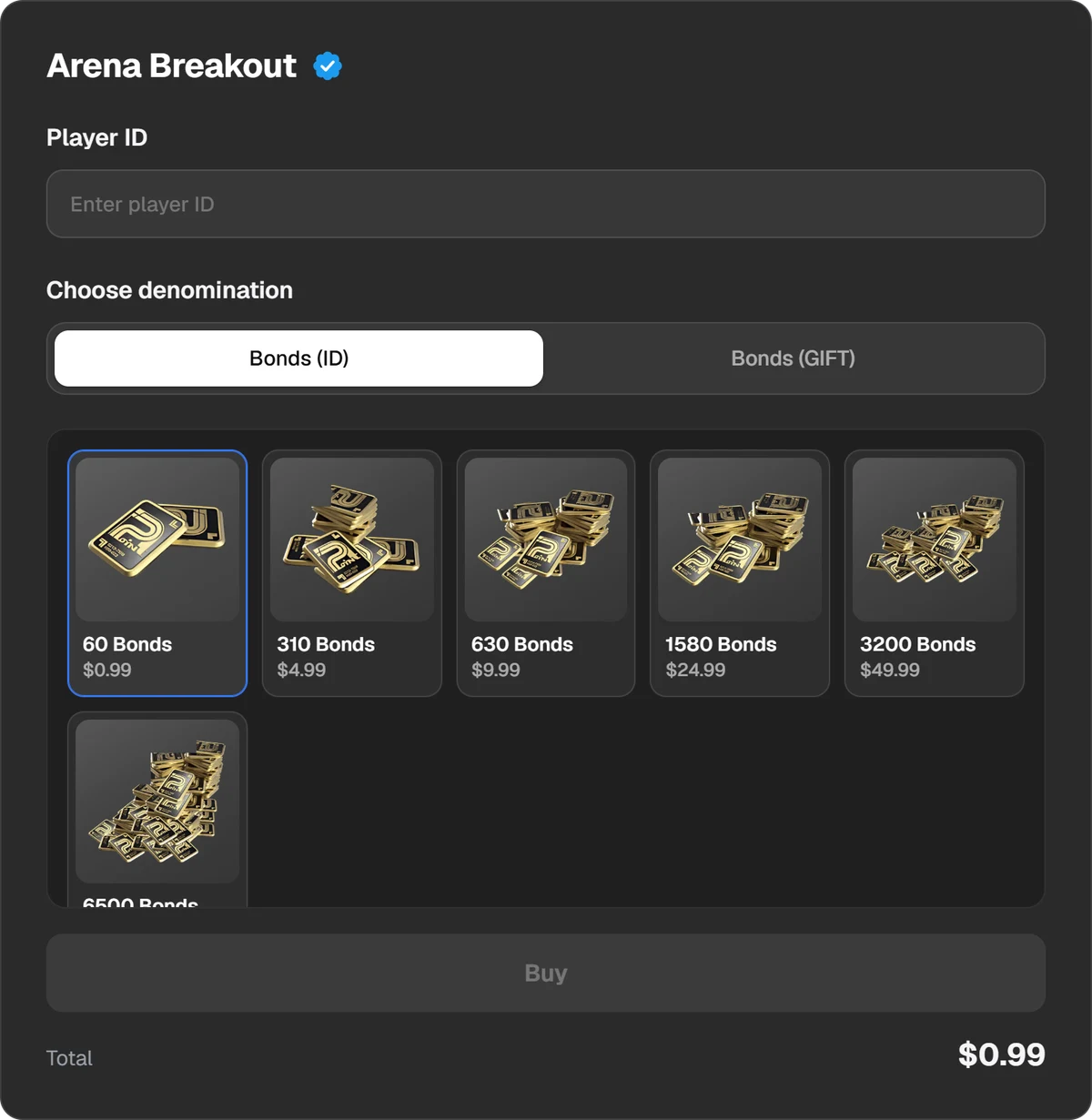
The Player ID field and the packs for the phone game.
Choose a pack
There are packs of 60, 310, 630, 1,580, 3,200 and 6,500 Bonds. The amount and the fee show before you pay.
Pay
Payment is in crypto: coins, Binance, Walt or TON Connect.
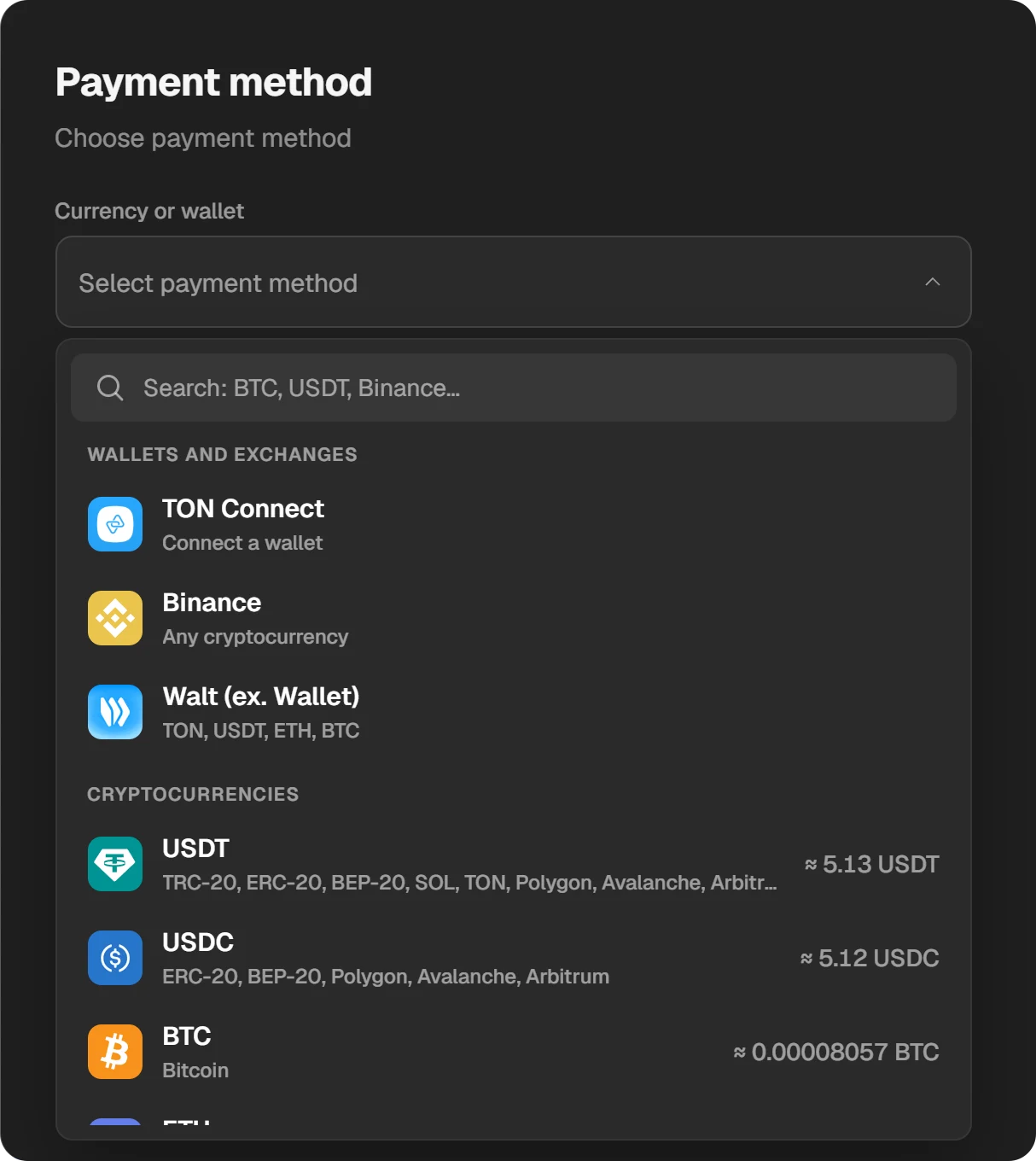
Choosing how to pay.
Check the balance
When the order is done, sign in to the game again. The order’s status stays in History.
Codes from the GIFT tab suit only countries on Midasbuy’s redeem list. If yours is missing, use the top-up by ID. Both ways are compared in the top-up guide.
Installed and number copied? Top up Bonds for the mobile Arena Breakout on Play Wallet.
Questions and answers
Where is the official Arena Breakout download?
The phone game is on Google Play, the App Store and arenabreakout.com. Infinite for PC is on Steam, the Epic Games Store and arenabreakoutinfinite.com.
How big is Arena Breakout?
About 3.9 GB in the App Store on 22 November 2026, plus data it downloads later. Infinite asks for 70 GB.
Which Android version do I need?
Android 6.0 or newer, by the Google Play page. For a weaker phone the official site has a Lite version.
Can I get the mobile game on PC?
It has no Windows version of its own. Arena Breakout: Infinite is the PC game, and it is a different game.
Is it free?
Yes, both games are. Money buys Bonds and what they pay for.
Do the Bonds work in Infinite?
No. Both the top-up and the codes on Play Wallet are for the phone game.