How to gift a game or money to a friend on Steam
You can gift a Steam game to anyone on your friends list: buy it as a gift and pick the recipient. Money is trickier, because Steam does not let you move wallet balance to another account. Here are both cases step by step, plus what to do when a gift will not send.
In short
- A game is gifted at checkout: “Add to cart”, then “This is a gift” and a recipient from your friends list.
- You can pay for a gift with your own Steam Wallet funds.
- Your friend has 30 days to accept. If they decline or do nothing, you get the money back.
- A gift will not send if your friend already owns the game or prices in your regions differ too much.
- You cannot move wallet balance to a friend. Give money with a Steam gift card or by topping up their wallet by login.
How to gift a game on Steam
Only new purchases can be gifted. A game already in your library cannot be passed on. The recipient has to be on your friends list.
Find the game and click “Add to cart”
Open the game’s page in the Steam store, in the client or at store.steampowered.com.

The purchase box on a game’s page: the “Add to Cart” button.
Choose “This is a gift”
In the cart, pick “This is a gift” from the drop-down next to the game, then “Continue to gift options”.
Choose your friend
Click “Select gift recipient” and pick a friend. A greyed-out name cannot be selected; the reasons are below.
Choose when to deliver
“As soon as possible” or “Schedule delivery”. You can schedule up to 12 months ahead, for a birthday for example, and add a personal message.
Pay
Click “Continue to payment”. Steam uses your wallet balance first and asks for another payment method for whatever is left. Tick “I agree” and click “Purchase”.
Your friend gets an email and a notification in Steam. They click “Accept Gift” and the game is theirs for good. Steam emails you when they accept or decline.
If your wallet is empty and your card does not go through, top up your own wallet first and then buy the game as a gift. Steam pays for gifts from the wallet balance.
How to accept a gift
- On the delivery date your friend gets an email, and the Steam client shows a “1 New Gift” notification.
- Clicking it opens the gift page.
- “Accept Gift” adds the game to their library. “Decline Gift” refunds you automatically.
How to change the delivery date
A scheduled gift waits in your Steam inventory until it is sent. Open “Account details” → “View purchase history”, find the gift (it has a gift icon) and follow the link to your inventory. Click “Manage gift” and pick another date. Steam emails you when the gift is delivered.
Why a gift will not send
| Reason | What to do |
|---|---|
| Your friend already owns the game | Their name is greyed out. Check the games list on their profile. |
| Regional price differences | Some gifts cannot be sent to another purchase region because of price differences. The restrictions are noted on the store page, and Steam Support cannot lift them. |
| It is DLC | DLC can be gifted only if your friend owns the base game. |
| A 2-, 3- or 4-pack | Multipacks cannot be gifted as a whole. Buy one for yourself and gift the extra copies. |
| A “Complete Your Collection” bundle | These bundles are built for your account and cannot be gifted. |
| The game cannot be gifted at all | Some titles simply have no gift option at checkout. |
When a gift will not go through, Steam itself suggests the other way: give money so your friend can buy the game.
How to give money on Steam
You cannot send money from your Steam Wallet to someone else’s: Steam says wallet funds cannot be moved or gifted to another account. That leaves two ways.
| Way | How it works | Keep in mind |
|---|---|---|
| A Steam digital gift card | Bought in the Steam store for someone on your friends list. The amount lands in their wallet when they accept. | You cannot pay for it with wallet funds. It is converted to your friend’s currency automatically. |
| A top-up of your friend’s wallet by login | On Play Wallet you enter your friend’s login and the amount and pay with crypto. The money arrives in their account’s currency. | You need their login, not the nickname. You do not need to be Steam friends. |
Top up a friend’s wallet with Play Wallet
Get your friend’s login
Only the account owner can see the login, so ask your friend for it. How to find it: How to find your Steam login.
Enter the country, login and amount
On the Steam top-up page, choose your friend’s account country, enter their login and the amount. The site checks that the account exists and shows what will arrive and the fee before you pay.
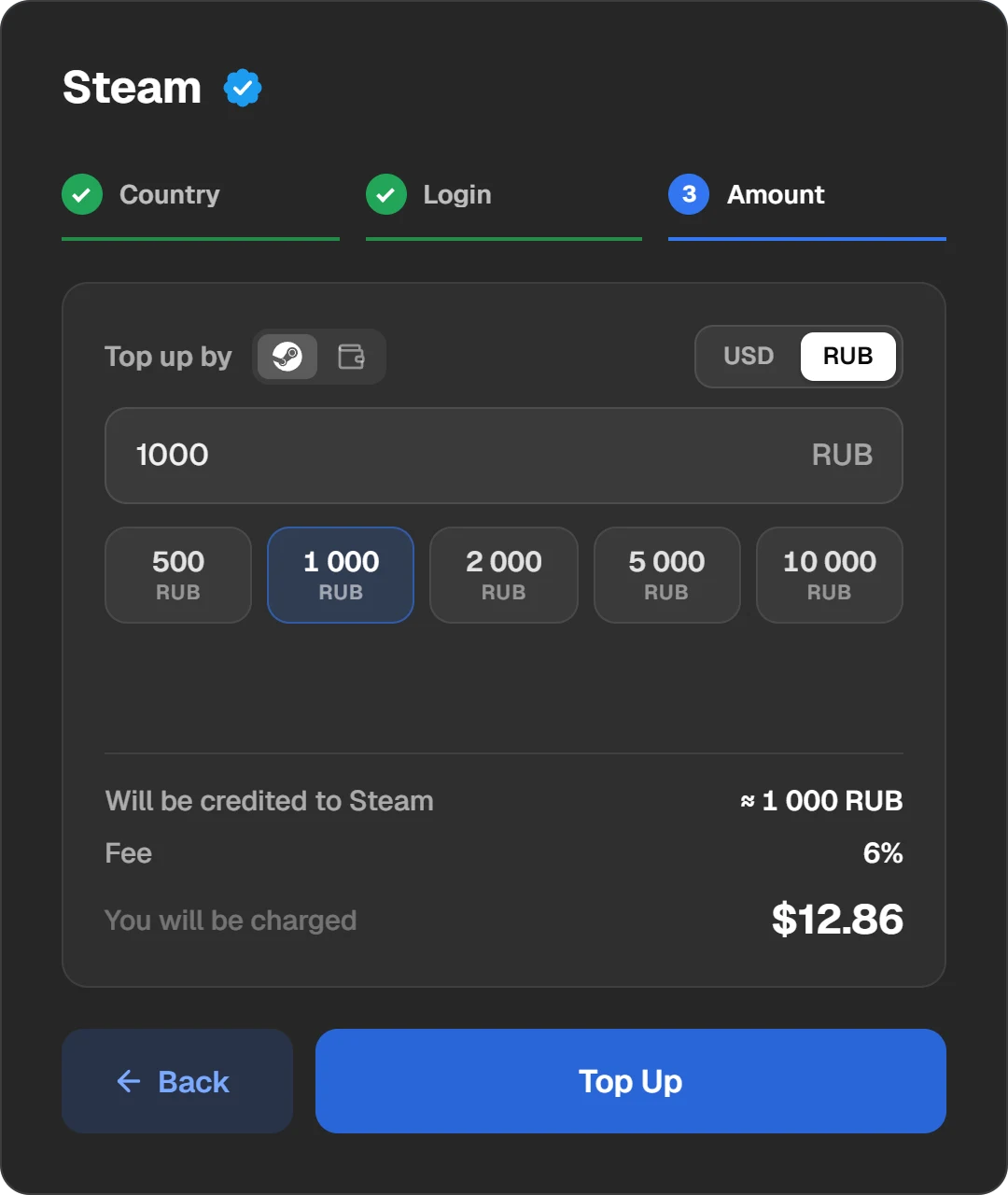
The top-up form: country, login and amount.
Pay and tell your friend
Once the order is done, the money is already in your friend’s wallet; they do not have to accept anything. The receipt and the order number stay in your “History”.
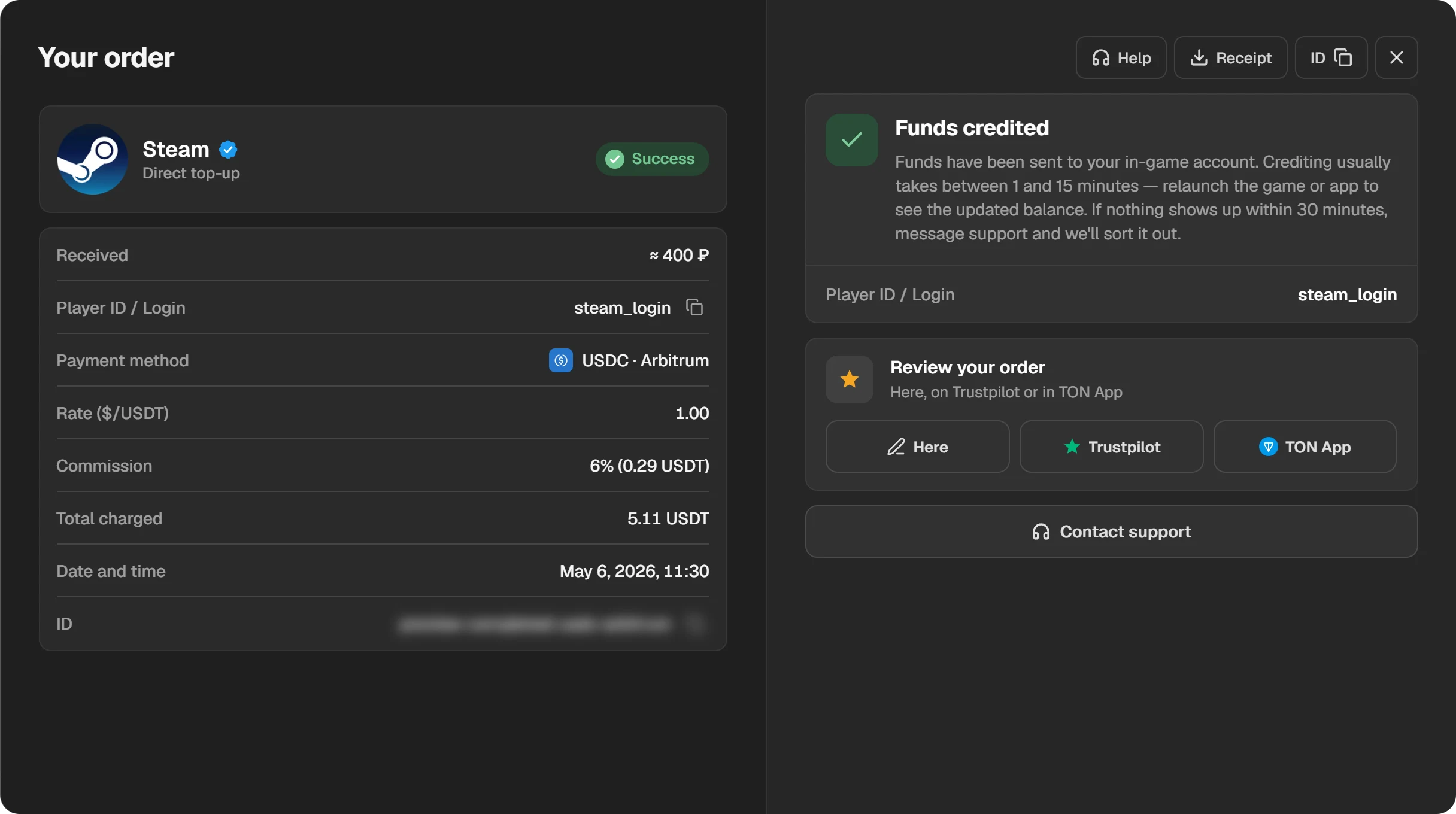
A finished order: amount, recipient’s login and receipt.
How to refund a gifted game
- Not yet accepted. Go to help.steampowered.com, open “Purchases”, choose the gift (it has a gift icon) and select “I would like a refund”.
- Already accepted. Your friend has to agree first: on help.steampowered.com under “Games, Software, etc.” they pick the game, request a refund and tick “Allow the original purchaser of this gift to request a refund”. Then you submit your request.
- The usual limits apply. No more than 14 days since purchase and under 2 hours of play by your friend. More in How to get a refund for a game on Steam.
Questions and answers
Can I gift a game I already own?
No. Only new purchases can be gifted. A game in your library cannot be moved to another account.
Can I gift a game to someone who is not my friend?
Gift recipients are picked from your Steam friends list, so add them first. A wallet top-up by login works without being friends.
Can I gift a game to a friend in another country?
Often yes, but if prices in your two regions differ too much, Steam will not send the gift. Give money instead: a gift card converts to your friend’s currency, and a top-up by login arrives in their account’s currency.
Can I send money from my Steam Wallet to a friend?
No. Wallet funds cannot be moved or gifted to another account. You can, however, use them to buy a game as a gift.
What if my friend does not accept the gift?
They have 30 days. If they decline or do nothing, Steam cancels the purchase and refunds your payment method.
Where can I see the gifts I have sent?
Open your Steam inventory, click “...” and choose “View Gift History”.