How to check your Steam account region
Your Steam account region, also called the store country, sets your wallet currency and store prices. One page shows it, on a computer or a phone. Here is where, and why the download region in the settings is something else.
In short
- The region is on Account Details (store.steampowered.com/account): the block with your wallet balance has a Country line.
- On a phone, open the same page in a browser and sign in.
- The Download Region in the client settings is a server for downloading games, not your account country.
- Steam sets the country by where you made your first purchase. You can change it only after moving, with a payment method from the new country, at most once every 3 months.
- Changing the region with a VPN breaks Steam’s rules.
Where to see the region on a computer
Sign in to Steam
The Steam app or store.steampowered.com in a browser both work. The page with the region opens only after you sign in.
Open Account Details
Click your profile name in the top right corner and choose Account Details. You can also go straight to store.steampowered.com/account.
Find the Country line
The page has a block with your wallet balance and purchase history. On its right is the Country line. That is your account region: Steam uses it for prices and currency.

The “Store & Purchase History” block: the “Country” line.
There may be a button under the Country line to change it. It does not change the region at will: Steam allows a change only under the rules below.
Where to see the region on a phone
There is no separate Region item to look for in the mobile app. Open store.steampowered.com/account in your phone’s browser, sign in and confirm the sign-in if Steam asks. The same Account Details page opens, with the Country line in the wallet block.
What depends on the region
- Wallet currency. Every top-up is credited in it, even if you pay in another currency.
- Store prices. Steam shows your country’s prices, even while you travel.
- Payment methods. At checkout Steam lists only the methods available in your store country.
- Which codes fit. Steam Wallet codes redeem only in the wallet’s currency, so a gift card has to match the region.
Indirect hints
If you cannot open the account page right now, two things hint at the region. Only the Country line gives the exact answer, though.
- The balance currency. Your wallet balance is at the top right, next to your profile name. Accounts in many countries use dollars, so the currency alone does not tell you the region.
- Store prices. Steam shows prices in your store country’s currency, even while you travel.
Download Region is something else
The Steam client has a Download Region setting under Steam → Settings → Downloads. It is the server your games and updates come from. Steam suggests picking the region you are in or the closest one. It has nothing to do with your store country: prices and wallet currency do not change with it.
| Account region | Download region | |
|---|---|---|
| What it is | Store country: wallet currency and prices | The server games download from |
| Where to see it | Account Details, the Country line | Settings → Downloads |
| How to change it | Only with a purchase after moving, once every 3 months | Any time, in the settings |
Can you change the region, including from a phone
Under Steam’s rules, the store country is set by where you made your first purchase. If you have moved, you change it while buying with a payment method from the new country: when your location differs from the account’s country, Steam offers the change in the cart or at checkout. You can do this at most once every 3 months. Wallet codes and game keys do not change the country.
It works the same on a phone: there is no separate button, the change happens during a purchase. A new user who is travelling cannot change the country temporarily and has to return home first.
Do not change the region with a VPN or someone else’s address. The Steam Subscriber Agreement forbids getting around geographic restrictions, and Valve may close access to the account. What you can do about the currency within the rules: How to change your Steam currency.
Why the region matters when you top up
A top-up through a site arrives in your wallet’s currency. That is why the first thing you choose on Play Wallet is your account’s country, the one shown on Account Details.
Choose the Steam country
Open Steam top-up and choose your account’s country. For countries with a direct top-up you only need your login next. For countries without one, the site offers gift cards.
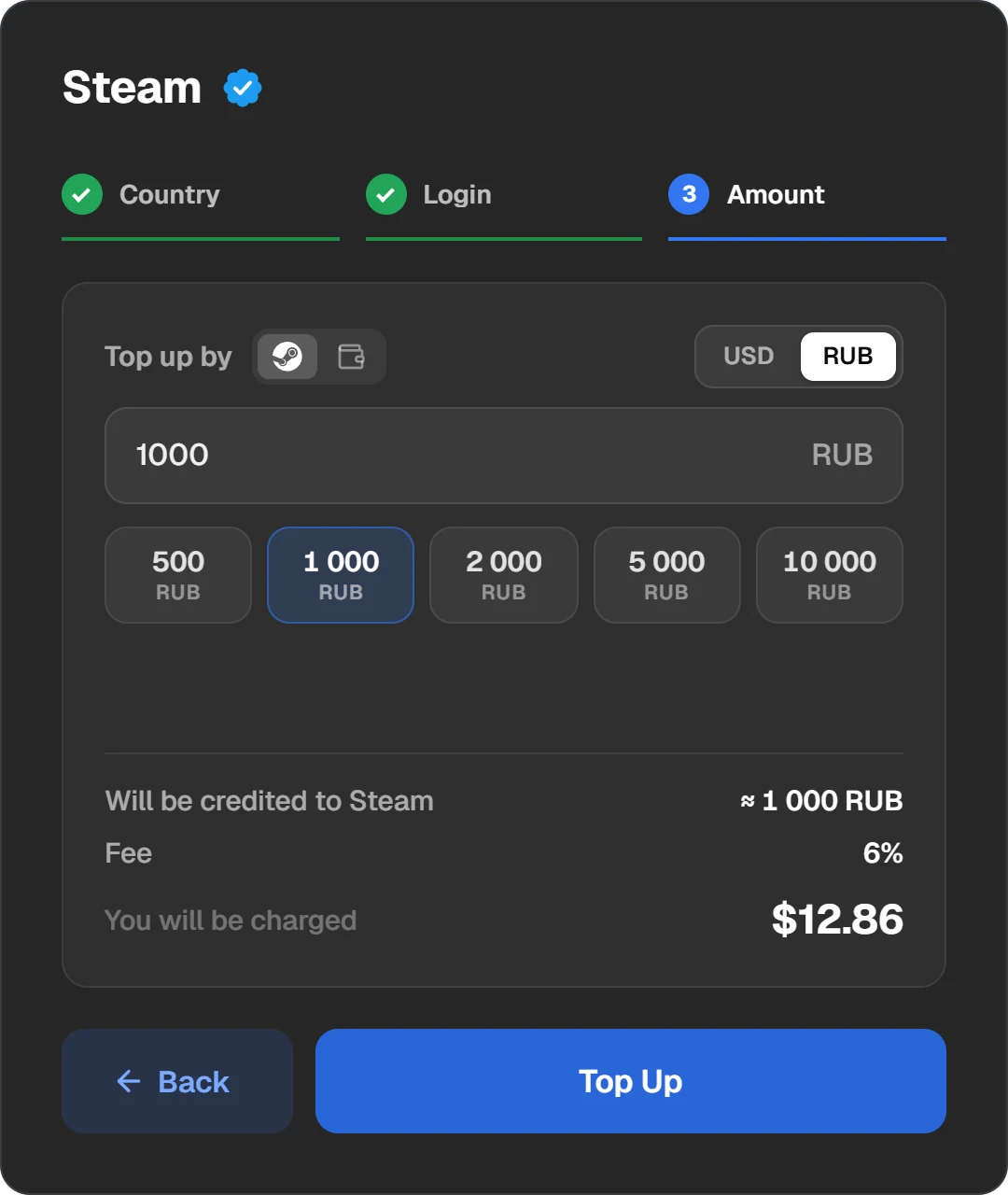
Country, login and amount on one form. What reaches Steam is shown before you pay.
Enter your login and the amount
Enter the login, not the nickname. The site checks that the account exists. The amount to be credited and the fee are shown before you pay.
If the account has never had any money on it, the wallet currency is fixed on the first top-up. Steam sets it by your address. Start with a small amount.
Questions and answers
How do I find out a friend’s account region?
Only the owner sees Account Details. Ask your friend to open it and read the Country line. If you top up their Steam, choose exactly that country on the site.
Can I see the region without signing in?
No. The country is on Account Details, and that page opens only after you sign in.
Why does my account show the wrong country?
Steam sets the country by where you made your first purchase, and the wallet currency by your address on the first top-up. If you were elsewhere then, or gave another address, Steam kept that. You can change the country only after moving, with a payment method from the new country.
How often can I change my Steam region?
At most once every 3 months, and only with a payment method from the country you now live in.
Does redeeming a code from another country change the region?
No. Steam says plainly that wallet codes and game keys do not change the store country.
Does the download region affect prices?
No. The download region is a server for downloads. Prices depend on the store country on Account Details.
Where do I see my Steam region on a phone?
Open store.steampowered.com/account in a browser and sign in. The Country line is in the wallet balance block.