

How to cancel a ChatGPT subscription
A ChatGPT subscription is cancelled where you bought it: on the ChatGPT website, in the App Store or in Google Play. Here are the steps for each, plus refunds and what to do without access. If you are in the US and want to pay from a balance afterwards, Play Wallet sells ChatGPT gift cards.
In short
- On the web: Settings → Billing → Cancel plan.
- Afterwards you can pay from a balance. If you are in the US and billed in dollars, buy a ChatGPT gift card on Play Wallet. It cannot be redeemed from other countries, Russia included.
- On iPhone: Settings → your name → Subscriptions → ChatGPT → Cancel Subscription.
- On Android: Google Play → Subscriptions → ChatGPT → Cancel subscription.
- Deleting the app does not cancel. Cancel at least 24 hours before the billing date.
- If a reseller charged you, cancel with that reseller or your bank, not with OpenAI.
First find out who bills you
OpenAI suggests starting with the receipt: it shows who took the payment. A subscription bought on the website does not appear in Apple or Google subscriptions, and the other way round.
| Receipt or charge | Who takes the money | Where to cancel |
|---|---|---|
| An OpenAI or ChatGPT email, paid on chatgpt.com | OpenAI | ChatGPT settings on the web |
| An App Store receipt | Apple | Subscriptions on iPhone or iPad |
| A Google Play receipt | Google Play subscriptions | |
| Another company’s name on the statement | A reseller | With that reseller or through your bank |
How to cancel on the ChatGPT website
Sign in to ChatGPT
Open chatgpt.com in a browser and sign in to the account that has the subscription.
Open Settings
Open your account menu (your name or photo) and choose Settings.
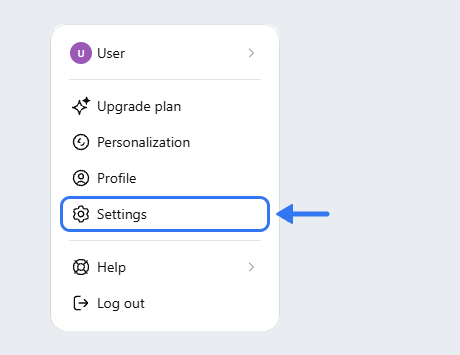
Settings in the profile menu.
Go to Billing
Choose Billing. It shows the plan, the next billing date and the balance.
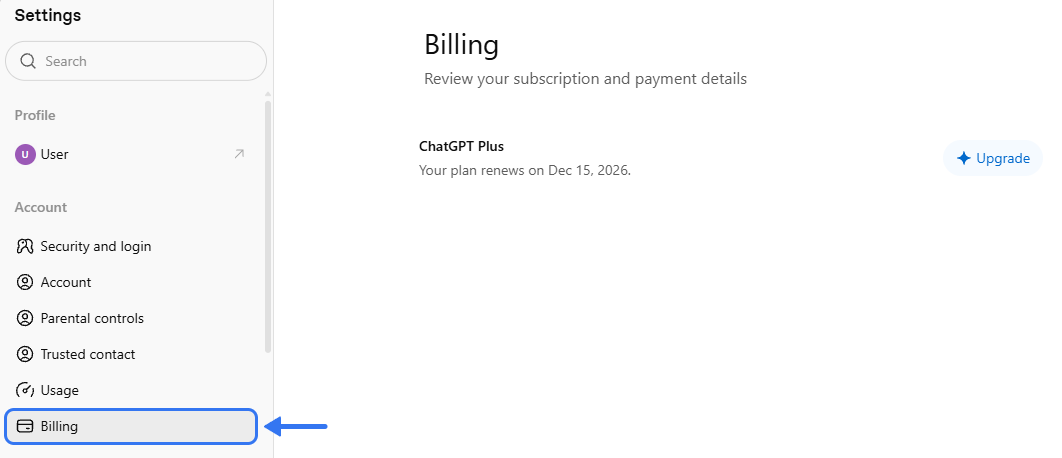
Billing in Settings. The date is an example.
Cancel the plan
Under Cancel plan, select Cancel and confirm. If the billing controls are missing, sign in to the same account in another browser and try again.
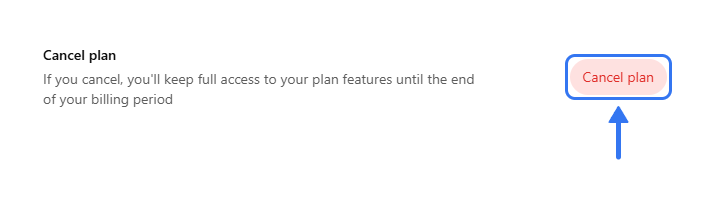
The Cancel plan button at the bottom of Billing.
How to cancel on iPhone and iPad
- Open Settings and tap your name at the top.
- Tap Subscriptions, then ChatGPT.
- Tap Cancel Subscription and confirm.
If there is no Cancel Subscription button and an expiry date is shown, it is already cancelled. Deleting your ChatGPT account does not cancel an Apple subscription: cancel it with Apple first.
How to cancel on Android
- Open Google Play with the Google account you paid from.
- Open Subscriptions and select ChatGPT.
- Tap Cancel subscription and follow the prompts.
The Google Play website works too: subscriptions → ChatGPT → Manage → Cancel subscription. If you do not see it, check the other Google accounts on the phone.
Cancel at least 24 hours before the next billing date, or one more charge may go through. After cancelling, the paid plan keeps working until the end of the paid period.
If a reseller charges you
A reseller’s charge shows the reseller’s details on the statement, and OpenAI cannot see or cancel it. Find the reseller from the receipt email or the transaction details in your banking app, turn off auto-renewal with them, and if that fails, ask your bank to stop the recurring charges or dispute them.
Refunds
- Cancelling only stops future charges. Past payments are not refunded automatically.
- For web and Google Play subscriptions, ask OpenAI Support while signed in to the account that was charged.
- For App Store subscriptions, ask Apple.
- Whether you get a refund depends on the purchase and the law where you live.
Without access to the account
If the subscription is billed on the website and you have lost the account email, contact OpenAI Support. Give the account or billing email and any two details: the card’s last four digits, its expiry date, the billing address or the date of the latest charge. Never send the full card number. For Apple and Google subscriptions, recover the store account instead.
Paying with a gift card afterwards
A ChatGPT gift card adds funds to the account balance, which pays the plan. If the balance runs short and there is no other payment method, the plan simply does not renew. The card works only in the US, on an account billed in dollars.
Choose a value
Open ChatGPT gift cards and pick an amount. No ChatGPT login or password is needed: you are buying a code. The price and fee show before you pay.
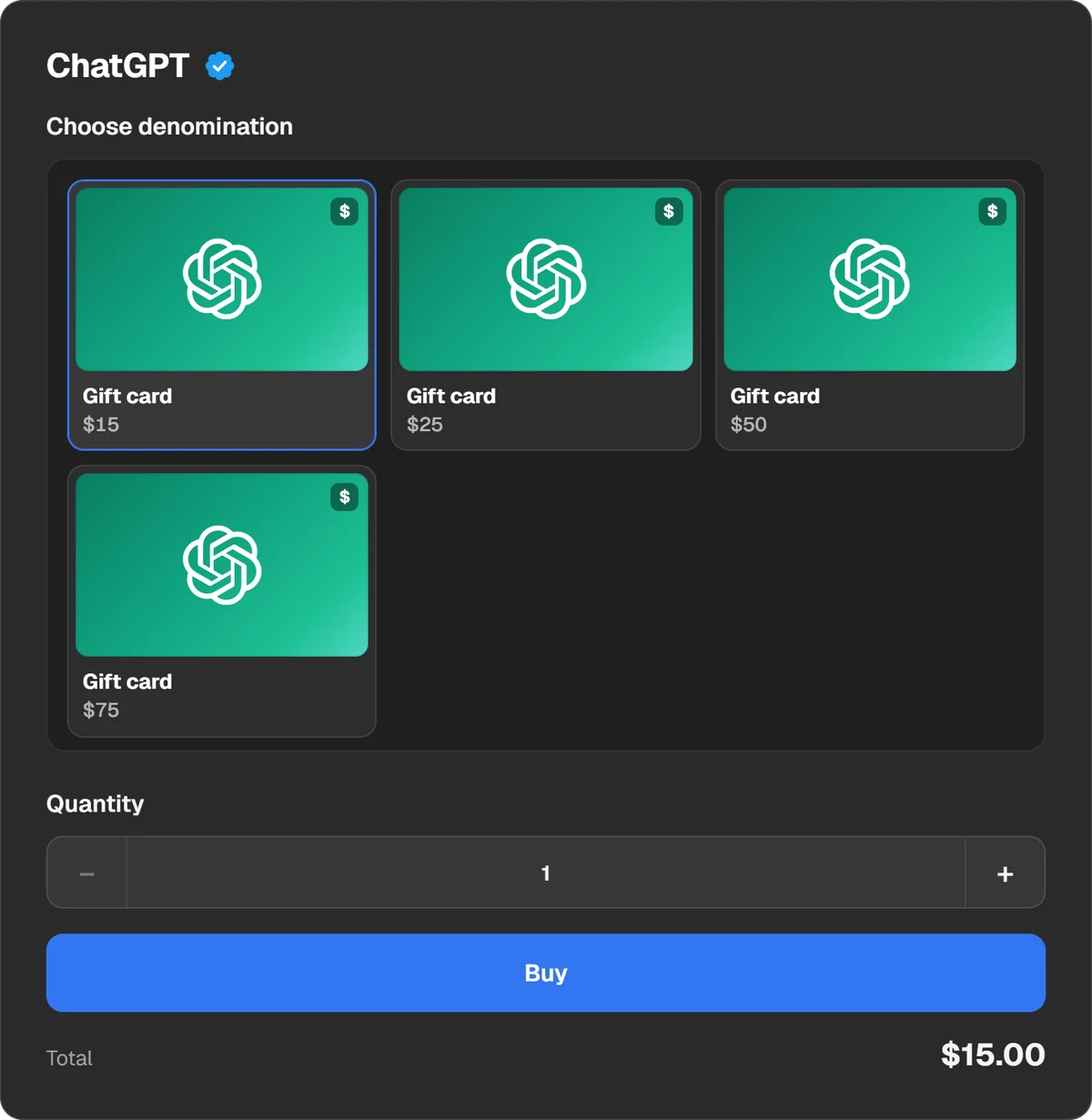
ChatGPT gift cards in dollars. Only for people who are in the US.
Pay with crypto
Press “Buy” and choose a coin or a wallet: USDT, TON, BTC and other coins, Binance, Walt or TON Connect.
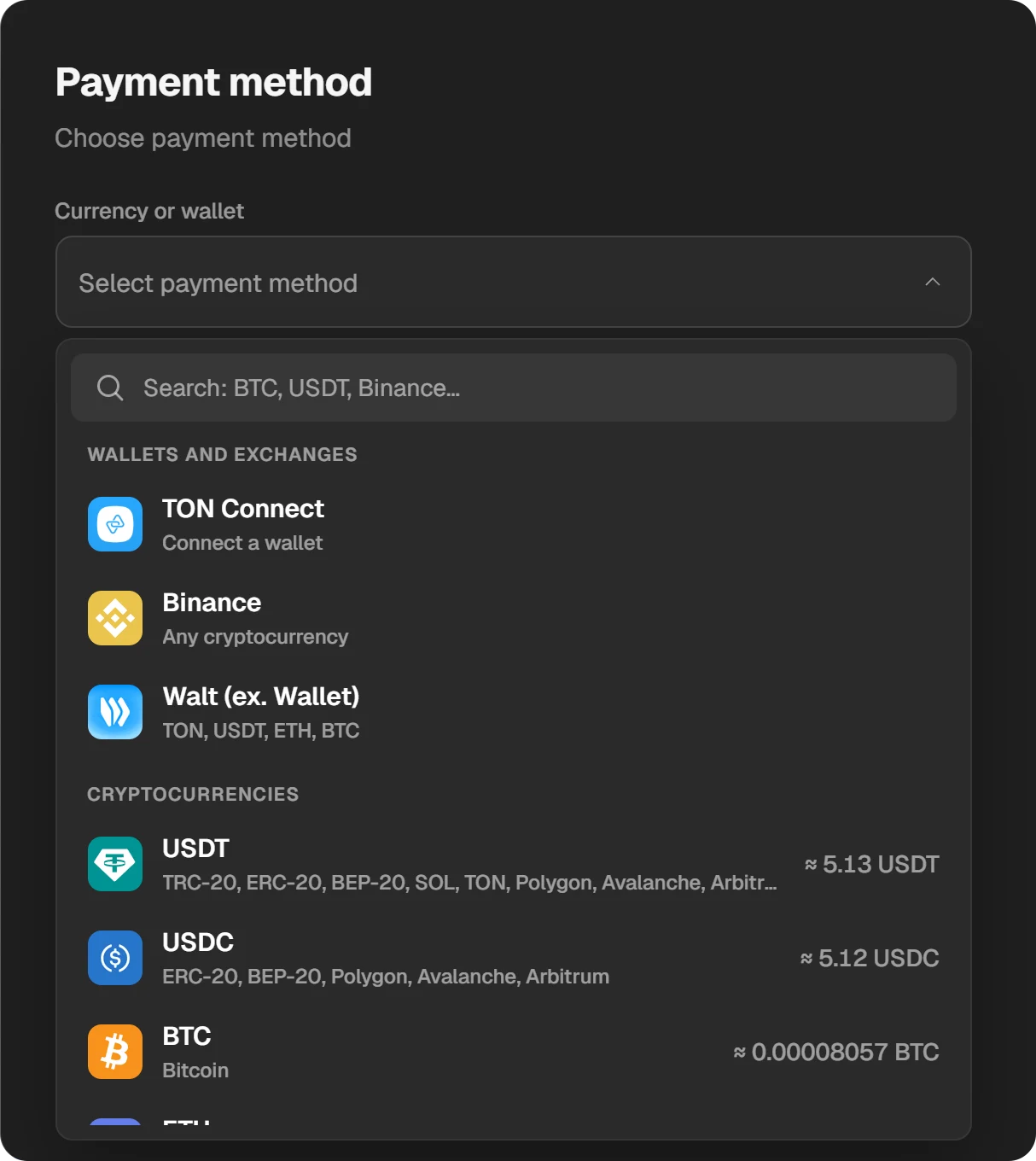
Payment methods on Play Wallet.
Redeem the code
The code appears in the order window and in “History”. While in the US, enter it at chatgpt.com/redeem on an account billed in dollars. Then take out the plan on the website: it is charged to the balance.
Stopped the unwanted charge but still need ChatGPT in the US? Top up your own balance with a ChatGPT card: we do not ask for bank card details for that.
Questions and answers
How do I cancel ChatGPT Plus?
Where you subscribed. On the web: Settings → Billing → Cancel plan. On iPhone: Settings → your name → Subscriptions. On Android: Google Play → Subscriptions.
Does deleting the app cancel the subscription?
No. Deleting the account cancels only a subscription billed on the ChatGPT website, not one billed by Apple.
Will I get a refund after cancelling?
Not automatically. You can request one: through OpenAI Support for the web and Google Play, through Apple for the App Store.
When does Plus stop working after I cancel?
At the end of the paid period. Paid features stay until then.
I cancelled but was charged again. Why?
If you cancelled less than 24 hours before the billing date, that charge may already have gone through. Also check other ChatGPT, Apple and Google accounts for a second subscription.
I do not see the subscription in Apple or Google. Where is it?
Probably on the ChatGPT website: web subscriptions are not listed in the stores. Check Settings → Billing on chatgpt.com.

