

Topping up Steam via a Telegram bot without being scammed
You can top up Steam on Play Wallet without leaving Telegram: by login, paying with crypto or with Walt. No bot is needed. Here are the steps, the signs of a scam bot and whether Stars can pay for Steam.
In short
- Steam on Play Wallet is topped up by login right in Telegram’s browser. Pay with crypto or with Walt.
- A top-up needs only your Steam login. A password, a Steam Guard code or a “Sign in through Steam” inside a bot are never needed.
- Steam itself does not take Telegram Stars. A bot selling top-ups for Stars is a third-party seller, and Telegram does not answer for its goods.
- A money transfer to the “bot admin” is a transfer to a person, not a purchase.
- Play Wallet is a website, not a bot. Our Telegram bot, @pwhelpbot, is support only. We do not take bank cards.
Topping up Steam without leaving Telegram
Fill in the form
Open Steam top-up in Telegram’s browser or any browser, choose the account’s country, enter the login and the amount. The site checks the login and shows the credited amount and the fee.
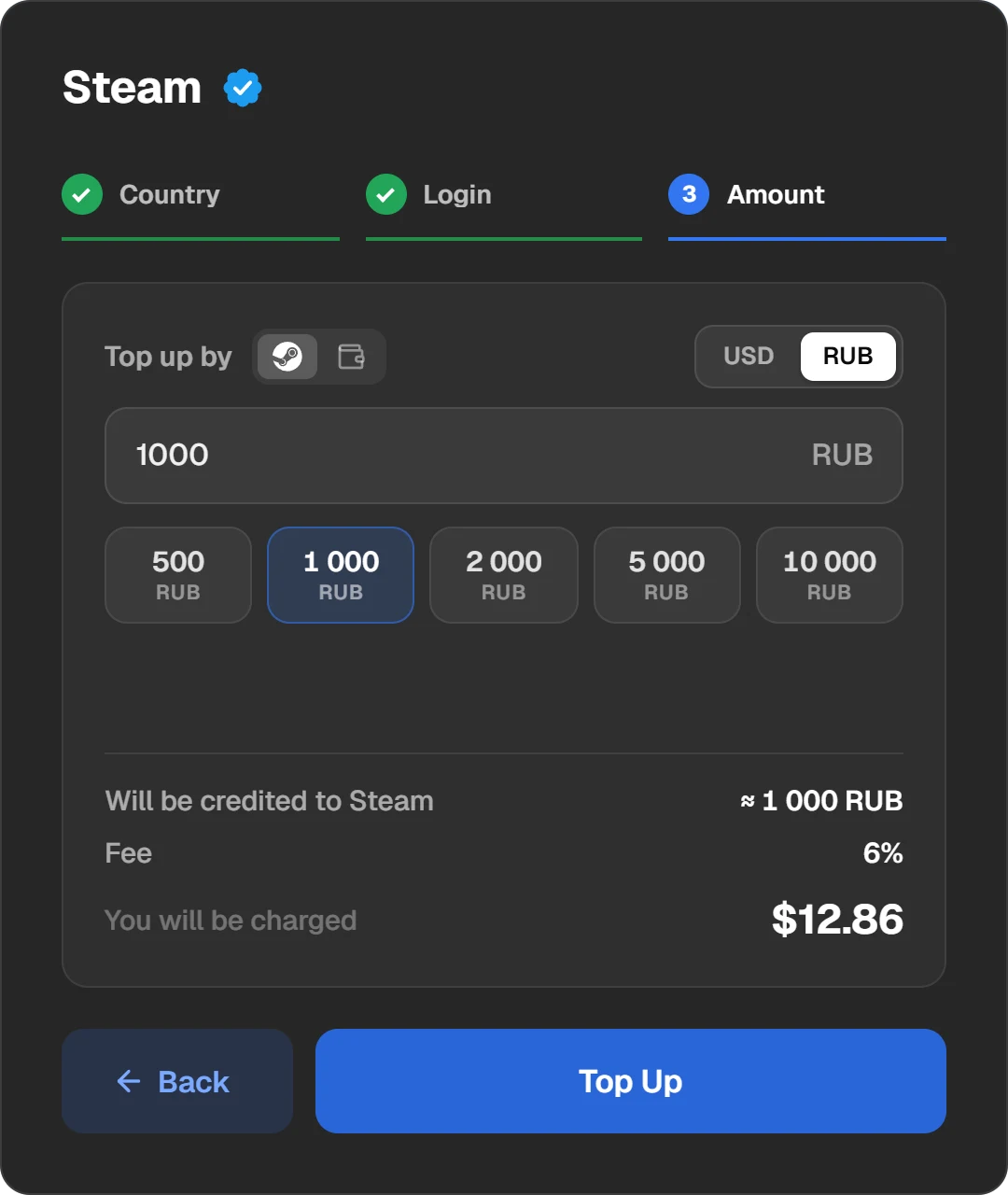
The Steam top-up form: country, login and amount only.
Choose Walt
Press “Top Up”, choose Walt under “Wallets and exchanges” and confirm in Telegram. Details: How to pay with Walt.
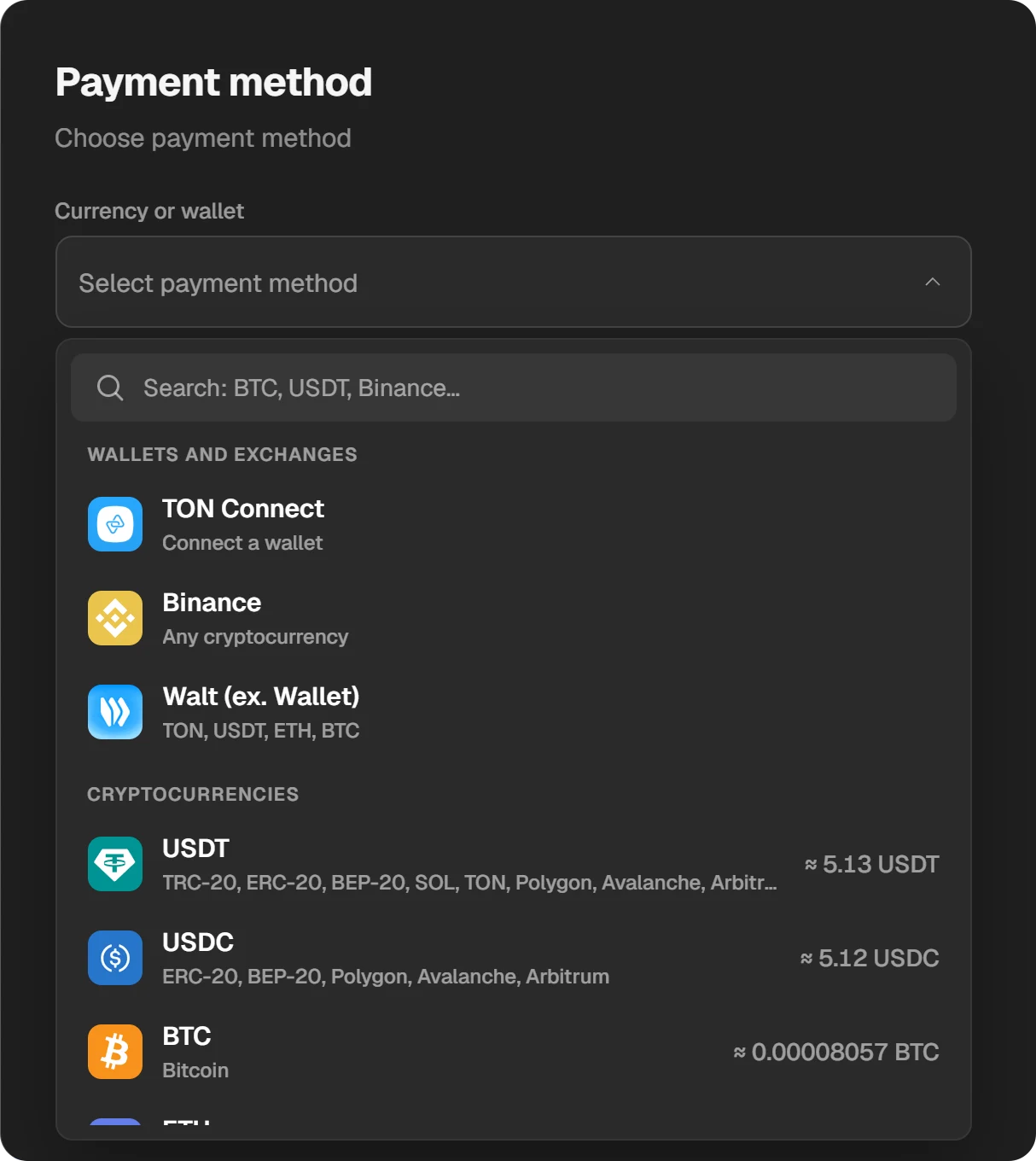
Walt under “Wallets and exchanges”.
Check the order
The order, with a receipt and a number, stays in “History” at the top of the site.
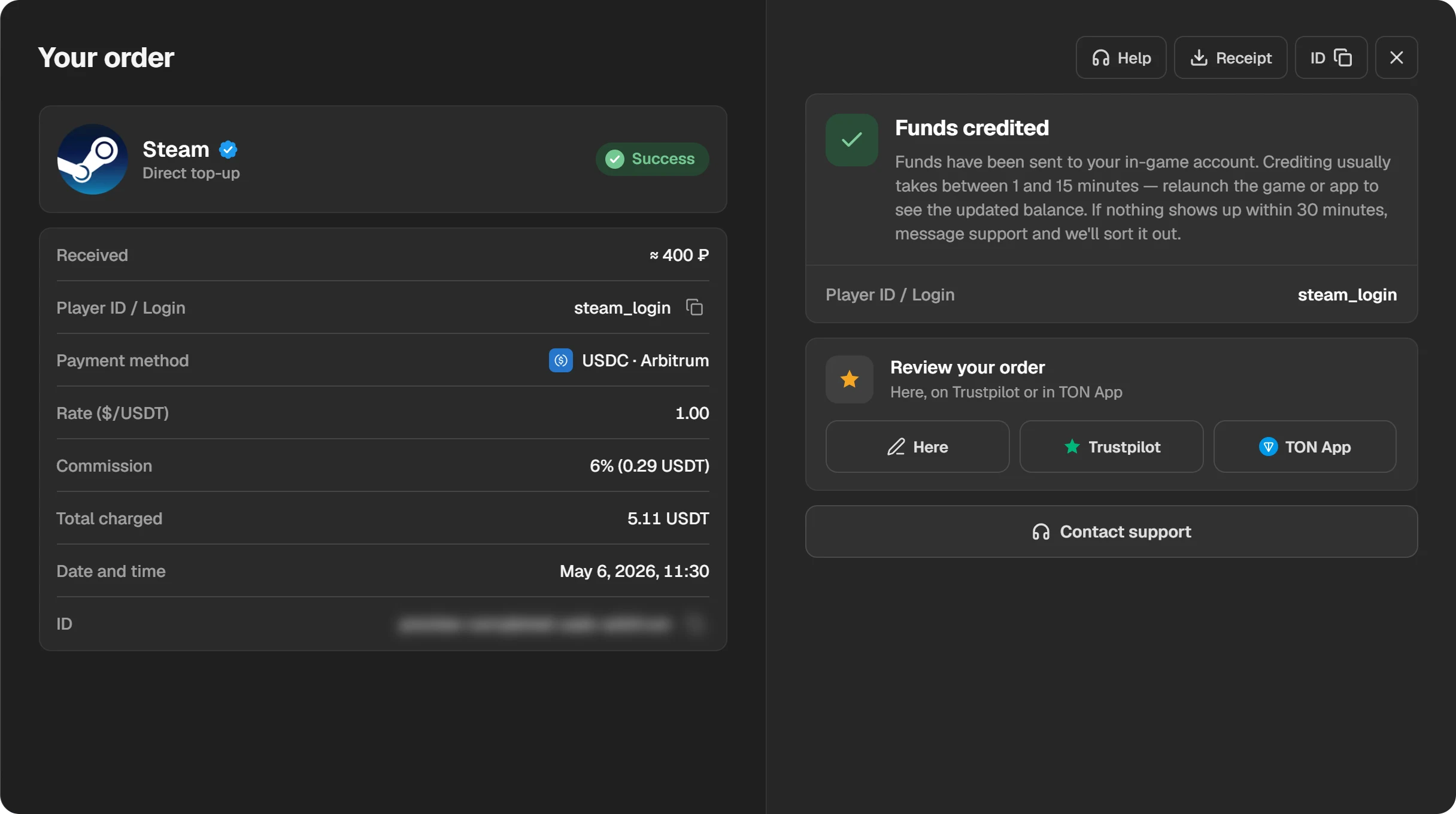
A finished order: receipt and order number at the top right.
How to spot a scam bot
The name looks like a known one
Clones use names one letter off, “_bot” for “bot”, a digit for a letter. Play Wallet has no shop bot, and @pwhelpbot is support only.
It asks for a password or a code
A top-up needs the account login. A bot that asks for your password, a Steam app code, or opens a “Steam sign-in” page inside Telegram is after your account. You sign in to Steam only on store.steampowered.com and steamcommunity.com.
It does not show the amount and fee before payment
What reaches Steam, the fee and what you pay should be visible before you pay. “A manager will tell you the amount” is a bad sign.
It asks for a transfer to a person
A card or phone number to transfer to means paying a private person, with no receipt or contract.
No order number and no support
An order number or receipt makes it possible to sort things out if the money does not arrive.
The same signs apply to websites: Is it safe to top up Steam through a website.
Can Telegram Stars pay for Steam?
Not directly. Steam lists the payment methods for your region at checkout, and Stars are not among them. Under Telegram’s terms, Stars buy digital goods and services from bots and mini apps inside Telegram and cannot be sold, withdrawn or transferred. A bot that “tops up Steam with Stars” sells you its own service for Stars and credits Steam itself.
- The bot’s developer answers for it, not Telegram. The developer can refund Stars for an undelivered purchase; start with the /paysupport command.
- Stars purchases are final. Telegram does not refund Stars you bought. If the bot fails, the claim is against the bot.
Common Telegram scams
- A clone of a known bot with a similar name and copied design.
- “50% off top-ups” or “free balance for subscribing”. Steam does not give money away.
- A “manager” in private messages offering a top-up for a transfer to them in person.
- Payment in Steam gift cards. Steam says anyone asking to be paid that way is most likely a scammer.
- A mini app with a “Sign in through Steam” page that harvests logins, passwords and codes.
If you entered your password in a bot, change it at once in the Steam app or on store.steampowered.com, sign out of all other devices and change your email password.
Does Play Wallet have a bot?
Play Wallet works on its website, playwallet.bot; there is no shop bot. In Telegram we have the support bot @pwhelpbot (report a problem, check an order), a community chat (both linked from our support page) and a news channel (on the About page). Anyone in Telegram who calls themselves “the Play Wallet bot” and takes payments is not us.
Instead of an unknown bot, open Steam top-up right in Telegram: you need the country, the login and the amount, no password.
Questions and answers
Can I top up Steam through a Telegram bot?
Play Wallet has no shop bot. You can top up Steam from Telegram on our site in its browser. A bot asking for a password or a transfer to a person is a scam.
Can I top up Steam with Telegram Stars?
Steam itself does not take Stars. Only third-party bots do, and their developer, not Telegram, answers for the goods.
A bot asks for my Steam password. Is that normal?
No. A top-up needs only the login. A bot asking for a password or a Steam Guard code is trying to steal the account.
Does Play Wallet have a Steam top-up bot?
No. Top-ups work on the website; @pwhelpbot is support only.
Can I pay for a Steam top-up from Telegram?
Yes. On Play Wallet you can pay with Walt, the wallet that works in Telegram.
How do I get my money back if a bot did not top up Steam?
If you paid in Stars, send /paysupport to the bot. If you transferred to someone’s card, it is hard: it was a transfer, not a purchase.
