

How to pay for a game with your Steam Wallet
Steam Wallet money is used by itself: by default Steam charges the wallet first. Here is the whole way from the cart to the game in your library, and what to do when the balance is a little short.
In short
- Add the game to your cart, go to checkout and choose Steam Wallet. Tick “I agree...” and press “Purchase”.
- By default Steam spends wallet funds first.
- If the balance is short, Steam asks you to pay the rest another way. If you have no other way, top up the difference first.
- The wallet pays for games, DLC, gifts for friends, Community Market items and in-game purchases where the game supports it.
- Wallet money cannot be withdrawn or moved to another account.
How much is in the wallet
The balance is at the top right of Steam, next to your profile name, in the client and on the website. More in Where is the Steam Wallet.
How to buy a game with the wallet
Open the game’s page
Find the game in the Steam store, in the client or at store.steampowered.com. The price is in your account’s currency, the same as the wallet.
Add it to the cart
Press Add to Cart and choose to buy it for your own account. To give it to someone, choose “This is a gift” there instead.

The purchase box on a game’s page: the “Add to Cart” button.
Go to checkout
Open the cart and continue to payment. Steam lists the payment methods available in your region.
Choose Steam Wallet
If the balance covers the price, pick Steam Wallet and press “Continue”. It is usually selected already: Steam uses wallet funds first by default.
Confirm
Tick “I agree...” and press Purchase. The game appears in your library and the balance drops by its price.
On a phone it is the same: open the Steam store in a browser or the Steam app, sign in and buy through the cart.
If the balance is short
Steam takes what the wallet has and asks for another payment method for the rest. If your card does not work on Steam, do it the other way round: top up the wallet by the missing amount first, then buy the game with the balance alone.
Work out the difference
Subtract the balance from the price and add a little. The amount in Steam may differ from the estimate by about 1%, because Steam does not publish its internal rates.
Top up by login
Open Steam top-up, choose your account’s country, enter your login (not the nickname) and the amount. Below you see what reaches Steam, the fee and what you pay. No password needed.
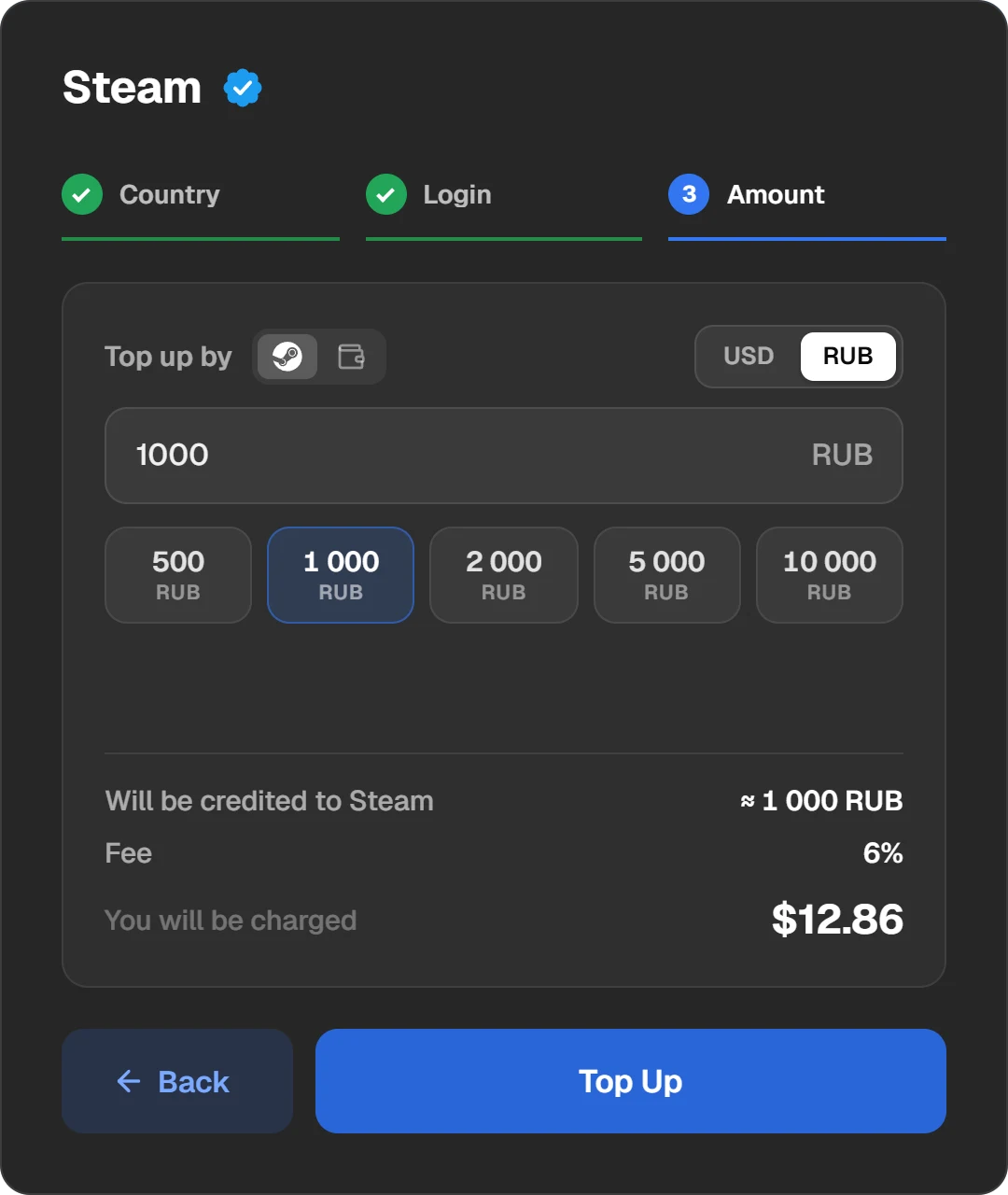
The amount in your account’s currency, the fee and the total, before you pay.
Pay and wait for the money
Payment is in crypto: Binance, Walt, TON Connect or coins such as USDT and TON. When the order window says the funds are credited, restart Steam if the balance has not changed.
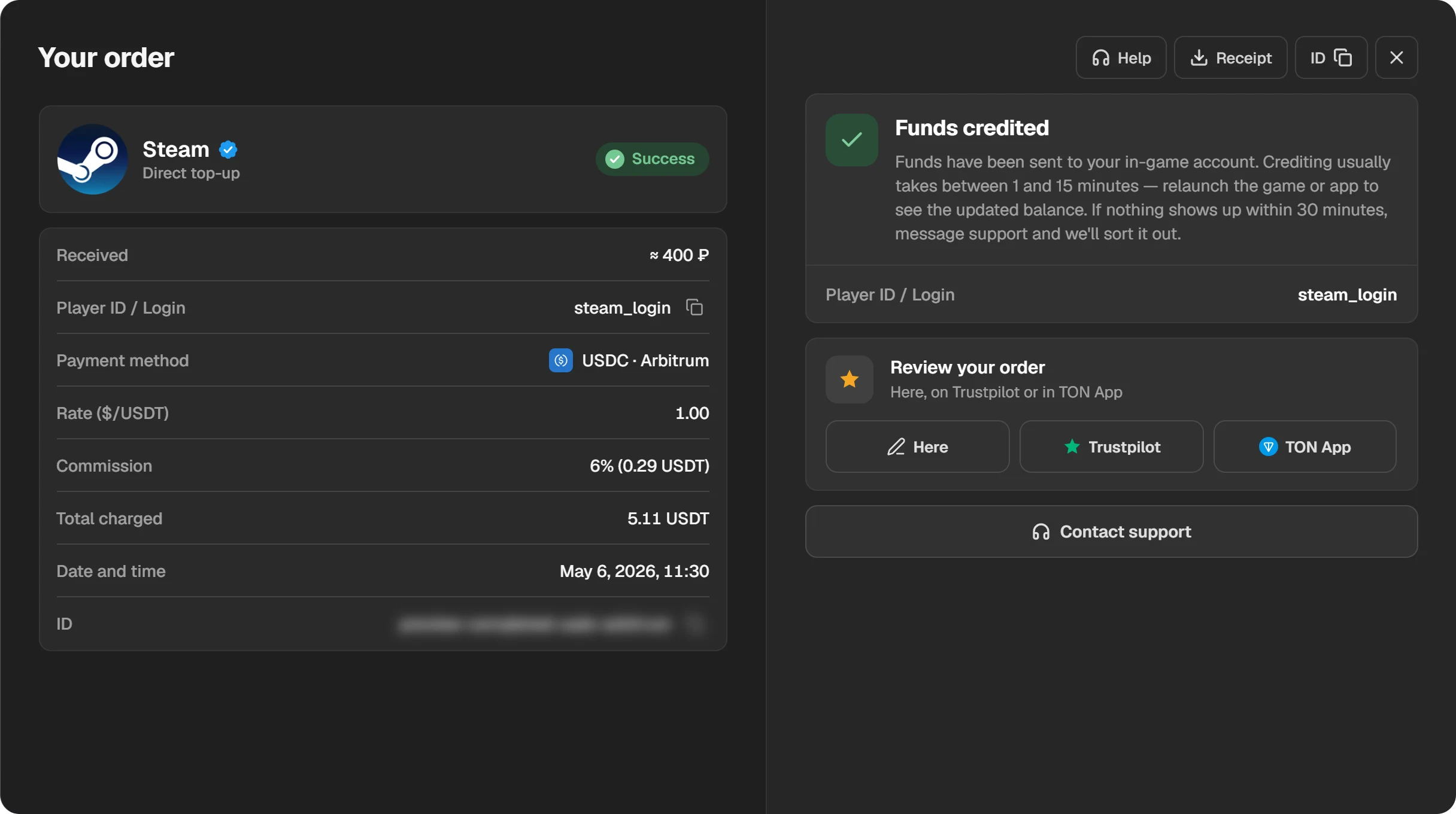
A finished order: the money is in the Steam Wallet, the game can be bought.
What wallet funds can pay for
| Purchase | With the wallet | Keep in mind |
|---|---|---|
| Games and DLC in the Steam store | Yes | Priced in your account’s currency. |
| A game as a gift | Yes | A gift to another region may fail because of price differences. |
| Community Market items | Yes | You need Market access. See How to sell items on the Steam Market. |
| In-game purchases | Yes, if the game takes Steam Wallet | Not every game sells in-game items through Steam. |
| A Steam digital gift card | No | It is paid only with other methods. |
| Cash-out or a transfer to another account | No | Steam’s rules forbid it. |
Common problems
- “The currency of your Steam Wallet does not match the currency of this purchase.” The wallet and the store are in different currencies. Write to Steam Support with your account name and the exact error text.
- The purchase fails. Steam suggests trying the client if the website failed, or the other way round, and turning off any VPN or proxy.
- The money arrived but the balance is old. Restart Steam and check you are signed in to the account you topped up.
If you change your mind
You can refund a game under Steam’s rules: within 14 days of purchase and under 2 hours played. The money goes back where it came from, the wallet. See How to get a refund on Steam.
Questions and answers
What if the wallet holds less than the game costs?
Steam takes the balance and asks for another method for the rest. If you have none, top up the difference first.
Can I buy a game for a friend with wallet funds?
Yes. Choose “This is a gift” in the cart and pay with the wallet. If it is short, Steam asks you to pay the rest another way.
Why can I not buy a Steam gift card with my wallet?
Steam digital gift cards cannot be paid with wallet funds. To give money, top up your friend’s wallet by login instead.
Can I withdraw money from my Steam Wallet?
No. Under Steam’s rules wallet funds have no cash value and cannot be withdrawn or moved to another account.
Is the wallet charged first?
Yes, by default. Unless you changed the payment method at checkout, Steam uses wallet funds first.
