Can’t buy Robux: the causes and what to check
When a Robux payment fails, an adult can buy a Roblox gift card on Play Wallet and redeem the code. First find out who said no, though: with a ban, an outage or a parent’s block it is too early to buy a card.
In short
- If a store or bank refused and you have crypto, take a Roblox card on Play Wallet. The code is redeemed in a browser.
- If a parent stopped the purchase, talk to them first.
- If the account is banned or Roblox has an outage, do not buy a card yet.
- After a refusal do not keep pressing buy: the bank may hold several amounts.
A quick check by what you see
| What happens | Who stopped it | What to do |
|---|---|---|
| An error in the Google Play or App Store window | The app store | Stop retrying, take a card code |
| Card declined on roblox.com | The bank or Roblox’s protection | Stop retrying, take a card code |
| A monthly limit message | A parent’s setting | Talk to the parent |
| A purchasing limit message | Roblox | Stop retrying: support cannot lift it |
| Waiting for approval | The family group | Ask the adult to open the request |
| Charged but no Robux | A different problem | Wait and check the history |
The last row has its own article: Pending Robux. Below is about purchases that do not go through at all.
A store or bank refused
- Do not retry. A declined amount may take 1–10 business days to come back.
- Do not split the purchase. One order on Roblox takes one method.
- Do not use a false country or address, or a card without its owner’s permission.
- A rooted or jailbroken device cannot buy in the app. Roblox says so.
- A gift card code is entered separately, in a browser at roblox.com/redeem. It needs no app store payment.
Send nobody card details, bank codes or the amounts of verification charges. A real seller of codes has no use for them in a chat.
A parent or a limit stopped it
- Monthly limit. In most regions parents can set one for children under 13. Once it is reached Roblox shows a message and there are no more purchases that month.
- Google Play approval. A parent turns it on under Settings, Family, Manage family members, Purchase approvals.
- Roblox’s own limit. This is a different one. Even support cannot change it. Roblox suggests a gift card in that case.
If your parents set the limit, do not work around it. Show them what you want to buy. Where the setting lives: Roblox parental controls. Roblox treats purchases on somebody’s card without permission as a violation and may close the account.
Check the account and Roblox itself
- The right account. Look at the username before paying, especially on a shared device.
- A ban. Read the messages from Roblox. Sort out a ban before buying anything.
- An outage. Open status.roblox.com. During one, paid items can be late: usually within an hour, at most 24 hours.
- The code is refused. Check the characters and the page address. The steps are in Where to enter a Robux code.
- Credit is not shown. Gift card credit works only in a browser.
When a gift card is the way out
A gift card code is entered at roblox.com/redeem and needs no payment in an app store. We are an independent shop: we take crypto and crypto wallets and no bank cards. An adult should do the buying.
Choose a card
On the Roblox page the Robux tab gives a set number, the USD and EUR tabs give credit.
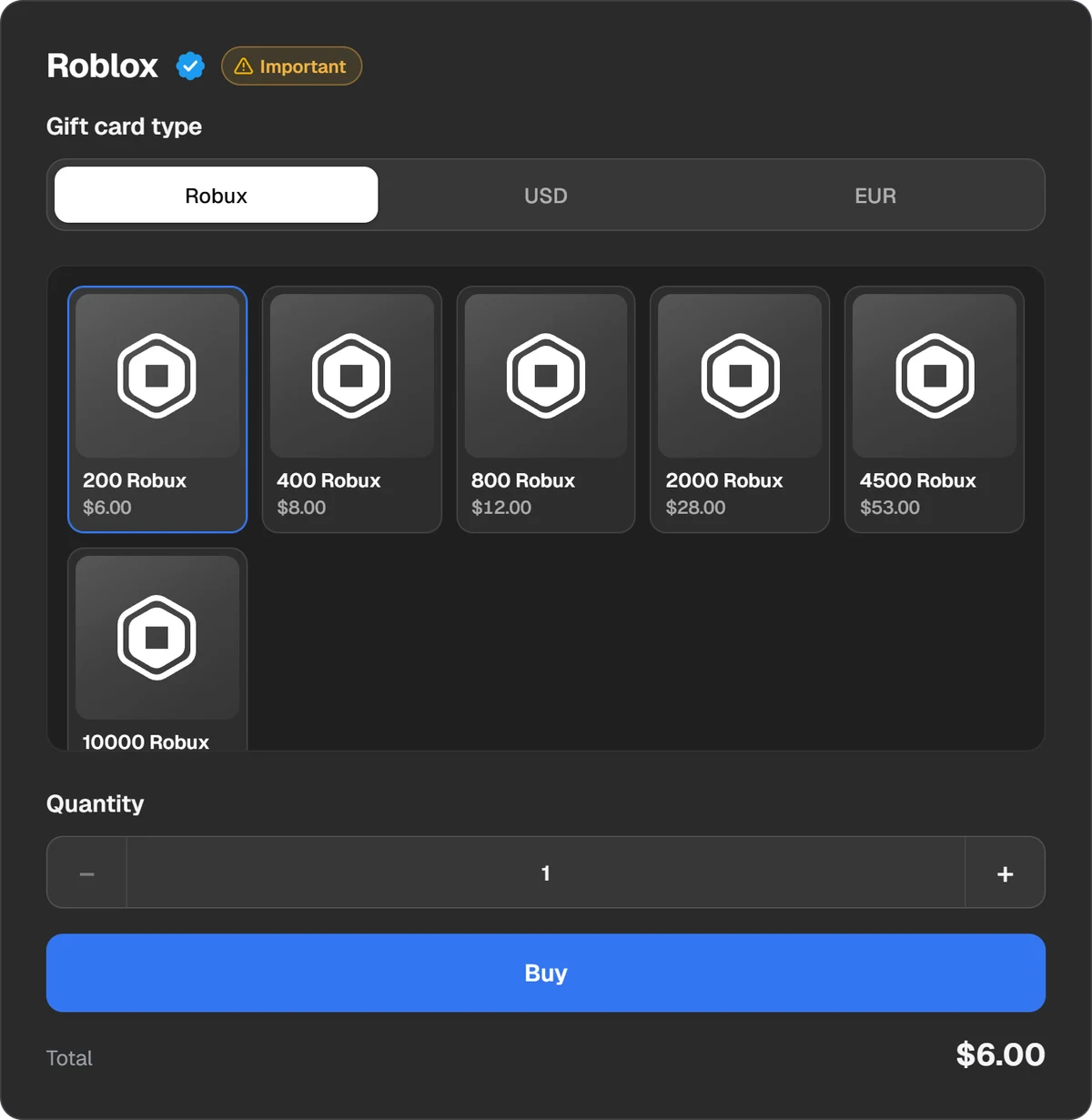
Roblox cards for Robux and for an amount. No account password needed.
Pay
Press “Buy” and choose a coin or a wallet. The amount and fee show first.
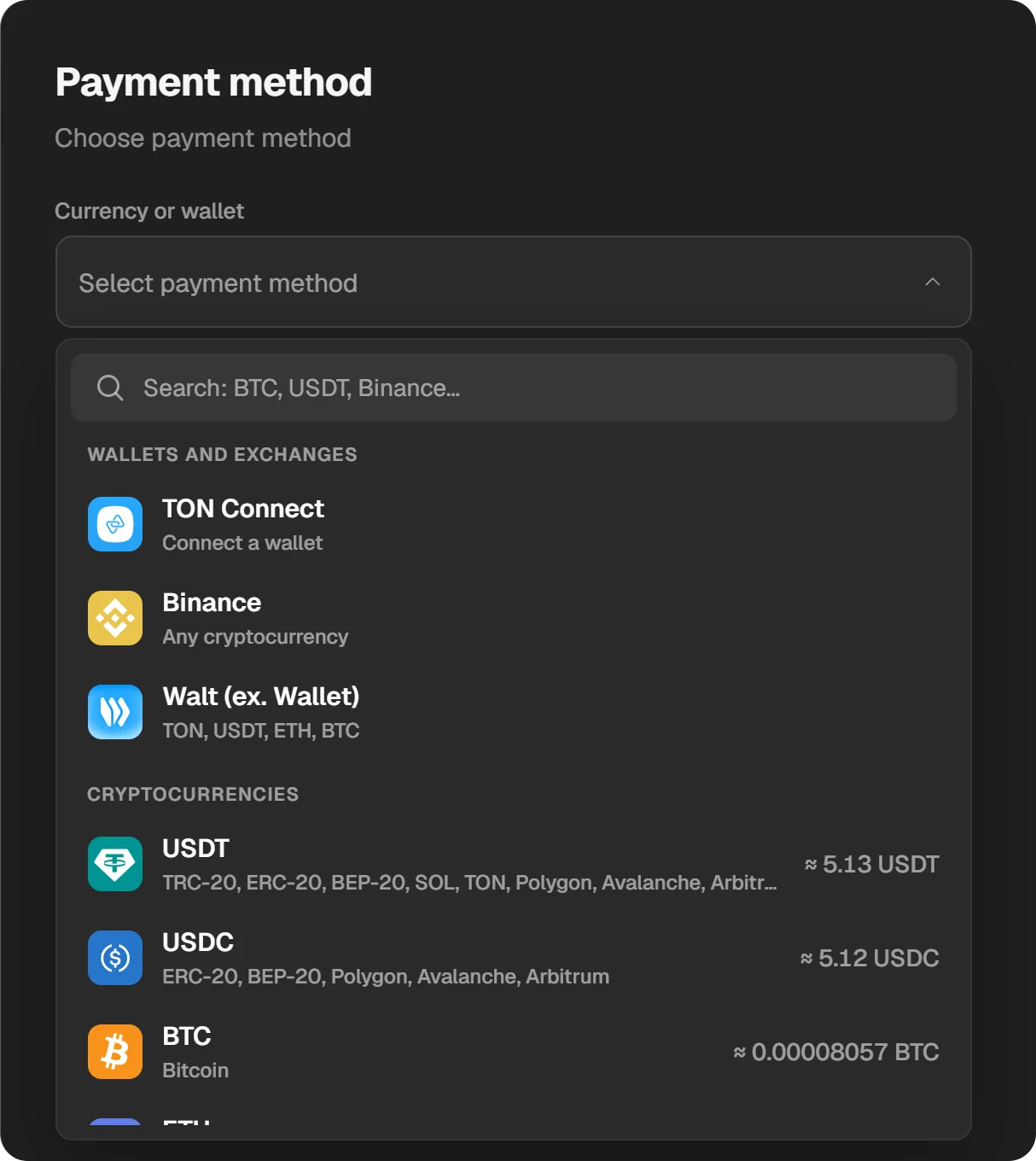
The payment methods on Play Wallet.
Redeem the code
It appears in the order window. Open roblox.com/redeem in a browser and check the username first.
Whom to write to
| Where you paid | Whom to ask |
|---|---|
| iPhone or iPad | Apple Support |
| Android | Google Play first, and Roblox if the error is inside the app |
| The Roblox website | Roblox: roblox.com/support |
| A code from Play Wallet | Our support, with the order ID |
Include the username, the time, the error text and a screenshot without the card number. Send your password to nobody.
Is it the payment and not a block or a ban? Buy a Roblox card code on Play Wallet together with an adult.
Questions and answers
Why can’t I buy Robux?
Usually it is the payment: the store refuses the card, the bank declined it or the details do not match. For children it can also be a limit or an approval.
Can I buy Robux right now?
Yes. If a store payment fails, a Roblox card works: the code is entered at roblox.com/redeem.
It failed but my money is on hold. What now?
Do not retry. A declined payment is released in 1–10 business days. After that, ask the bank.
Why can’t I pay with Roblox Credit?
Credit works only in a browser and must cover the whole purchase. You cannot split the payment. A small remainder becomes Robux with Convert Credit to Robux.
Can support lift the purchasing limit?
No. Roblox says it cannot be changed. A limit set by a parent is changed by that parent.
Can someone buy Robux through my account for me?
Do not give them your password, that is how accounts are lost. Purchases on a card without its owner’s permission can also get the account closed.