

Game Pass Ultimate for a month or a year: how to choose
You can build a year of Ultimate, though not always with one code and not always wisely. Here is the term we sell, how months add up and where time is lost in conversion. The rules were checked on 22 November 2026.
In short
- We sell one month of Game Pass Ultimate. A year takes twelve of these keys.
- A key fits only an account of its country. The page does not name it, so ask support before paying and start with one key.
- We have no single 12-month Ultimate key.
- You can stack up to 36 months ahead.
- A year-long Essential code on active Ultimate gives 105 days, not a year.
A month or a year in short
| Your case | How much | Why |
|---|---|---|
| Ultimate for the first time | 1 month | It tests the key’s country, the games and your interest |
| One new game | 1 month | Once it is finished, the library may not be worth paying for |
| A holiday of gaming | 1–2 months | The term runs to its end date, played or not |
| You play every week | 3–6 months | Fewer codes to redeem, and less paid ahead than for a year |
| Sure of the plan for a year | 12 one-month keys | Once your account has accepted the first |
| Only online play on a console | Essential for up to a year | You do not need Ultimate for it |
Is there a one-year Ultimate code
Not with us. As of 22 November 2026 Play Wallet has one Ultimate term: a month. The 1, 3, 6 and 12-month keys are Essential, a different plan.
Microsoft’s regular Ultimate subscription is monthly too: on that date a month was the paid term on sale in its US store. Its catalogue has entries for other terms, 12 months among them, but they are marked for code redemption only. So year-long codes exist as a type, while we found no yearly plan in the store.
Building a year from monthly keys
Look at the current term
Open account.microsoft.com/services and note the plan and end date. If a card is charged automatically, Microsoft advises turning recurring billing off and redeeming when the paid term ends.
Confirm the key’s country
Tell support your account’s country. Microsoft accepts a Game Pass code only in the country it was made for and advises buying for the country you live in.
Buy one month
On the Game Pass Ultimate page leave the quantity at 1. You then risk one key, not twelve.
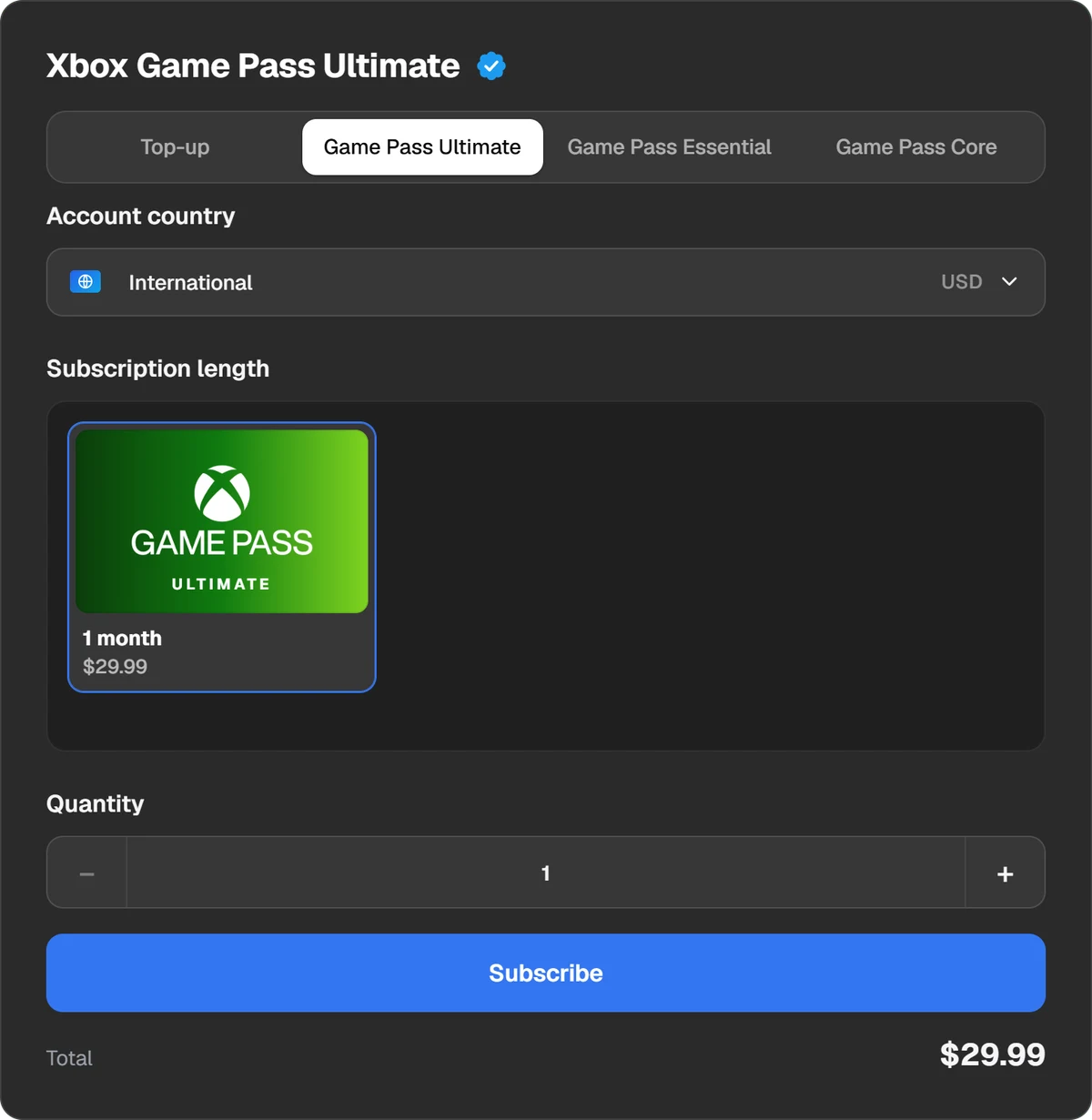
A month of Ultimate, the number of keys and the total.
Pay
Payment here is in crypto. Press “Subscribe” and pick a coin or wallet: USDT, TON, BTC and others, Binance, Walt or TON Connect. The price and total are shown before payment.
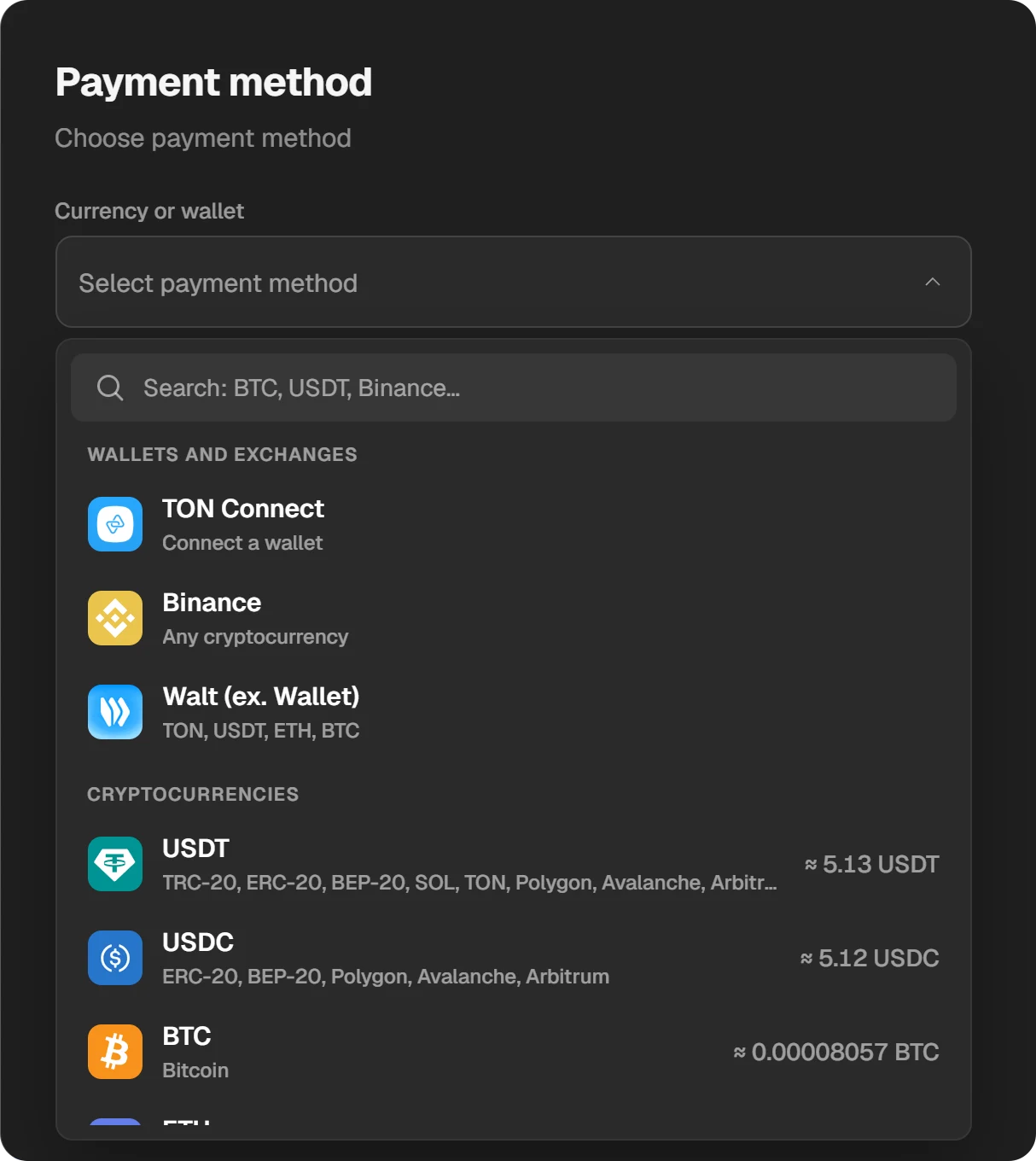
Payment methods.
Redeem the first key
Use xbox.com/redeem on your own account, then check the plan and new date. Other routes are in how to activate a Game Pass code.
Add the rest
Buy the number you need and redeem one by one, checking the date. Each adds a month. The codes stay in History, but do not keep them long: Xbox does have an error for an expired code.
The 36-month cap
Ultimate extends to 36 months at most in every country where it is sold. What counts is the time left, not how many keys you have ever bought.
| Time left | Can you add a year |
|---|---|
| No subscription | Yes, all 12 months |
| 12 months | Yes, making 24 |
| 24 months | Yes, making 36 |
| 30 months | Only 6 months, the other keys later |
| 35 and a half months | No, wait until 35 or fewer are left |
A code that would pass the cap gets the message “Hold off extending this right now”. Do not buy more keys than you can redeem.
Why a year of Essential is not a year of Ultimate
Essential comes in long terms and is sometimes bought in place of a year of Ultimate. Microsoft converts the time, and the result depends on which plan is already active.
| What happens | Ultimate you get |
|---|---|
| Ultimate is active, you redeem 1 month of Essential | 14 days |
| Ultimate is active, you redeem 3 months of Essential | 33 days |
| Ultimate is active, you redeem 6 months of Essential | 53 days |
| Ultimate is active, you redeem 12 months of Essential | 105 days |
| 90 days of Essential left, you move to Ultimate | 40 days plus the Ultimate key’s own term |
| 365 days of Essential left, you move to Ultimate | 165 days by the 45% rule plus the Ultimate key’s term |
Conversion is final and Microsoft may change the ratios. The last row is our sum by its rule, rounded up to a full day. On an upgrade, time beyond 36 months is not credited.
The risks of taking a year at once
- The country. Another country’s key will not redeem. A region is changed after a real move, not for a subscription.
- The library. Games come and go, and paid months are not refunded for that.
- The plan itself. It changes within a year: the plans were renamed in October 2025, and Call of Duty left day-one releases in April 2026.
- Refunds. Microsoft’s refund policy does not cover retailers’ codes. With us a redeemed key is not returned.
- Recurring billing. Check the subscriptions page afterwards. “Turn on recurring billing” there means no charges after the end date.
When a year does make sense
When you keep using what the lower plans lack: day-one releases, EA Play, Ubisoft+ Classics, Fortnite Crew. The current contents are in the Game Pass Ultimate article. Official prices and the sum for a year are in how much Game Pass costs.
Do not assume a discount for twelve keys: look at the total in the order form. Start with one month of Game Pass Ultimate, and add the rest once your account has accepted it.
Questions and answers
Can I buy 12 months of Game Pass Ultimate?
Not as one key here. You can buy 12 monthly keys if the country fits and the total stays within 36 months.
Can I buy 3 months of Game Pass Ultimate?
Yes, as three monthly keys. Redeem them one by one on your account.
Do monthly Ultimate codes stack?
Yes. Time is added to the end date while the total left stays within 36 months.
Does a year of Essential become a year of Ultimate?
No. A one-year code on active Ultimate gives 105 days. Upgrading from Essential keeps 45% of the time.
Will the key work on a Russian or Turkish account?
We do not promise that: the page does not name the key’s country, and Microsoft accepts a code only in its country. It has suspended new sales in Russia. Do not buy without a confirmation from support.
Will I be charged when the keys run out?
Check account.microsoft.com/services. If recurring billing is on, turn it off. If the page offers to turn it on, nothing is charged after the end date.
