Can you gift V-Bucks in Fortnite?
You cannot send V-Bucks to another player in Fortnite. You can gift an item from the shop, or give V-Bucks themselves with a card your friend redeems on their own account. Here are both ways, and the conditions without which the gift button will not work.
In short
- V-Bucks themselves cannot be sent as a gift: Epic excludes V-Bucks and packs that contain them.
- You can gift Item Shop items bought with your V-Bucks and some passes bought with real money.
- Conditions: two-factor authentication on, level 2 or higher, the friend on your list for at least 2 days, no more than 5 gifts in 24 hours.
- Gifting works on PC, PlayStation, Xbox, Switch and Android, not on iOS.
- To give V-Bucks themselves, buy a V-Bucks card and pass the code to your friend, who redeems it at fortnite.com/vbuckscard.
What can and cannot be gifted
| Can be gifted | Cannot be gifted |
|---|---|
| Items currently in the Item Shop | V-Bucks and packs that contain V-Bucks |
| Battle Pass, OG, LEGO and Festival passes bought with real money | Passes bought with V-Bucks, and Battle Pass levels |
| Fortnite Crew and Battle Pass level bundles | |
| Event Passes and items not in the shop right now | |
| Dynamically priced bundles when the friend already owns part of them |
That is what Epic’s help article “How does Gifting work in Fortnite?” says. A gift is paid from your balance: you spend your V-Bucks, your friend gets the item.
Gifting conditions
Two-factor authentication is on
Without it, gifts are not sent. Turn it on at epicgames.com under Account, then Password & Security.
Level 2 or higher
A brand-new account has to play a little before it can send gifts.
The friend has been on your list for 2 days
If you added the friend today, you can gift in two days. Search by their Epic display name so you pick the right person.
No more than 5 gifts in 24 hours
The limit counts from the time of each gift. Send one at 9:00 PM and that slot frees up at 9:00 PM the next day.
A supported platform
Gifting works on PC, PlayStation, Xbox, Switch and Android. It is not available on iPhone or iPad.
How to gift an item from the shop
Open the Item Shop
In Fortnite, go to the shop and choose the item you want to give.
Choose to buy it as a gift
On the item’s page, choose the gift option. The gift price can differ from yours: a discount for parts of a bundle you already own applies only to you.
Pick the friend
Select the friend in the list. If they are missing or the button is greyed out, check the conditions above: two-factor, level and two days of friendship.
Confirm
The V-Bucks are taken from your balance. Your friend receives the gift the next time they log in.
All gifts are final; Epic does not refund them. A gift fails if the friend already owns the item or has a negative V-Bucks balance.
Passes have a catch of their own. Pass gifting is turned off towards the end of a season, and if a gifted pass token is never used, its cost in V-Bucks is returned to the account in the game at the end of the season.
How to give V-Bucks themselves
Epic says it plainly: to gift V-Bucks, you need a V-Bucks card. Your friend redeems its code on their own Epic account and the V-Bucks are added there. Epic’s online store does not sell “giftable” V-Bucks.
Choose the amount
Open Fortnite V-Bucks and choose a card. The price and the fee are shown before you pay. You need nothing from your friend’s account: you are buying a code.
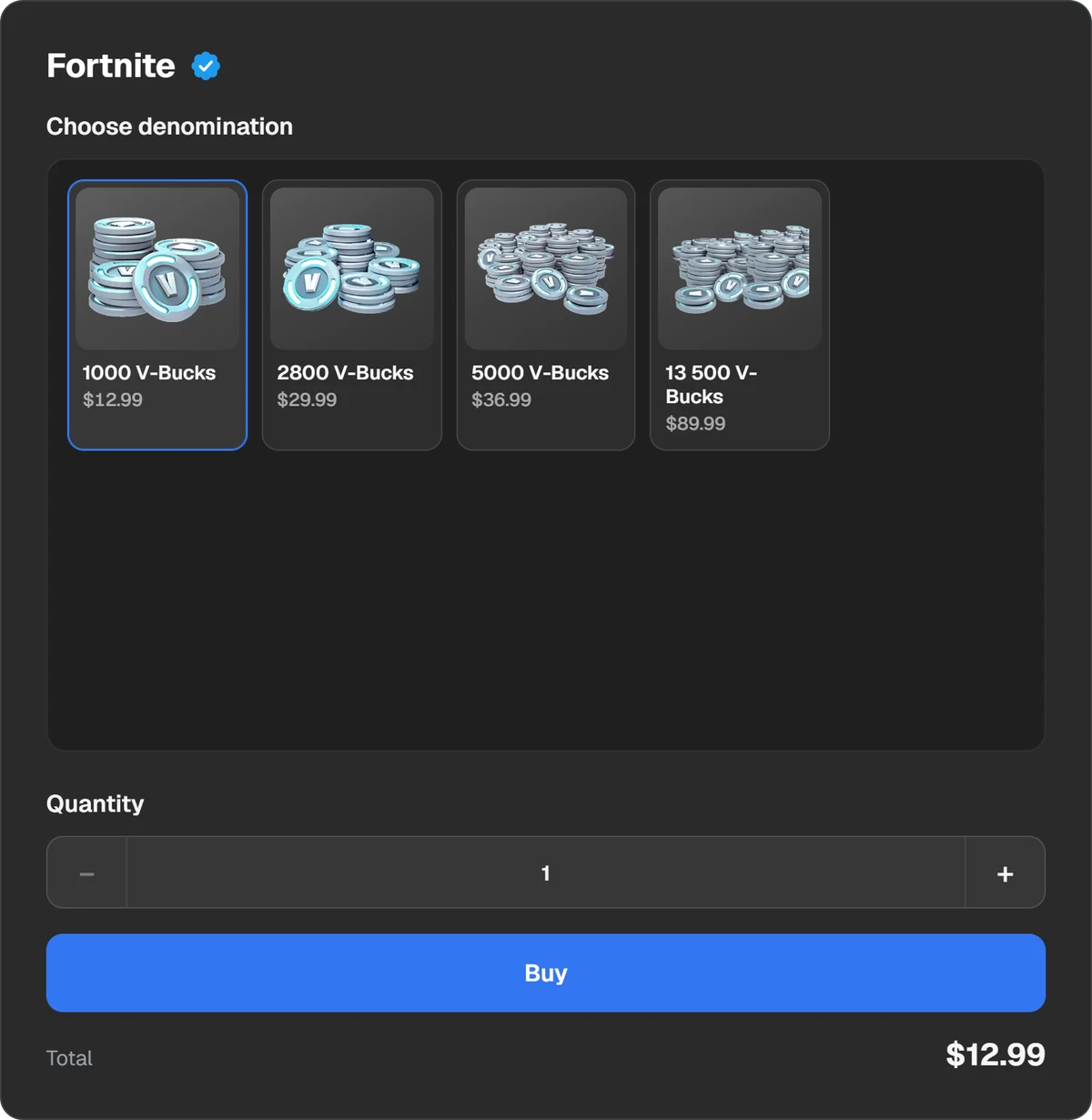
The order form: the V-Bucks card amount.
Pay
In the payment window choose Binance, Walt, TON Connect or a coin: USDT, BTC, TON and others.
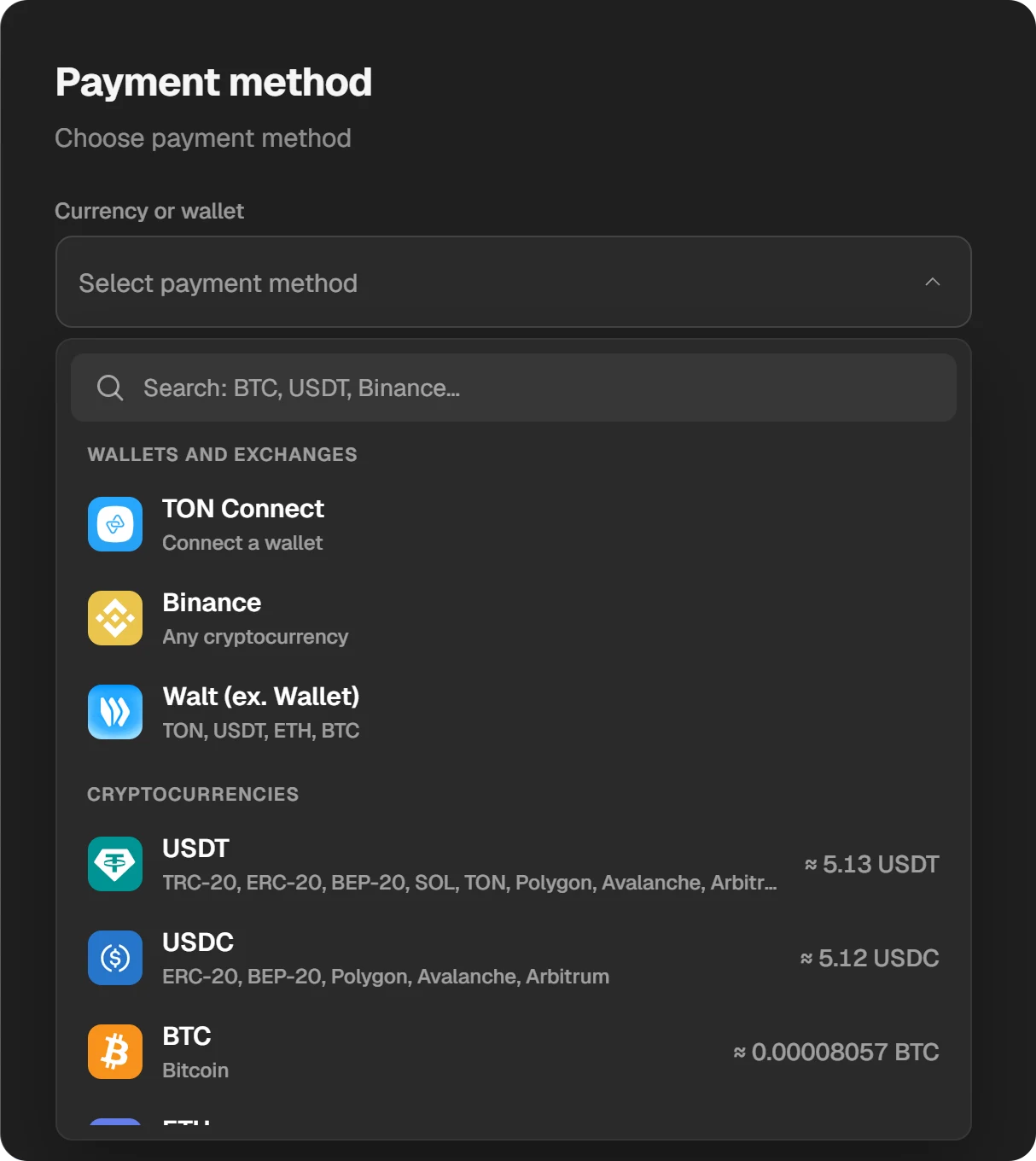
Payment methods.
Send the code privately
The code appears in the order window and stays in “History”. Send it to your friend in a private message. Never post the code or a photo of it: whoever redeems it first gets the V-Bucks.
Your friend redeems it
They open fortnite.com/vbuckscard, sign in to their Epic account, enter the code and pick the platform. Details: How to redeem a V-Bucks card.
A V-Bucks card works only in its own region. If your friend’s Epic account country does not match the card’s region, the code is refused. If in doubt, ask support before paying.
Which to choose
- You know which skin your friend wants and it is in the shop now. Gift the item through the shop.
- You are not sure what to give, or you added the friend recently. Give a V-Bucks card: your friend picks what to buy.
- Your friend plays on iPhone. Gifting does not work on iOS, but they can redeem a card code at fortnite.com/vbuckscard.
- Your friend plays on Switch. V-Bucks redeemed to Switch can be spent only on Switch, so they should pick the right platform when redeeming.
Offers like “I’ll gift you V-Bucks, just give me your login and password” or “free V-Bucks by username” are scams. More in Free V-Bucks: why it is always a scam.
Questions and answers
Can I gift V-Bucks to a friend in Fortnite?
Not directly: Epic does not allow gifting V-Bucks or packs that contain them. The only way to give V-Bucks is a card: you pass the code and your friend redeems it on their account.
Why can’t I send a gift?
Check the conditions: two-factor authentication, level 2 or higher, the friend on your list for at least 2 days, no more than 5 gifts a day. A gift also fails if the friend already owns the item.
Can I gift in Fortnite on mobile?
On Android, yes. On iPhone and iPad, no.
Can I gift the Battle Pass?
Yes, if it is bought with real money. Passes bought with V-Bucks and Battle Pass levels cannot be gifted. Pass gifting is turned off towards the end of a season.
Can a gift be refunded?
No. Under Epic’s rules all gifts are final.
How many gifts can I send a day?
Five in 24 hours. Each slot frees up a day after the gift that used it.
Can I buy V-Bucks as a gift in the Epic Games Store?
No. Epic says giftable V-Bucks are not sold in its online store; the only way to give them is a V-Bucks card.