

Telegram Stars history: where to see it, can you delete it
Your Stars balance and the whole history of operations are in one place: Settings → My Stars. The history cannot be deleted or cleared; Telegram has no such feature. Here is what to look at and what you can hide instead.
In short
- Balance and history: Settings → My Stars.
- Each operation has a transaction ID, needed if you ever dispute a bot purchase.
- Telegram gives no way to delete or clear the Stars history. There is no button, and Telegram’s rules describe none.
- You can delete a bot chat, hide gifts on your profile and leave the top Star reaction senders. The operation itself stays.
- Stars earned by a channel or bot are a separate balance, shown in that channel’s or bot’s statistics.
Where to see your Stars
Open Settings
Open Settings in the Telegram app on your phone, the same place where your username and Premium are.
Choose My Stars
The top shows the balance: how many Stars the account has now. The button to buy Stars is here too.
Scroll down
Below the balance is the list of operations: Star purchases, spending in bots and channels, gifts, paid messages, refunds. Tap one to see the details and the transaction ID.
On a computer, look for the same section in Telegram’s settings. The balance belongs to the account, so the phone and the computer show the same number.
If you see no Stars, check you are signed in to the right account. Stars sit on the account, not the phone, and a second account on the same phone has its own balance.
What the history shows
| In the list | What it means |
|---|---|
| A Star purchase | Stars you bought arrived, including from Play Wallet |
| A payment in a bot | Stars went to the bot’s developer for a product or service |
| A paid post or reaction | Stars went to the channel owner |
| A gift | You sent a gift or converted one into Stars |
| A paid message | A fee to someone who charges for messages |
| A refund | Stars came back: from a bot, a message recipient, or Telegram for a suggested post |
The transaction ID helps if a bot did not deliver what you paid for: you open a dispute with it. More: How to get Telegram Stars refunded.
Stars of a channel or a bot
If you own a channel or bot and earn Stars from paid posts, reactions or purchases, that is a separate balance. It does not mix with your personal one and shows in the channel’s or bot’s statistics. Earned Stars can be withdrawn through Fragment: Can you withdraw Telegram Stars.
Can the Stars history be deleted?
No. My Stars has no delete or clear button, and Telegram describes no such option anywhere. The Stars history is a record of payments, like a bank statement, and Telegram’s own rules rely on it: the transaction ID from it is needed for a dispute. So operations are not erased.
Beware of bots and “guides” that promise to clear your Stars history if you let them sign in or give them a Telegram code. Never share a login code with anyone: that is how accounts and their Stars are stolen.
What you can hide instead
- A bot chat. You can delete it like any chat. Its messages and receipts go; the operation in My Stars stays.
- Gifts on your profile. In the gift settings you choose which gifts appear on your profile and who may send you gifts. A single gift can be removed from the profile too.
- The top of Star reactions. Posts with Star reactions show the top senders. You can opt out of appearing there.
- Others do not see your history. The list of operations is visible only to you. Others see only what you show: gifts on the profile and a place among top reaction senders.
Deleting the account for a clean history is a bad idea: under Telegram’s rules the Stars on a deleted account are lost and not refunded.
How to top up your Stars
If the balance is empty and paying in the app fails, you can buy Stars on Play Wallet by @username with crypto. They land on the same balance in My Stars.
Enter the @username and the amount
Open Telegram Stars, paste the @username into the Recipient Telegram field and choose 67 to 2,000 Stars. The form shows the account’s name and photo: check them.
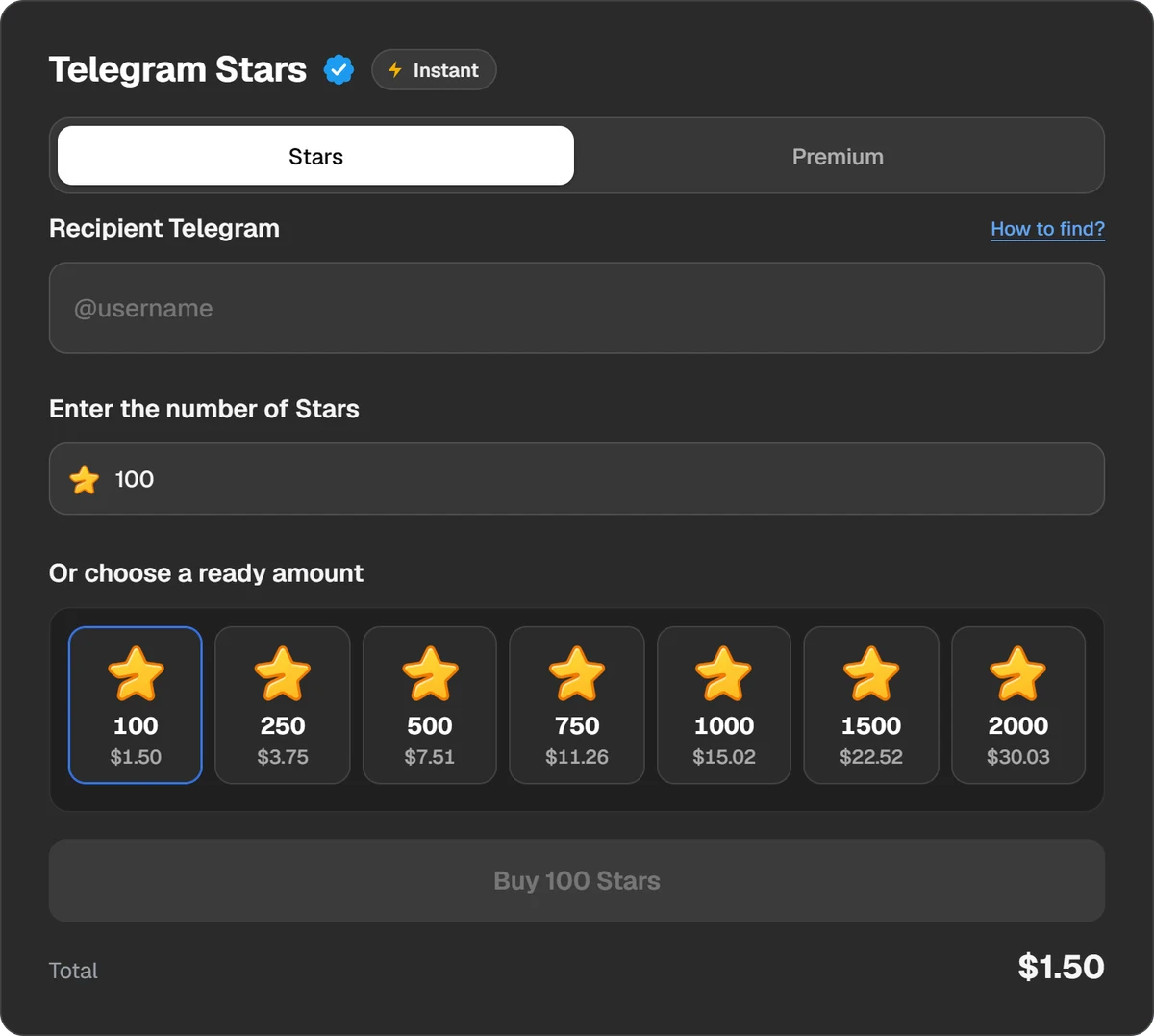
Recipient, number of Stars and the amount to pay.
Pay in crypto
Press Buy and choose a coin or a wallet. When the order is done, the purchase shows in My Stars, and the order stays in “History” on the site.
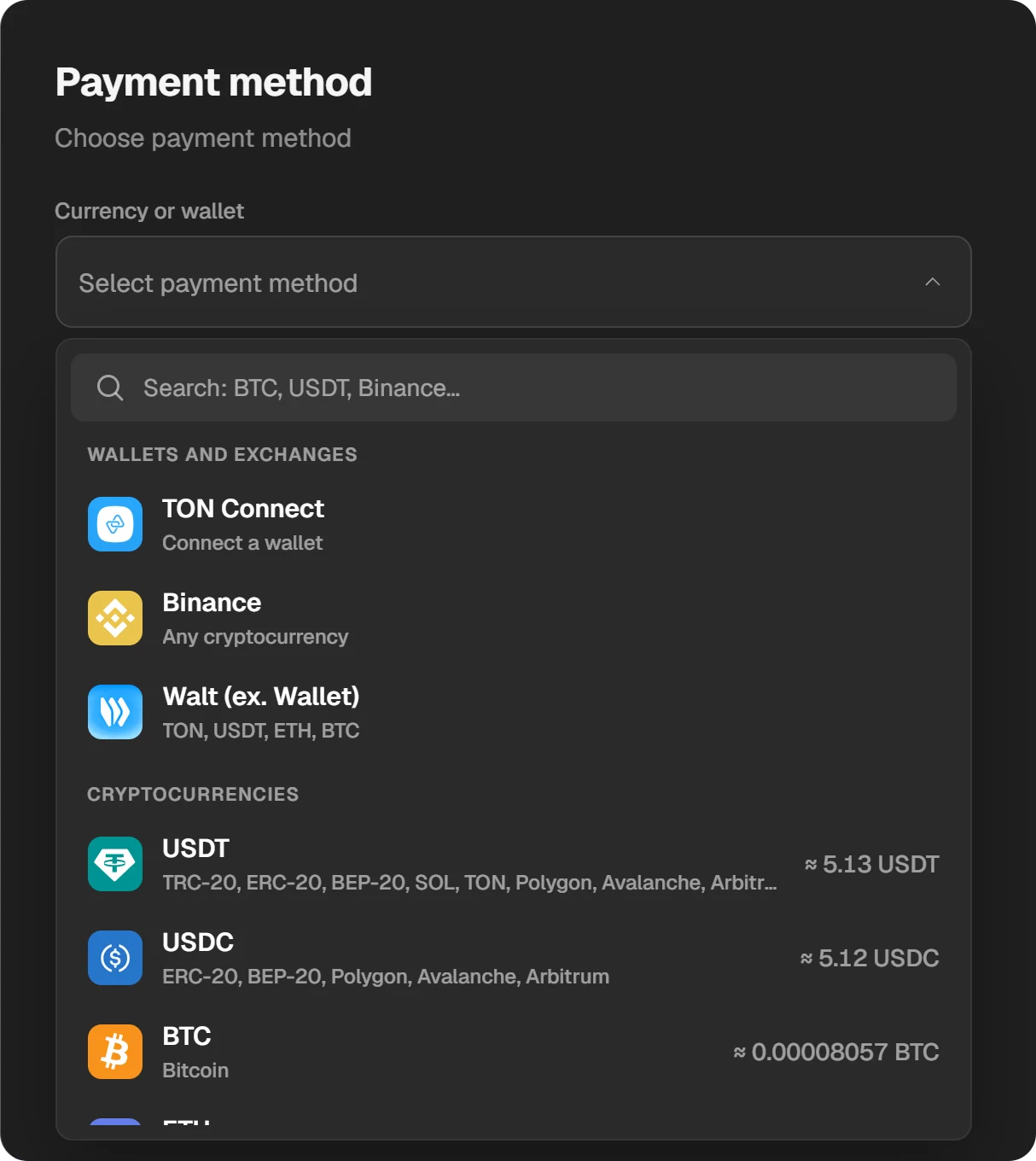
The amount needed in each coin is right in the list.
If you are short of Stars, buy them on the Telegram Stars page: the purchase shows in the same history.
Questions and answers
How do I see my Stars in Telegram?
Open Settings → My Stars. The balance is on top; the history of all Star operations is below.
How do I delete my Stars history?
You cannot. Telegram gives no way to delete or clear it. You can delete a bot chat, but the operation stays in My Stars.
Who can see my Stars history?
Only you. Others see only the gifts you show on your profile and your place among top Star reaction senders, unless you opted out.
Where do I see a channel’s Stars?
Stars earned by a channel or bot are a separate balance, shown in that channel’s or bot’s statistics.
Why is my balance empty when I bought Stars?
Check that you are in the right account and which @username the purchase went to. If you bought on Play Wallet and see nothing, write to support with the order ID.

