

A Steam top-up by login instead of Yandex
The Yandex Steam top-up is in its Igromir store, not in Yandex Games. On Play Wallet you need no Yandex account: the wallet is topped up by Steam login, for crypto, with the amount and the fee shown before you pay.
In short
- Top up Steam on Play Wallet if you have USDT, TON, another coin or funds in Binance or Walt.
- You need the account’s country and the login. No password and no registration.
- The order, receipt and number stay in “History”. Questions about the order come to us.
- We take no cards or SBP. Without coins, see how to buy crypto for roubles.
What you know before paying
| Question | The answer on Play Wallet |
|---|---|
| What to enter | The account’s country, the Steam login and the amount. |
| What arrives | The form shows it in the account’s currency. |
| What it costs | The fee and the total are under the amount. |
| How to pay | Binance, Walt, TON Connect, USDT, TON, BTC and other coins. |
| Whom to ask | Play Wallet support, with the order number. |
How to top up Steam by login
Country, login and amount
Open Steam top-up, choose the account’s country and enter the login. The site checks it. Then set the amount and look at the total.
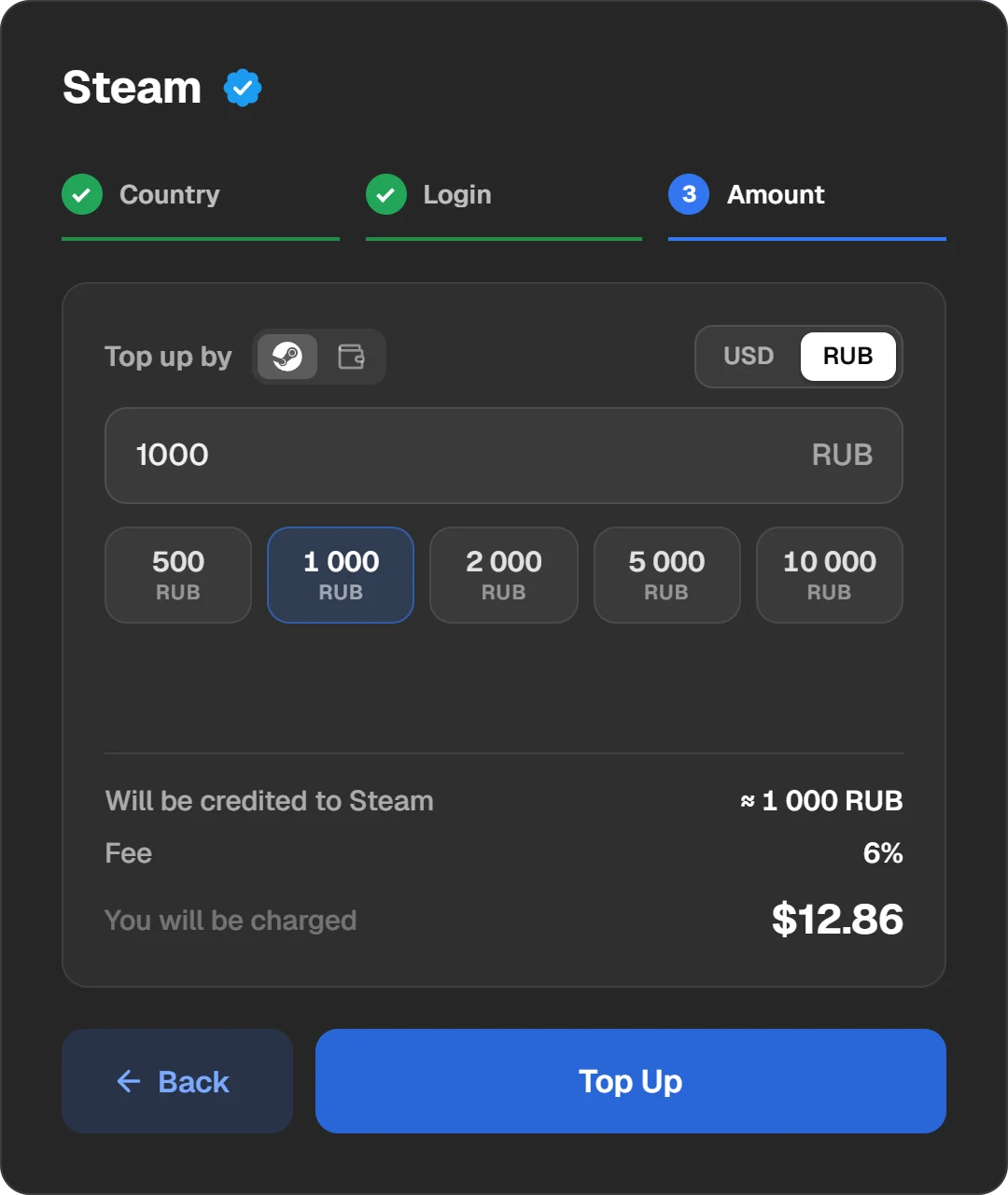
The top-up form: the charge and the credited amount are shown in advance.
Pay with crypto
Press “Top Up” and choose a wallet, an exchange or a coin. Send exactly the amount, on exactly the network, shown in the payment window.
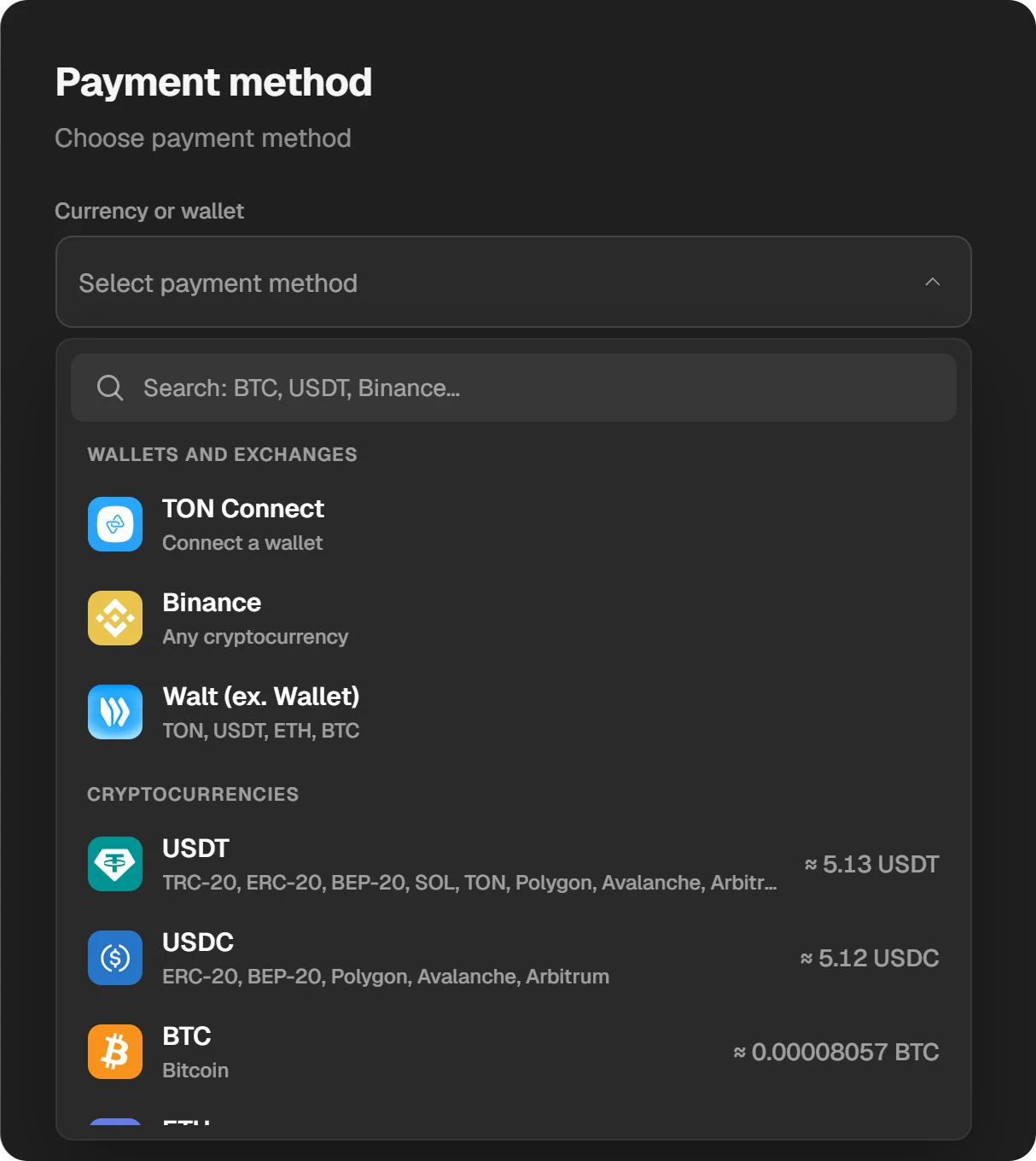
Wallets, exchanges and coins in the payment window.
Done
The order stays in “History” at the top of the site, with a receipt and a number. Without registration it is in the same browser; with a Play Wallet account, on any device.
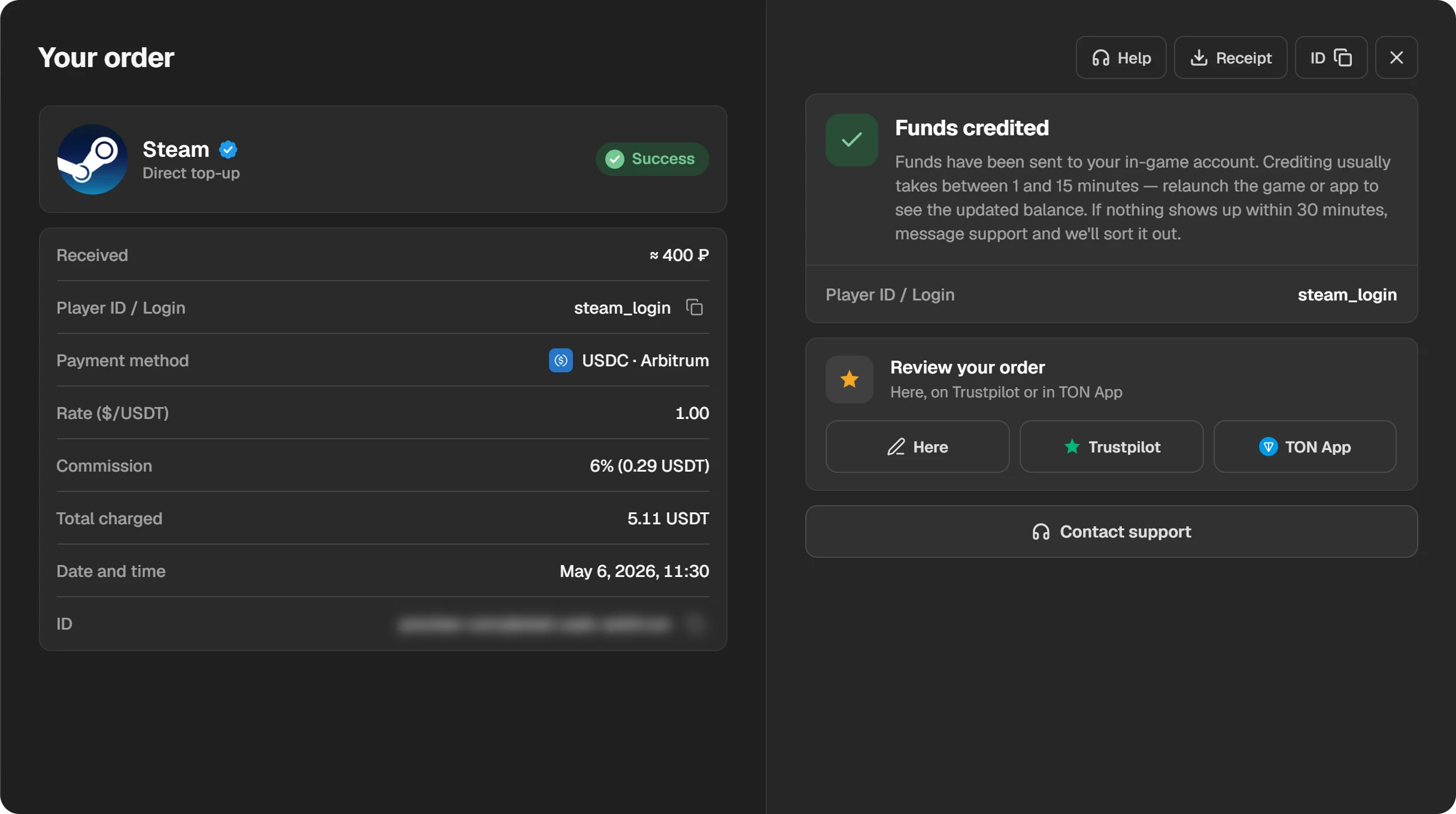
A finished order with a receipt and a number.
Is there a catch: where mistakes happen
- Someone else’s login. If it exists, it passes the check and the money goes to its owner. Steam does not move it between accounts. See How to find your Steam login.
- Another currency. An account with no purchases may change region on its first top-up. Start small: see How to change the currency in Steam.
- Steam’s rate. It is not published, so the credit sometimes differs from the estimate by about 1%.
- The wrong network. A crypto transfer cannot be undone. Check the network, address and amount before sending.
- A VPN. A top-up does not need one, and Steam’s rules forbid disguising where you live.
Promo codes
Yandex codes and points do not work with us. A Play Wallet code goes under “Have a promo code?” in the payment window, and the total changes before you pay. More in Promo codes for a Steam top-up.
Whom our top-up suits and whom not
- By login: accounts of Russia, Kazakhstan, Ukraine, Belarus, Armenia, Azerbaijan, Georgia, Kyrgyzstan, Moldova, Tajikistan, Turkmenistan and Uzbekistan. One order is $0.50 to $400.
- By code: Turkey, the US, Poland and other countries for which the form offers Steam codes.
- Not for you if the country is not available or you will pay only in roubles by card or SBP.
No Yandex account is needed for the order. Choose the country in the Steam form, enter the login and check the total.
Questions and answers
Can I pay Play Wallet through Yandex?
No. We take crypto only: Binance, Walt, TON Connect and coins.
Can I top up Steam in Yandex Games?
No, that is a browser games service; the Yandex top-up is in Igromir. On Play Wallet it is on the Steam page.
What does Play Wallet charge?
The form shows the fee with the credited amount and the total before you pay.
Do you take Yandex promo codes?
No. The payment window takes Play Wallet codes only.
Can I top up a Turkish or US account?
Yes, with a Steam code. Choose the country in the form to see the values.
