

Can you top up Steam with skins?
Yes, in two very different ways. Steam itself lets you sell a skin on the Community Market, and the money lands in your Steam Wallet. Third-party sites take skins by trade and promise to top up your balance, but Steam does not stand behind that deal. Here are both, and how to keep your inventory.
In short
- The official way: sell the item on the Steam Community Market. The money goes to your Steam Wallet.
- Steam takes a fee: 5% plus the game’s fee, 10% for CS2, Dota 2 and TF2. The buyer pays it, so you receive less than the buyer sees.
- “Skins for balance” sites take items by trade and pay you themselves. If they cheat, Steam cannot help.
- The main risk is a fake “Sign in through Steam” page. Enter your password only on store.steampowered.com and steamcommunity.com.
- Play Wallet does not take skins. We top up Steam by login for crypto.
Steam’s way: sell the skin on the Market
This is “topping up with skins” without a middleman. You list an item, a buyer pays from their wallet, and the money minus fees lands in your Steam Wallet. You can spend it on games, gifts and other items. You cannot cash it out.
Check Market access
You can sell if the account has a successful purchase older than 7 days but not older than a year, and Steam Guard has been on for 15 days. A redeemed gift does not count.
Open your inventory
Pick the item and press “Sell”. Steam shows what the buyer pays and what you receive.

The Steam inventory: the games’ tabs and the items. The numbers in the picture are an example.
Confirm the listing
With the Steam Guard Mobile Authenticator you confirm it in the app. Without the authenticator for the past 7 days, the item reaches the Market only after 15 days.
Wait for a buyer
When the item sells, the money reaches your wallet. Sometimes Steam holds it and shows the date. See Funds on hold on Steam.
The Steam Wallet balance is capped at 2,000 dollars, a similar amount in other currencies. One listing can be at most 1,800 dollars. If the balance plus the price would exceed the cap, you cannot list.
Step by step, with fees and restrictions: How to sell items on the Steam Community Market.
How “skins for balance” sites work
They follow one pattern. You sign in through Steam, the site prices your inventory and its bot sends you a trade offer. You give the skins, and the site promises to top up your Steam Wallet or pay you money. The trade happens on Steam; the payment does not. The site makes it, and Steam is not responsible for it.
| Steam Community Market | Third-party site | |
|---|---|---|
| Where the money goes | Your Steam Wallet | Wherever the site promised |
| Who guarantees the deal | Steam | Only the site |
| Fee | 5% to Steam + the game’s fee, shown before you sell | Each site’s own, often hidden in a low valuation |
| What you need | Market access, Steam Guard | A Steam sign-in, a trade with a bot |
| If something goes wrong | Steam Support | Only the site’s support |
Where people lose skins on such sites
- A fake Steam sign-in. A scam site shows a window that looks like Steam and takes your login, password and Steam Guard code. Real Steam sign-in happens only on store.steampowered.com and steamcommunity.com. Check the address bar.
- A swapped trade. Before confirming, check who receives the items and what you get back. If the offer comes from another bot or holds something else, decline it.
- No payment. The item is gone and the payment went around Steam. The Subscriber Agreement says plainly that Valve does not recognize transfers made outside Steam. All that is left is the site’s own support.
- “No fee” skin top-ups. The fee is always in the valuation: the site takes your skin below its Market price.
CS2 items are Trade Protected for 7 days after a trade: they cannot be used up, modified or traded on, and the sender may reverse their trades within those 7 days. Whoever reverses gets a 30-day trade and Market cooldown.
If you already typed your password on a doubtful site
- Change your Steam password at once, only through the Steam app or store.steampowered.com.
- In Steam Guard settings, sign out everywhere else.
- Change the password of the email linked to Steam.
- If CS2 items left in the last 7 days, Steam lets you reverse those trades from your trade history. If you lost access to the account, contact Steam Support.
No skins, but you need a balance
Top up the wallet by login: Play Wallet credits money in your account’s currency; you pay in crypto. No password, no trades.
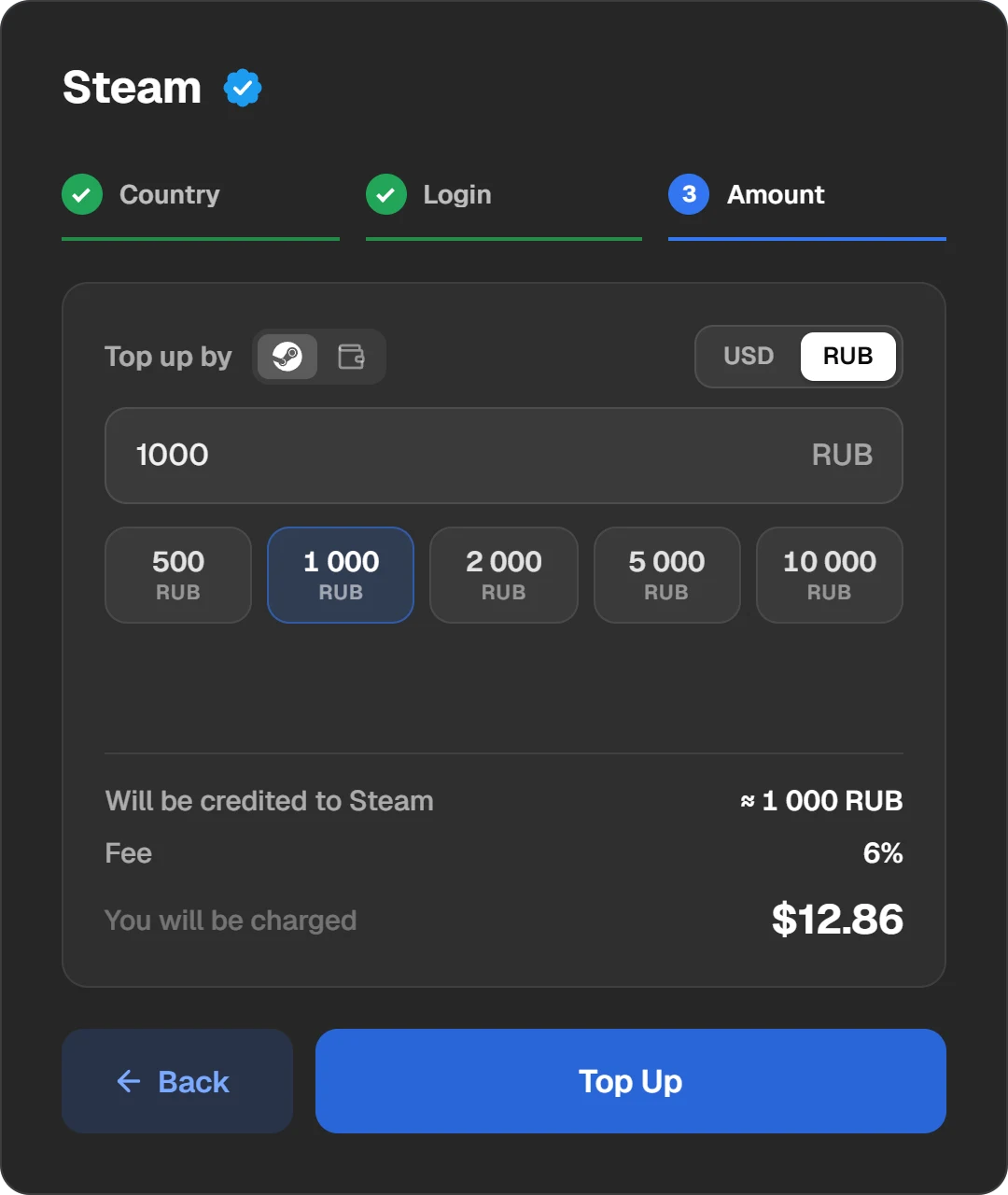
A top-up by login: country, login and amount. No skins, no password.
Questions and answers
Is there an official way to top up Steam with skins?
Yes: sell the item on the Steam Community Market. The money minus fees lands in your Steam Wallet.
Does Play Wallet take skins?
No. We top up Steam by login; you pay with crypto.
Is it safe to top up Steam with skins through a site?
Steam is not responsible for payments on such sites: if the site does not pay or is a fake, it is the site you have to chase. Check the sign-in page address and the trade contents.
What is the fee for selling skins on Steam?
5% to Steam plus the game’s fee, 10% for CS2, Dota 2 and TF2. Steam shows both what the buyer pays and what you receive before you sell.
Why does my listing not appear at once?
If the Steam Guard Mobile Authenticator was not on for the past 7 days, Steam lists the item only after 15 days.
