

How to top up Steam in Ukrainian hryvnias
Ukraine has its own Steam currency, the hryvnia, so a Ukrainian account is topped up in hryvnias. You can do it in Steam itself or by login through a service. Here are both ways, the whole path on Play Wallet, and answers on the rate, limits and region.
In short
- A Ukrainian account’s wallet is in hryvnias (UAH). Any top-up is credited in hryvnias.
- In Steam: Account Details → “+ Add funds to your Steam Wallet”. Steam lists the payment methods of your region.
- On Play Wallet: country Ukraine, your login and the amount in hryvnias. Pay with crypto; no password.
- See Steam’s hryvnia rate in the rates table. The amount credited and the fee are shown before you pay.
- You can switch your region to Ukraine only if you live there. A VPN breaks Steam’s rules.
Ways to top up Steam in hryvnias
| Way | How it works | Keep in mind |
|---|---|---|
| In Steam | Account Details → “+ Add funds”, pick the amount and a payment method. | Steam shows only the methods available in your region. |
| By login through a service | The service credits hryvnias to the wallet by your login. | Compare the amount credited and the fee. Check the site against this checklist. |
| A wallet code | Entered on “Redeem a Steam Gift Card or Wallet Code”. | Steam accepts codes only in the wallet’s currency: a hryvnia wallet needs a hryvnia code. |
How to check your Steam account region
Open “Account details”
Click your profile name at the top right of Steam and choose “Account details”. On a phone, open store.steampowered.com/account in a browser and sign in.
Find the “Country” line
It is in the “Store & Purchase History” block. That is your account’s region: prices and the wallet currency depend on it.

The “Country” line, shown on an example account.
Topping up Ukrainian Steam on Play Wallet
Find your login
The login is what you type to sign in to Steam, not the profile nickname. See How to find your Steam login.
Choose Ukraine and enter the login
Open Steam top-up, choose Ukraine and type the login. The site checks the account and shows “Login found on Steam”.
Set the amount in hryvnias
For Ukraine you can type the amount in hryvnias. The “Top up by” switch sets what you type: what reaches Steam or what you pay. Below you see the amount credited, the fee and the charge.
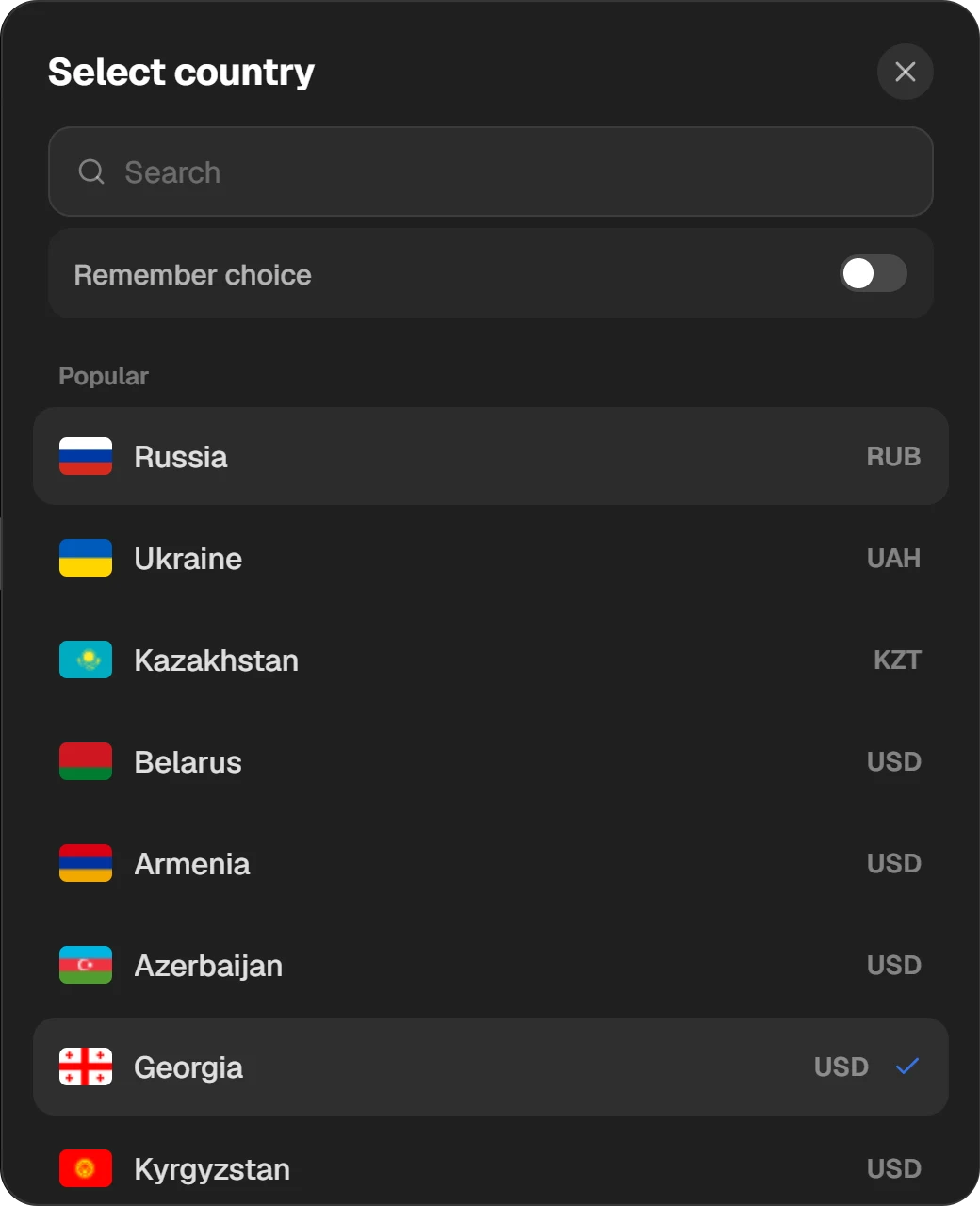
Choosing the country: Ukraine, currency UAH.
Choose how to pay
Press “Top Up”. The payment window offers Binance, Walt, TON Connect and coins such as USDT, TON and BTC. For a coin, pick the network it is on. Play Wallet does not take bank cards.
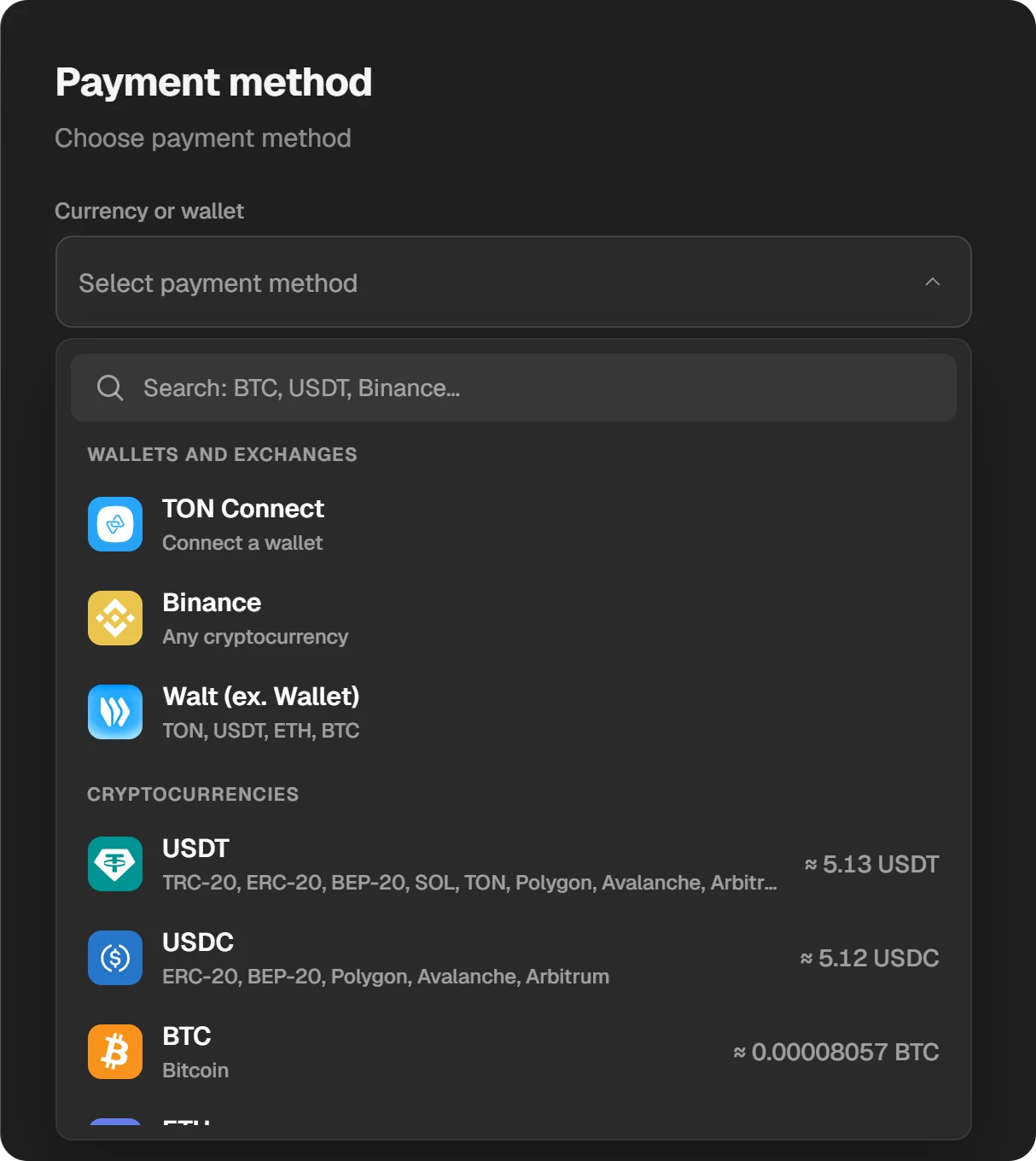
Wallets, exchanges and coins, with the amount needed in each.
Wait for the money
Once the payment is confirmed, the hryvnias reach the wallet. The order window says the funds are credited, and the order stays in “History” at the top of the site.
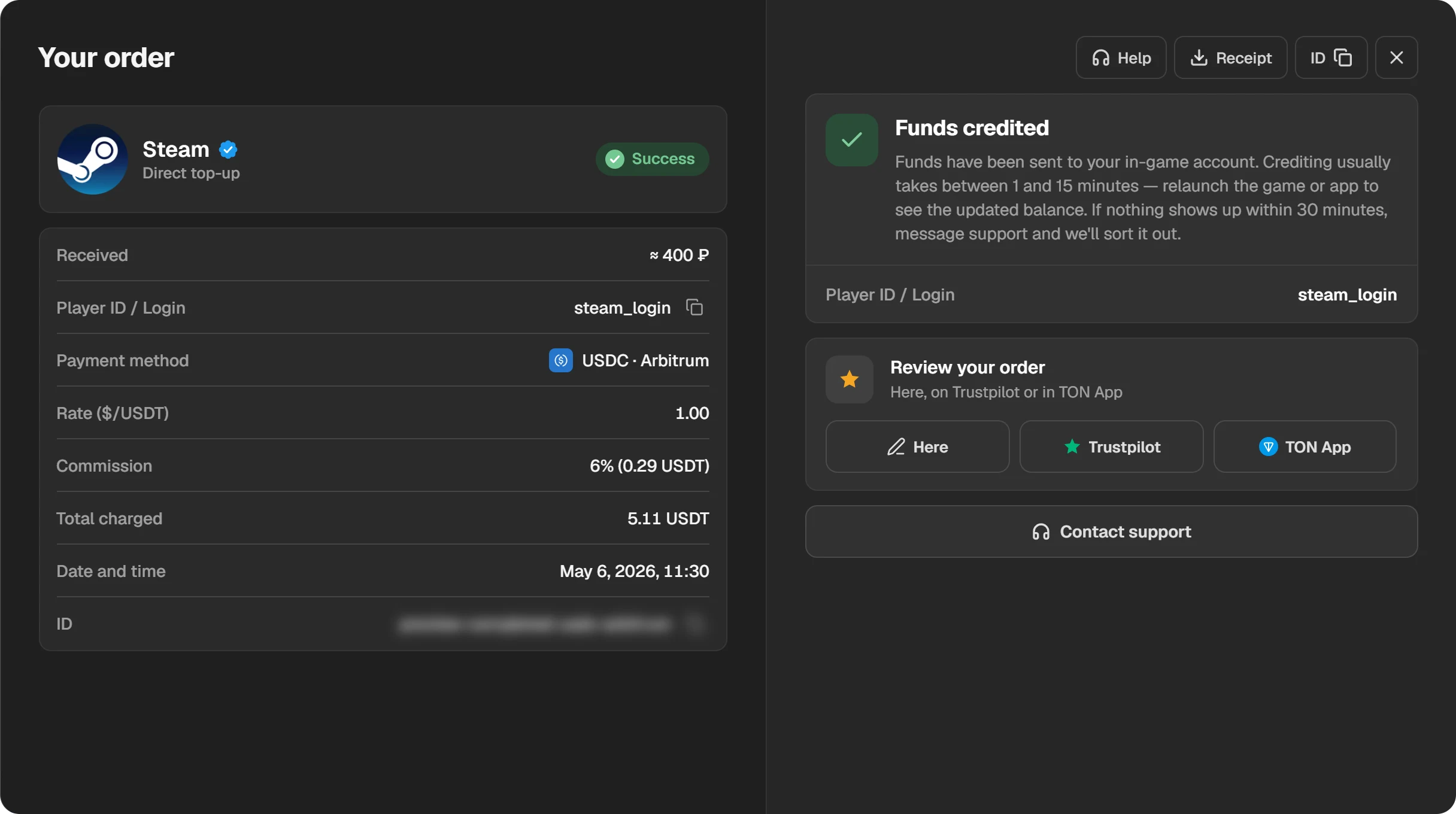
A finished order with the receipt and the order ID.
The amount in Steam may differ from the one shown by about 1%, because Steam does not publish its internal rates. If you top up for a particular game, add a little.
If the hryvnias have not arrived
- Open the order in “History” at the top of the site. If it still waits for payment, the network has not confirmed the transfer yet.
- If the order is Done, restart Steam. The balance is at the top right, next to your profile name.
- Check that you are signed in to the account whose login you entered.
- If the money still does not show, write to support with the order ID; the “ID” button in the order window copies it.
The hryvnia rate on Steam
Steam converts dollars to hryvnias at its own rate. Our site shows how many hryvnias will arrive before you pay, and the current rates for the hryvnia, rouble, tenge and others are in the Steam rates table.
Limits
- Steam’s limit. In 24 hours, money added to the wallet plus money spent from it may not exceed 2,000 dollars, or the hryvnia equivalent. Steam may credit deposits above that later.
- The order limit. The smallest and largest amount per order on Play Wallet is shown in the amount field.
New accounts and changing the region
- The currency is set on the first top-up. If the account has never had wallet funds, Steam may ask for your address and pick the currency from it. All later money arrives in that currency. Start with a small amount.
- You cannot pick a region at will. The store country must be where you live. It changes when you move, with a payment method from the new country, at most once every 3 months.
- No VPN. The Steam Subscriber Agreement forbids disguising where you live. Valve may terminate access to the account.
Questions and answers
Can I top up Steam in hryvnias by login?
Yes. On Play Wallet choose Ukraine, enter your login and the amount in hryvnias. The money arrives in hryvnias.
Can I top up a Ukrainian account from another country?
Yes, a top-up by login does not depend on where you are. The money arrives in the account’s currency, hryvnias.
Do you need my Steam password?
No. Only the login. Never share your password or Steam Guard code.
Can I pay with a Ukrainian bank card on Play Wallet?
No, Play Wallet takes crypto only: Binance, Walt, TON Connect and coins. You can try a card in Steam itself if your method is listed.
How do I switch my Steam region to Ukraine?
Only if you moved to Ukraine: Steam offers the change at checkout with a Ukrainian payment method. Doing it with a VPN breaks the rules.
