How to redeem a Netflix gift card
You redeem a Netflix gift card at netflix.com/redeem: enter the code and your account email. The amount becomes a balance, and Netflix takes each monthly payment from it. Below are the steps for existing and new accounts, and fixes for every error Netflix describes.
In short
- Open netflix.com/redeem, enter the code and your account email.
- No account? You can create one with the card, even without a bank card.
- The card’s currency must match the currency of your Netflix bill.
- It won’t apply while Netflix is billed through Apple or included in a partner package.
- Netflix gift cards don’t expire; you get an email 7 days before the balance runs out.
Before you redeem
- Currency. The card works only if its currency matches your Netflix bill. A euro card fits an account billed in euros.
- Billing. If Netflix is billed through Apple or included in a partner package, the card can’t be applied straight away.
- Whose account. An extra member on someone else’s account can’t use a card; you need your own account.
If you already have an account
Open netflix.com/redeem
In a browser on a computer or phone. If the code came by SMS with a link, just open it.
Enter the code
Type it and click Redeem. On a physical card, gently scratch the foil on the back with a coin.
Enter your account email
Use the email you sign in to Netflix with.
Start watching
When you see the confirmation, click Start Watching. Your next payment comes from the card balance.
If you don’t have an account
- At netflix.com/redeem enter the code and click Redeem.
- Enter an email; if Netflix doesn’t know it, click Continue, then Create Account.
- Choose a plan and click Next.
- Create a password.
- Add a payment method or click Skip This Step: with a gift card you can watch until the balance is used up.
- At the confirmation, click Start Membership.
Netflix’s US help lets you skip the payment step; its help for some other countries says a second payment method is required. Follow what netflix.com/redeem shows in your country.
Where to get a card
The Netflix page sells Netflix gift cards in euros, for accounts billed in euros. We never ask for your Netflix login; you get a code.
Choose an amount
Open Netflix gift cards and pick the amount. The price and fee are shown before you pay.
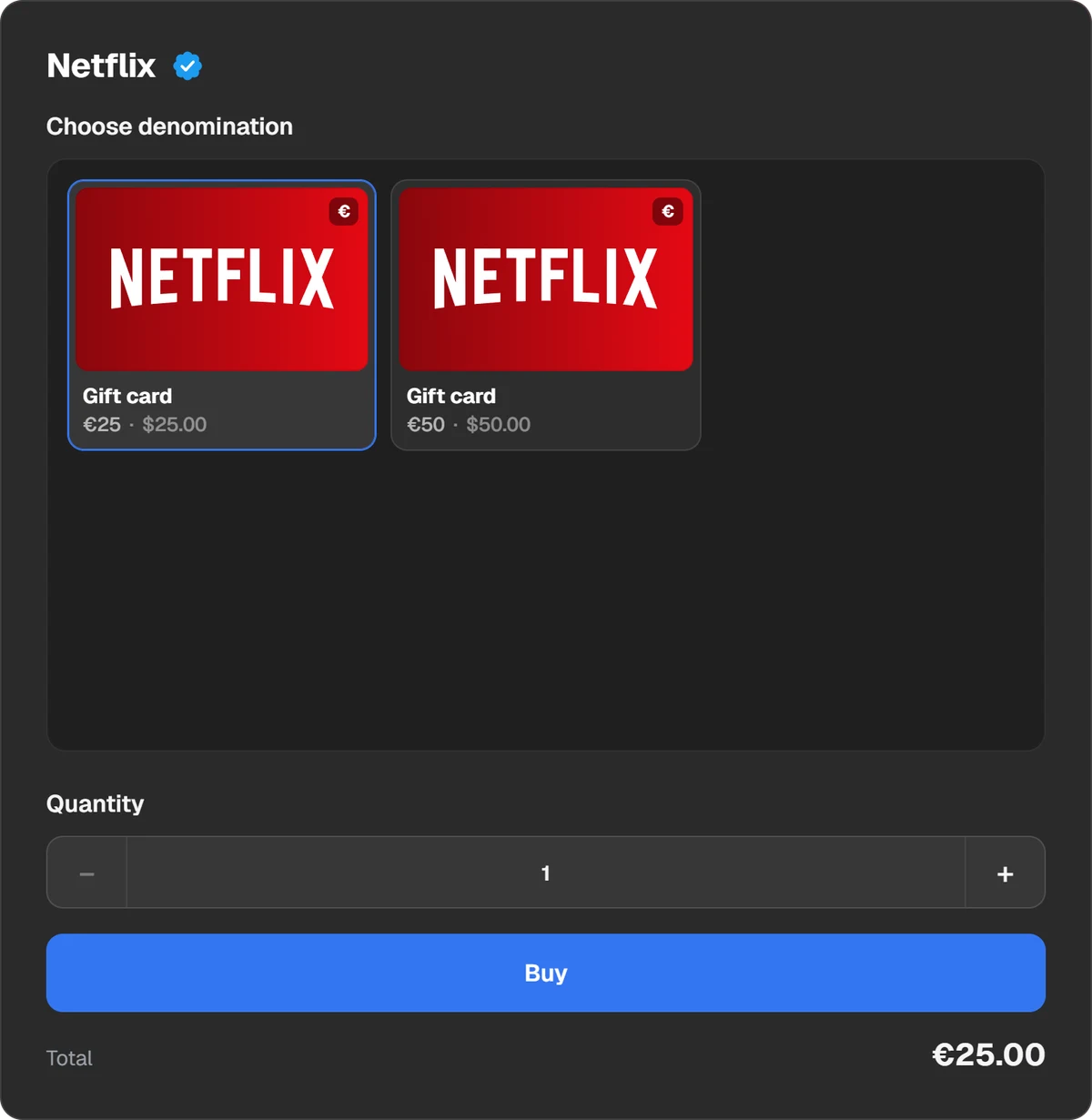
Netflix card amounts in euros and the total.
Pay
Press “Buy” and choose how to pay: USDT, TON, BTC and other coins, Binance, Walt or TON Connect.
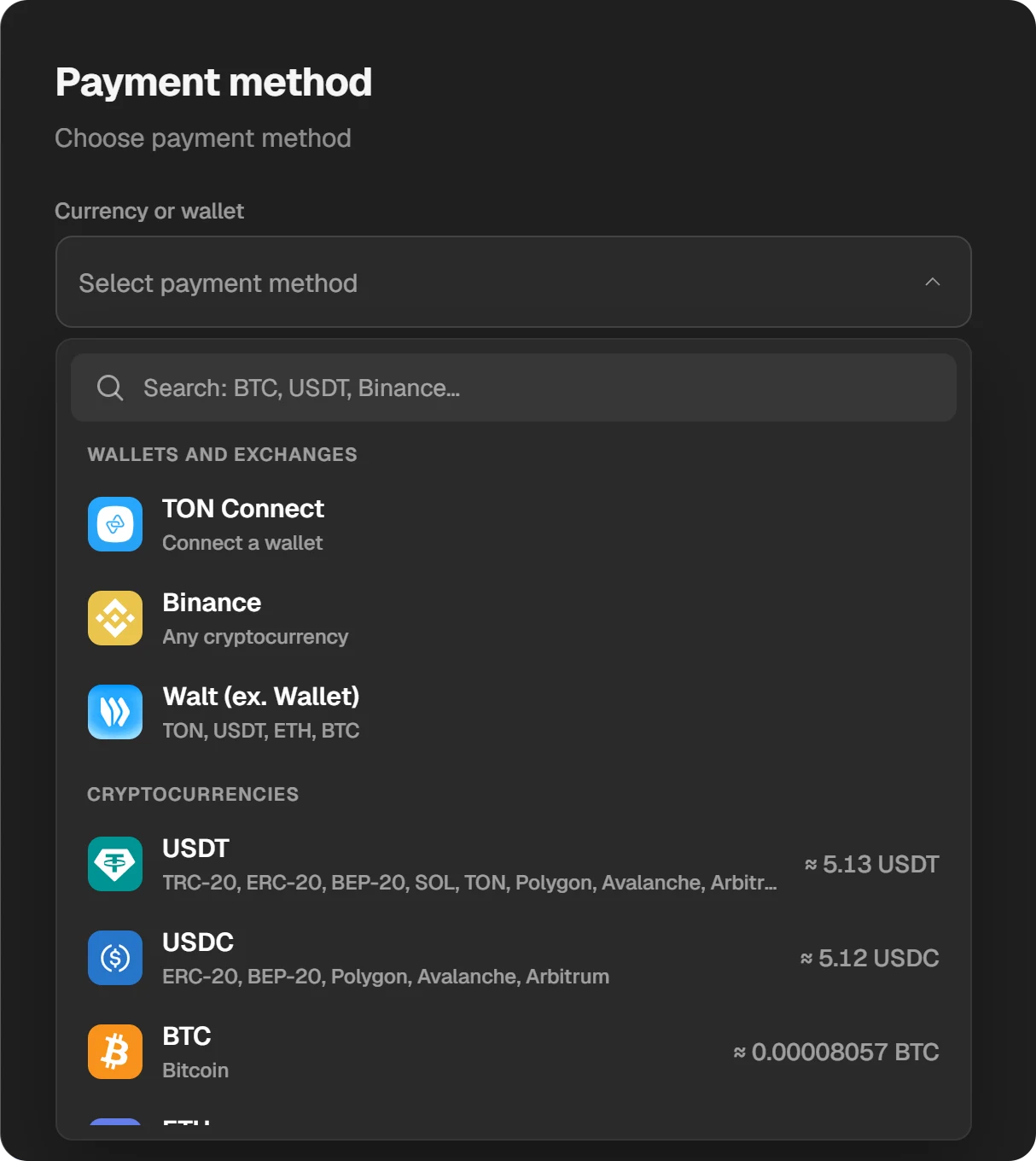
Choosing a coin or wallet in the payment window.
Copy the code
When the order is done, “Your code” appears in the order window. It is also kept in “History”. Then redeem it as above.
If the code is refused
| What Netflix says | What to do |
|---|---|
| The code has already been used | It was probably redeemed already. Check Payment History or Membership; if the balance isn’t there, contact Netflix. |
| The code entered is not valid | Re-enter it carefully. If it is right, the seller may not have activated it yet: wait 24 hours and retry. |
| An error occurred, try again later | Clear Netflix cookies at netflix.com/clearcookies (it signs you out), then redeem again. If it persists, wait 24 hours. |
| Gift cards can’t be used with your current payment method | You are billed through Apple or a partner package. Apple: cancel, wait for the account to close, restart with the card. Package: keep the card until you are unlinked, or use it on another account. |
| The gift code does not match the country | The card’s currency differs from your bill’s. You need a card in your billing currency. |
| Can’t be applied to extra member accounts | Someone else pays for the account. Create your own to pay with the card. |
How the balance is spent
- Each month Netflix takes your plan’s price from the balance; changing plans changes how fast it goes.
- The balance shows on the Billing Details or Membership page.
- Several cards add up and are used one at a time, in the order redeemed.
- Netflix emails you 7 days before the balance runs out; add another card or a payment method to keep watching.
- If you cancel, you can watch until the balance is used up.
Netflix gift cards don’t expire, but they aren’t refundable, and they pay only for a Netflix subscription.
Questions and answers
Where do I redeem a Netflix gift card?
At netflix.com/redeem in a browser, on a computer or phone.
Can I redeem a card without an account?
Yes. Enter the code and a new email, and Netflix offers to create an account. Some countries require a payment method too.
Why won’t my Netflix card redeem?
Usually the currency doesn’t match your bill, you are billed through Apple or a partner package, or you are an extra member.
Do Netflix gift cards expire?
No. Netflix says its gift cards don’t expire.
How do I check the balance?
After redeeming, it is on your account’s Billing Details or Membership page.