

How to pay for iCloud+ with an Apple Gift Card
iCloud+ can be paid from your Apple Account balance, and a gift card from Play Wallet tops up that balance on a US, Austrian, Belgian, Spanish or Turkish account. Here is how to set it up and keep your storage when the plan renews.
In short
- Play Wallet sells Apple Gift Cards for US, Austrian, Belgian and Spanish accounts and App Store & iTunes cards for Turkish accounts.
- Apple lets you pay for iCloud+ from the Apple Account balance.
- Redeem the gift card first, then buy or change the iCloud+ plan in Settings.
- Apple charges the balance only if it covers the whole amount; otherwise it uses another payment method.
- The card must be for the same country as the account.
- A downgrade or cancellation takes effect at the end of the paid period.
How it works
iCloud+ is a paid subscription for iCloud storage and extra features such as iCloud Private Relay and Hide My Email. Apple says subscriptions, iCloud+ included, can be paid from the Apple Account balance, which you top up with gift cards.
At each charge Apple first tries to pay the whole amount from the balance. If there is no balance or not enough for the whole amount, Apple uses your primary payment method. If there is none, or none works, the subscription does not renew.
Step 1. Buy a card for your country
An Apple Gift Card redeems only on an account of the country where it was bought. Play Wallet has cards for U.S., Austrian, Belgian and Spanish accounts, and App Store & iTunes cards for Turkish ones.
Choose the country and amount
On the Apple Gift Card page, pick your account’s country in “Region / currency”. Take an amount that covers a few months of iCloud+; your plan’s price is in Settings on your iPhone.
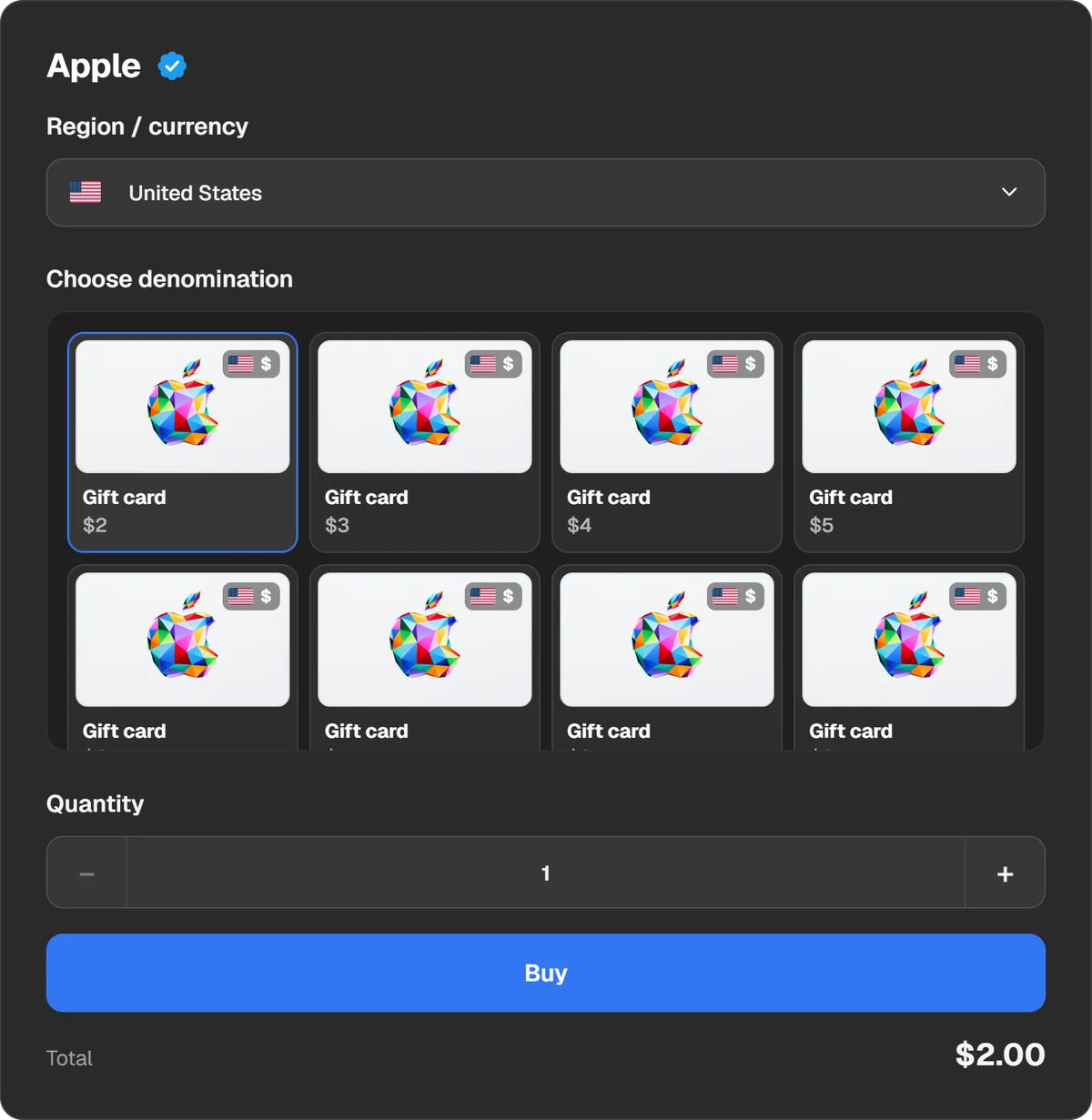
The card’s country must match the Apple Account’s country.
Pay
Press “Buy” and choose a coin or a wallet. The service fee is shown in the payment window.
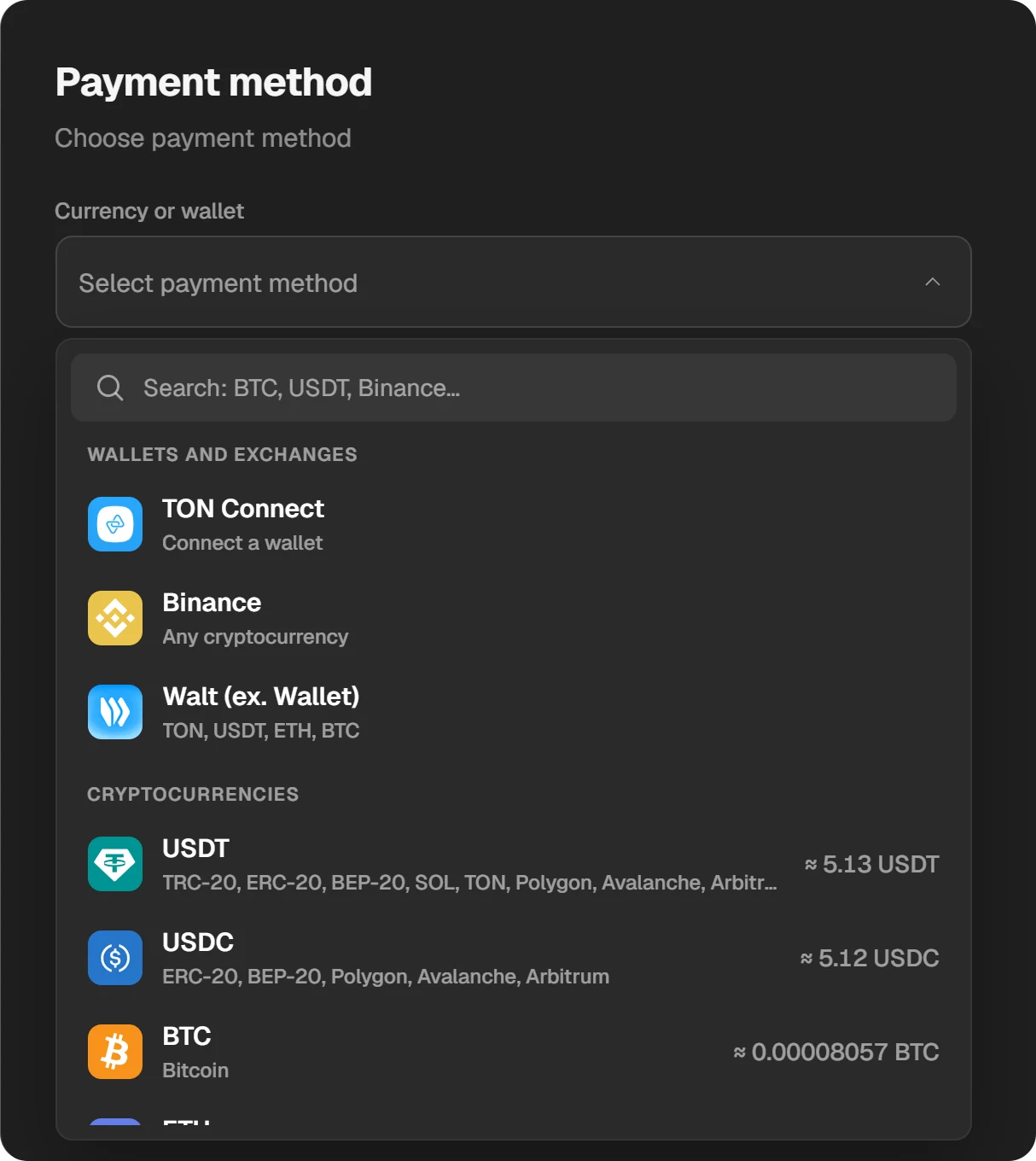
Payment methods: wallets, exchanges and coins.
Copy the code
When the order is done, the window shows “Your code”. It also stays in “History” at the top of the site.
Step 2. Redeem the card
- Open the App Store and tap your photo or the My Account button.
- Tap Redeem Code.
- Tap Enter Code Manually, paste the code and tap Redeem.
- Check the balance: the amount is under your name in the App Store.
Other devices and errors: How to redeem an Apple Gift Card.
Step 3. Buy or change the iCloud+ plan
The path in Settings depends on the iOS version.
| iOS version | Buy iCloud+ | Change the plan |
|---|---|---|
| iOS 27 and later | Your name, iCloud, Storage, Get More Storage | Your name, iCloud, then Manage Plan under iCloud+ Features |
| iOS 18.4–26 | Your name, iCloud, scroll down, Upgrade to iCloud+ | Your name, Subscriptions, iCloud+ under Active, See All Plans |
| iOS 18–18.3 | Your name, iCloud, Manage Plan | The same |
| iOS 17 and earlier | Your name, iCloud, Manage Account Storage, Change Storage Plan | The same |
Choose a plan and follow the prompts. If the balance covers the whole amount, Apple charges it.
Apple warns that some purchases may require a registered credit card even when you pay from the balance. If your iPhone asks for a payment method, that is Apple’s requirement, not an error.
Keep your storage when the plan renews
- Check the balance in the App Store before the renewal date. It must cover the whole price; Apple does not take part of it from the balance.
- If the balance falls short and there is no other payment method, the subscription ends.
- To downgrade or cancel, open Settings, your name, Subscriptions, iCloud+. Changes take effect at the end of the paid period.
- Before downgrading, download or delete whatever will not fit the new plan.
If you organise Family Sharing and share iCloud+: family members cannot spend your balance; the money on it is yours only.
Common mistakes
- A card for the wrong country. A U.S. card will not redeem on an account from another country. Check the account’s country first.
- A balance below the plan’s price. Apple does not take part of the price from the balance. Top up before the renewal or choose a smaller plan.
- An Apple Store card instead of an Apple Gift Card. Apple Store gift cards (grey, white, silver or gold) do not redeem in the App Store.
- Someone else pays. If iCloud+ belongs to your Family Sharing organiser, they pay, so their balance is the one to top up.
A note on Russian accounts
Our cards do not fit a Russian Apple Account. The usual carrier payments there ended on 1 April 2026. iCloud+ renews from the balance while it lasts. When the subscription ends, Apple says the data stays available to manage and download.
Check the balance before iCloud+ renews. If it is short and we have your account’s country, get an Apple Gift Card or, for Turkey, App Store & iTunes.
Questions and answers
Can I pay for iCloud+ with an Apple Gift Card?
Yes. Redeem the card, the amount goes to your Apple Account balance, and iCloud+ is paid from it.
Will Apple take part from the balance and the rest from my card?
No. Apple first tries to pay the whole amount from the balance. If it falls short, the whole charge goes to the primary payment method.
What happens to my photos if iCloud+ ends?
On its page about billing in Russia, Apple says the data stays available after iCloud+ ends: you can manage your storage and download your iCloud photos and videos.
Does a U.S. card work for iCloud on an account from another country?
No. A card redeems only on an account of the country where it was bought.
When does a plan change take effect?
A downgrade or cancellation takes effect at the end of the current billing period.
