

Steam Turkey in 2026: how to top up a Turkish account
A Turkish Steam account can be topped up, not by login but with a wallet code for Turkey. Such accounts are in US dollars: the lira is no longer a Steam currency. Here is how to buy and redeem the code, and what to know if you do not have a Turkish account yet.
In short
- Turkey no longer pays in lira on Steam. Prices and the wallet of a Turkish account are in US dollars.
- Play Wallet sells Steam wallet codes in dollars for Turkey. There is no top-up by login for Turkey.
- The code shows in the order window and in “History”. You enter it on Steam’s “Redeem a Steam Gift Card or Wallet Code” page.
- Steam accepts codes only in the wallet’s currency, so buy a Turkey code only for a Turkish account.
- Steam’s rules do not let you set up a Turkish account unless you live in Turkey. No VPN.
What Turkish Steam is now
People used to want the Turkish region for its lira prices. The lira is gone: it is struck out in Steam’s currency list for developers. Turkey is in the Middle East and North Africa group, where prices are shown in US dollars. Developers may set a lower dollar price there, but that is their choice, not a rule.
| Turkey | Russia | Kazakhstan | |
|---|---|---|---|
| Wallet currency | US dollars | roubles | tenge |
| Play Wallet top-up | wallet code | by login | by login |
| Login needed | no | yes | yes |
See Steam’s exchange rates in the Steam rates table, and how regional prices work in Which Steam region to choose.
How to check your Steam account region
Open “Account details”
Click your profile name at the top right of Steam and choose “Account details”. On a phone, open store.steampowered.com/account in a browser and sign in.
Find the “Country” line
It is in the “Store & Purchase History” block. That is your account’s region: prices and the wallet currency depend on it.

The “Country” line, shown on an example account.
How to top up Turkish Steam on Play Wallet
Choose Turkey
Open Steam top-up and pick Turkey from the country list. The site offers gift cards for it straight away: the step is called “Gift card” and you do not enter a login.
Choose the amount
Codes for Turkey are in dollars; pick a value from the list. If a card is out of stock, the site says so and you can take another. The total, fee included, is shown before you pay.
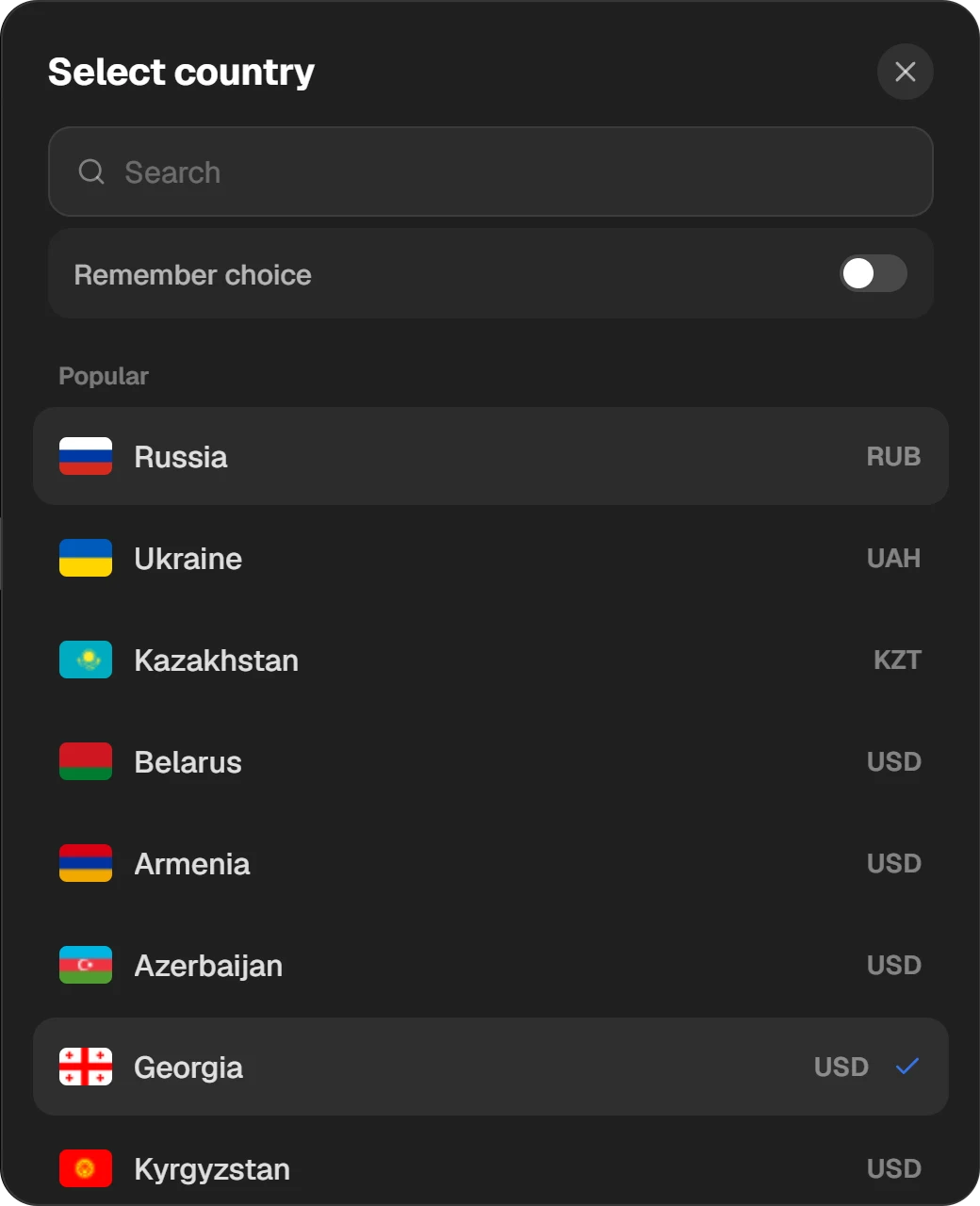
Choosing the account country on Play Wallet: each country has its own currency.
Pay
Play Wallet takes crypto: Binance, Walt, TON Connect or a transfer of coins such as USDT or TON. Bank cards are not accepted.
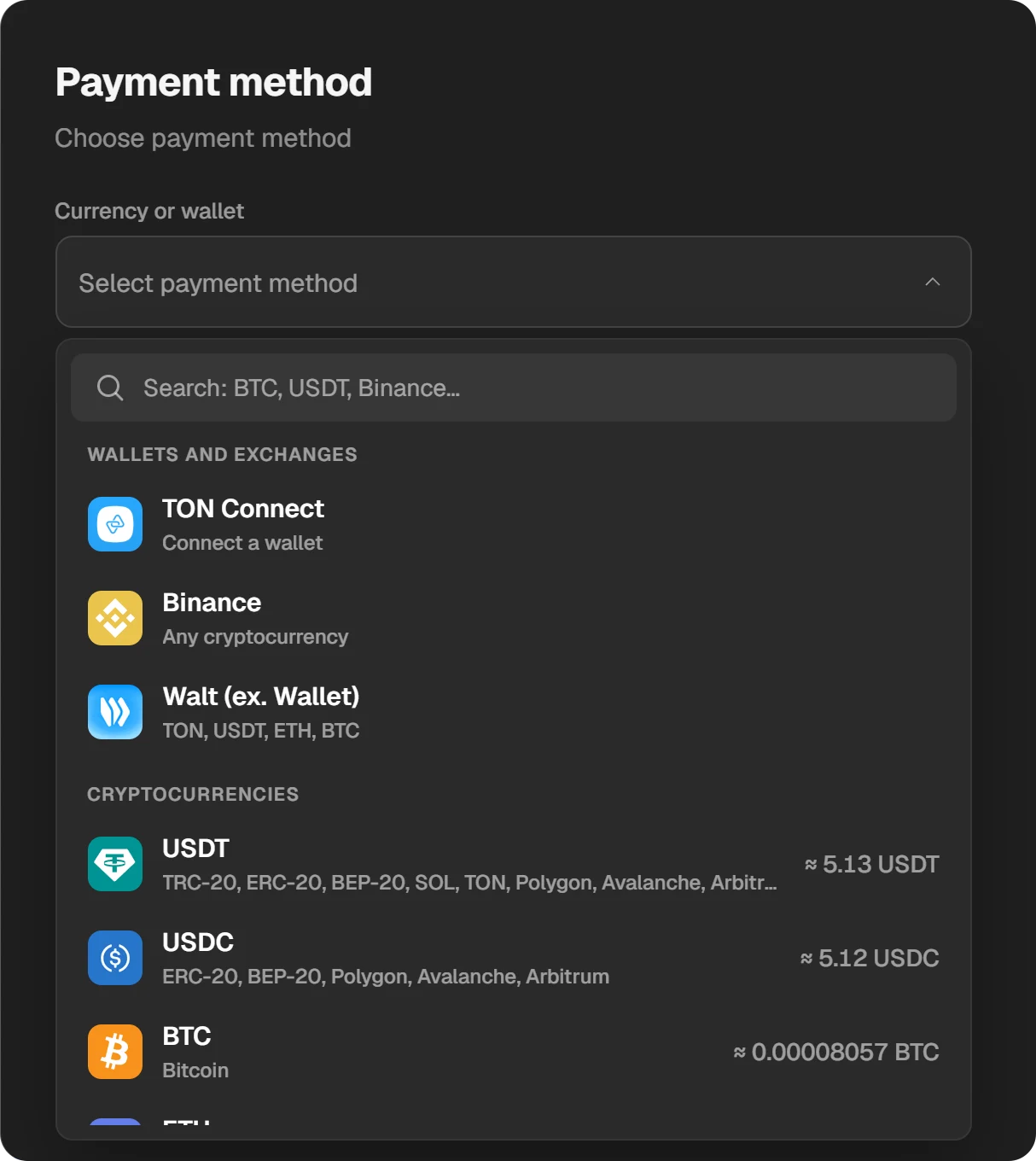
The payment method: wallets, exchanges or coins.
Get the code
The code appears in the order window once the order is done. It is hidden: tap it to show it, and use the copy button next to it. If you closed the window, the code is in “History” at the top of the site. We do not email codes.
How to redeem the code
- Sign in to the Turkish Steam account.
- Open “Redeem a Steam Gift Card or Wallet Code”: store.steampowered.com/account/redeemwalletcode.
- Paste the code into the “Steam Wallet Code” field and press “Continue”. The amount lands on the balance in dollars.
- If Steam shows an error, check look-alike characters: 0 and O, Q, D; 1 and I; 8 and B; 6 and G.
Steam accepts codes only in your wallet’s currency, and wallet funds cannot be moved to another account. Check the account’s country before buying: it is on the Account Details page.
If the code is refused
- A typo. Copy the code with the copy button in the order window instead of typing it.
- The account is not Turkish. A dollar code for Turkey will not fit a wallet in roubles, tenge or hryvnias: Steam accepts codes only in the wallet’s currency.
- Already redeemed. Each code works once. If you did not redeem it, write to support with the order ID.
Can you open a Turkish account from elsewhere?
Not under Steam’s rules. The store country is set by the first purchase and must be where you live. It changes only after a move, with a payment method from the new country, at most once every 3 months. Wallet codes do not change it.
- A VPN and a Turkish address break the Steam Subscriber Agreement. Valve may terminate access to the account, and the money on it goes with it.
- A bought Turkish account is not allowed either: a Steam account is personal and may not be sold or transferred.
Questions and answers
What currency does Turkish Steam use?
US dollars. The lira is no longer a Steam currency; Turkey is in a group of countries priced in dollars.
Can I top up Turkish Steam by login?
Not on Play Wallet. For Turkey we sell Steam wallet codes in dollars: buy a code and redeem it on your account.
Where does the code arrive?
In the order window on the site and in “History” at the top. We do not ask for an email and do not send codes by email.
Where do I redeem a Steam code?
At store.steampowered.com/account/redeemwalletcode: the “Steam Wallet Code” field, then “Continue”.
Can I make a Turkish account with a VPN?
That breaks Steam’s rules. The account’s country must be where you live, or the account may be closed.
