

How to redeem an Xbox gift card and add money to Xbox
You add money to Xbox with a gift card: a code that puts funds on your Microsoft account. One rule matters most: the card’s country must match the account’s. Here is how to check it, where to buy a card and how to enter the code.
In short
- An Xbox gift card is a 25-character code. It adds money to your Microsoft account balance.
- A US dollar card fits only a US account; a euro card fits only an account from a euro country.
- Redeem it at xbox.com/redeem, in the Store on a console or in Microsoft Store on Windows. The Xbox mobile app does not take codes at the moment.
- On Play Wallet the code appears in the order window right after you pay.
What an Xbox gift card gives you
An Xbox gift card is a Microsoft gift card for an amount in its country’s currency. Once redeemed, the amount goes to your Microsoft account balance, which pays in Microsoft Store on Xbox and Windows: games, add-ons and Game Pass.
The balance cannot be moved to another account or converted to another currency; Microsoft’s gift card terms say so. Redeem the code on the account you actually play on.
Which card fits your account
Microsoft lets you add an amount in a currency only to an account registered in a country where that currency is official. In practice:
| Microsoft account country | Card that fits |
|---|---|
| United States | A US card in dollars |
| Germany, France, Italy and other euro countries | A euro card for one of these countries |
| A country with another currency | Only a card in that currency |
You can see your account’s country at account.microsoft.com, under Your info. Check it before buying: Microsoft does not swap a rejected code for another country’s.
Change your account’s country only if you are moving. Microsoft recommends it for long moves only; the balance does not move with you, and Game Pass and some purchases may stop working. Do not use a VPN or someone else’s address for it.
How to buy an Xbox card on Play Wallet
Choose the account’s country
Open Xbox top-up, the Top-up tab. In the Xbox account country field, pick the country of your Microsoft account. The “Where to find?” link next to it shows where to look.
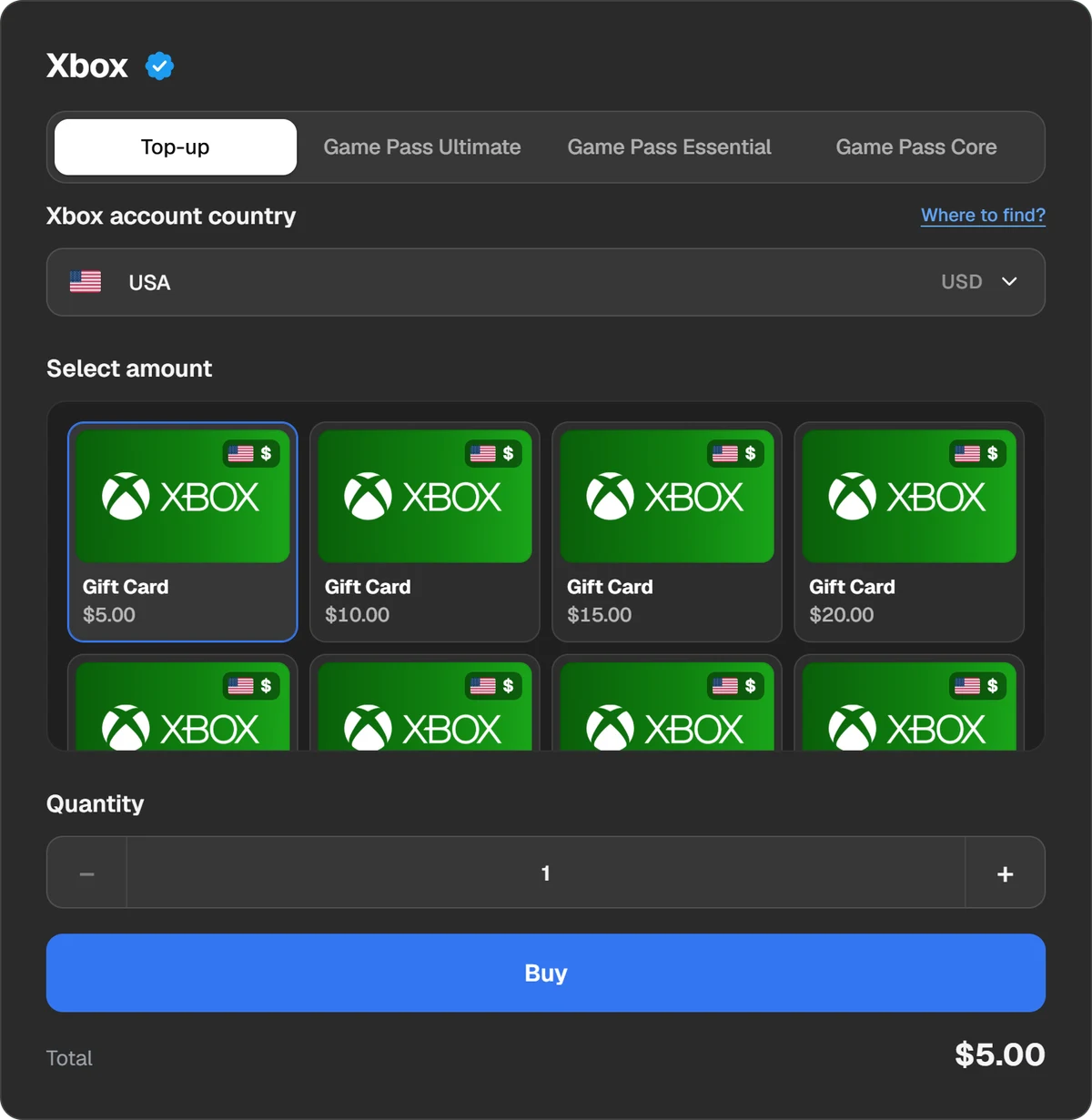
The account’s country, the card value and the quantity on one screen.
Choose the value
The cards available for that country appear below. You can buy several codes at once with the quantity under the list. You see the total before you pay.
Pay for the order
Press Buy and the payment window opens. You can pay in USDT, USDC, BTC, TON and other coins, or through Binance, Walt and TON Connect. The service fee is shown before you pay.
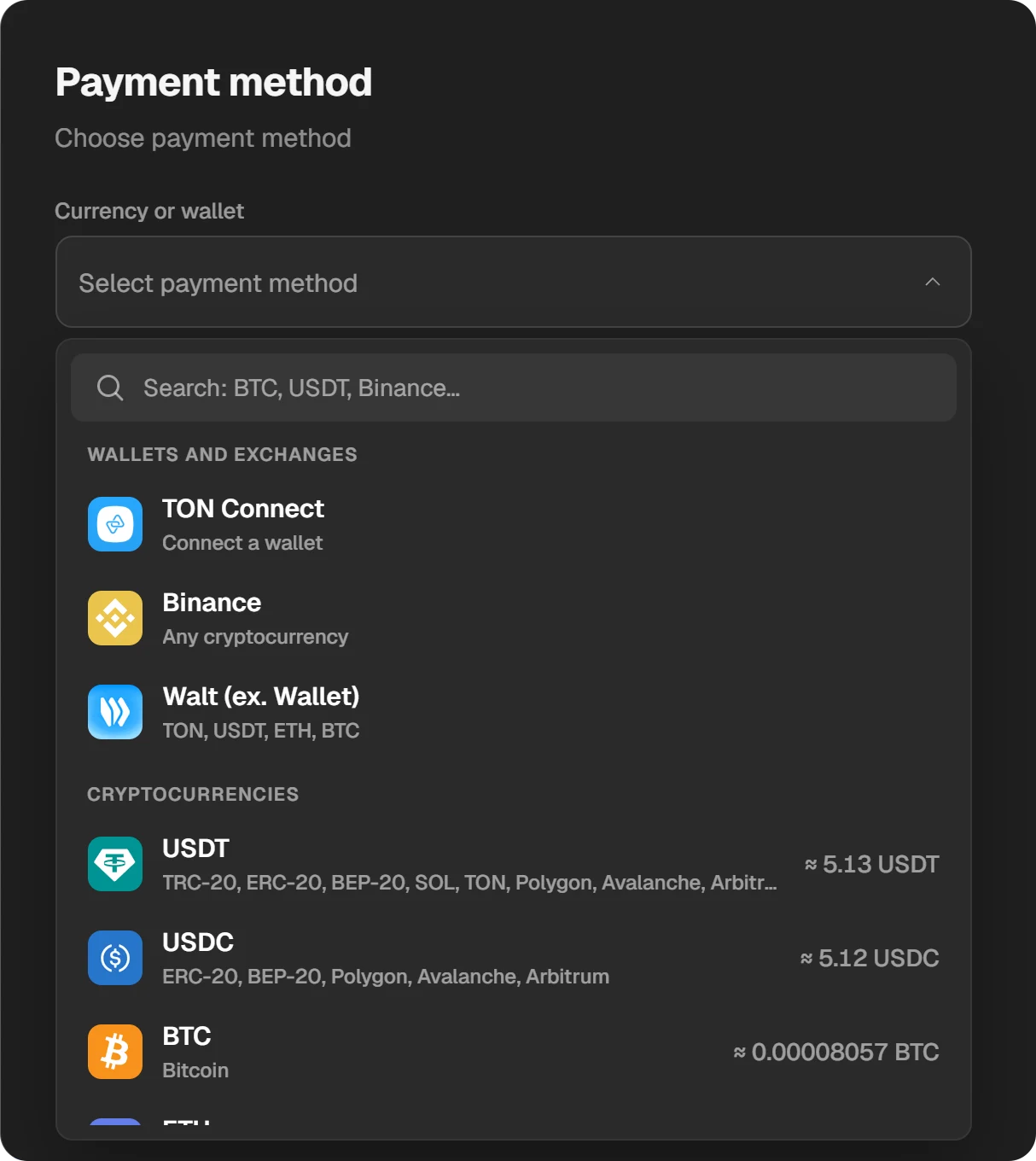
The payment method and the amount in each coin are right in the list.
Copy the code
When the order is done, the window shows the activation code with a Copy code button. You can close the window: the code stays in History at the top of the site.
How to redeem an Xbox gift card
In a browser, on a computer or a phone.
- Open xbox.com/redeem or redeem.microsoft.com.
- Sign in to the Microsoft account you play on.
- Paste the 25-character code and select Next.
- Check the amount and confirm. The money is on the balance at once.
On Xbox Series X|S or Xbox One.
- Press the Xbox button and select Store.
- Press the View button to open the side menu.
- Select Redeem and enter the 25-character code.
- Select Next and follow the prompts.
On a Windows PC.
- In Microsoft Store: select your account at the top right and choose Redeem code or gift cards.
- In the Xbox PC app: select your gamerpic at the top left, open Settings and select Redeem under Redeem a code.
The Xbox mobile app cannot redeem codes at the moment, as Microsoft says on xbox.com/redeem. On a phone, open xbox.com/redeem in the browser.
Why a code is not accepted
- The wrong country. A US card will not go onto a German account, and a euro card will not go onto a US one. Check the country under Your info.
- The wrong account. A redeemed code cannot be moved. Before entering it, check which address you are signed in with.
- A typo. Copy the code with the button in the order window instead of typing it.
If the code is rejected and the country is right, write to support with the order number. The ID button in the order window copies it.
A gift card or a Game Pass code
The balance from a card can pay for Game Pass in Microsoft Store. If all you need is the subscription, a Game Pass Ultimate code is simpler: it is redeemed the same way. More in the article about Game Pass.
Questions and answers
How do I redeem an Xbox gift card?
At xbox.com/redeem in a browser, on a console through Store → View button → Redeem, or in Microsoft Store on Windows. Sign in to your Microsoft account and enter the 25-character code.
Can I use a US card on an account from another country?
No. A card in a currency goes only onto an account registered in a country where that currency is official.
Can I redeem a code in the Xbox mobile app?
Not at the moment; Microsoft says the app does not take codes. Open xbox.com/redeem in your phone’s browser.
What happens to my balance if I change my account’s country?
It does not move to the new country; Microsoft advises spending it first. You can change the country again only after three months.
Can I send my Xbox balance to a friend?
No. A Microsoft account balance cannot be transferred. You can give the code itself before it is redeemed: your friend enters it on their account of the same country.
Where do I find my code if I closed the window?
In History at the top of the site. Every order and its codes are kept there.

