How to top up Honkai: Star Rail by UID
Oneiric Shards and the Express Supply Pass can be bought by UID: no account password, and everything goes straight into the game. Here is what to buy, where your UID is and how to get the server right.
In short
- A top-up needs your UID and server. No password or email.
- The UID is at the bottom left of the game screen.
- The paid currency is Oneiric Shards, exchanged for Stellar Jade for Warps.
- The Express Supply Pass gives 300 Oneiric Shards at once and 90 Stellar Jade per daily login for 30 days.
What money buys
| Purchase | What it gives |
|---|---|
| Oneiric Shards (Honkai Shards on the site) | The paid currency. Exchanged for Stellar Jade or spent on packs in the in-game shop. |
| Express Supply Pass | 300 Oneiric Shards at once and 90 Stellar Jade on every daily login for 30 days. |
Stellar Jade buys Star Rail Passes and Special Passes for Warps, which is how you get characters and Light Cones. Oneiric Shards are not spent on Warps directly: exchange them for Jade in the shop first.
The pass pays off if you log in every day. Jade for a missed day is not given back, and the day starts at 4:00 server time. If you need a lot of Jade at once for a banner, buy Oneiric Shard packs.
You can stack passes, with a limit: a new one can be bought only while the current one has less than 179 days left. HoYoverse says so in the pass description.
How to find your UID and server
The UID is your account number. In Honkai: Star Rail it is always shown at the bottom left of the screen. It is also in your profile: open the game menu and tap your avatar. Copy all of it, with no spaces.
The server is the region you pick on the login screen: America, Europe, Asia or TW/HK/MO. Check which one you use.
How to top up by UID on Play Wallet
Enter the UID and server
Open Honkai: Star Rail top-up. Paste the number into the Player UID field and choose the server: America, Europe, Asia or TW/HK/MO.
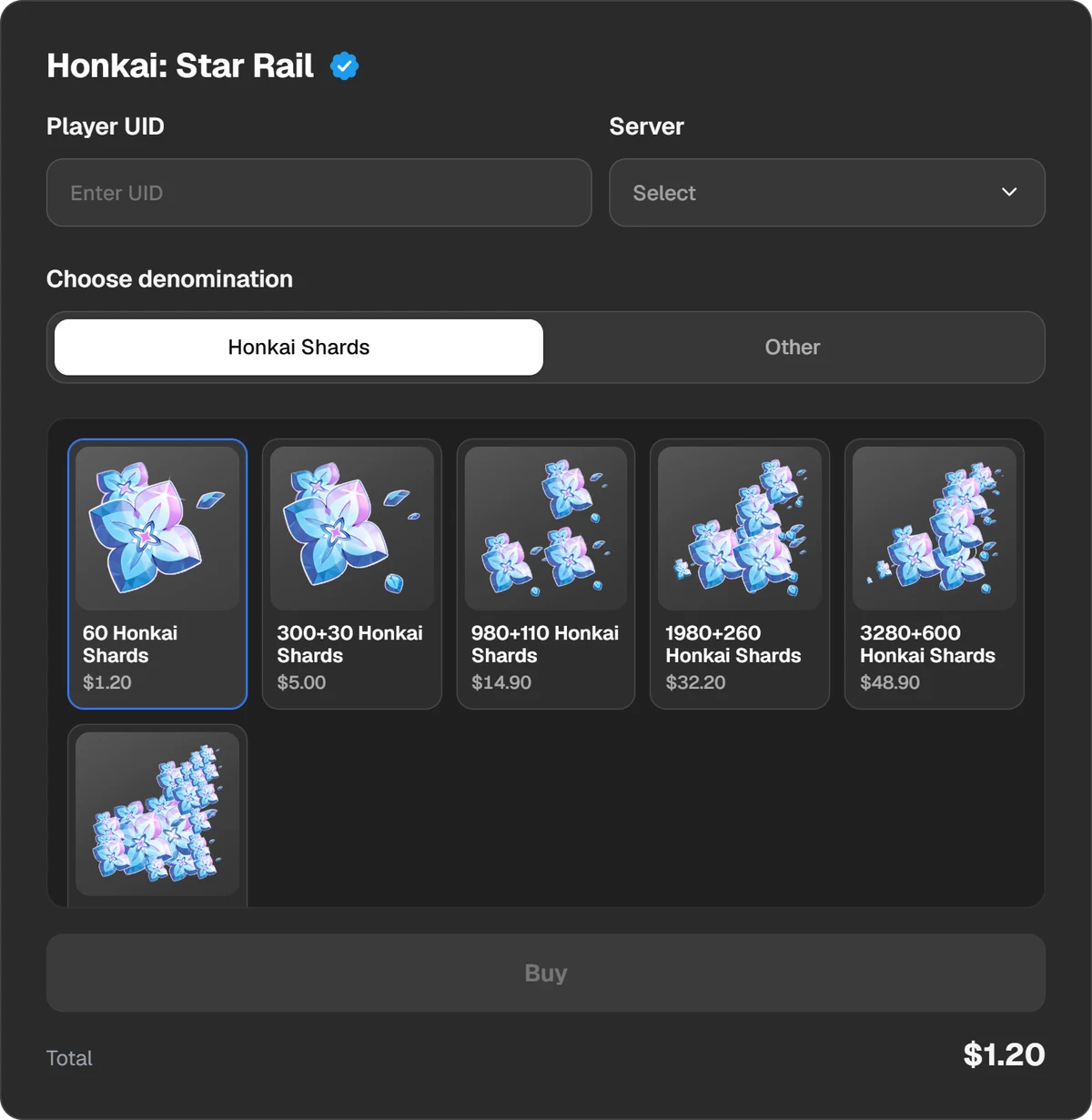
The UID, the server and the Oneiric Shard packs.
Choose a pack
The page has packs from 60 to 6480+1600 Oneiric Shards and the Express Supply Pass. The number after the plus is bonus shards. The total is shown before you pay.
Pay
Press Buy and the payment window opens. You can pay in USDT, USDC, BTC, TON and other coins, or through Binance, Walt and TON Connect.
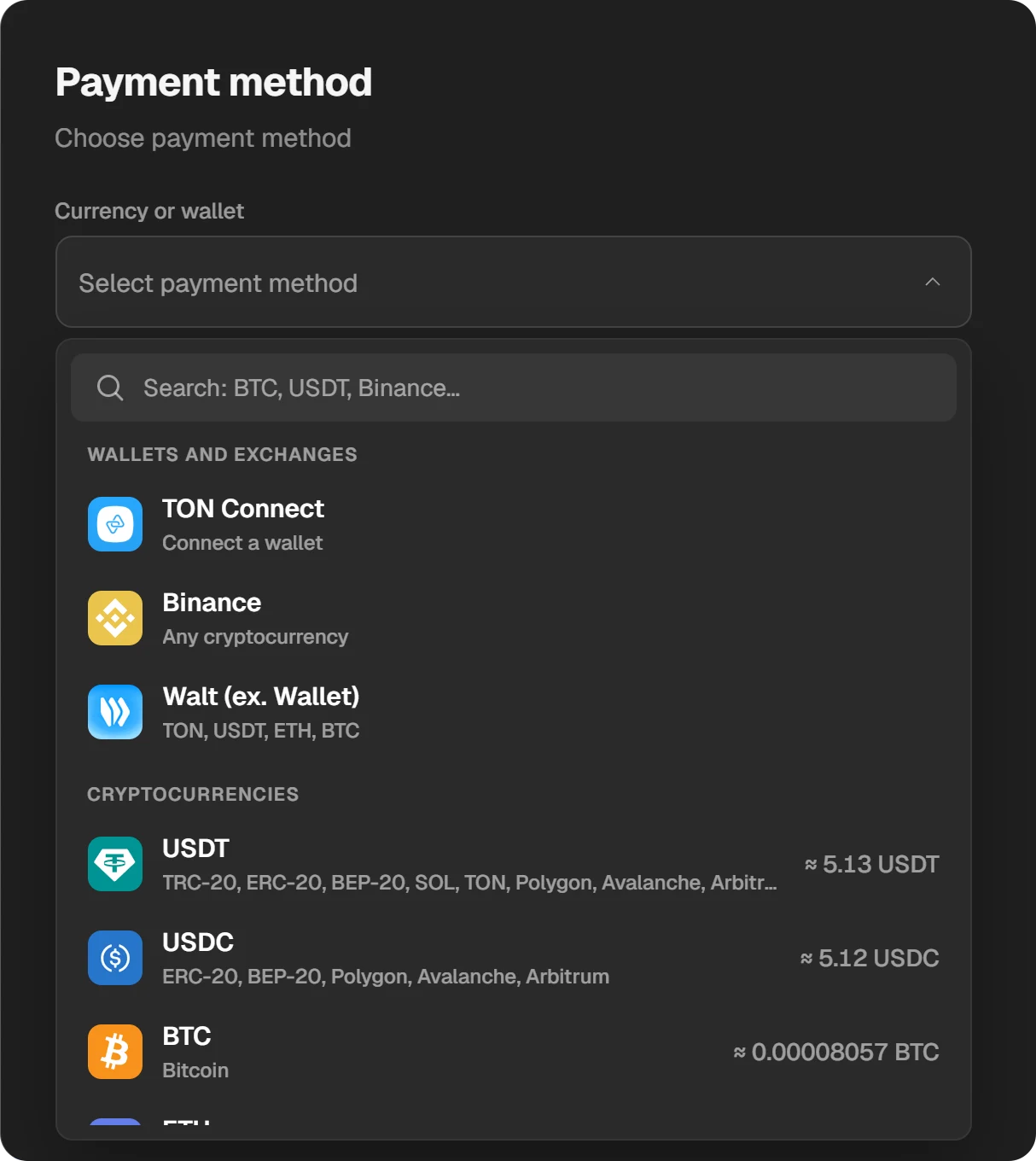
Choosing a coin or a wallet in the payment window.
Open the game
When the order is done, the currency is on the account with that UID. If you do not see it, log in again. There is no code to enter.
Check the UID and server before paying. The site cannot tell whose account it is, and the currency goes to the UID you entered. It cannot be taken back once credited.
Check before paying
The whole UID
Compare the digits with the UID at the bottom left of the screen. One digit off is someone else’s account.
The server
It must match the one on the login screen. A purchase for another server does not show up on your account.
The pack
The Express Supply Pass and Oneiric Shard packs are different purchases. Make sure you picked the right one.
Safety
- A top-up needs only the UID. Never share your HoYoverse login, password or email.
- A service that wants to sign in to your account to “top up cheaper” gets access to the whole account.
- There are no “free Jade” generators. Such sites collect passwords.
If the currency has not arrived
- Log in again and check your Oneiric Shards in the shop. Pass Jade arrives when you log in.
- Open the order in History at the top of the site and check the UID and server.
- If the order is done and there is nothing, write to support with the order number. The ID button in the order window copies it.
Questions and answers
Where is my UID in Honkai: Star Rail?
At the bottom left of the screen during play, and in your profile: open the menu, then tap your avatar.
What does the Express Supply Pass give?
300 Oneiric Shards at once and 90 Stellar Jade on every daily login for 30 days.
How are Oneiric Shards different from Stellar Jade?
Oneiric Shards are bought with money and exchanged for Stellar Jade in the shop; Jade buys the passes for Warps.
Is a top-up by UID safe?
Yes. The UID is a public number; nobody can sign in with it. Giving away your login and password is what is dangerous.
Can I top up a friend?
Yes. Enter your friend’s UID and server and the currency goes to their account.