

Which country’s gift card do you need?
You pick a card by the account, not by the price or the flag in its name. Every account has a country, and the card has to fit it. First, where to see that country. Then four common cases: Kazakhstan, India, Poland and the euro.
In short
- One rule: the card must fit the account’s country. Find the country first, then choose the card.
- PlayStation, Apple and Google Play need a card of exactly that country. On Steam, Xbox and Nintendo the currency is what counts.
- Kazakhstan: we only have Steam top-ups in tenge by login. There are no gift cards for Kazakhstan in our catalogue.
- India: we have PS Store cards in rupees. Poland: złoty cards for PlayStation, Xbox, Nintendo and Steam.
- Euro: a euro card does not fit every European account. PlayStation, Apple and Google Play need a card of your own country.
Step one: find the account’s country
| Service | Where to see the country |
|---|---|
| Steam | The Account details page: click your profile name at the top right and choose Account details. More in How to check your Steam account’s region. |
| PlayStation | In a browser: sign in to Account Management, select Your Information and edit your Residential Address. The country is shown at the bottom. In the PlayStation App: Settings, Account Information, Edit under Residential Address. |
| Xbox | At account.microsoft.com, on the Your info page: the country or region is in your profile info. |
| Apple | On iPhone: Settings, your name, Media & Purchases, the Country/Region line. |
| Google Play | In the app: profile icon, Settings, General, Account and device preferences, Country and profiles. |
| Nintendo | At accounts.nintendo.com: User Information, the Profile section, Country/region of residence. |
Step two: country or currency
Services check a card in different ways. Some look at the country, others at the wallet’s currency. That decides whether, say, a euro card fits an account from the country next door.
| Service | What must match | How the service puts it |
|---|---|---|
| Steam | The wallet’s currency | A code can be redeemed only in the Steam Wallet’s currency. A code does not change the store country. |
| PlayStation | The country | The voucher must be of the same region as the account. The account’s country cannot be changed. |
| Xbox | The currency of the account’s country | Denominations in a currency can be added only to an account registered where that currency is official. The balance cannot be converted. |
| Apple | The country | A card cannot be redeemed outside the country or region of purchase. |
| Google Play | Country and currency | A card can be redeemed only in the country and currency it was bought in, and the profile must show that country. |
| Nintendo | The account’s country; in Europe, the currency | The eShop always matches the account’s country. In Europe a card can be used in any country with the same currency. |
A gift card for Kazakhstan
- Steam. No card needed. We offer a Steam top-up by login: choose Kazakhstan and the money arrives in tenge.
- PlayStation. Kazakhstan is not on PlayStation’s country list, so there are no cards. More in PS Store in Kazakhstan.
- Apple. Apple’s payment methods for Kazakhstan are adding funds, Beeline and Kcell carrier billing and bank cards. No gift cards.
- Google Play. Kazakhstan is not on the list of countries where Google sells gift cards. People there pay by bank card or carrier billing.
- Xbox and Nintendo. Our catalogue has nothing for Kazakhstan.
A gift card for India
Our catalogue has one thing for India: PlayStation Store wallet cards in rupees. They fit only a PlayStation account created with the region India. More in An Indian PS Store account.
We have no Indian cards for Steam, Xbox, Nintendo, the App Store or Google Play. Apple and Google do issue such cards: India is on their lists. With an Indian account on one of those services, look for a card from official sellers in India.
A gift card for Poland
Poland uses the złoty, so a euro card does not fit a Polish account. You need a card in złoty.
| Service | What we have for a Polish account |
|---|---|
| PlayStation | PS Store wallet cards in złoty, on the PlayStation page. More in A Polish PS Store account. |
| Xbox | Xbox cards in złoty, on the Xbox page. |
| Nintendo | eShop cards in złoty, on the Nintendo page. |
| Steam | Steam Wallet codes in złoty, on the Steam page: choose Poland. |
| Apple and Google Play | We have no Polish cards. |
A gift card in euros
“A euro card” sounds as if it fits all of Europe. That is true for some services only.
- Steam. The wallet’s currency counts. A euro wallet takes a euro code. Which countries Steam prices in euros, and what we sell: Topping up Steam in euros or dollars.
- Xbox. By Microsoft’s terms a euro denomination goes to an account of a country where the euro is the official currency. Ours is called Xbox Gift Card EU.
- Nintendo. In Europe an eShop card can be used in any country with the same currency. A euro card fits accounts of euro countries.
- PlayStation. The currency is not enough: the code must be of your account’s region. We have separate cards for Germany, France, Austria and Belgium. A German account needs the German one.
- Apple. Only the country of purchase. We have cards for Austria, Belgium and Spain. They do not fit a German or French account.
- Google Play. Country and currency. We have cards for Austria, Belgium, Germany, France and Italy, each for its own country.
Turkey and the US have their own articles: Turkish gift cards and US gift cards in dollars.
How to pick a card on Play Wallet
Open the service’s page and choose the country
Each product page has a country field. Choose the country you found in your account. If it is not in the list, we have no card for your account.
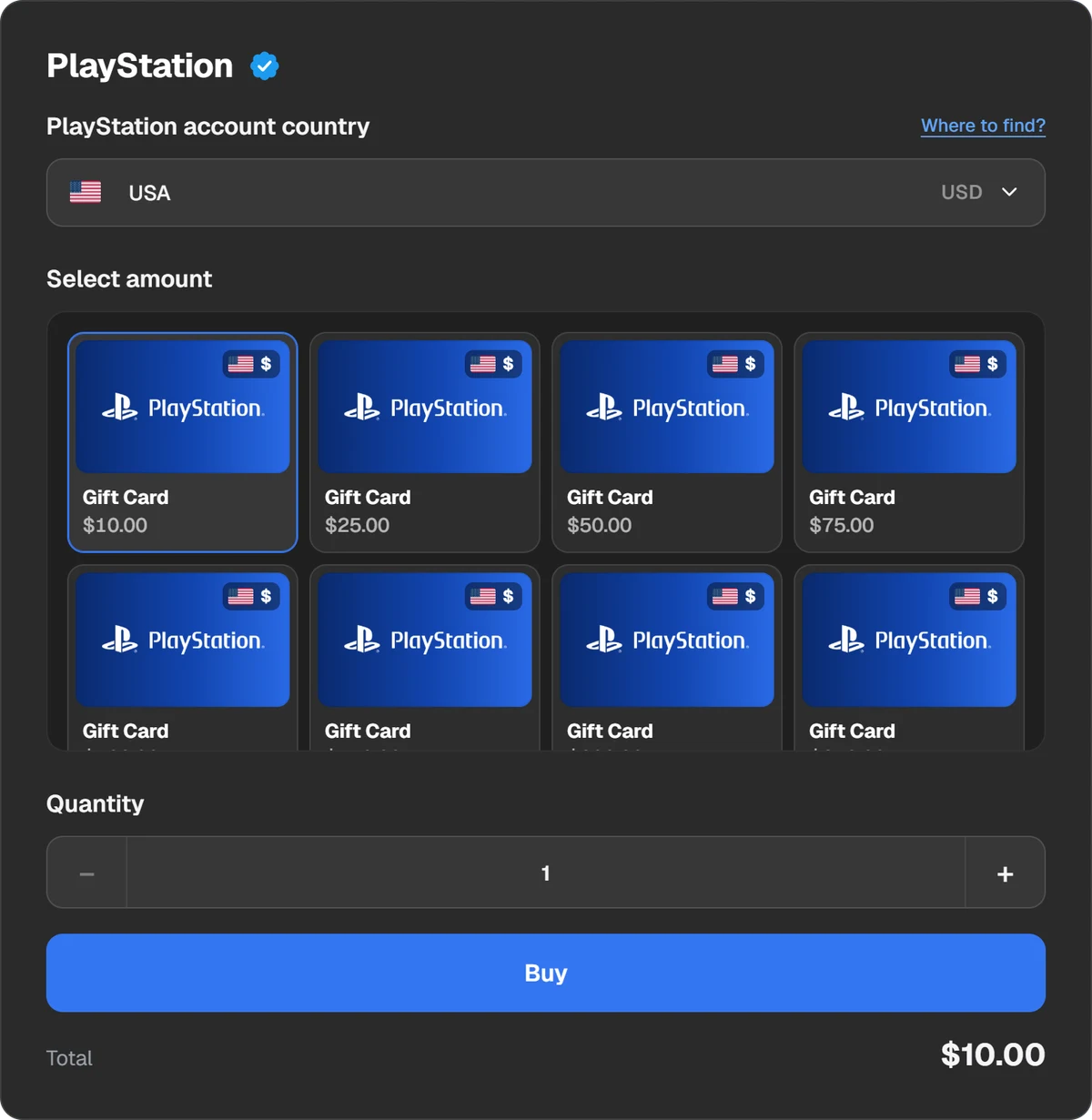
The account’s country first, then the value. The amount and the fee show before you pay.
Pay
Press “Buy” and choose a coin or a wallet: USDT, TON, BTC and other coins, Binance, Walt or TON Connect.
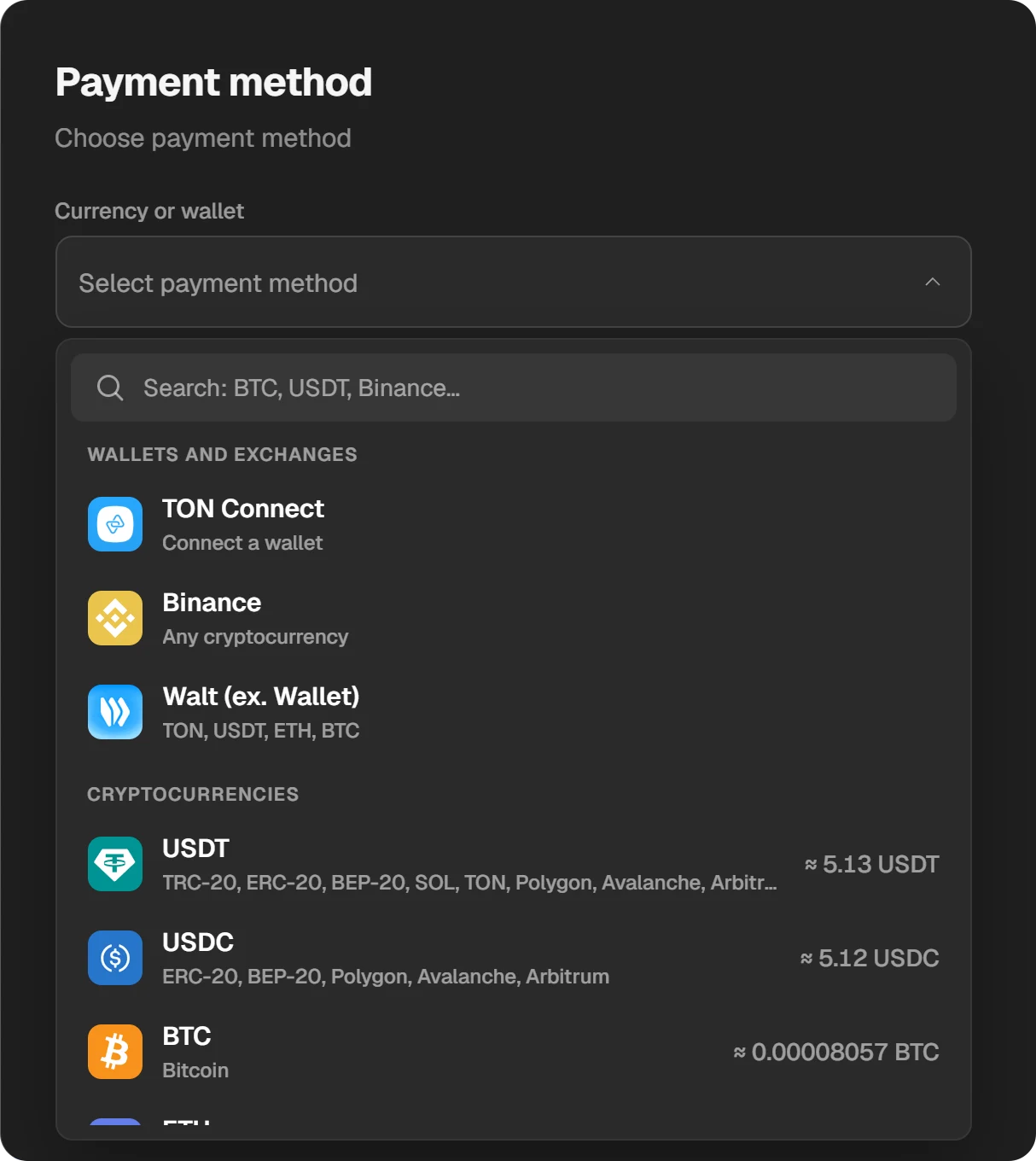
The amount needed in each coin is right in the list.
Enter the code in your service
The code appears in the order window and stays in “History” at the top of the site. Where to enter it on each service: How to use a digital gift card.
What not to do
- Buying the neighbouring country’s card and hoping. A code of another country will not redeem, and shops usually do not refund a code once it is issued. See Gift card refunds.
- Changing the account’s country to fit a card. Steam, Google and Microsoft allow a change only for a real move, and no more often than once in three months or 90 days. PlayStation does not allow it at all. With Google and Microsoft the balance stays with the old country.
- Giving an address that is not yours or using a VPN. That breaks the services’ rules. On Steam it can cost you access to the account.
Questions and answers
Does a euro card fit any European account?
No. On Steam, Xbox and Nintendo the currency counts, so a euro card fits euro accounts. PlayStation, the App Store and Google Play need a card of the exact country the account is set to.
Are there gift cards for Kazakhstan?
Not in our catalogue. For Kazakhstan we offer Steam top-ups in tenge by login. Kazakhstan is not on PlayStation’s country list, and Apple’s and Google’s lists have no gift cards for it.
Which card does an Indian PlayStation account need?
A PS Store card in rupees. It fits only an account with the region India: the code’s region must match the account’s.
Does a Polish card fit a German account?
No. Polish cards are in złoty and a German account is in euros. PlayStation also checks the code’s region against the account’s.
How do I find my account’s country?
Look in the account settings: Account details on Steam, Media & Purchases on Apple, Country and profiles on Google Play, Residential Address on PlayStation.
Can I change my account’s country so a card fits?
Services allow it only for a real move, and PlayStation does not allow it at all. With Google and Microsoft the balance stays with the old country. Buying a card of your own country is simpler.

