

How to pay for iPhone subscriptions with an Apple gift card
Play Wallet sells Apple cards for US, Austrian, Belgian, Spanish and Turkish accounts. A card doesn’t pay for a subscription directly: you redeem it, the money goes to your Apple Account balance, and Apple charges Apple Music, Apple Arcade, Apple TV and app subscriptions to that balance. Here is what it covers and what it doesn’t.
In short
- Play Wallet sells Apple Gift Cards for US, Austrian, Belgian and Spanish accounts and App Store & iTunes cards for Turkish accounts.
- Redeem the card in the App Store and the amount lands on your Apple Account balance.
- The balance pays for Apple Music, Apple Arcade, Apple TV, iCloud+ and subscriptions in App Store apps.
- AppleCare+ can’t be started with the balance, and some other subscriptions aren’t charged to it either.
- Apple first tries to take the full amount from the balance; if it falls short, it charges your primary payment method.
- A card redeems only on an account of its own country. Our cards do not fit a Russian Apple Account. The usual carrier payments there ended on 1 April 2026.
What the balance can and can’t pay for
| Subscription | From Apple balance |
|---|---|
| Apple Music | Yes |
| Apple Arcade | Yes |
| Apple TV | Yes |
| iCloud+ | Yes; see How to pay for iCloud+ with a gift card |
| Subscriptions in App Store apps | Yes, if bought through the App Store |
| AppleCare+ | Can’t be started with the balance; renewals can, with another payment method on file |
| Gifts and gift cards | No |
Apple also warns that some subscriptions might not be charged to the balance, and some purchases might need a credit card on file even when the balance pays. Apple gives no full list. Apple One is not named separately among the things the balance pays for.
First, redeem the card
Check your account’s country
In Settings tap your name, then Media & Purchases. The card must be for the same country. Which to pick: Apple Gift Card: which country to buy.
Redeem it in the App Store
Open the App Store, tap your photo, then Redeem Code. Scan the card or enter the code manually.
Check the balance
In the same App Store menu the amount shows under your name. No amount means no balance.
Subscribing to Apple Music with the balance
Open the Music app
Apple offers a subscription the first time you open it. Follow the instructions on screen.
If you skipped the offer
Open Settings, then Apps, then Music, and tap Subscribe to Apple Music.
Confirm
If the balance covers the full amount, Apple charges it there. You can also pick Apple One, a bundle that includes Apple Music and other Apple services.
Apple now lists separate Apple Music gift cards among its older cards. They still redeem, but any Apple Gift Card or App Store & iTunes card of your country does the job: the money goes to the same balance.
Paying for an app subscription
If an app sells its subscription through the App Store, the balance pays for it. Open the app, pick a plan and confirm; the App Store confirmation shows your Apple Account, which is charged.
If you subscribe on the service’s own website instead, you pay that website and your Apple balance plays no part. Everything billed through Apple is listed under Subscriptions in Settings.
Keeping the subscription going
- Keep enough on the balance. Apple tries to take the whole renewal from the balance first; if it falls short, the charge goes to your primary payment method.
- Check your subscriptions. Settings, your name, Subscriptions lists everything billed through Apple, and you cancel there too.
- Trials. To avoid paying after a trial, cancel at least 24 hours before it ends.
- Family Sharing. Family members can’t spend your balance. If the organiser subscribes, their balance or payment method pays.
Buying a card on Play Wallet
Choose the country and amount
Open Apple Gift Card and pick your account’s country in “Region / currency”: US, Austria, Belgium or Spain. For Turkey use App Store & iTunes. Take enough for a few renewals. The price and fee are shown before you pay.
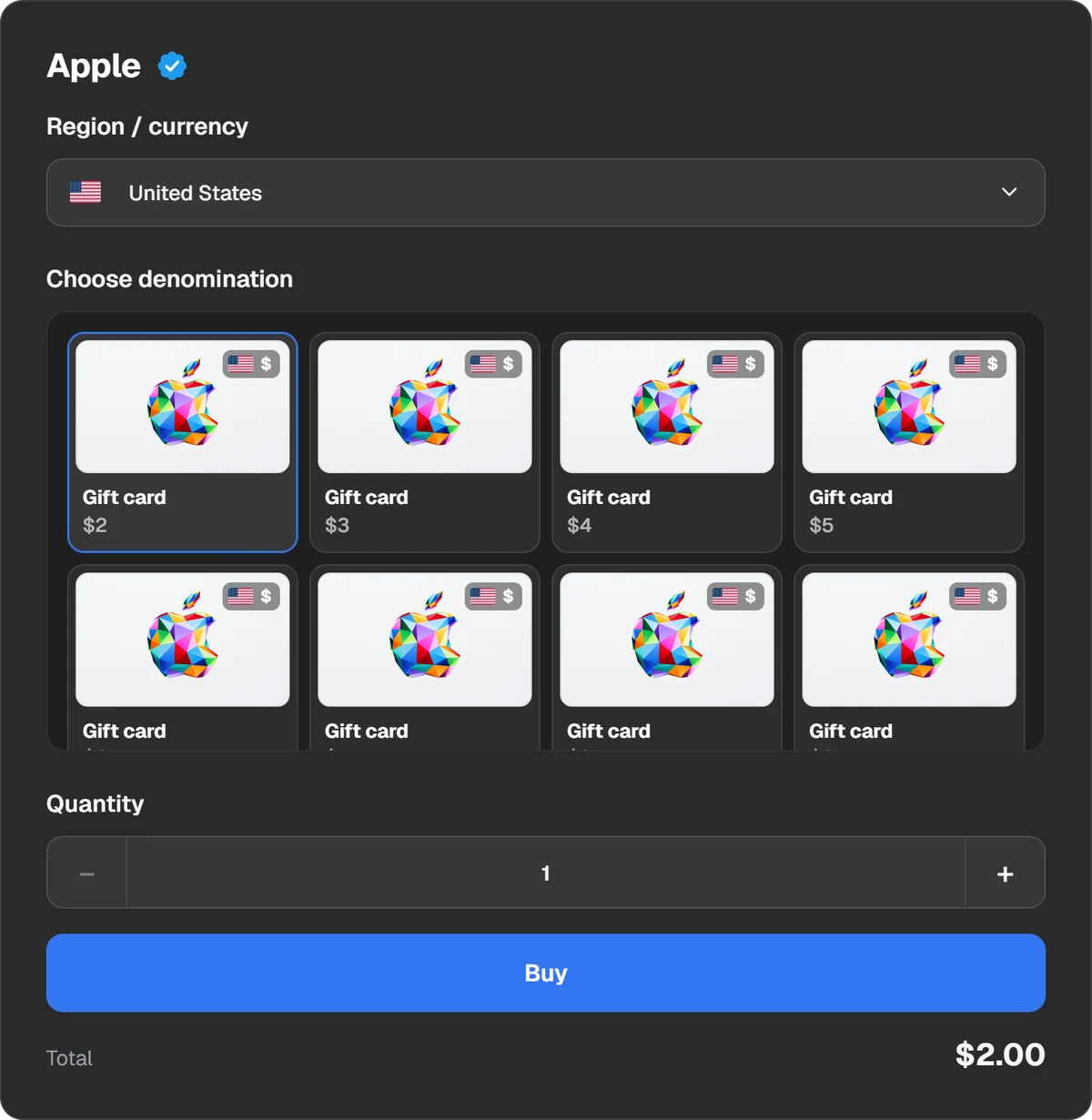
The card’s country must match your Apple Account’s.
Pay
Press “Buy” and choose a coin or a wallet: USDT, TON, BTC, Binance, Walt or TON Connect.
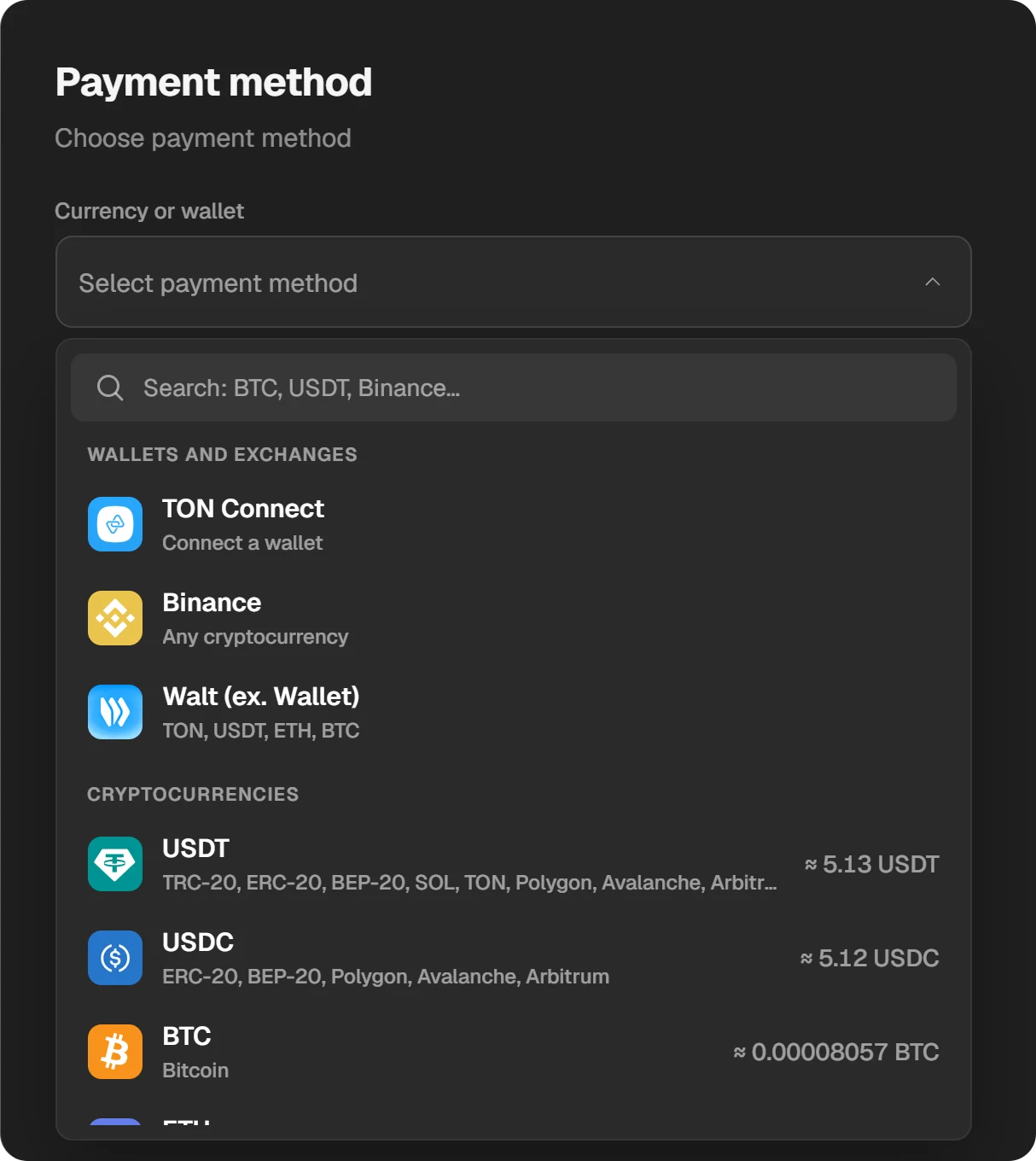
The amount needed in each coin is right in the list.
Copy the code and redeem it
The code appears in the order window and stays in “History” at the top of the site. Redeem it in the App Store as above, then subscribe.
To have the next renewal paid from the balance, top it up ahead: an Apple Gift Card for the US, Austria, Belgium or Spain, App Store & iTunes for Turkey.
Questions and answers
Can I pay for Apple Music with a gift card?
Yes. Redeem the card in the App Store and Apple charges Apple Music to the balance as long as it covers the full amount.
Do I need a special Apple Music gift card?
No. Any Apple Gift Card or App Store & iTunes card of your account’s country works. Apple lists separate Apple Music cards among its older cards.
Why was my bank card charged instead of the balance?
Most likely the balance didn’t cover the full amount, so Apple charged your primary payment method. Some subscriptions, such as AppleCare+, also can’t be started with the balance.
Can the balance pay for a third-party app subscription?
Yes, if you subscribed through the App Store. If you paid on the service’s website, your Apple balance isn’t used.
Can a family member use my balance?
No. With Family Sharing, the balance is available only to its owner.
