How to pay for a Twitch subscription
A Twitch subscription supports a streamer and gives you their emotes and a badge in chat. How you pay depends on your country: Twitch prices subs in local currency and offers the methods available where you live. Here is how subs work and who a Twitch gift card suits.
In short
- Subs come in three tiers: Tier 1, 2 and 3. You can subscribe yourself or gift a sub.
- Twitch takes cards, PayPal, Amazon Pay and local methods through Xsolla, depending on the country.
- A Twitch gift card works only in the country where it was bought: a US dollar card is for US residents.
- The balance pays for subs, Bits and Turbo on twitch.tv, not in the apps.
- Outside the US, check the methods on the subscribe page: Twitch picks them for your country.
What a Twitch sub gives
A sub is for one channel and renews monthly. Part of the money goes to the streamer. You get the channel’s emotes, a subscriber badge in chat and whatever extras the streamer sets up.
| Tier | What you get |
|---|---|
| Tier 1 | Channel emotes and a subscriber badge. |
| Tier 2 and Tier 3 | Tier 1 plus extra emotes, animated emotes and badge flair where the channel turns them on. Each tier’s price is shown when you subscribe. |
| Prime | One free Tier 1 sub a month for Amazon Prime members. Link your Amazon and Twitch accounts. |
Twitch charges in local currency where it can. The exact price for your country is on the channel’s Subscribe button.
How to subscribe
Open the channel in a browser
Go to twitch.tv and log in. On the channel page click Subscribe, or open subs.twitch.tv/ followed by the channel name.
Choose the tier
Choose Tier 1, 2 or 3. To pay for 3 or 6 months at once, open More Methods.
Choose how to pay
Twitch shows the methods available in your country: a card, PayPal, Amazon Pay, your gift card balance or local methods through Xsolla, which may include paysafecard, bank transfer and crypto.
On iPhone, subscribing in the app costs more: Twitch itself says you save 25% by subscribing in a browser.
Twitch gift cards: who they suit
A gift card adds money to your Twitch Wallet. The Twitch page sells cards in US dollars. Twitch sets the rules:
- Country of residence. When you redeem, Twitch asks where you live. US dollar cards are for US residents; residents of 25 EU countries need euro cards, the UK pounds, Canada and Australia their own dollars.
- What it pays for. Subs, Bits and Twitch Turbo. Subs renew from the balance automatically.
- Website only. The balance cannot be spent in the Twitch apps. On a phone, open bits.twitch.tv or subs.twitch.tv in a browser.
- No expiry. The balance stays while your Twitch account is active.
If you do not live in the US, a dollar card will not work for you. Buy it only if you or the recipient live in the US.
Buying and redeeming the card
Choose the amount
Open Twitch gift cards and choose an amount in dollars. You buy a code, so no Twitch login is needed. The price is shown before you pay.
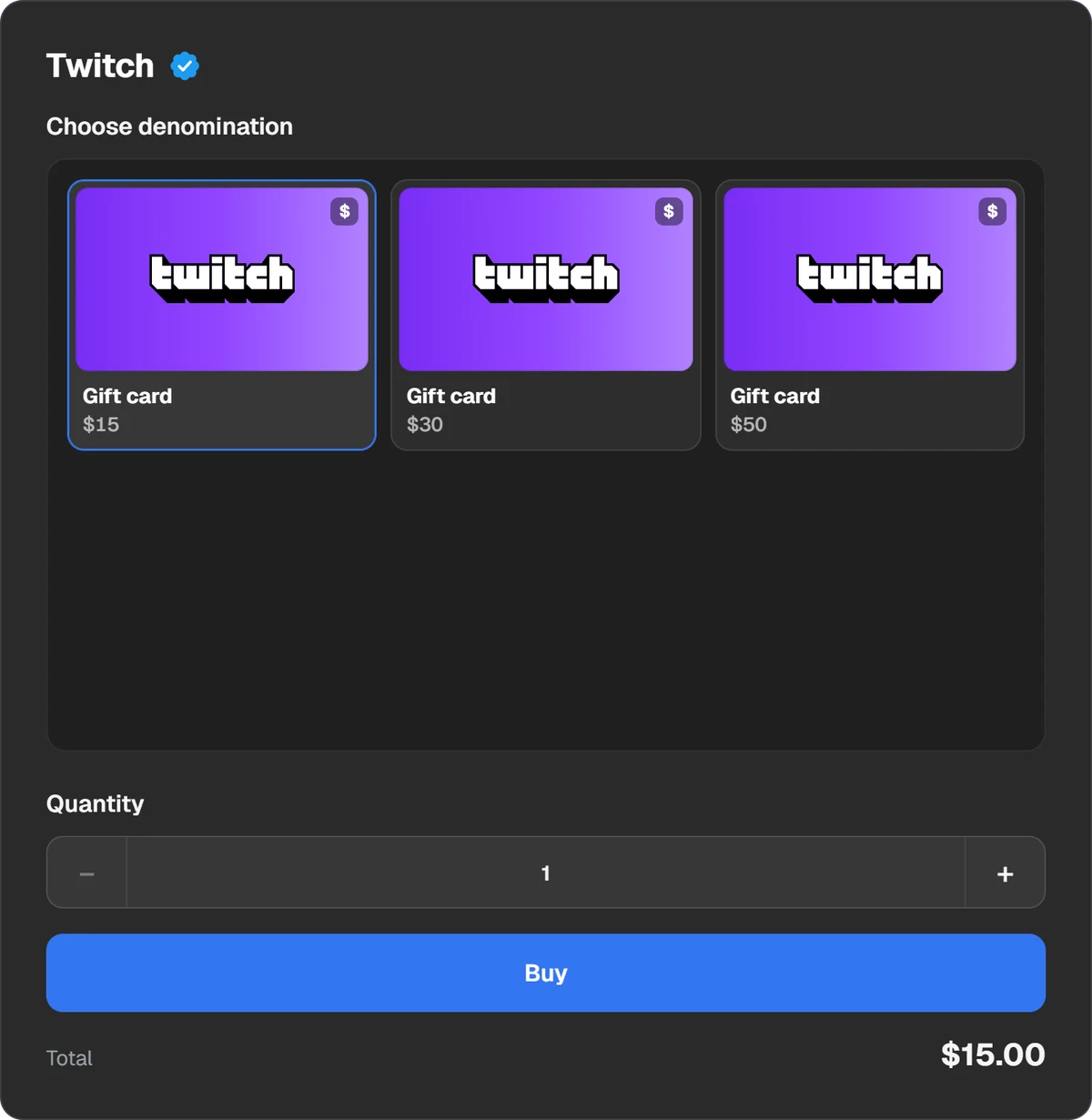
Twitch card amounts and the total.
Pay
Press “Buy” and choose how to pay: USDT, TON, BTC and other coins, Binance, Walt or TON Connect.
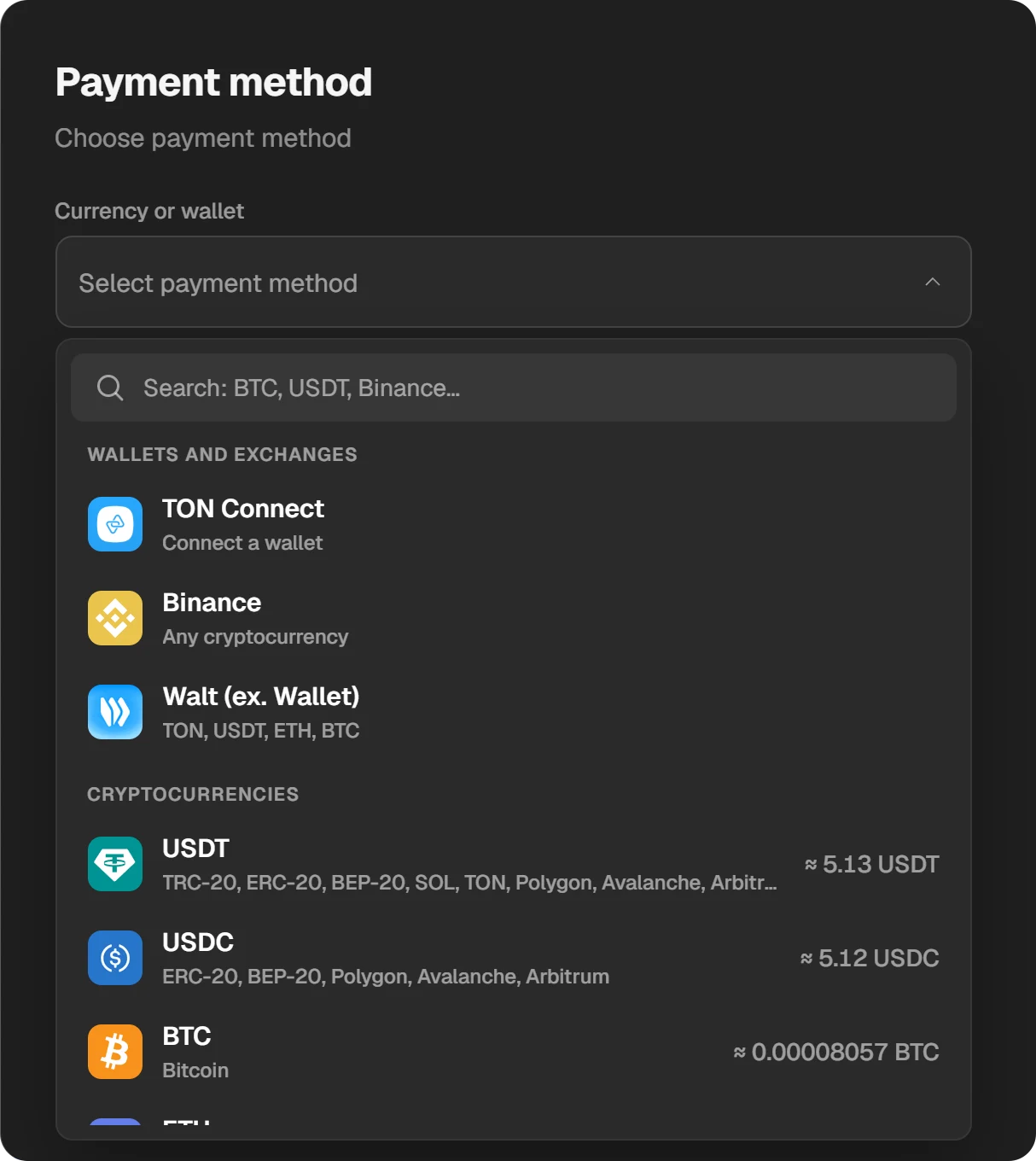
Payment methods.
Copy the code
When the order is done, the code appears in the order window. Click to reveal and copy it. It is also kept in “History” at the top of the site.
Redeem it at twitch.tv/redeem
Open twitch.tv/redeem, log in, enter the code and choose your country of residence. The money goes to your balance, shown at twitch.tv/wallet.
If the sub does not go through
- Your method is not listed. Twitch shows only the methods available in your country; check More Methods for local options through Xsolla.
- Not enough balance. If the sub costs more than your balance, Twitch asks for another method for the rest.
- Twitch asks you to save a card. Its help pages disagree on whether a saved payment method is always needed with a gift card balance; if Twitch asks, it is Twitch’s requirement.
- You are in the app. The gift card balance cannot be spent in the apps; open subs.twitch.tv in your phone’s browser.
Gifting a sub
- To one viewer. Click their name in chat and choose to gift a sub. It can be anonymous.
- To the community. Type /gift and a number from 1 to 100 to give subs to random viewers. These cannot be anonymous.
- For several months. 3, 6 and 12-month gifts are Tier 1 only, and 12 months only on the website.
- Prime cannot be gifted. A Prime sub is for yourself only.
Questions and answers
How much is a Twitch sub?
It depends on the tier and the country; Twitch prices subs in local currency. The exact price is on the channel’s Subscribe button.
Can I redeem a US dollar Twitch card outside the US?
No. Twitch accepts US dollar cards only from US residents and asks for your country when you redeem.
Can I spend the card balance in the Twitch app?
No. Use the website, or bits.twitch.tv and subs.twitch.tv in a phone browser.
How do I gift a sub?
Click a viewer’s name in chat and choose to gift a sub, or use /gift to give subs to the community.
Does the gift card balance expire?
No. It stays while your Twitch account is active.