

Can’t buy a game on Steam: causes and fixes
Steam almost always says why a purchase failed; you only need to read its message right. Below are the usual causes, from an empty wallet and a declined card to a game not sold in your region, each with what to do.
In short
- Not enough wallet funds: Steam asks for another payment method for the rest. If you have none, add the difference to the wallet first, for example by login.
- A card fails: Steam only takes the payment methods of your region. Turn off any VPN or proxy, and stop after a couple of failed tries.
- No “Add to Cart” button, or “not available in your region”: the publisher set that limit and Steam Support cannot lift it.
- A gift fails if your friend already owns the game or your regions differ a lot in price.
- On a child account in a Steam Family, an adult approves the purchase.
First, read what Steam says
Find your message or situation in the table. If there is no message at all, start with the payment section: the payment method is the usual cause.
| What you see | Why | What to do |
|---|---|---|
| Steam asks you to choose another payment method | The wallet holds less than the price | Pay the rest another way or add the difference to the wallet |
| Your credit card information was declined | The bank or the payment system refused | Another method from Steam’s list, or funds on the wallet first |
| “An unexpected error has occurred” | A payment failure, often a VPN, a proxy or card details | Check the details, turn off the VPN; after a couple of tries contact Support |
| The wallet currency does not match the purchase currency | The wallet is in one currency, the store shows another | Sort out the account country; do not buy through a VPN |
| No buy button, “not available in your region” | The publisher does not sell the game in your account’s country | Wait, wishlist it, or look for a key made for your region |
| A friend is greyed out as a gift recipient | They already own the game | Give another game or money |
Not enough money in the wallet
By default Steam spends wallet funds first. If they do not cover the price, Steam asks for another payment method for the rest, and it lists only the methods it takes in your region. If none of them works for you, the purchase fails.
The simplest fix is to add the missing amount to the wallet first and then buy the game with the balance. The balance is at the top right of Steam, next to your profile name. Step by step: How to pay for a game with your Steam Wallet.
Choose the country and enter the login
Open Steam top-up, choose your account’s country and type the login you sign in with. The site checks that the account exists. No password and no Steam Guard code.
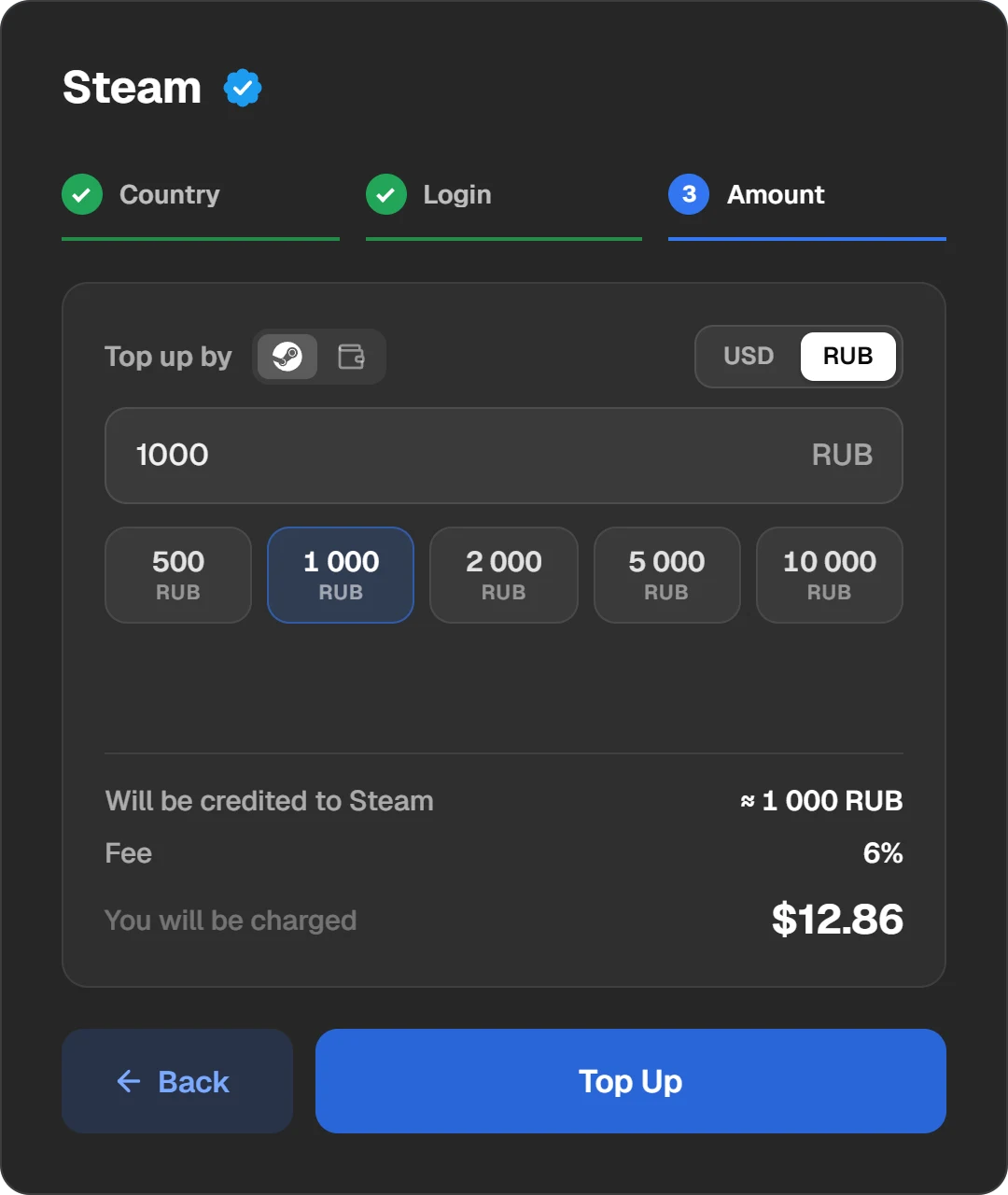
Country, login and amount. What arrives and the fee are shown before you pay.
Set the amount and pay
Enter the missing amount with a little extra. Press “Top Up” and choose a coin or a wallet: USDT, TON, BTC and others, or Binance.
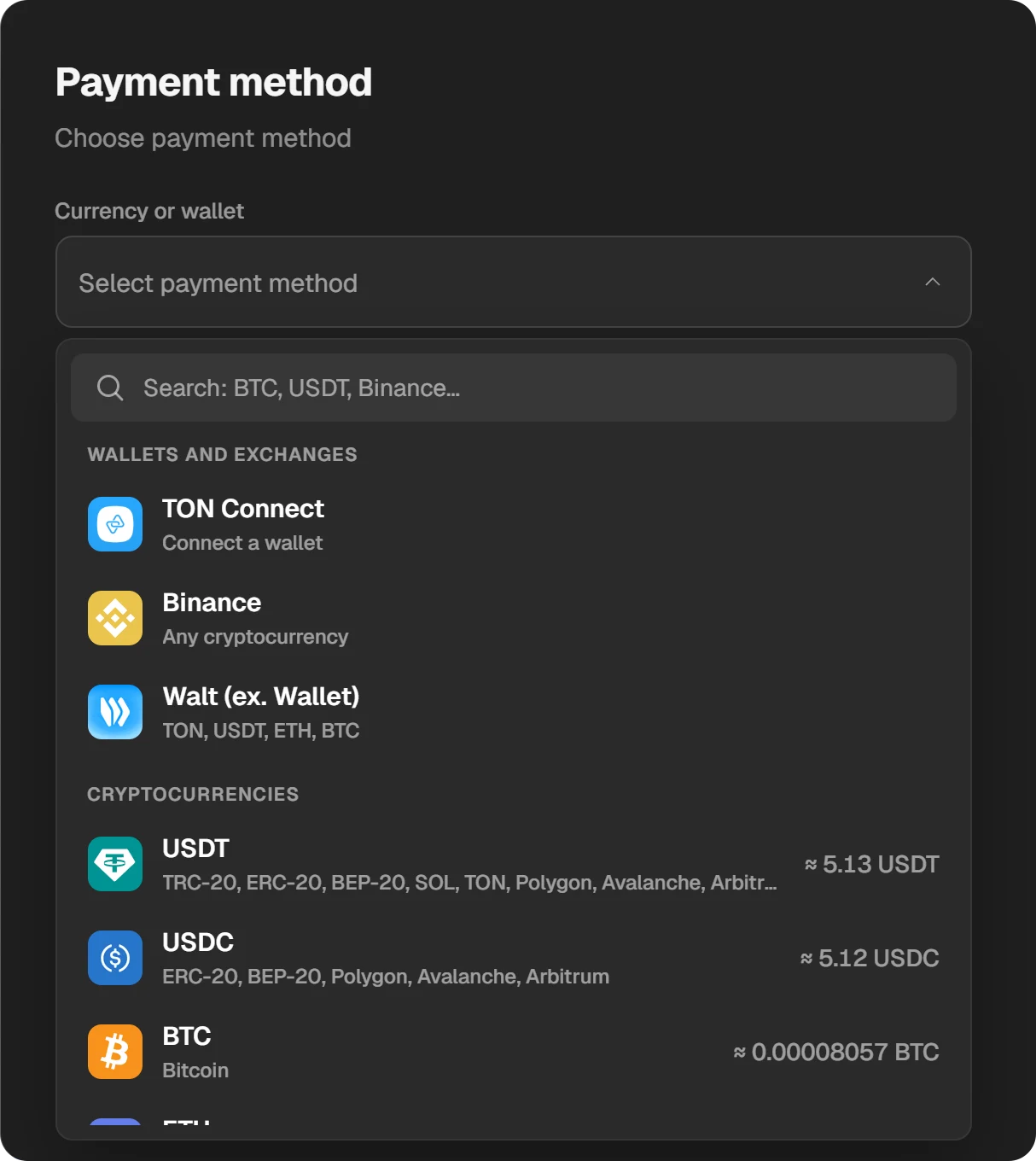
The amount needed in each coin is right in the list.
Buy the game with the balance
When the order is done, the money is in the wallet. Restart Steam, add the game to the cart and pay with your Steam Wallet.
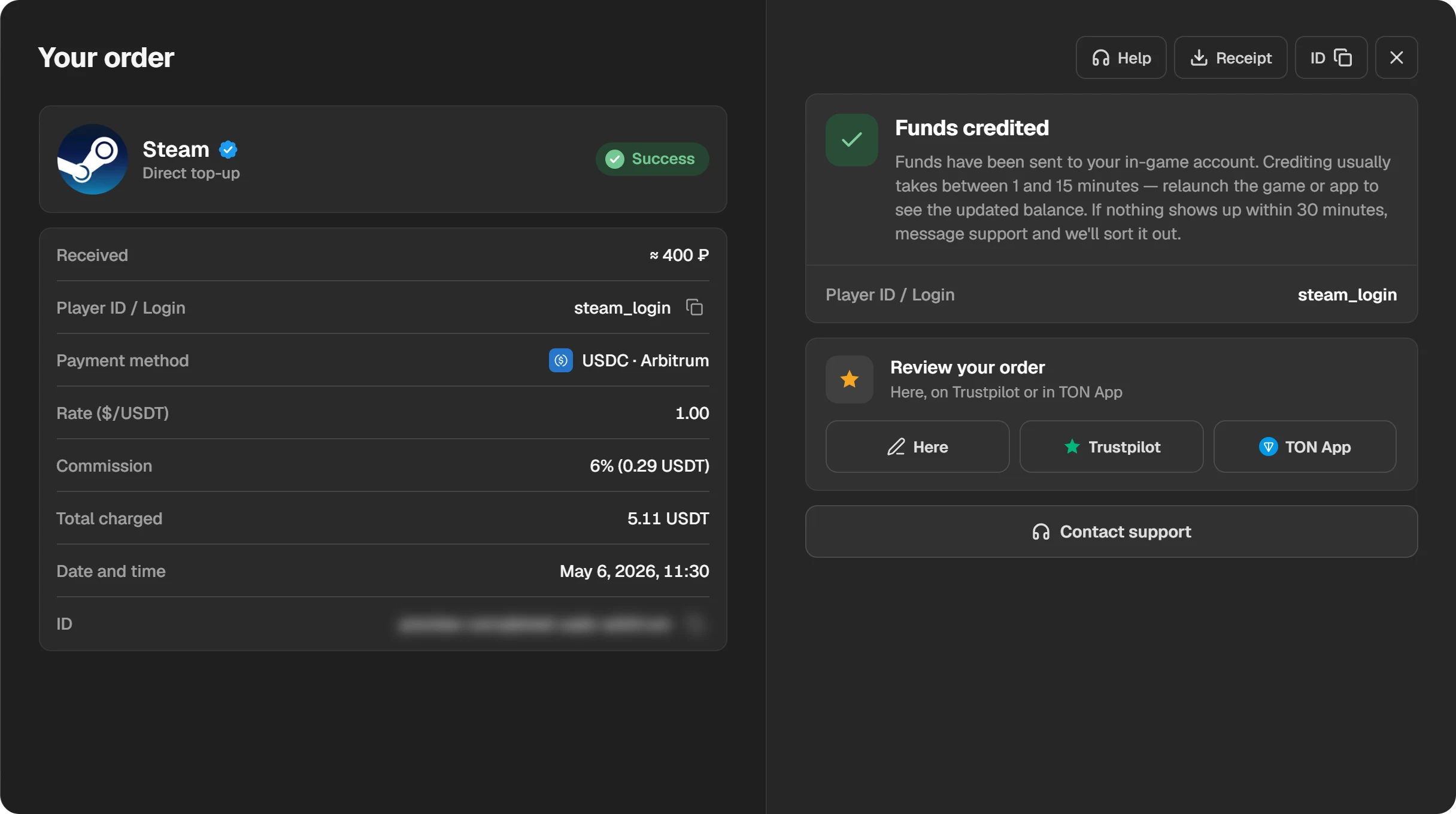
A finished order: the amount is on the Steam Wallet.
The card fails or shows an error
- A method outside your region. At checkout Steam shows every method available in your account’s country. If your bank or payment system is not there, Steam will not take it.
- A VPN or a proxy. Steam says plainly that transactions through anonymous proxies are declined. Turn off or remove the VPN, restart the computer and try again.
- Website or app. If you buy on the website, try the Steam app, and the other way round.
- Do not keep retrying. Steam advises stopping after a couple of failed attempts and contacting Support. Many declines in a row can look like fraud to a bank.
- PayPal. Since July 2025 Steam takes PayPal only in euros, Canadian and US dollars, pounds, yen and Australian dollars. For other currencies Steam suggests other methods or wallet codes.
If a purchase failed but your bank shows a “pending” charge, Steam does not take that money. It usually happens with a wrong billing address or CVV. The bank may hold it for up to 30 days, then it returns by itself.
The game is not available in your region
If a game has no buy button, or Steam says it is not available in your region, the developer or publisher has restricted it for your account’s country. Steam Support does not lift such limits. You can wait, wishlist the game, or look for a key made for your region.
Advice to “turn on a VPN and switch the country” breaks the Steam Subscriber Agreement, and the account may be restricted for it. The legitimate options: Not available in your region on Steam.
How to check your Steam account region
Open “Account details”
Click your profile name at the top right of Steam and choose “Account details”. On a phone, open store.steampowered.com/account in a browser and sign in.
Find the “Country” line
It is in the “Store & Purchase History” block. That is your account’s region: prices and the wallet currency depend on it.

The “Country” line, shown on an example account.
The wallet currency error
Steam says the purchase cannot be completed because the wallet’s currency does not match the purchase’s. That happens when the store shows prices in a currency other than the wallet’s, for example after a trip or with a VPN on. Turn the VPN off and reopen the store. The wallet currency follows the account’s country, which you can change only after a real move. More: How to change your Steam currency.
You cannot buy the game as a gift
- Your friend already owns it. Their name is greyed out in the recipient list.
- Different regions. Because of regional price differences, some gifts cannot be sent to another store region. The store page says so, and Steam Support does not lift it.
- No “Purchase as a gift” option. Steam names incompatible game versions or the publisher’s regional limits. You can give money instead.
- The friend is not on your list. Gift recipients come from your friends list. A new account that has not spent 5 dollars cannot send friend invites, but it can accept them. More: The 5 dollar limit on Steam.
How to give a game or money step by step: How to gift a game or money on Steam.
A child account in a Steam Family
A child account in a Steam Family does not pay by itself. The child sends the adults a request to pay for the cart, and an adult approves and pays from a phone or by email. After that the game lands on the child’s account. If the request went out and there is no game, check whether the adult has answered.
If a purchase seems stuck
- Do not press “Purchase” again and again. Repeated attempts rarely help.
- Open Account details → Purchase history and see what Steam says about the last purchase.
- If your bank holds the money and there is no game, wait: the bank returns it by itself.
- If nothing changes, contact Steam Support: Purchases → “I can’t complete a purchase in the Steam Store”. Give the account name and the exact error text.
If the problem is topping up the wallet rather than buying, that has its own guide: Why you can’t top up Steam.
Questions and answers
Why can’t I buy a game on Steam when I have money in the wallet?
Check that it covers the full price; if not, Steam asks for another method for the rest. Other causes: the game is not sold in your region, the store currency does not match the wallet, or a VPN is on.
Will a VPN let me buy a game not sold in my region?
No. The Steam Subscriber Agreement forbids getting around geographic limits with proxies and VPNs, and the account may be restricted. Steam also simply declines payments through anonymous proxies.
Was I charged if the purchase failed?
Steam does not take money for a failed purchase. A bank sometimes holds the amount for up to 30 days, then releases it.
Can a limited account buy games?
Yes. A limited account can buy and play games. It cannot send friend invites or use the Community Market.
Does Play Wallet sell game keys?
No. We top up the Steam Wallet by login, and you buy the game in Steam with the balance.


