Official PUBG Mobile top-up: where to buy UC safely
The official way to top up PUBG Mobile is the in-game shop or Midasbuy, which the game’s own site links from its “Purchase” button. Here is how to reach the real Midasbuy, why “cheap UC” is risky and what the game’s licence agreement says.
In short
- Official ways: the in-game shop (through Google Play or the App Store) and midasbuy.com.
- The “Purchase” button on pubgmobile.com leads to Midasbuy: the easiest way to avoid fakes.
- The game’s rules say UC codes are valid when bought from the publisher or its authorised retailers.
- UC obtained by fraud can be revoked by the publisher.
- A top-up needs only your Player ID. Password requests and “free UC” are scams.
Where the official top-up is
| Way | How it works |
|---|---|
| In-game shop | Paid through Google Play on Android or the App Store on iPhone |
| Midasbuy (midasbuy.com) | Top-up by Player ID, and UC codes on the Redeem page |
| UC codes from authorised retailers | Entered on Midasbuy together with your Player ID |
How to find the real Midasbuy
Open pubgmobile.com
The game’s official site. Type the address yourself rather than following links from ads or chats.
Click “Purchase”
It leads to the PUBG Mobile page on midasbuy.com. Check the address bar: midasbuy.com, nothing added.
Choose your region and enter your Player ID
Midasbuy shows the account’s nickname and ID. It never needs your game password.
Your Player ID: tap your avatar at the top left of the main screen; the ID is on your profile. The UC balance is at the top right.
What the game’s rules say
- Codes. To be valid, a code must be bought from the publisher or an authorised retailer. If you buy from someone else, that seller answers for any problems.
- UC is licensed, not sold. It is for use in the game only and can’t be traded between players.
- Revocation. The publisher may cancel UC and items if it suspects unauthorised or fraudulent activity.
- Accounts. Selling, renting or sharing accounts is forbidden, as is any “secondary market” for UC and items.
Why “cheap UC” is risky
They ask for your password
A top-up needs only the Player ID. A site asking for your password, a login code or a game-account sign-in can take your account.
The price is far lower
A warning sign. If UC was paid for with someone else’s card or obtained by fraud, the publisher may revoke it, and it may end your access to the game for breaking the rules.
They sell an account with UC
Buying and transferring accounts breaks the rules, and the publisher may end access for rule breaches.
“Free UC” generators
They don’t exist. Such sites collect logins and passwords.
Where Play Wallet fits
Play Wallet is not the publisher’s shop; it is a top-up service. Both of our ways work without a password: UC by Player ID (the “UC (ID)” tab), or a UC code (the “UC (GIFT)” tab) that you redeem on the official Midasbuy with your Player ID.
Enter your Player ID and pick an item
Open PUBG Mobile top-up, paste your Player ID and choose the UC amount or another item. The price and fee are shown before you pay.
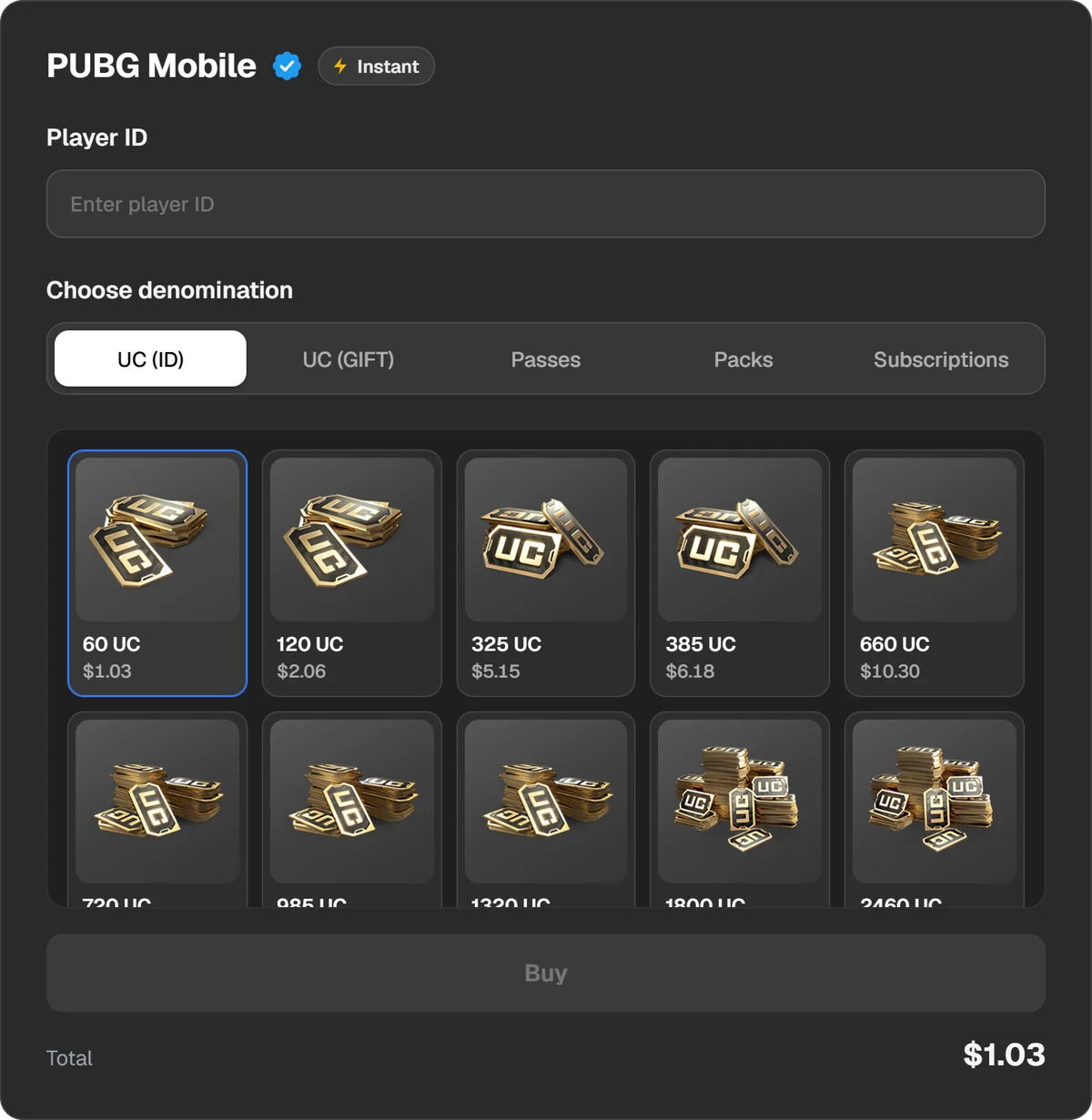
The Player ID field, the “UC (ID)” and “UC (GIFT)” tabs and the amounts.
Pay
Press “Buy” and choose how to pay: USDT, TON, BTC and other coins, Binance, Walt or TON Connect.
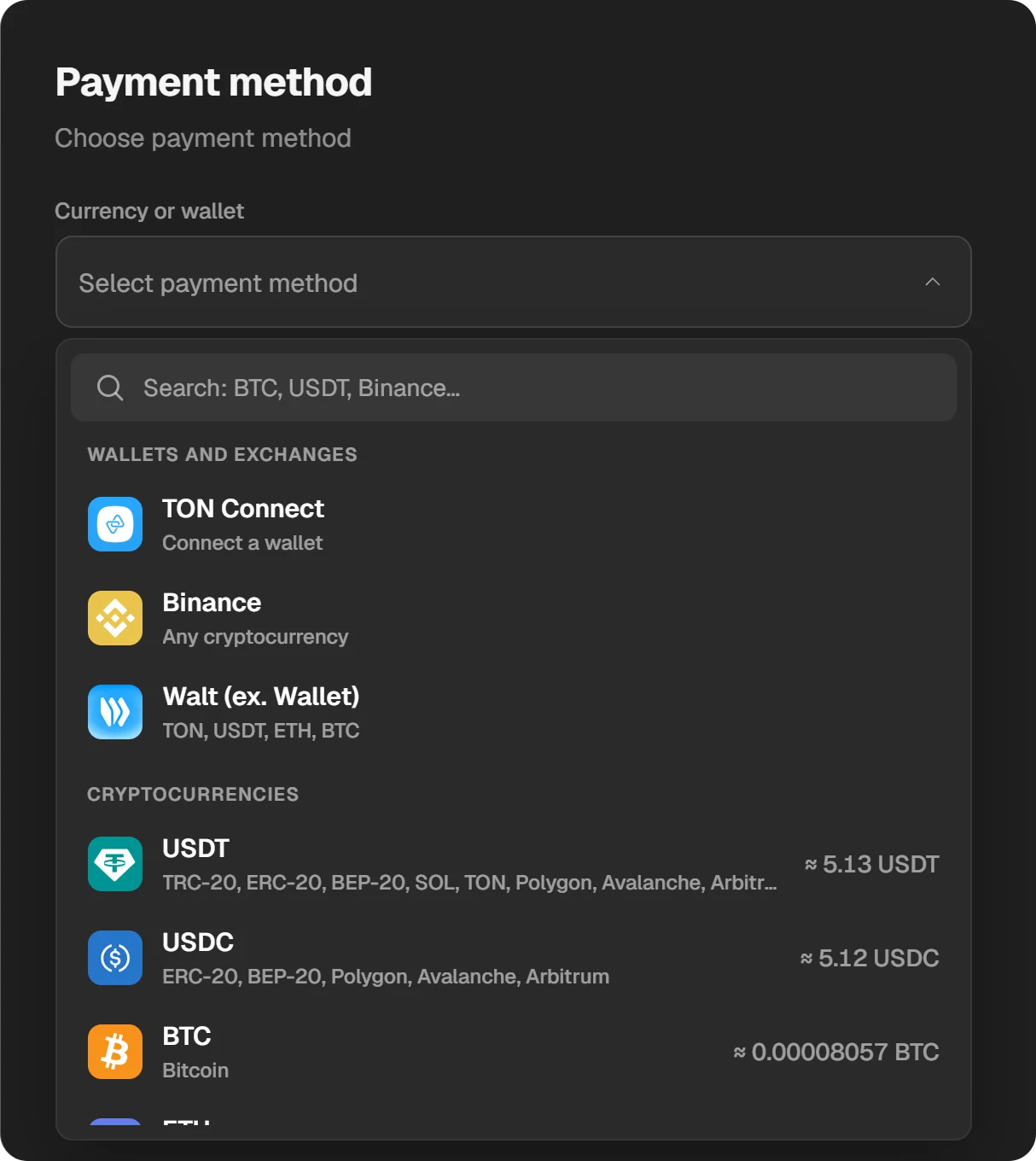
Choosing a coin or wallet in the payment window.
Check your balance in the game
A top-up by ID arrives by itself; restart the game. A code from “UC (GIFT)” appears in the order window and in “History”: redeem it on Midasbuy.
Check the Player ID before paying: UC goes to the account with that number and can’t be taken back after it arrives.
Questions and answers
What is the official PUBG Mobile top-up site?
Midasbuy (midasbuy.com). The “Purchase” button on the game’s official site, pubgmobile.com, leads there.
Can I get banned for cheap UC?
The rules let the publisher revoke UC on suspected fraud and end access for violations.
Do I need my password to top up?
No. Only your Player ID. Never share your password or login codes.
Can I buy a PUBG Mobile account with UC?
No. The rules forbid selling and transferring accounts, and the publisher may end access for breaches.
Is Play Wallet the official PUBG Mobile store?
No, it is a top-up service: we credit UC by Player ID or sell codes you redeem on the official Midasbuy.