Minecoins in Minecraft: what they are and how to get them
Minecoins buy skins, textures and worlds in the Minecraft store. Not every version of the game has them, and since October 2026 Nintendo has rules of its own. Here is where they work, how to get them and why the “unlimited Minecoins” of mods do not exist.
In short
- Minecoins are the currency of Marketplace, the store inside Minecraft: Bedrock Edition.
- They work on Windows, Xbox, Android, iOS, Chromebook and Amazon Fire. Java Edition has none, and PlayStation uses Minecraft Tokens instead.
- The only way to get them is to buy them: in the game, or as a code redeemed at minecraft.net/redeem.
- The coins live on your Microsoft account. A mod or a “hacked” game cannot add them.
- We sell Minecoins codes on the Minecraft Minecoins page. A card must be redeemed in the country it was issued for.
What Minecoins are
Minecoins are Minecraft’s virtual currency. In Marketplace they buy skin packs, texture packs, worlds, adventure maps and mash-ups, which bundle all of these. You cannot buy the game itself with them: they are for add-ons.
Marketplace exists only in Minecraft: Bedrock Edition. Java Edition has no store, so it needs no Minecoins. The difference between the two is explained in Java or Bedrock: which Minecraft to choose.
Where Minecoins work
| Device | Minecoins | What matters |
|---|---|---|
| Windows (Bedrock) | Yes | Sign in with the same Microsoft account |
| Xbox | Yes | The console’s Microsoft account |
| Android, iOS | Yes | Sign in to your Microsoft account in the game |
| Chromebook, Amazon Fire | Yes | As on a phone |
| Nintendo Switch and Switch 2 | Separate | Since 27 October 2026, coins bought on Nintendo work only there, and coins bought elsewhere cannot be spent on Nintendo |
| PlayStation 4 and 5 | No | Its own currency, Minecraft Tokens. Minecoins cannot be exchanged for it |
| Java Edition | No | Java has no Marketplace |
Minecoins you owned before 27 October 2026 were moved to a separate Legacy Wallet. They do not expire and still work on every compatible device. Newer Minecoin cards may not support Nintendo: check the platforms listed on the card.
How to get Minecoins
There is one official way: buy them. Minecoins are tied to your Microsoft account. Sign in to Bedrock Edition with that account and the balance shows in Marketplace on any compatible device.
- In the game. Open Marketplace and pick a coin pack. You pay through the device’s store: Microsoft Store, App Store or Google Play.
- On minecraft.net. It has a Minecoins purchase page; you sign in with your Microsoft account.
- With a code. A Minecoins card is a 25-character code. You redeem it at minecraft.net/redeem and the coins go to your Microsoft account.
If you buy content often, look at Marketplace Pass: a monthly subscription to a catalogue of worlds, skin packs and add-ons. It also runs through your Microsoft account.
How to buy a Minecoins code on Play Wallet
Minecoins are on the Minecraft Minecoins page. Do not confuse it with Minecraft Java & Bedrock: that is a code for the PC game itself, with no coins in it.
Choose the amount
Open the Minecoins page and choose how many coins you want. No Microsoft login or password is needed: you are buying a code. The price and the fee are shown before you pay.
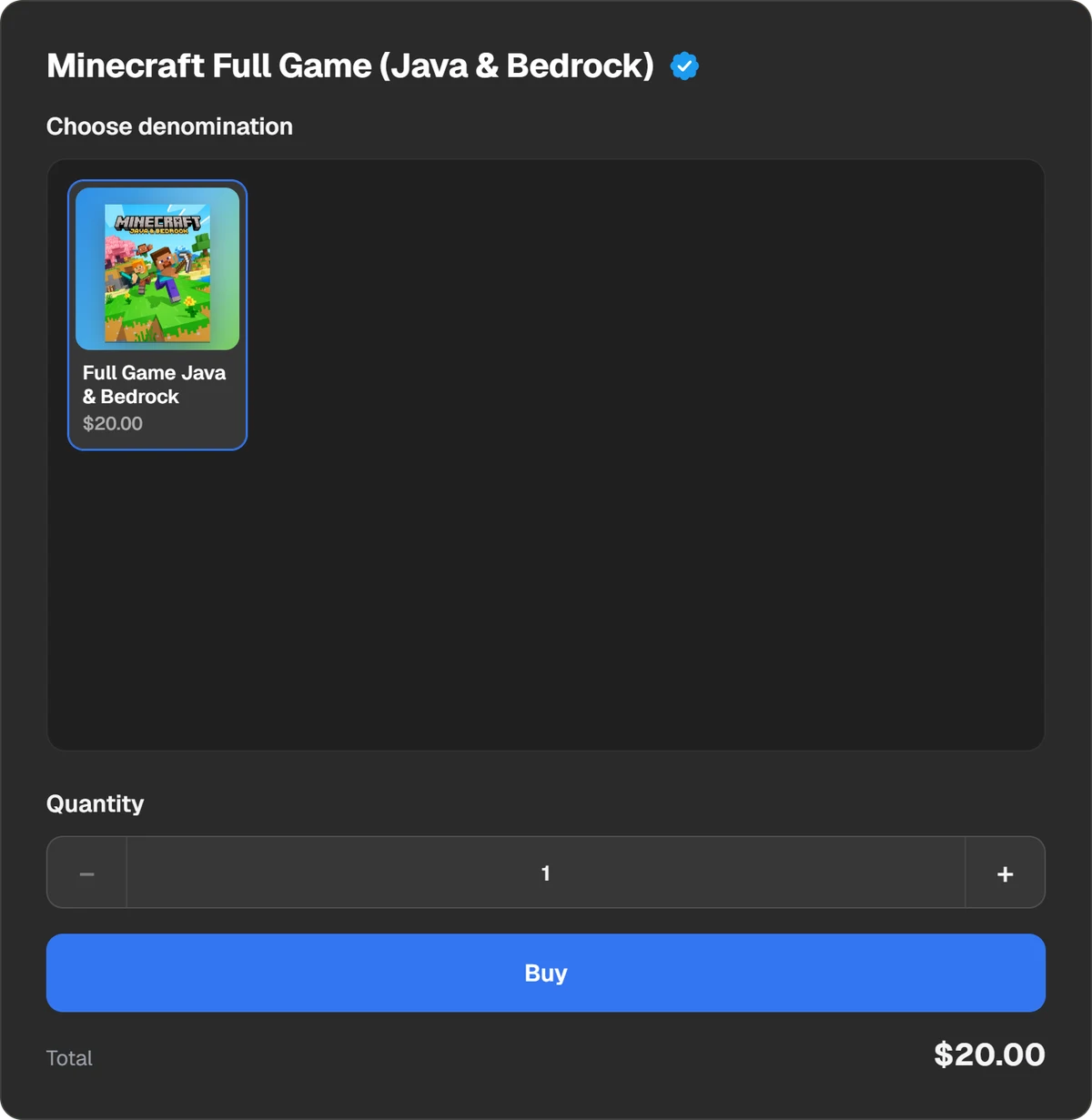
The order form: the Minecoins amount.
Pay
Choose a method in the payment window: Binance, Walt, TON Connect or a coin such as USDT, BTC or TON. The list shows what is available.
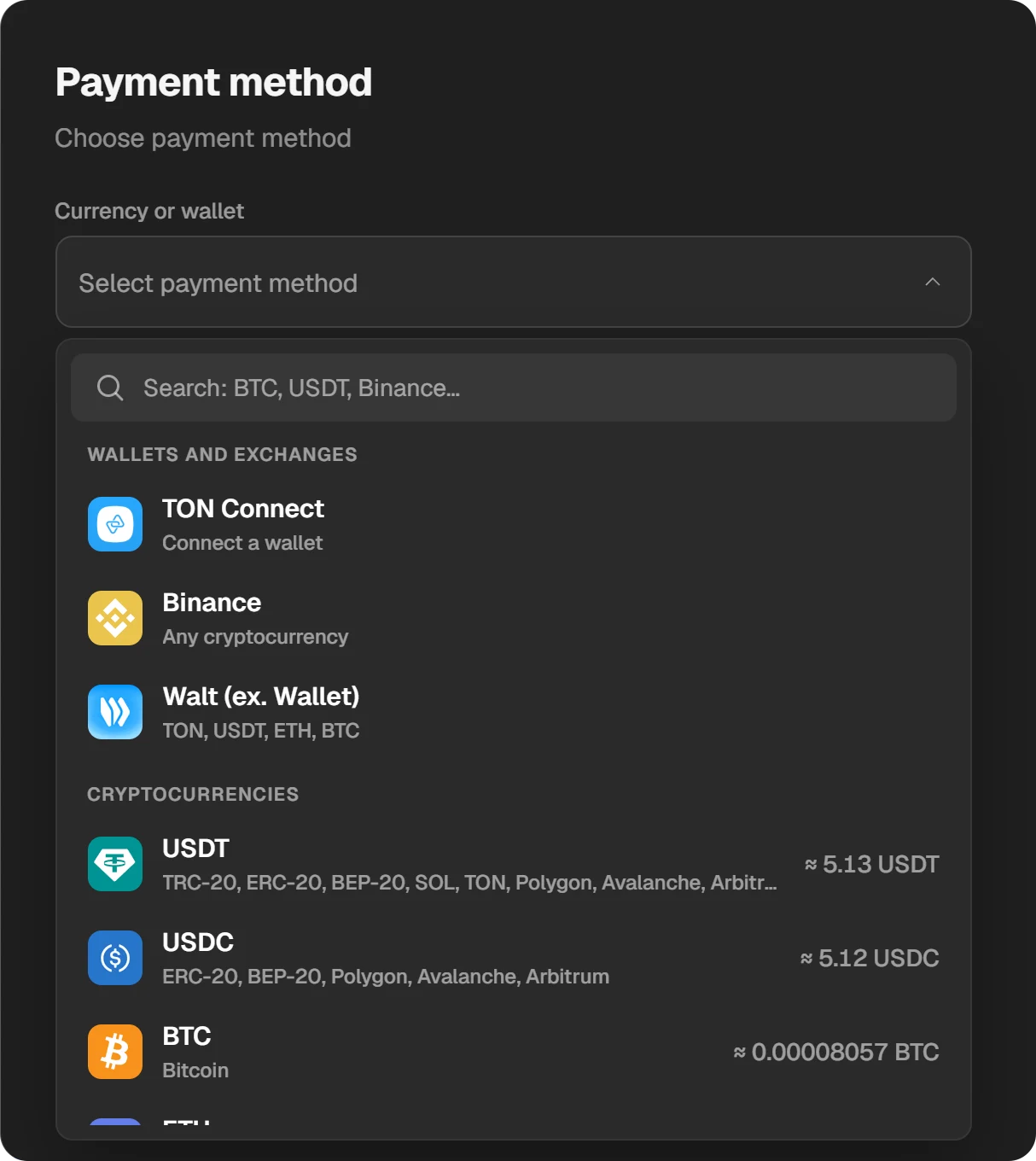
Payment methods.
Copy the code
The code appears in the order window. It is hidden: tap it to show it and copy it with the button next to it. If you closed the window, the code is kept in “History” at the top of the site.
Redeem it at minecraft.net/redeem
Open minecraft.net/redeem, paste the code and sign in to the Microsoft account you play with. Confirm, and the coins are added to that account.
Open Marketplace
Start Minecraft on Windows, Xbox or a phone with the same account. If the balance is not there, sign out in the game and restart it.
Minecraft’s rule is that a card is redeemed in the country where it was bought. If you are not sure the code suits your account’s country, ask support before paying.
Why “free Minecoins” are a scam
Searches for “Minecraft with unlimited Minecoins”, “Minecoins mod” or “Minecoins hack” lead to game downloads, generators and bots. None of them work, and here is why.
- Minecoins are not stored in the game. The balance is recorded on your Microsoft account. A modified game file can draw any number on the screen, but it buys nothing.
- A generator ends with a sign-in. “Enter your name and email, get 10,000 Minecoins” ends with a request for your Microsoft password or an email code. With those, the account is taken, along with the game you paid for.
- A file from a random site is dangerous. A “hacked” APK or installer can steal passwords from your phone or computer. Install Minecraft only from official stores and minecraft.net.
- “Prove you are not a robot.” Being asked to install an app or fill in a survey to “unlock the coins” only pays whoever earns from your installs.
Minecraft and its partners do run promotions with codes for items. Those codes are also redeemed at minecraft.net/redeem, and the promotions are announced on minecraft.net. A code sent by a stranger in a chat is not a promotion.
If you already entered your password on such a site
- Change your Microsoft account password at account.microsoft.com at once.
- Turn on two-step verification in the account’s security settings.
- Change the password of the email linked to the account.
- If you installed a file from such a site, delete it and scan the device with an antivirus.
Questions and answers
Can I get Minecoins for free?
There is no standing free way. Minecoins are bought in the game, on minecraft.net or with a code. Generators, mods and “hacked” versions give no coins and put the account at risk.
Do Minecoins work in Java Edition?
No. Marketplace exists only in Bedrock Edition, so Java has no use for Minecoins.
Can I spend Minecoins on PlayStation?
No. PS4 and PS5 have their own currency, Minecraft Tokens, and Minecoins cannot be exchanged for it.
I bought Minecoins on Switch. Will they show on my phone?
Not if you bought them on or after 27 October 2026: those coins work only on Nintendo. Coins you had before that date are in the Legacy Wallet and work on all compatible devices.
Where do I redeem a Minecoins code?
At minecraft.net/redeem. Sign in to the Microsoft account you play Bedrock Edition with and confirm.
Why are my Minecoins not in the game?
Check that the game is signed in to the same Microsoft account. If it is, sign out and restart Minecraft.
Can Minecoins be refunded?
Minecraft says all Minecoins purchases are final and cannot be refunded.