How to buy V-Bucks with a gift card
A V-Bucks card is a code you redeem on the Fortnite website, and it works without a bank card in the game store. But each card has a region, and you need to check it before buying.
In short
- A V-Bucks card is a PIN you redeem at fortnite.com/vbuckscard.
- A card works only in its own region. Epic does not let you change the account’s country to use one.
- For PlayStation and Xbox you get a second code for the console’s store.
- V-Bucks redeemed for Switch work only on Switch.
- There are no “free V-Bucks” generators. Such sites steal accounts.
What V-Bucks buy
V-Bucks are Fortnite’s currency. They buy skins, emotes and other Item Shop items, and the battle pass. They are kept on your Epic Games account, not on a device.
The card’s region
Epic says V-Bucks cards are locked to regions: if your Epic Games account’s country does not match the card’s region, the code will not redeem. Epic does not let you change the account’s country to redeem a card from another region.
Before buying, check your Epic Games account’s country in its settings on epicgames.com, and ask support whether the card fits it. It takes a minute and saves you from a code that will not redeem.
Check before buying
Your Epic account’s country
The card must be of the same region; Epic will not let you change the country for it.
Console linking
If you play on PlayStation, Xbox or Switch, the console account must be linked to Epic, or the platform will not be listed.
Where you will spend them
If you play on Switch and on other devices, decide first: V-Bucks redeemed for Switch stay on Switch.
How to buy a V-Bucks card on Play Wallet
Choose the amount of V-Bucks
Open Fortnite V-Bucks and pick a card. No Epic login or password is needed: you enter the code yourself.
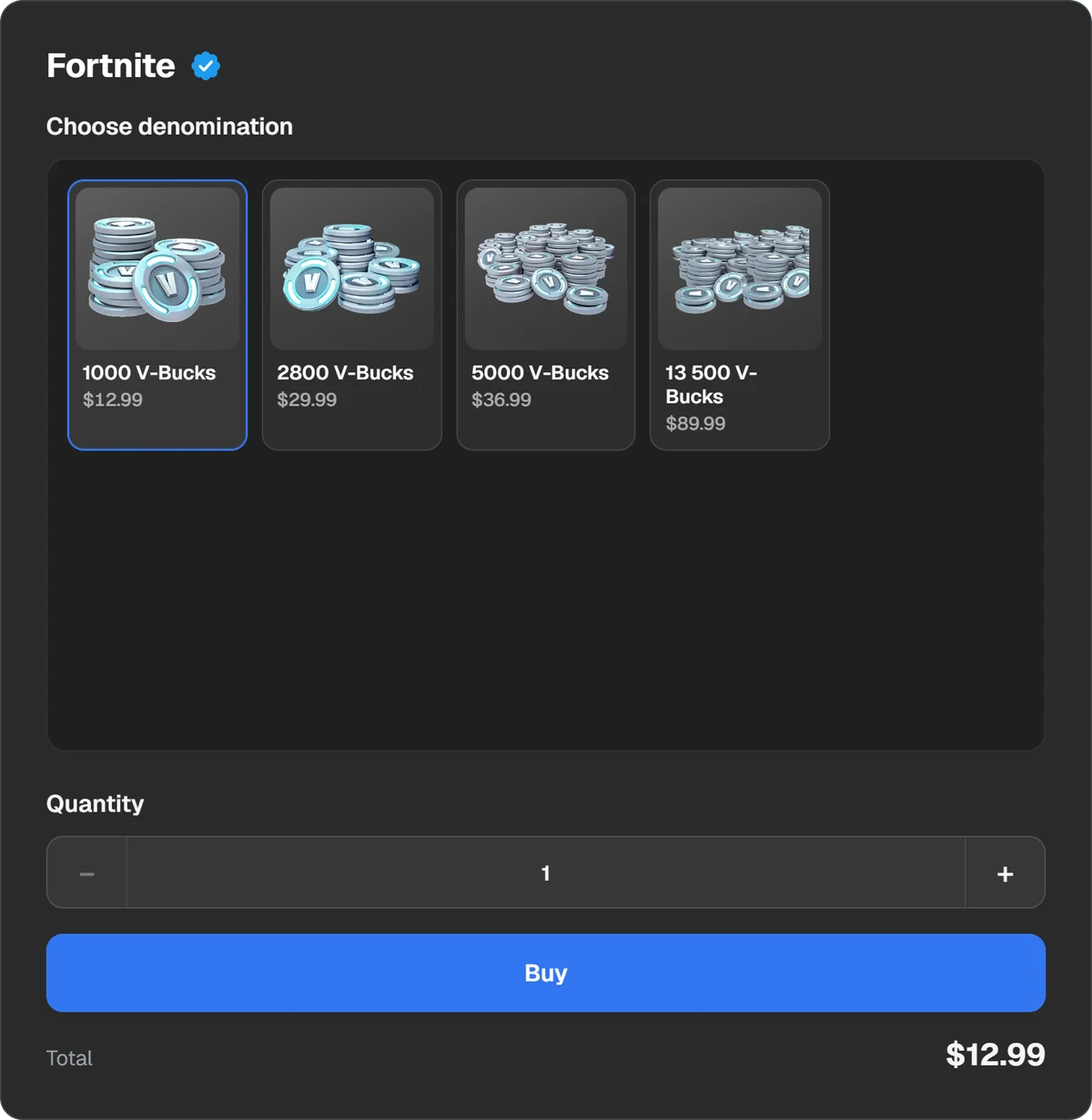
V-Bucks cards of different values.
Pay
Press Buy and the payment window opens. You can pay in USDT, USDC, BTC, TON and other coins, or through Binance, Walt and TON Connect. The total and the fee are shown before you pay.
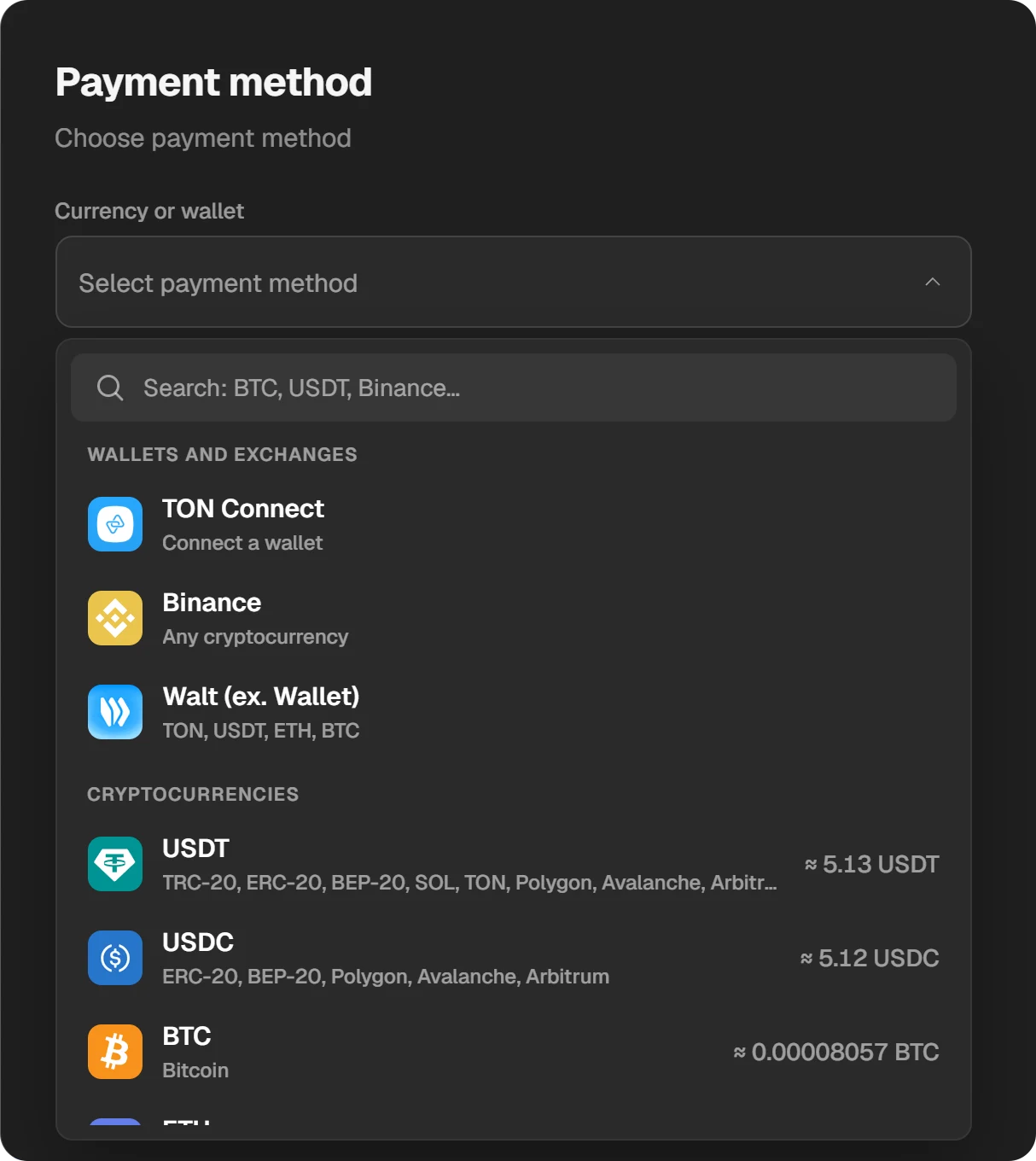
Choosing a coin or a wallet in the payment window.
Copy the code
When the order is done, the window shows the code with a Copy code button. It also stays in History at the top of the site.
How to redeem the card on PC, phone or Switch
- Open fortnite.com/vbuckscard and sign in to the Epic Games account you play on.
- Select Get Started.
- Enter the PIN with no dashes and select Next.
- Pick the platform. Only platforms linked to the account are listed.
- Check the account, the platform and the balance, then select Confirm.
A card cannot be redeemed on the Switch itself, only on the website, and Switch appears in the list only when your Nintendo Account is linked to Epic. V-Bucks redeemed for Switch can be spent only on Switch; PC, phones, PlayStation and Xbox share one balance.
How to redeem the card for PlayStation or Xbox
- Go through the same steps at fortnite.com/vbuckscard and pick PlayStation or Xbox.
- After Confirm, a second 12- or 25-character code is shown. It is emailed too.
- Sign in to the Sony or Microsoft account linked to Epic.
- Enter the second code and the V-Bucks are added.
Common mistakes
- The wrong region. The code will not redeem if the Epic account’s country differs.
- The platform is not listed. Link the console account to Epic first, then redeem the card.
- The wrong account. Check which Epic account you are signed in to: V-Bucks cannot be moved.
- Dashes in the PIN. Enter it without dashes, or copy it with the button in the order window.
If the code does not redeem
- Make sure you enter the PIN with no dashes or spaces; copying it with the button in the order window is safest.
- Check which Epic account you are signed in to and its country.
- A message about territory restrictions means the card’s region does not match the account’s country.
- Write to support with the order number. The ID button in the order window copies it.
“Free V-Bucks” and promo codes
Sites promising free V-Bucks or handing out “promo codes” ask you to sign in with Epic or install a program. That is how accounts are stolen. V-Bucks are given in the game itself or sold in its store and on V-Bucks cards; they come from nowhere else.
Questions and answers
Will the card work on my account?
If its region matches your Epic Games account’s country. Ask support before buying.
Where do I enter a V-Bucks code?
At fortnite.com/vbuckscard. Cards are not entered in the game or on a Switch.
Can I change my Epic account’s country to redeem a card?
No. Epic says plainly that changing the country to use another region’s card is not possible.
Will V-Bucks from PC show up on PlayStation?
Yes: PC, phones, PlayStation and Xbox share one balance. Only Switch is separate.
Are there free V-Bucks?
Only in the game itself, for example as battle pass rewards. Generators and “free V-Bucks” sites steal accounts.