How to buy a game on Steam when your card does not work
If Steam does not accept your card, you can still buy games: put money in your Steam Wallet first, then pay for the game from the balance. Here are the steps, and what to do when a game is not available in your region.
In short
- Top up your Steam Wallet any way that works for you, for example by login through Play Wallet.
- Steam spends wallet funds first, so no card is needed if the balance covers the price.
- If a game is not sold in your region, its store page says so. Do not get around it with a VPN.
- Other options: a Steam key from another store or a gift from a friend.
- You can refund a game within 14 days if you played under 2 hours.
How to buy a game on Steam, step by step
Top up your Steam Wallet
With Play Wallet it is done by login: choose the account’s country, enter the login and the amount, pay with crypto. You see what reaches Steam and the fee before paying.
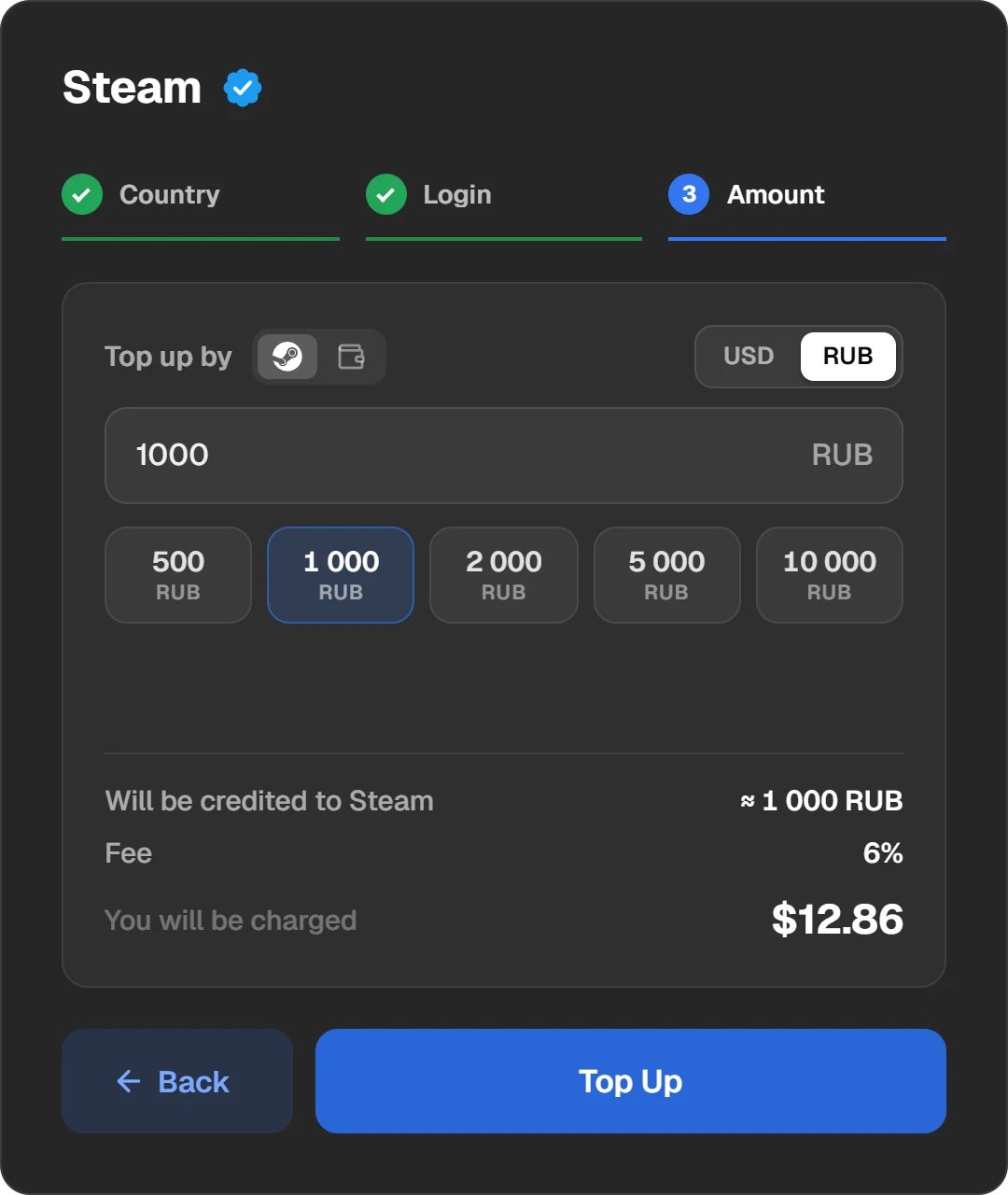
A Steam top-up by login: country, login, amount.
Check the balance
Your Steam Wallet balance is at the top right, next to your profile name. If it is not there, restart Steam.
Find the game and click “Add to cart”
Open the game’s page in the Steam client or at store.steampowered.com. If the game is not available in your region, the page says so.

The purchase box on a game’s page: the “Add to Cart” button.
Buy it for yourself
In the cart, choose to buy for your own account. To give it to someone, choose “This is a gift”; see How to gift a game or money on Steam.
Pay from the wallet
By default Steam spends your wallet funds first. If they do not cover the price, it asks for another payment method for the rest, so top up with a margin. Confirm the purchase and the game appears in your library.
Add a little more than the game’s price. The amount on Steam may differ from the estimate by about 1%, and if the balance falls short even slightly, Steam asks for another payment method.
How much to add
Check the game’s price in the Steam store, in your account’s currency, and use that figure on Play Wallet: the “Top up by” switch lets you set the amount that reaches Steam rather than the amount you pay. To convert a price at Steam’s rate, use the rates table.
If a game is not available in your region
The publisher decides prices and where a game is sold. Some games are not sold to accounts from certain regions, and some cannot be gifted to another region. Steam notes such restrictions on the store page, and Steam Support does not change them.
| Option | Allowed | Keep in mind |
|---|---|---|
| A Steam key from another store | Yes, Steam itself mentions Steam keys as an option | A key may be region-locked. Check that it can be activated on an account from your region before buying. |
| A gift from a friend in another region | Sometimes | If prices in the two regions differ too much, Steam will not send the gift. |
| A VPN and a region change | No | The Steam Subscriber Agreement forbids disguising where you live; Valve may close access to the account. |
| Buying an account with the game | No | The Agreement forbids selling and transferring accounts, and the seller keeps the email and recovery. |
How to activate a game key on Steam
- Start Steam and sign in.
- Open the “Games” menu at the top of the client.
- Choose “Activate a Product on Steam...” and follow the prompts.
- Without the client, you can enter the key in a browser at store.steampowered.com/account/registerkey.
The box or the store’s email should say the key is for Steam. If Steam says the code is invalid, it is not a Steam key. If it says the key is already in use, someone activated it before you: contact the seller.
If you change your mind
Steam refunds a game if no more than 14 days have passed since purchase and you played under 2 hours. A game bought with wallet funds is refunded to the wallet. How to request it: How to get a refund for a game on Steam.
Pre-purchases and Early Access
You can buy a game before release. If it cannot be played before release, you can refund it any time until it comes out, and then the usual 14 days apply, counted from the release date. In Early Access games, playtime counts towards the same 2 hours, so decide whether to keep the game before you play more than that.
Where to see your purchases
Click your name at the top right of Steam, choose “Account details” and then “View purchase history”. It lists every purchase you made in the Steam store. How to add up your total: How to see how much you have spent on Steam.
Questions and answers
Can I buy a Steam game without a card?
Yes. Top up the wallet by login or with a wallet code, then pay for the game from the balance. If the balance covers it, no card is needed.
How do I buy a game that is not available in my region?
If the publisher does not sell it in your region, Steam will not sell it to you. A Steam key from another store sometimes helps, if it is allowed for your region. Do not use a VPN: it breaks Steam’s rules.
How much should I add to buy a game?
The price in your account’s currency plus a little extra, since the amount may differ by about 1%. On Play Wallet you can set exactly the amount that reaches Steam.
Can I buy a game for a friend?
Yes: in the cart choose “This is a gift” and pick the friend. Or top up their wallet by login and let them buy it.
Can I return a game I bought?
Yes, within 14 days of purchase if you played under 2 hours. Requests go through help.steampowered.com.