

A Steam Kazakhstan account from abroad: what the rules allow
Steam accounts set to Kazakhstan are popular because of tenge prices. But a Steam region is not a setting like the language: it follows where you live. Here is what Steam’s rules say, when a Kazakhstan account is legitimate, and how to top one up in tenge.
In short
- Your Steam store country must be the country you live in, and it is set by your first purchase.
- Creating or moving an account to Kazakhstan while living elsewhere means hiding your location, which breaks the Steam Subscriber Agreement.
- Valve may close access to an account for a VPN or proxy. Buying a ready-made account is against the rules too.
- Legitimate cases: you live in Kazakhstan or moved there, or Steam itself set a new account to Kazakhstan on its first top-up.
- A Kazakhstan account can be topped up in tenge by login by choosing Kazakhstan as the country.
Why Kazakhstan
Kazakhstan has its own Steam currency, the tenge (KZT), and its own prices. The publisher sets a price for each currency, so some games cost less in tenge and others do not. You can compare amounts at Steam’s rate in the rates table; more on the tenge in The tenge in Steam.
What Steam’s rules say
- Your first purchase sets the store country, based on where you were when you made it.
- It must be where you live, and purchases need a local payment method from that country.
- You can change it after moving, by buying with a payment method from the new country, no more than once every 3 months.
- A new user cannot set a country while travelling. It is set in your country of residence.
- Wallet codes and keys do not change the country.
The Steam Subscriber Agreement forbids IP proxying or other ways to disguise where you live, including to get another country’s prices, and says Valve may terminate access to the account. A Kazakhstan VPN for Steam is exactly that, and the whole library is at stake.
What about buying a ready-made Kazakhstan account
The Steam Subscriber Agreement calls the account strictly personal: it may not be sold, transferred or rented out. Besides, the seller keeps the email and the means to recover the account, not you.
When a Kazakhstan account is legitimate
| Situation | What to do |
|---|---|
| You live in Kazakhstan | Create the account and make the first purchase in Kazakhstan with a Kazakh payment method. The region becomes Kazakhstan and the wallet is in tenge. |
| You moved to Kazakhstan | Add a game to the cart. If your location differs from the account’s country, Steam offers to change it in the cart or at checkout. Pay with a Kazakh payment method. |
| A new account became Kazakh by itself | This can happen on the first top-up of an account with no purchases. Steam set that region, so just top up in tenge. |
| You live elsewhere | Your region is your own country. Moving the account to Kazakhstan is not allowed by the rules. |
Why a new account may become Kazakh by itself
Until an account has purchases, its wallet currency is not fixed. On the first top-up Steam determines it and may ask for your current address. If the account had no financial activity before, the region after the top-up may turn out to be Kazakhstan, Uzbekistan or another country, and the currency tenge or dollars.
Moving such an account back follows the general rule: a purchase with a payment method from your country, no more than once every 3 months. So make a new account’s first top-up small and check which currency appears.
What changes on a Kazakh account
- Prices and the wallet are in tenge. The publisher sets the tenge price; it is not another price converted at the rate.
- Payment methods are Kazakh. At checkout Steam lists the payment methods for the account’s country.
- Gifts to friends in other regions may fail. If prices in the two regions differ too much, Steam will not send the gift.
- The Community Market is in tenge. Market prices show in the wallet currency, converted at a rate Steam updates daily.
How to top up a Steam Kazakhstan account in tenge
If the account’s region is Kazakhstan, Play Wallet tops it up by login and the money arrives in tenge. No password is needed, and you can pay with crypto.
Check the account’s country
In Steam, click your name at the top right and open “Account details”. It shows the country and the wallet currency.

The “Store & Purchase History” block: the “Country” line.
Choose Kazakhstan and enter the login
On the Steam top-up page choose Kazakhstan and type the login, not the nickname. The site checks that the account exists.
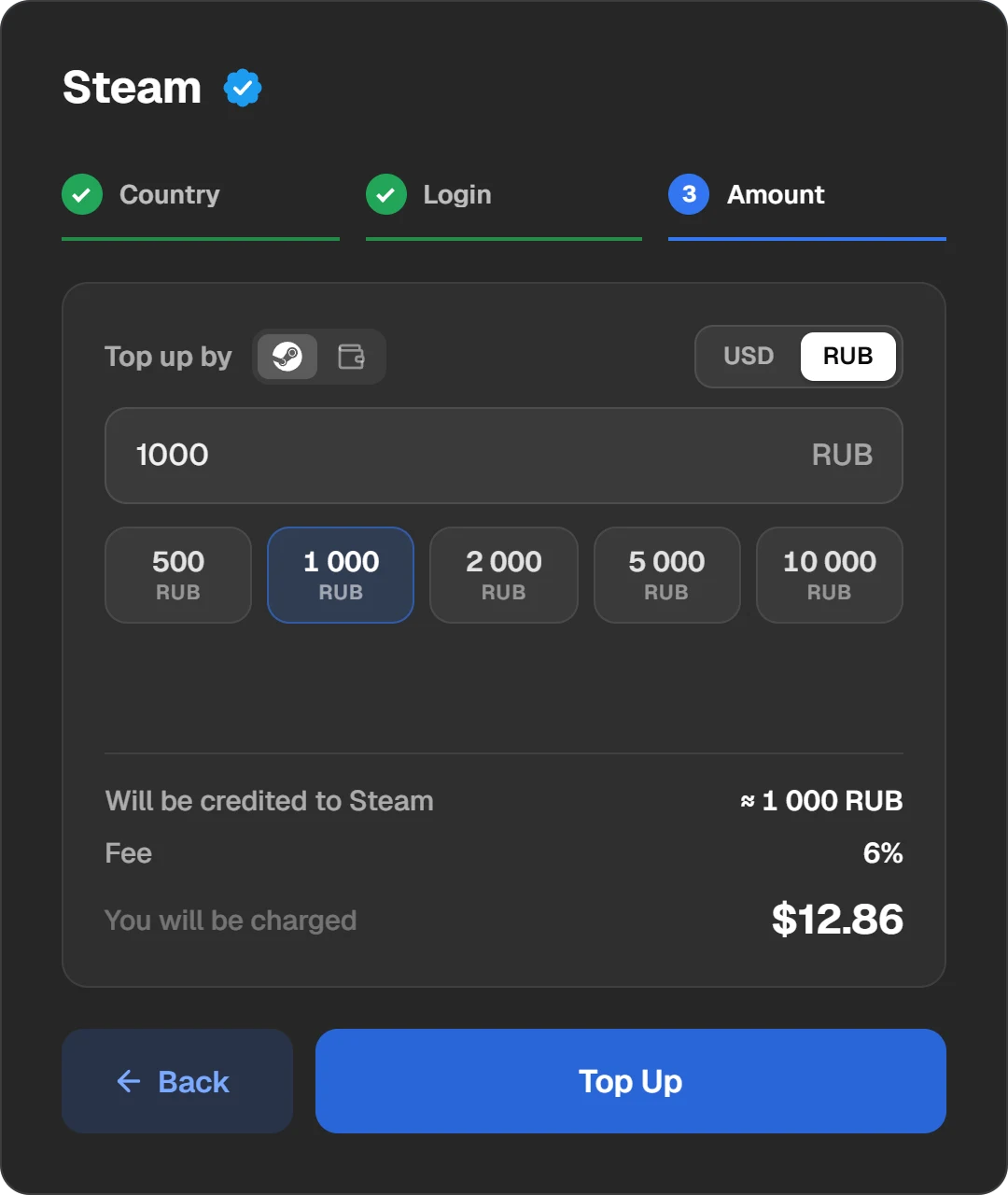
Country, login and amount. What will be credited and the fee show before you pay.
Set the amount and pay
Enter the amount, check what reaches Steam and choose how to pay: Binance, Walt, TON Connect or a coin such as USDT. Payment step by step: How to top up Steam with crypto.
In the form, choose the country shown in Steam, not the one you are in now. It sets the currency of the top-up and the amount the site shows before you pay.
Questions and answers
Can I create a Steam Kazakhstan account if I live elsewhere?
Not under the rules. The account’s country must match where you live, and the Steam Subscriber Agreement forbids hiding your location with a VPN or proxy.
How do I move my Steam account to Kazakhstan?
Only if you moved there: Steam offers to change the country at checkout, and you pay with a Kazakh payment method. The country can change once every 3 months at most.
Will Steam ban me for a Kazakhstan VPN?
The Subscriber Agreement says Valve may terminate access to an account for disguising where you live. A price difference is not worth the library.
Why is my Steam wallet suddenly in tenge?
Most likely the account was new and the region was set on the first top-up. That is not a violation: Steam set it. More in The tenge in Steam.
How do I top up a Kazakh Steam account?
By login: on the Steam top-up page choose Kazakhstan, enter the login and the amount. The money arrives in tenge; no password needed.
Can I buy a ready-made Steam Kazakhstan account?
The Steam Subscriber Agreement forbids selling and transferring accounts, and the seller keeps access to the email and recovery.
How do I switch a Kazakh account back to my country?
By Steam’s general rule: a purchase with a payment method from your country, no more than once every 3 months. Wallet codes and keys do not change the country.
