Steam currency rates: the table, the converter, the chart and a free API
Play Wallet has a page with the rates Steam converts currencies at: 35 currencies, a converter and the history since 2024. It is free and needs no sign-up. We use the same rates to work out the sum of a Steam top-up, and developers can take them from an open API with no key.
In short
- The rates are on the Steam currency rates page: “Tools” in the site header.
- The table has 35 currencies. Change the base currency and the amount, and it becomes a converter.
- The chart shows the history of any pair since January 1, 2024.
- With these rates we show how much will reach the Steam wallet before you pay.
- The API is open and free: no key and no sign-up.
What these rates are
Steam converts currencies at its own rates. They are updated once a day and can differ from a central bank’s or your bank’s rate by a few percent. The page shows Steam’s rates, so it tells you in advance how many roubles, tenge or hryvnias a sum in dollars will make.
On days when Steam did not change a rate (usually weekends), the history keeps the last value.
How to see a rate and convert a sum
Open the rates page
In the site header point at “Tools” and choose “Steam currency rates”. On a phone this item is in the menu. The direct link: playwallet.bot/steam-currency.
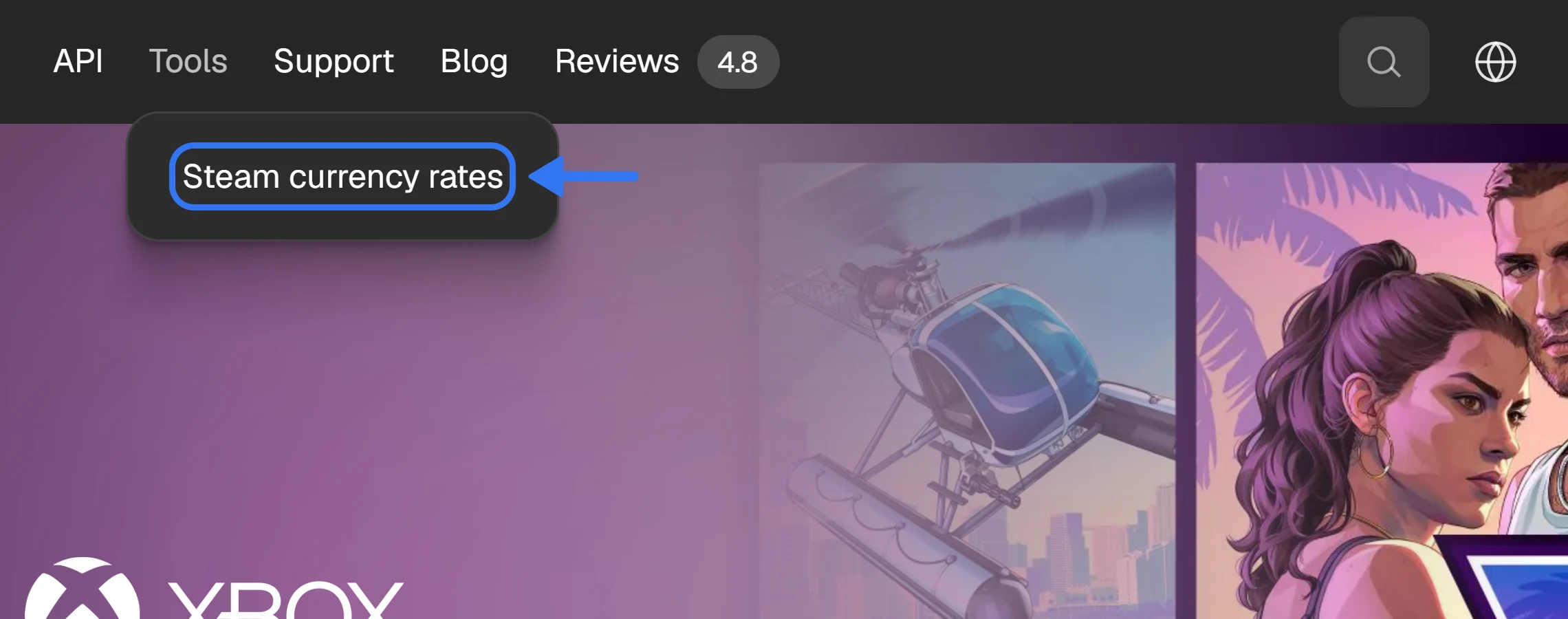
“Steam currency rates” in the “Tools” menu.
Choose the base currency and the amount
At first the table shows what 1 US dollar is worth in each currency. In “Base currency” you can pick any of the 35 currencies, and in “Amount” you can type your own number: the table recalculates every row. For example, pick tenge, type 5000 and look at the RUB row. Next to a rate you see how it changed over a day and over 10 days.
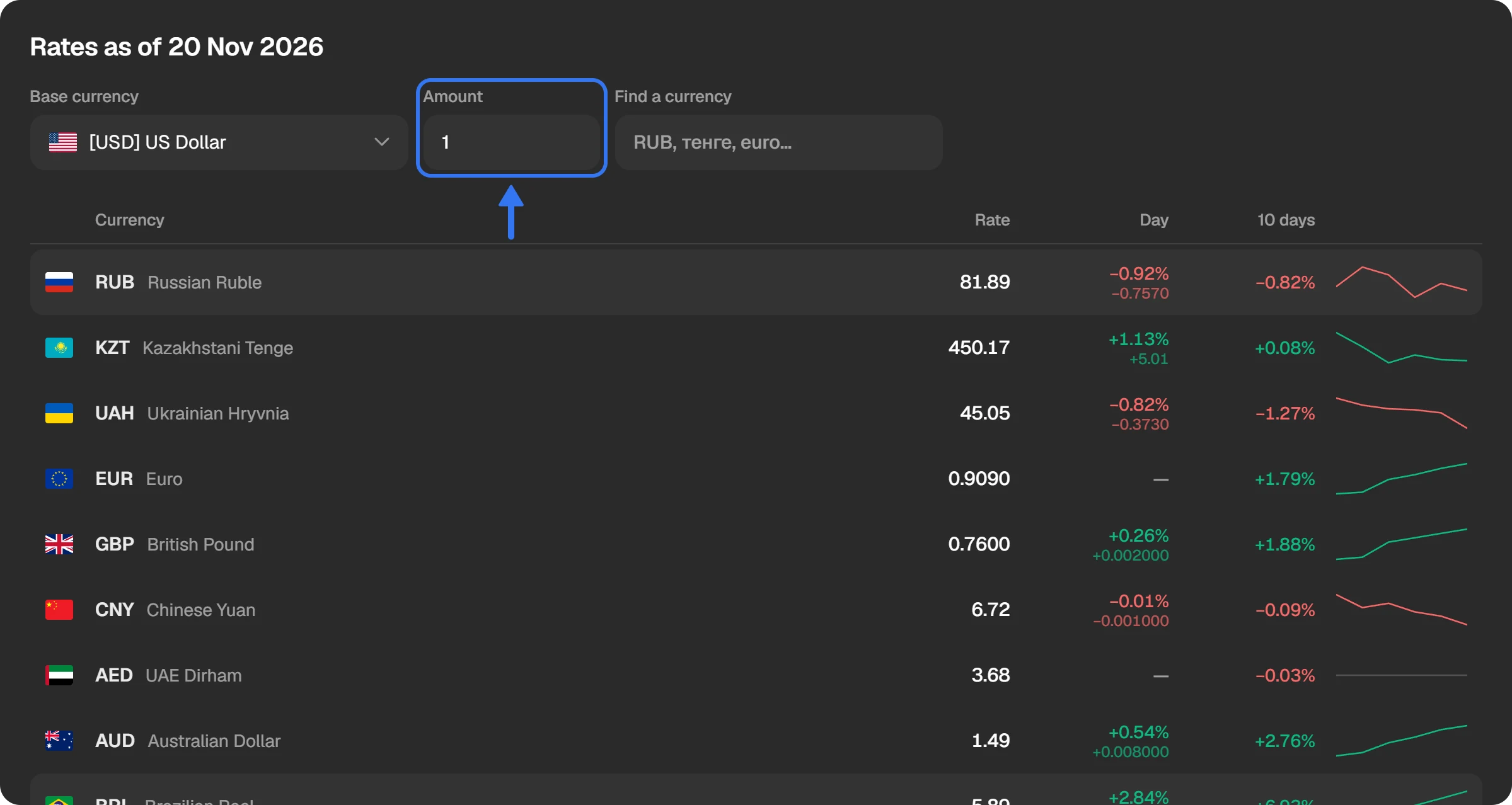
The rates table: the base currency, the amount and the currency search.
See how a rate has changed
Click a currency’s row, and the chart of that pair opens above the table. You can choose the period: 7, 30 or 90 days, a year, all time, or your own dates in the calendar. The change over the period, the minimum and the maximum are shown next to it.
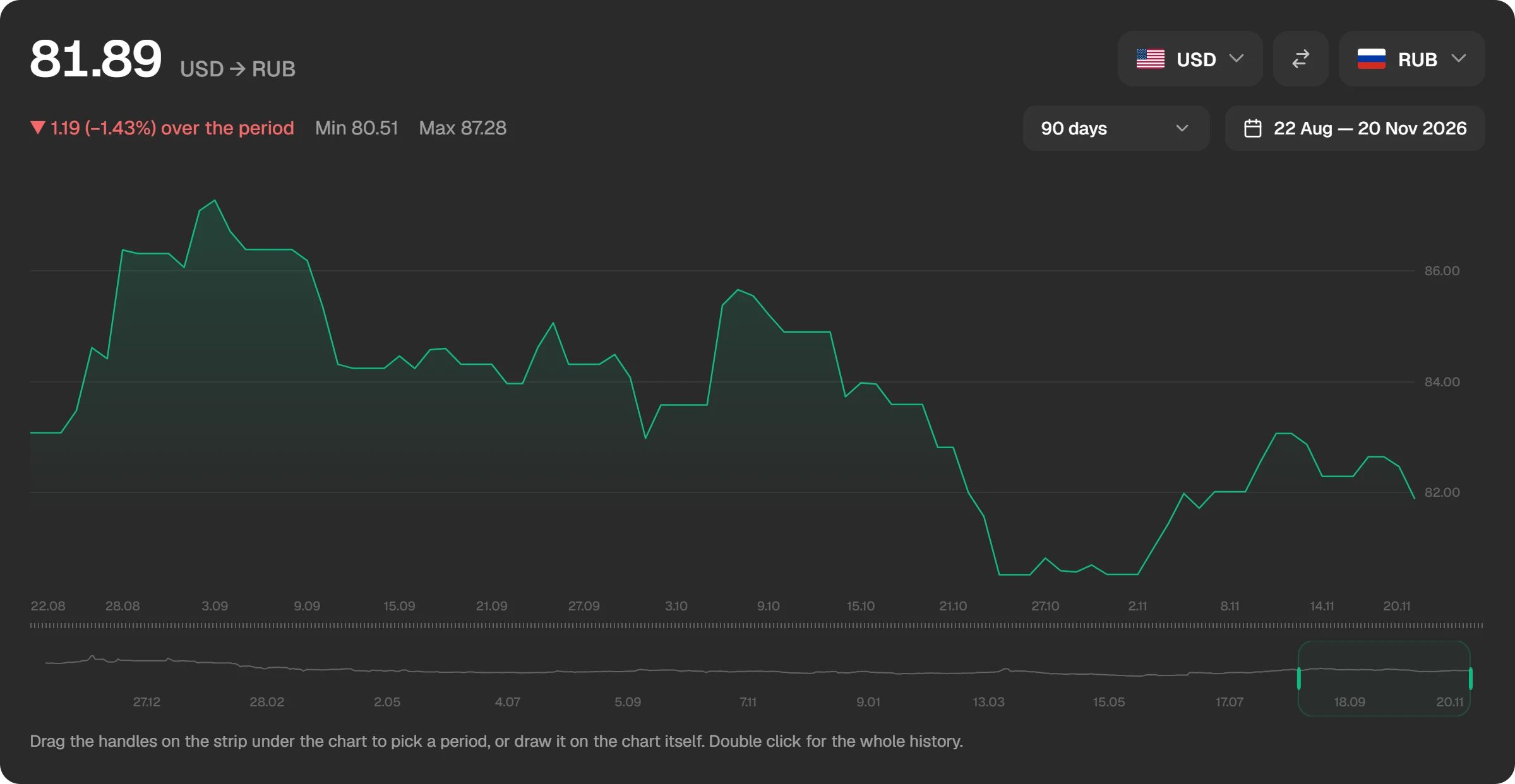
The history of USD → RUB on the chart.
Where the site itself uses these rates
The rates are not only for reference. We use them to work out the sum of a Steam top-up.
- In the top-up form. For accounts of Russia, Kazakhstan and Ukraine you can enter the sum in roubles, tenge or hryvnias. The form shows at once how much will be credited to Steam and how much you will be charged.
- In the order window. The “You receive” line shows the approximate sum in the account’s currency, for example “≈ 400 ₽”. A link to the rates page is next to it.
- In the order history. An order shows the sum in the account’s currency at the rate of the moment it was placed.
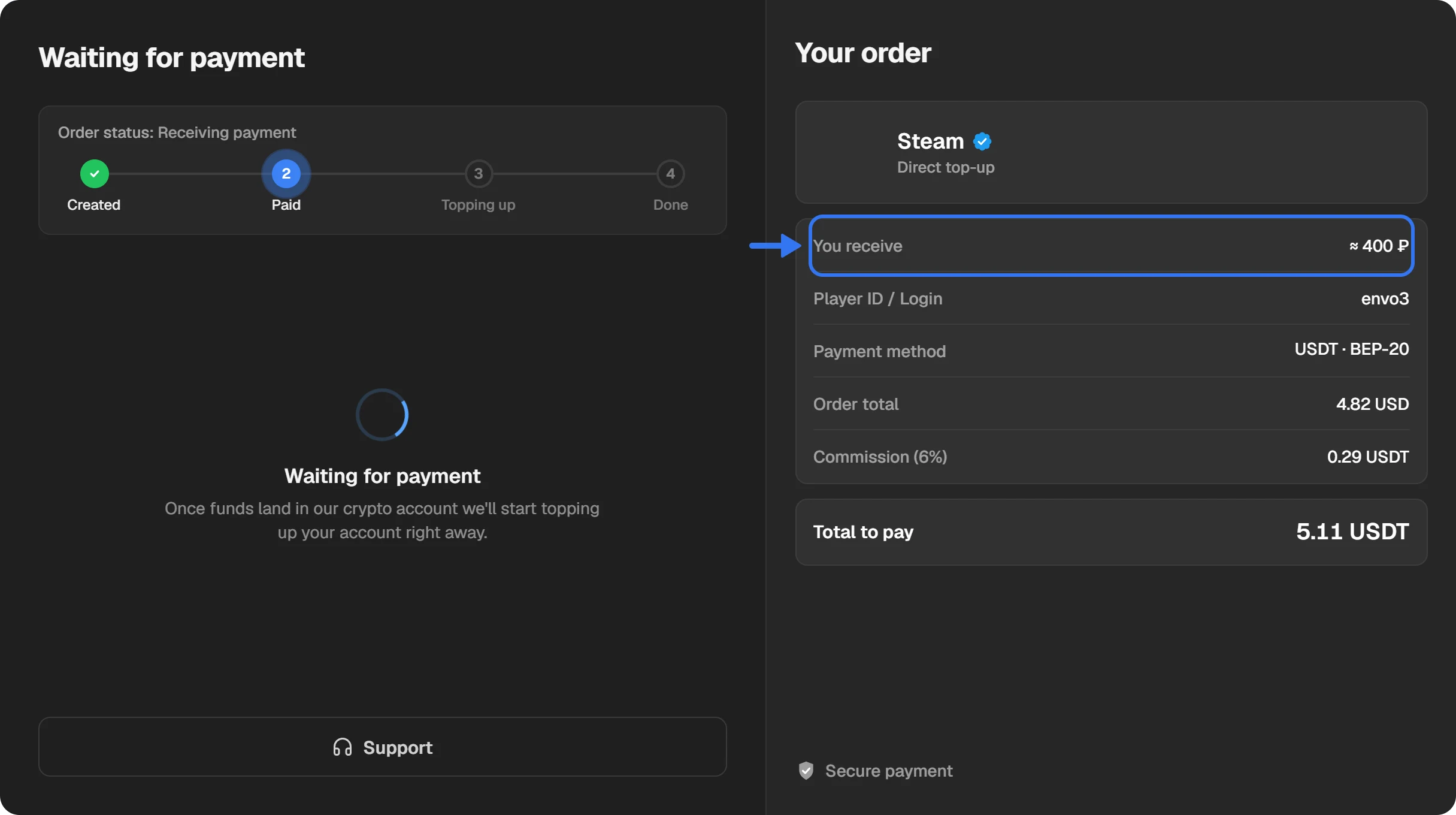
The order window: the sum in “You receive” is worked out at Steam’s rate.
A top-up is credited in dollars, and Steam converts it into the account’s currency itself. So the result can differ from the estimate by about 1%.
The rates on Telegram
We publish the same rates in the Telegram channel t.me/SteamCR. Subscribe if it is easier to follow a rate there.
The rates API for developers
The rates are available through an open API. It is free: no key, no token and no sign-up, a plain GET request is enough. The API’s address: steam-rates.playwallet.bot.
The latest rate of a pair:
curl "https://steam-rates.playwallet.bot/latest-rate/?currency_code=RUB&base_currency_code=USD"
The answer comes as JSON:
[
  {
    "id": 37863,
    "currency_code": "RUB",
    "base_currency_code": "USD",
    "exchange_rate": 81.887,
    "date": "2026-11-20T00:00:00"
  }
]
The rates of a pair over a period, one record for each day the rate was updated:
curl "https://steam-rates.playwallet.bot/rates/?currency_code=KZT&base_currency_code=USD&start_date=2026-11-17&end_date=2026-11-21"
| Parameter | What it means |
|---|---|
| currency_code | The code of the currency whose rate you need, for example RUB. |
| base_currency_code | The code of the base currency, for example USD. |
| start_date, end_date | The start and the end of the period as YYYY-MM-DD. Only for the /rates/ request. |
The full description of the requests and answers is in the interactive documentation. You can run a request there right in the browser.
The rates on the site and the API are for information and are provided “as is”, with no guarantee of availability or accuracy. Section 15 of the Terms of use says so.
What it is good for
- To estimate how many roubles, tenge or hryvnias a top-up in dollars will make.
- To compare Steam’s rate with your bank’s before a purchase.
- To show Steam’s rate in your own bot, site or spreadsheet through the API.
- To price your own top-up shop: our Steam top-up API works on the same rates.
Questions and answers
Is it paid?
No. The rates page, the history and the API are free. No key and no sign-up.
How often are the rates updated?
Once a day, after Steam. On days when Steam did not change a rate, the last value stays.
Why is Steam’s rate not the central bank’s rate?
Steam converts currencies at its own rates. The difference from a central bank’s or a bank’s rate is usually within a few percent. More in the article “The dollar rate in Steam”.
Which currencies are missing from the table?
The table has 35 currencies: the rouble, tenge, hryvnia, euro, yuan and others. The Belarusian rouble and the Turkish lira are not there: Steam has no wallets in these currencies.
May I use the rates in my own project?
Yes, the API is open to everyone. The data is for information: we do not guarantee its accuracy or the service’s availability.