

How to pay an order in TON with Tonkeeper and TON Connect
If your coins are in Tonkeeper or another TON wallet, TON Connect is the easiest way to pay. You connect the wallet to the payment window and then simply confirm the payment in it, with no address to copy. Below are both ways: TON Connect and a plain TON transfer, for example from an exchange.
In short
- In the payment window choose TON Connect under “Wallets and exchanges”.
- Connect Tonkeeper: scan the QR code on a computer, or pick the wallet from the list on a phone.
- In the “Coin” field choose TON or USDT and press Pay.
- Check the amount in the wallet and confirm. The network fee is paid in TON, so keep a little extra.
- Coins on an exchange? Choose TON under “Cryptocurrencies” and send by address.
TON and Gram are one coin
In 2026 Toncoin was renamed Gram, ticker GRAM. The blockchain is still TON; only the name, ticker and logo changed, and there is nothing to swap or migrate. Wallets and exchanges may show GRAM, while the Play Wallet payment window still says TON.
Sites and messages offering to “swap TON for GRAM” or “migrate your coins” are scams. There is nothing to swap.
What TON Connect is
TON Connect is the standard way to connect a TON wallet to a site or app. The site sees the wallet address and can send the wallet a payment request; you always confirm the payment yourself, in your wallet. Connecting gives the site no access to your money.
Paying with TON Connect step by step
Place the order
Choose a product, for example Telegram Stars by username or a Steam top-up by login, set the amount or pack and press the buy button. The total with the service fee is shown in advance.
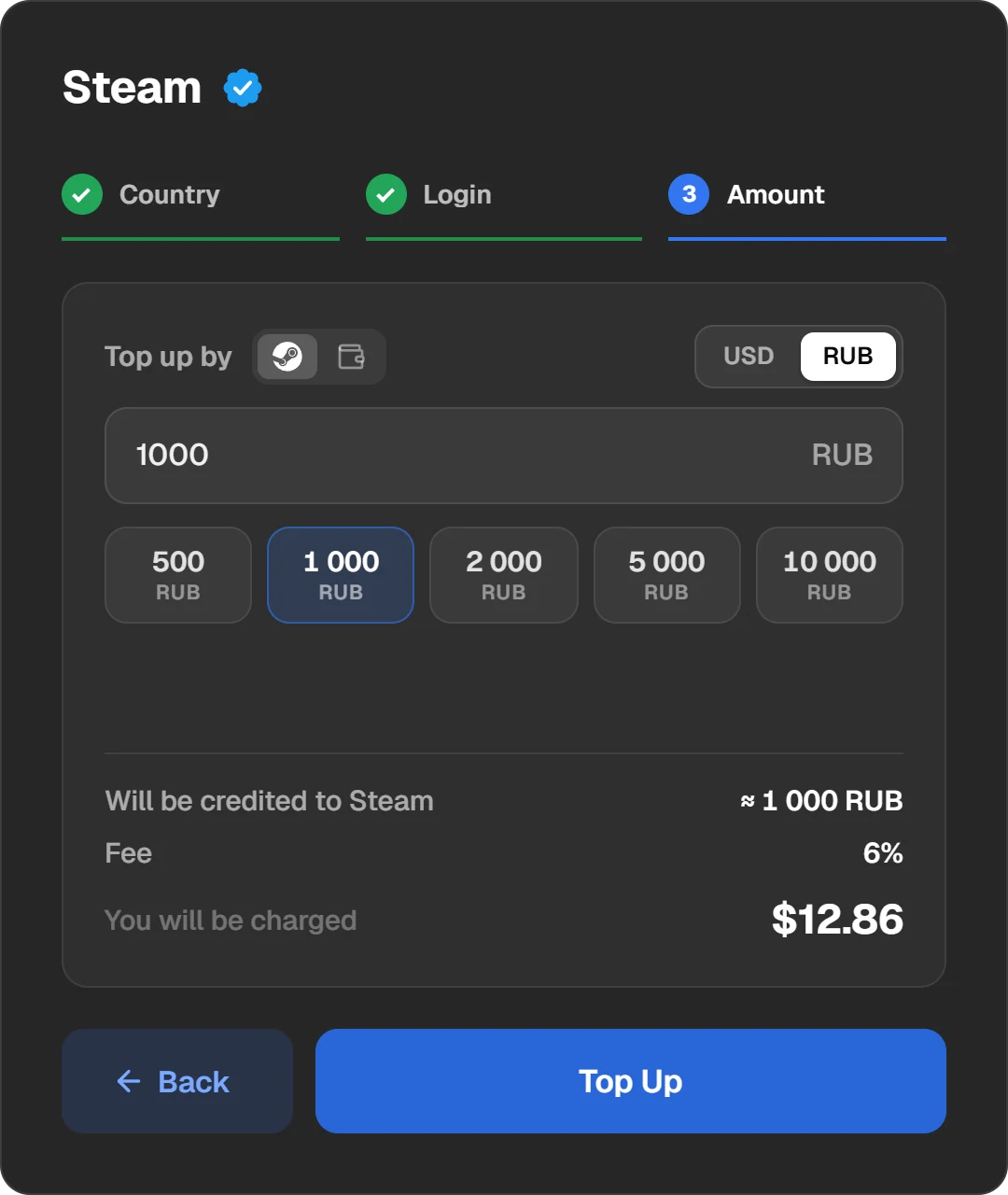
The order form: the product and the amount.
Choose TON Connect
In the “Currency or wallet” field choose TON Connect under “Wallets and exchanges”, labelled “Connect a wallet”. If it is missing, it is not available for this product right now: choose TON under “Cryptocurrencies”.
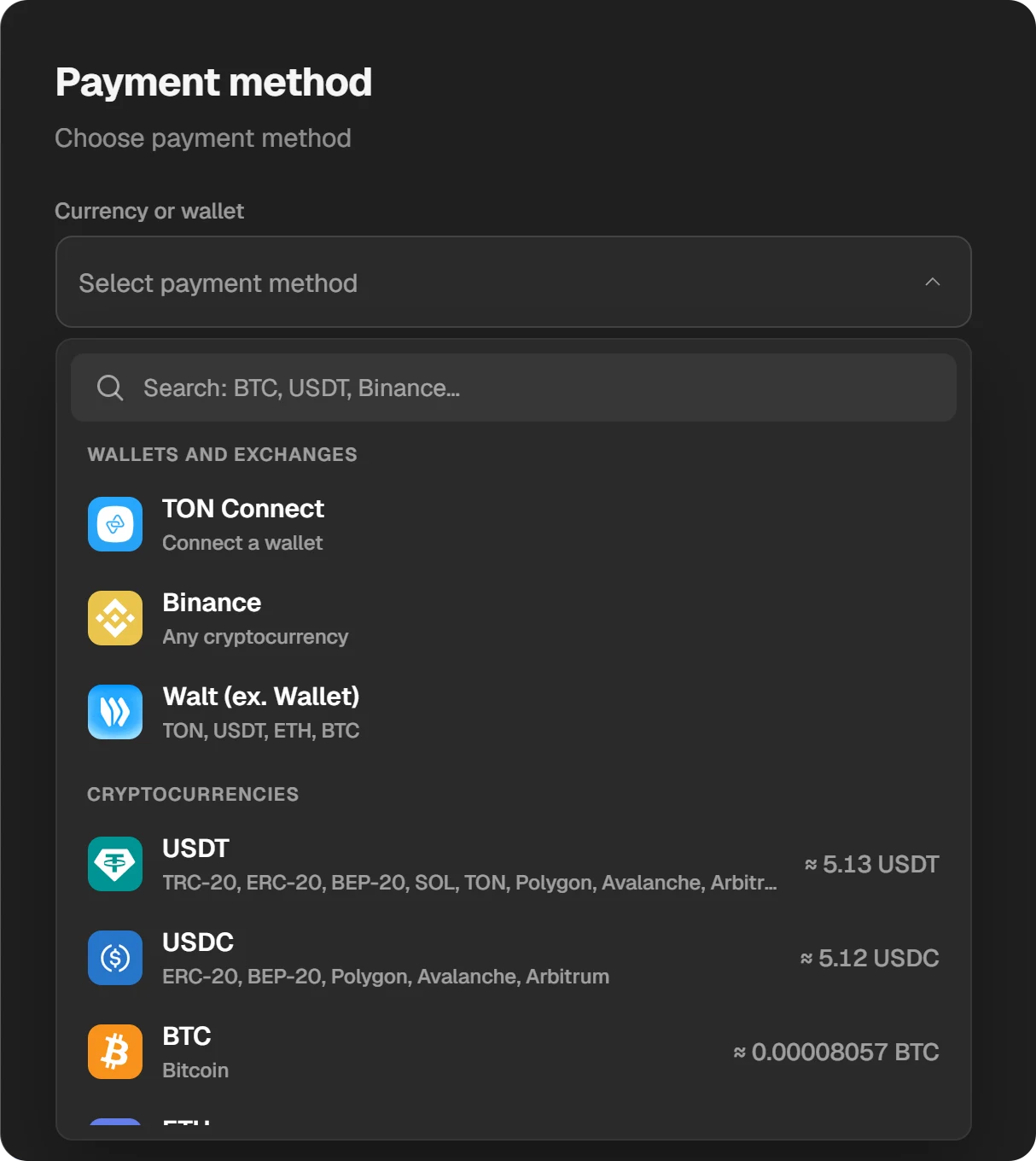
TON Connect at the top of the methods.
Connect the wallet
The TON Connect window opens. On a computer scan the QR code with Tonkeeper’s camera; on a phone pick your wallet from the list and it opens by itself. Approve the connection in the wallet.
Choose the coin
The payment window shows the wallet as connected. In the “Coin” field choose TON or USDT; each shows your balance. USDT here means USDT on the TON network.
Press Pay
The button shows the exact amount, for example “Pay 3.2 TON”. Press it and the payment request goes to your wallet.
Confirm in the wallet
Tonkeeper shows the amount, the recipient and the network fee. Check them and confirm. The window on the site notices the payment by itself: Created, Paid, Topping up, Done.
If you open the site in Tonkeeper’s built-in browser, TON Connect is chosen at once and the wallet connects without a QR code.
How much TON to keep for the fee
- Paying in TON. Hold a little more than the order amount: the network fee comes on top.
- Paying in USDT. You also need some TON; a USDT transfer on TON does not go through without it.
- The exact fee is shown by the wallet before you confirm.
Paying TON by address, e.g. from an exchange
- In the “Currency or wallet” field choose TON under “Cryptocurrencies”; the amount of TON you need is shown next to it.
- Press Pay. A Cryptomus page opens with the amount, the address and a QR code. You have 30 minutes.
- On the exchange start a TON (or GRAM) withdrawal on the TON network, paste the address and amount, or scan the QR code in a wallet.
- Send enough for exactly the shown amount to arrive: the exchange’s withdrawal fee comes out of what you send.
If something went wrong
- You rejected the payment in the wallet. The payment window stays open; press Pay again.
- Wrong wallet connected. Press “Disconnect wallet” in the payment window and connect the right one.
- The wallet shows no request. Open the wallet yourself; the request waits there. After a few minutes press Pay again.
- Paid, but the order still waits. Give it a couple of minutes; the order updates by itself and is in History. If nothing changes, write to support with the order ID and the transaction hash from your wallet.
Questions and answers
How do I pay in TON with Tonkeeper?
Choose TON Connect, scan the QR code in Tonkeeper, choose TON as the coin and confirm the payment in the wallet.
Can I pay USDT through TON Connect?
Yes, USDT on the TON network. Choose USDT in the “Coin” field and keep a little TON for the network fee.
Are TON and GRAM different coins?
No. Toncoin was renamed Gram in 2026. There is nothing to swap.
Is connecting a wallet safe?
Connecting gives the site only your wallet address. You confirm every payment yourself in the wallet. Never type your seed phrase into a website.
Why is TON Connect not in the list?
The methods depend on the product. If TON Connect is missing, choose TON under “Cryptocurrencies” and send by address.

